A search engine result page (SERP) is the page you see after you type a Keyword or query into a search engine like Google. It is the page designed to help you find the most relevant information as per your search.
Today, SERP is more than a list of blue links. Depending on the search query, it can show ads, an AI overview, Featured Snippets, images, videos, maps, and shopping results, often appearing before regular website results.
The purpose of a SERP is simple: to help you find the most helpful information quickly from millions of available pages online. Whether you are looking to learn something, compare options, find a location, or want to make a purchase.
Here’s what SERP looks like:
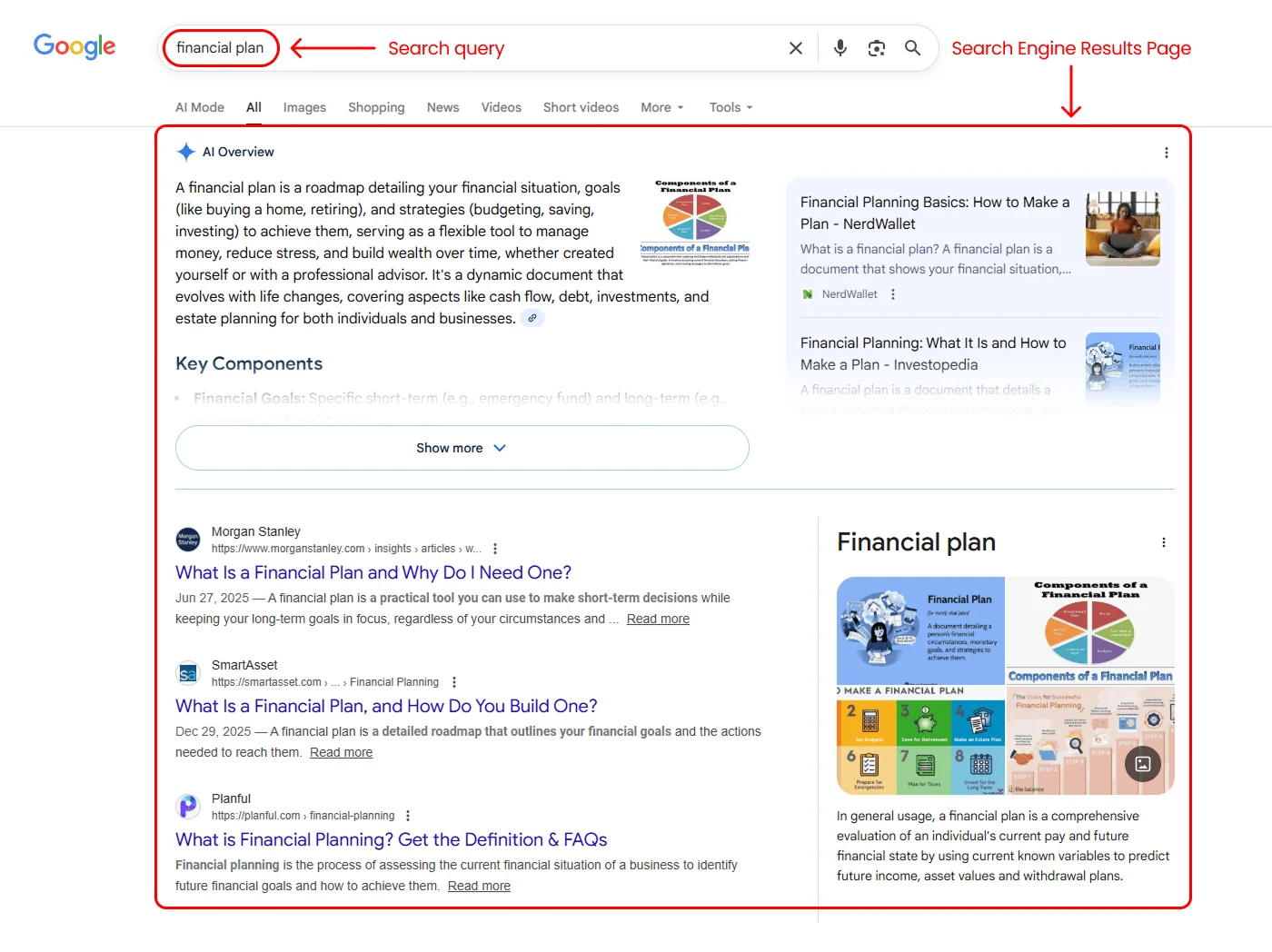
The above image shows the SERP results for the “financial plan” query.
Key Takeaways
- SERP can include organic results, ads, images, videos, and special features
- Search engines organize results based on relevance and search intent
- Visibility isn’t only about ranking #1; SERP features often get more attention.
- Different searches can trigger different SERP layouts
- Pages that clearly answer user intent tend to appear more consistently
- Improving SERP visibility starts with clarity, relevance, and trust.
What Appears on a SERP?
A SERP is not just a list of links. It shows different result types and features that help users find their answers faster, and users can compare options before clicking a link.
Google SERPs hold the largest share of global search and shape how modern results pages are designed.
There are many SERP features that exist to match different search goals by presenting results in the most helpful format, such as quick answers, visuals, local listings, or products. So, users can find what they need faster.
Below are common types of SERP features found on Google search results pages.
Sponsored Results
Paid results are advertisements that businesses pay for to appear in search results. These ads can appear at the top, middle, or bottom of the SERP, depending on the query and layout.
Advertisers choose specific keywords to target, and when someone searches those keywords, Google determines which ads to show based on:
- The advertisers with the highest bidder
- How relevant the ad is to the search
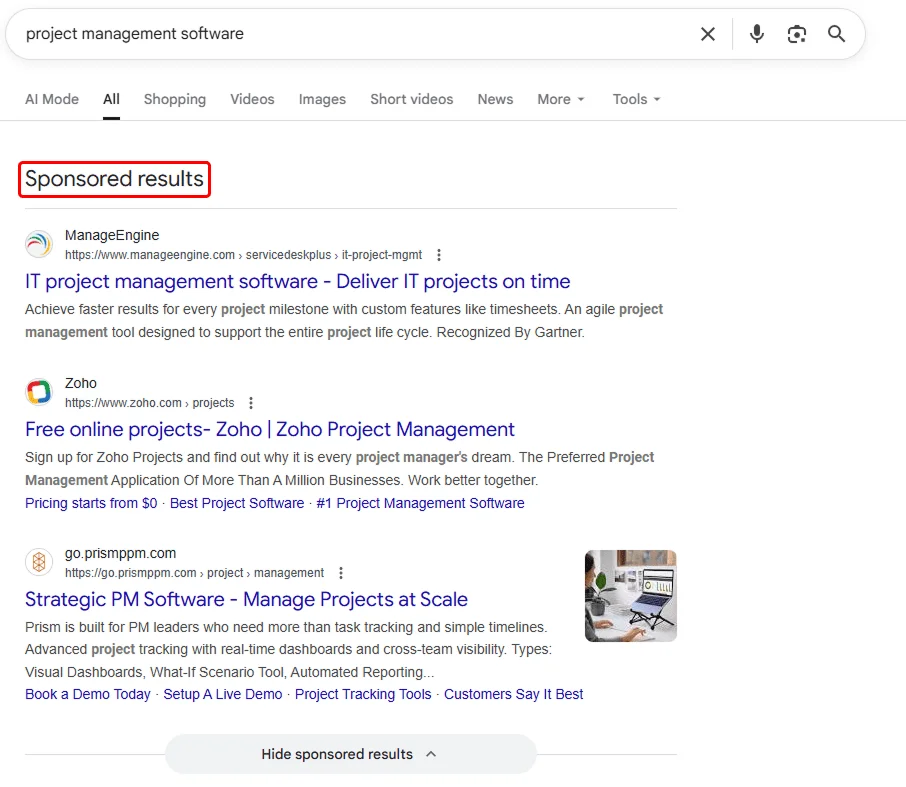
As you can see in the image above, this is how sponsored results are displayed.
Advertisers commonly pay only when someone clicks the ad. This makes paid results useful for gaining immediate visibility, especially for competitive searches.
Organic Search Results
Organic search results appear because the search engine believes they are relevant and helpful, not because the website paid for placement.
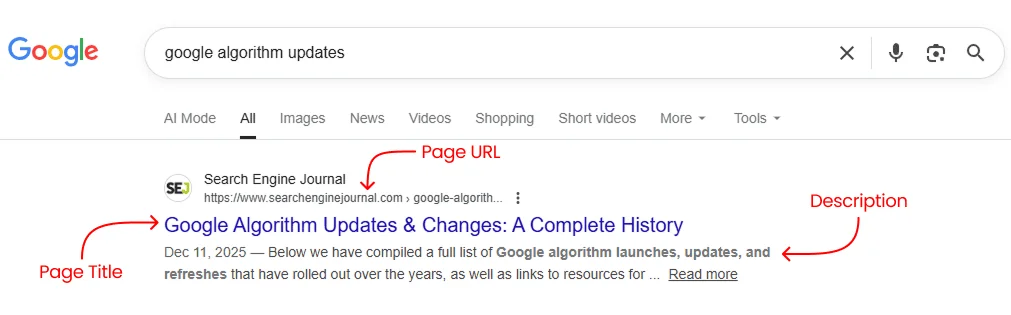
Each organic result provides a quick preview of the page, which helps users choose the most relevant result. The preview usually includes:
- Page title – The main headline shown in search results.
- Page URL- The web address that takes you to the page.
- Description – A summary that explains what the page is about.
These results are ranked by Google’s algorithm, which uses many signals and factors for each search, such as relevance and content quality.
Enhanced Features in Organic Results:
Sometimes, Google adds extra details to help users choose the right result. These enhanced listings may include:
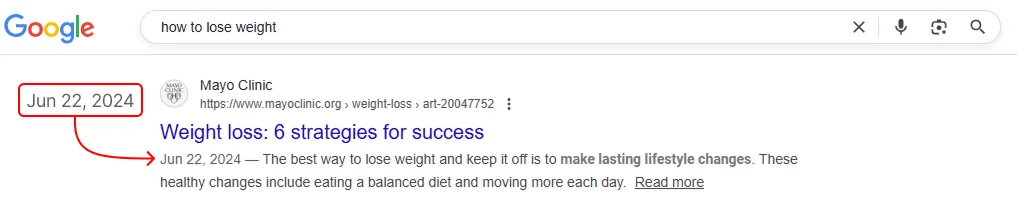
Published Dates:
It shows when the content was published or updated. It helps users judge the freshness and relevance of content, especially for news, trends, or guides.
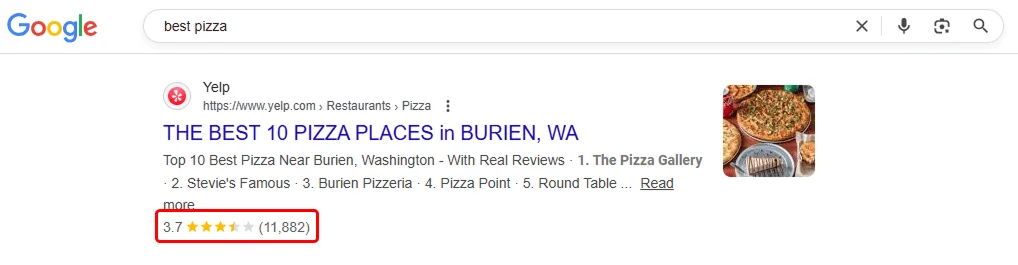
Rich snippets:
It adds details like review stars, ratings, images, or event details. It helps the users judge the page before they click.
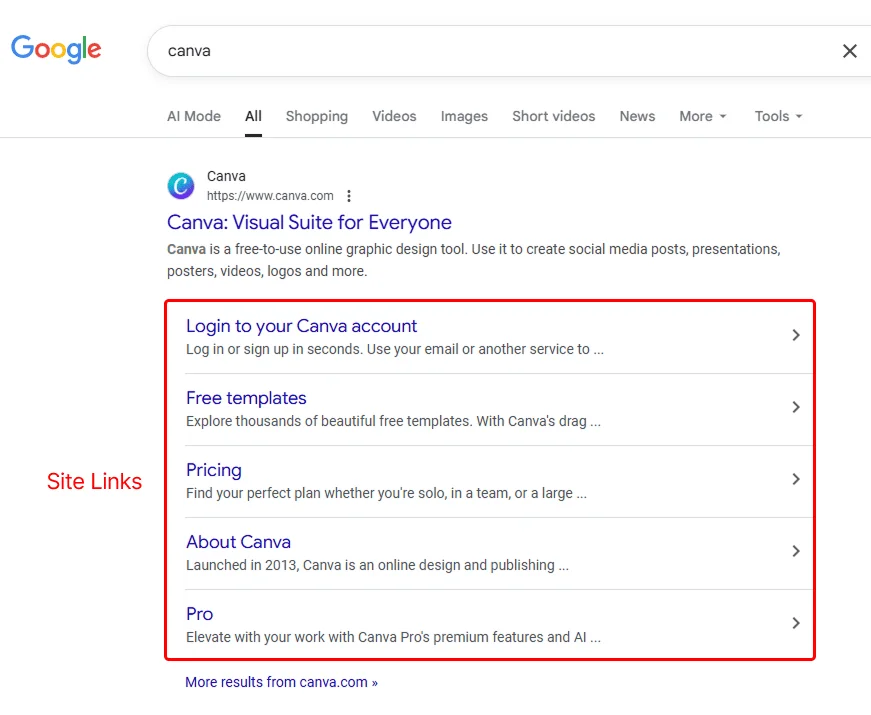
Sitelinks:
Sitelinks display additional links to the important sections of the site. Helping users quickly locate pricing, blogs, contact information, or other important pages.
In short, organic search results show which pages search engines consider the best answers to a query.
AI Overviews
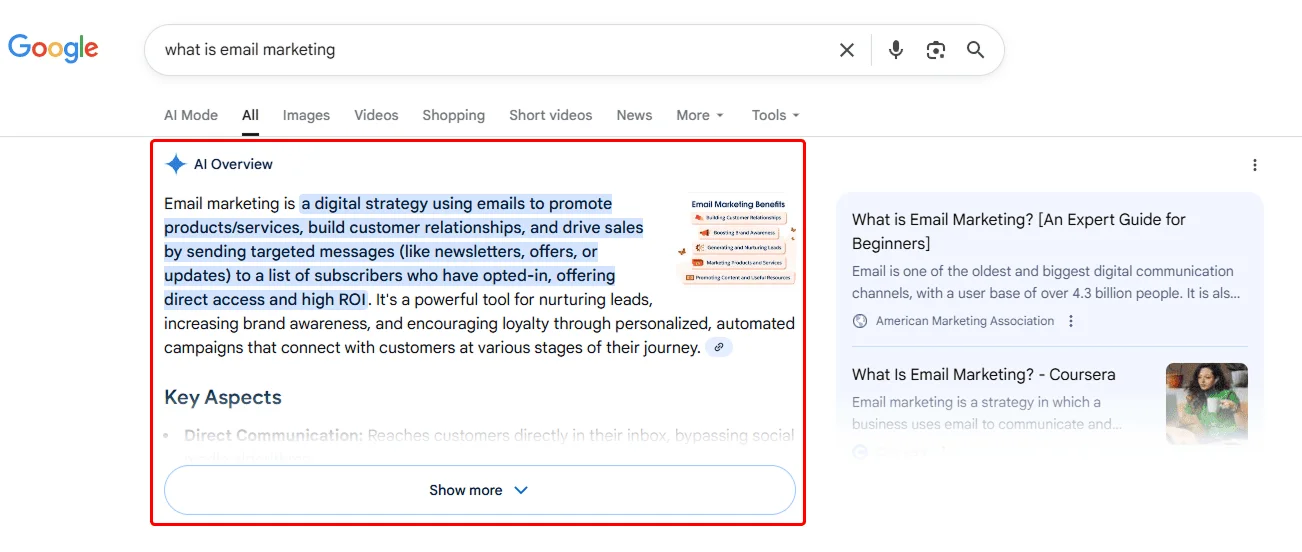
AI Overviews appear at the top of some searches and provide a summarized answer generated from multiple trusted sources. They help users understand a topic quickly and include links to explore the original content in more detail.
When you type a query, “What is email marketing?”, Google analyzes your search intent and provides a mix of results, including an AI overview and a featured source. These results are selected from many pages that are indexed using Google’s ranking system. The layout and the number of results differ depending on the query you made and its intent.
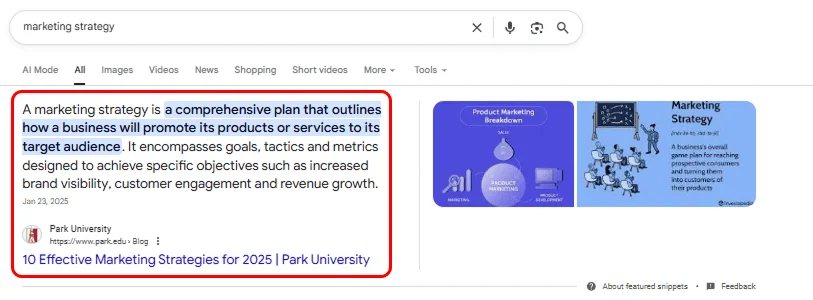
Featured Snippets
Featured snippets display a direct answer taken from a webpage. They are shown when Google believes a short, quick answer will satisfy the search.
People Also Ask
People Also Ask is the feature that shows related questions that users commonly search for. These questions are either displayed at the top or the bottom of the page. Clicking a question reveals a short answer and helps the users explore a topic further.
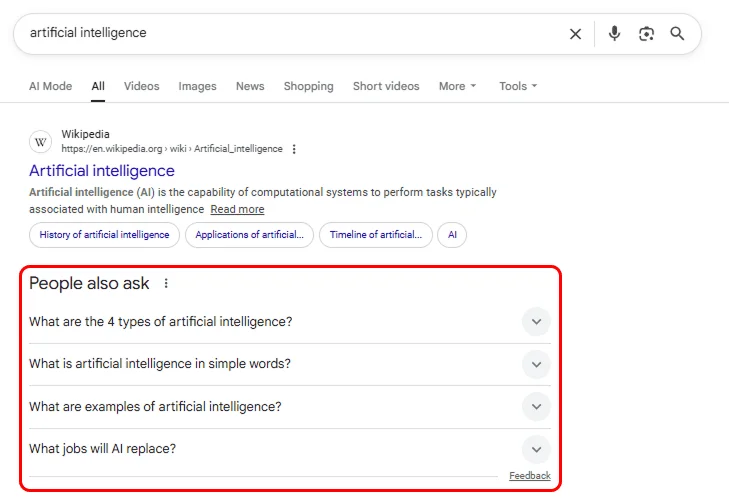
The image above shows the “People also ask” questions that you can refer to. Here in the image, the questions are displayed at the top of the page.
Knowledge Panel
Knowledge Panels appear on the right side of the page and display key facts about entities, such as businesses, people, or organizations, from trusted sources like Google’s Knowledge Graph and Wikipedia, as well as publicly available information.
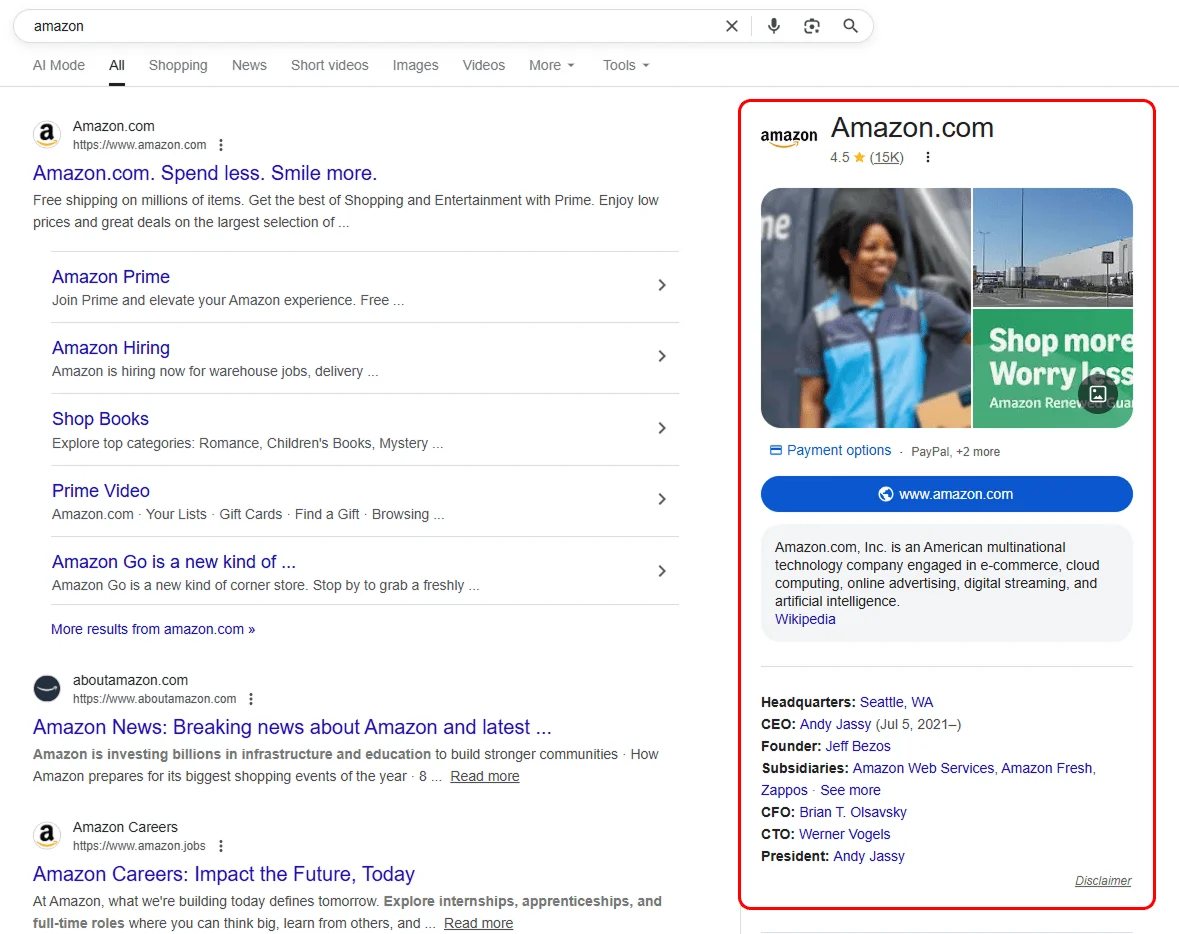
The image above shows that the knowledge panel appears on the right side of the screen, displaying all available information about the keywords or terms you type in the search box.
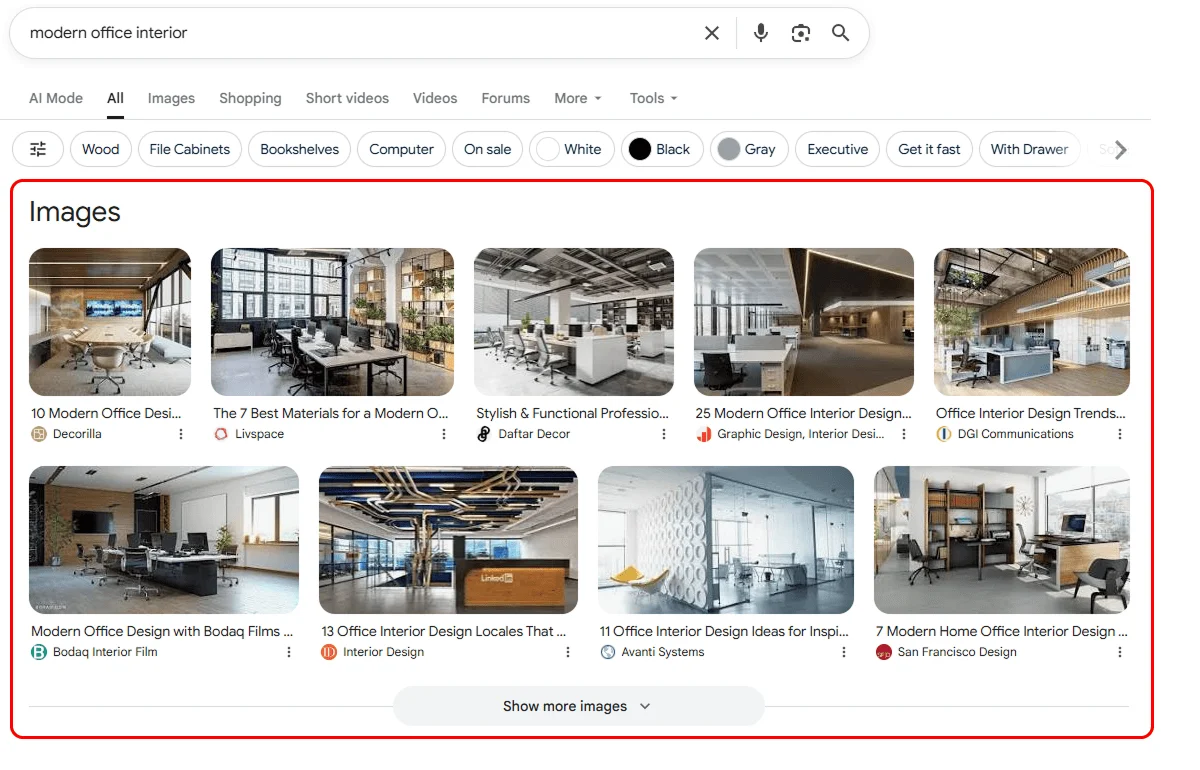
Image Results
Image results show visual content related to a search query and appear when images help users better understand a topic than text.
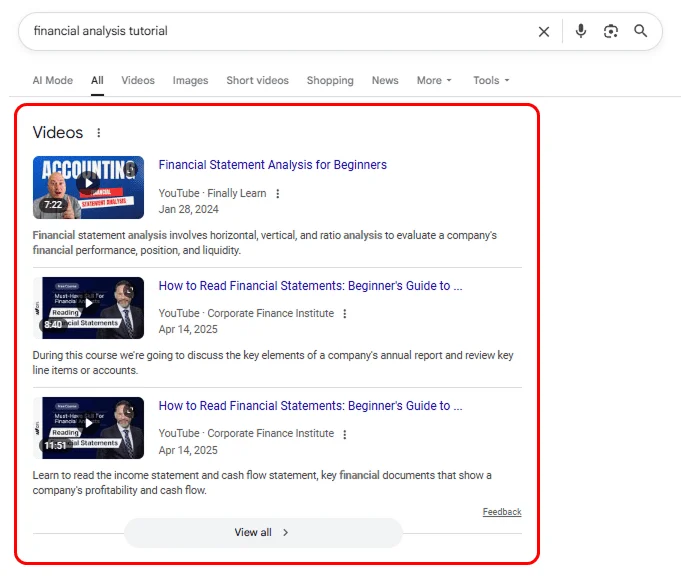
Video Results
Video results highlight videos when visual explanations are more useful than text. They commonly appear for how-to, educational, or entertainment-focused searches.
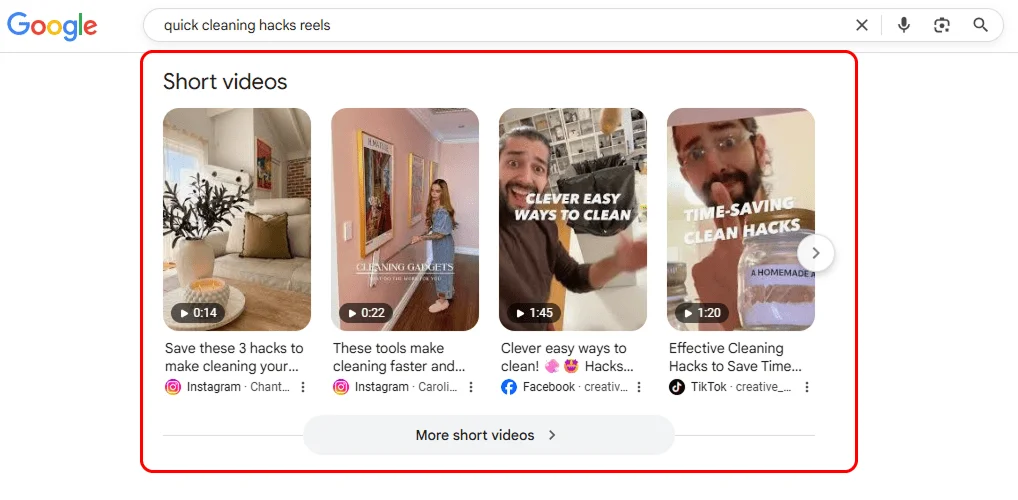
Short Video Results
The short video results shown are often sourced from platforms like YouTube, TikTok, and Facebook. These often show up when you enter a query regarding “How-to” or entertainment purposes.
When you search for the query “Quick cleaning hacks reels”, Google often shows short video results at the top of the page. Each video card shows a preview image, the video’s length, a short title and caption, and the platform it comes from.
It helps users find quick tips in video form, saving time compared to reading lengthy blog posts.
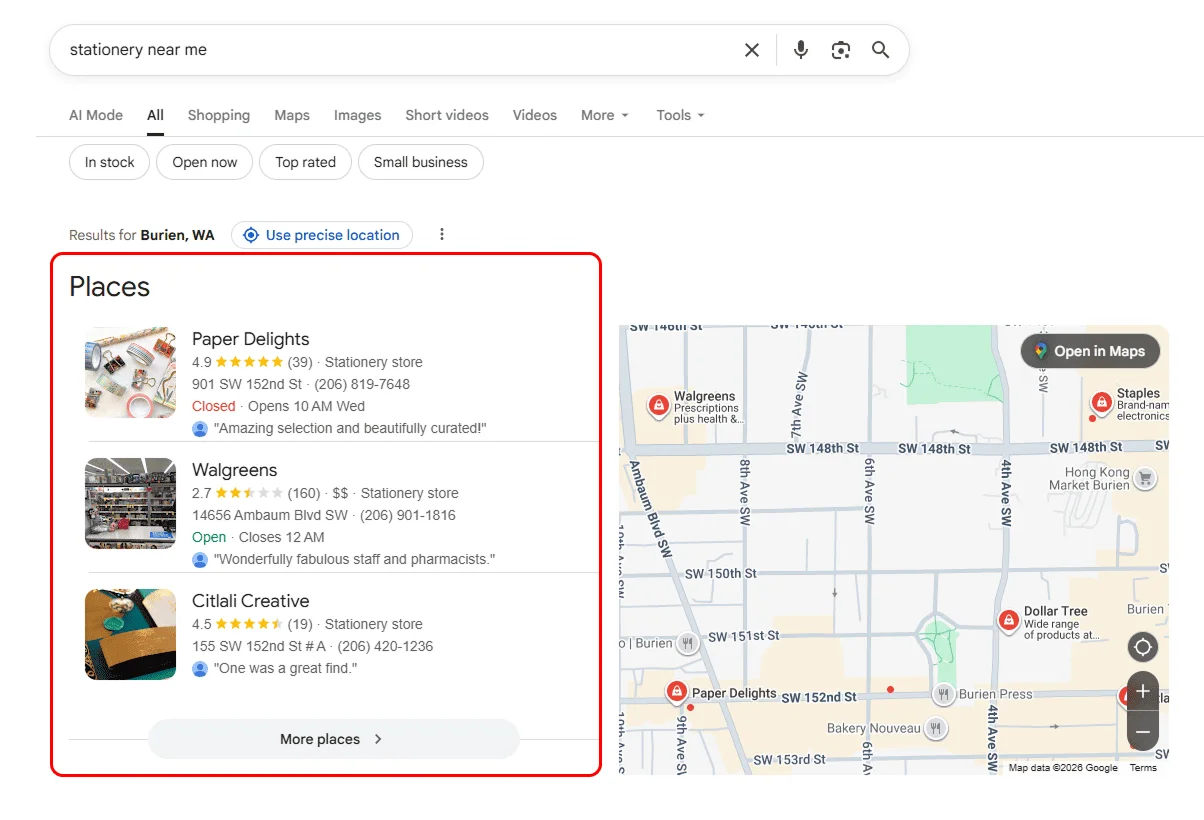
Local Packs
Local packs appear for location-based searches and highlight nearby businesses with maps, ratings, and contact details. They help users quickly find products or services near them.
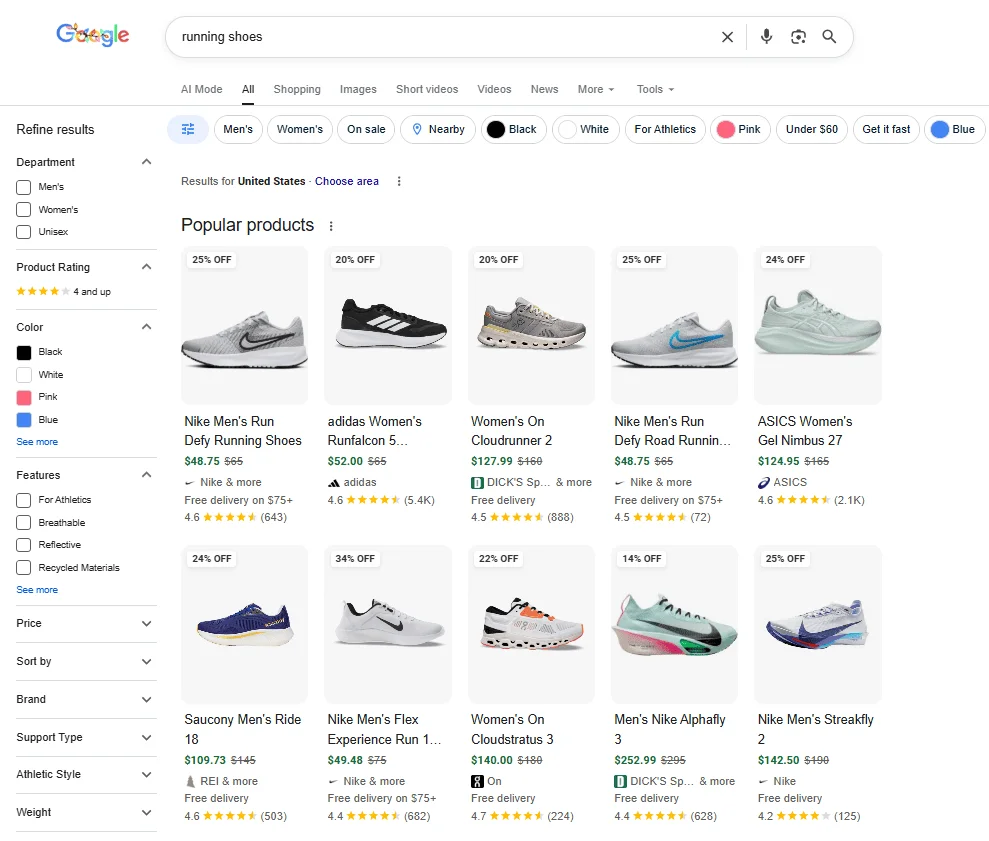
Google Shopping Results
These features show products, prices, and other important information in search results when users are comparing options or planning purchases.
When you search for the term “Running shoes,” Google displays various products from different brands and other details to keep you engaged and offer you the desired results.
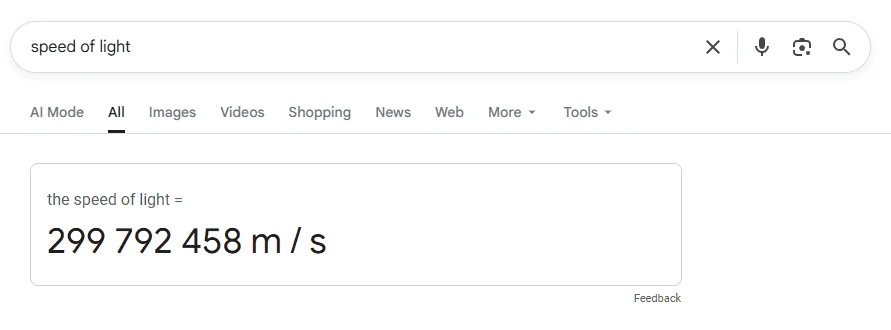
Direct Answer Box
The direct answer box provides a short factual answer at the top of search results when a question has a clear, specific answer.
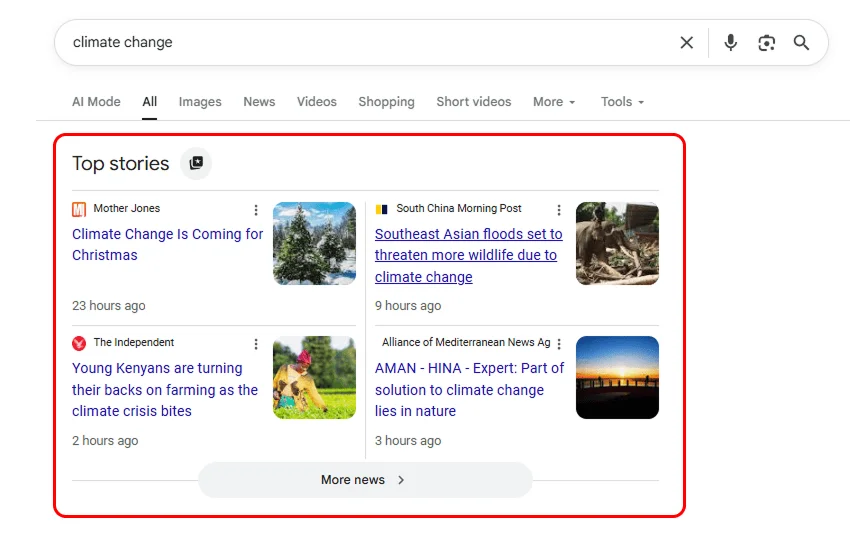
Top Stories
Top stories is a section in Google search that highlights recent news articles related to a topic when freshness and timely updates are important.
It can be breaking news, trends, or important events. It simply means that it helps you see what’s happening right now from trusted news sources.
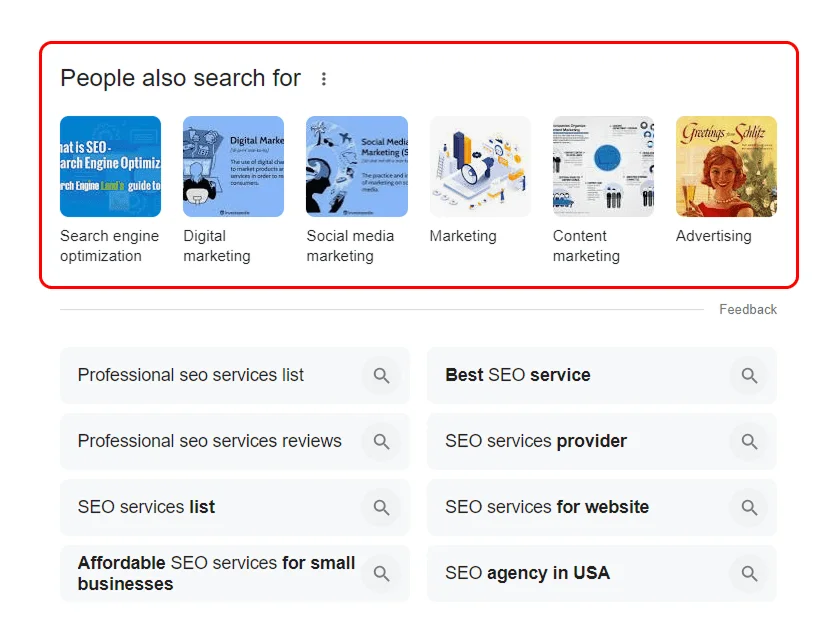
Related Searches
Related Searches appear at the bottom of the SERP and suggest similar queries that people commonly search for. They help users refine or expand related topics or adjust their search.
Google Flights Results
For flight-related search queries, Google often displays the Google Flights SERP feature. It can provide detailed flight information or, more simply, list flights to a specific location.
When you search for a flight query like “flights to New York,” Google usually shows the flight section at the top of the page.
It shows a flight search box where you can enter details about the place you are flying from, choose your destination, dates, number of passengers, and class.
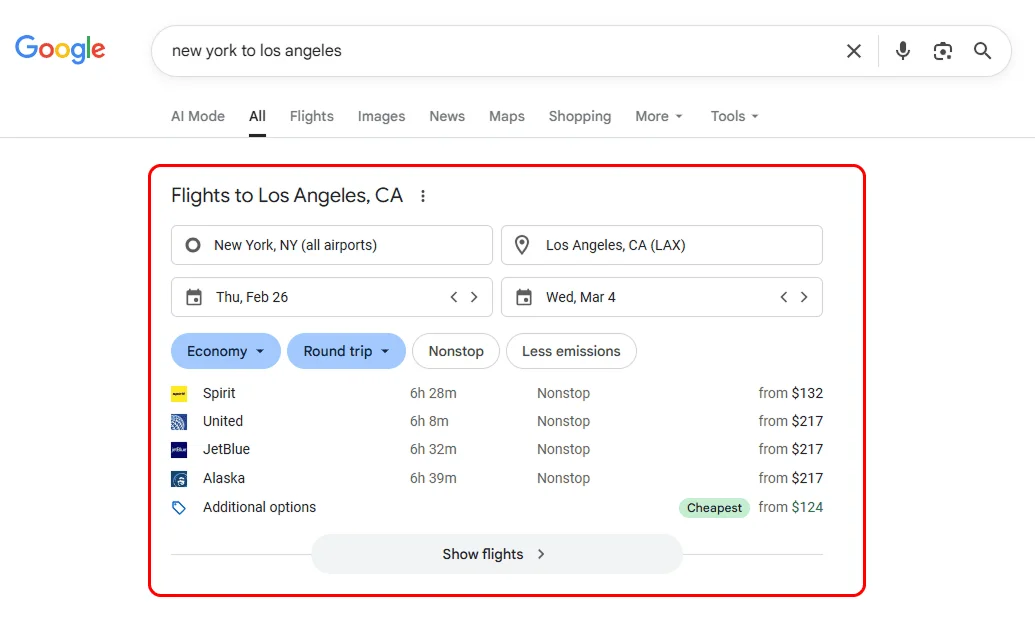
Additionally, it also shows a cheap flight option card in which it mentions flight names, location, date, and status (nonstop).
Recipes Results
Recipe results appear when you search for recipes. It shows the results in three options with a button to show more.
When you give a query like “Homemade noodles recipe”. Google displays the recipes section at the top of the page. Each card shows the recipe title, the website name, ratings and reviews, the video duration, and key ingredients.
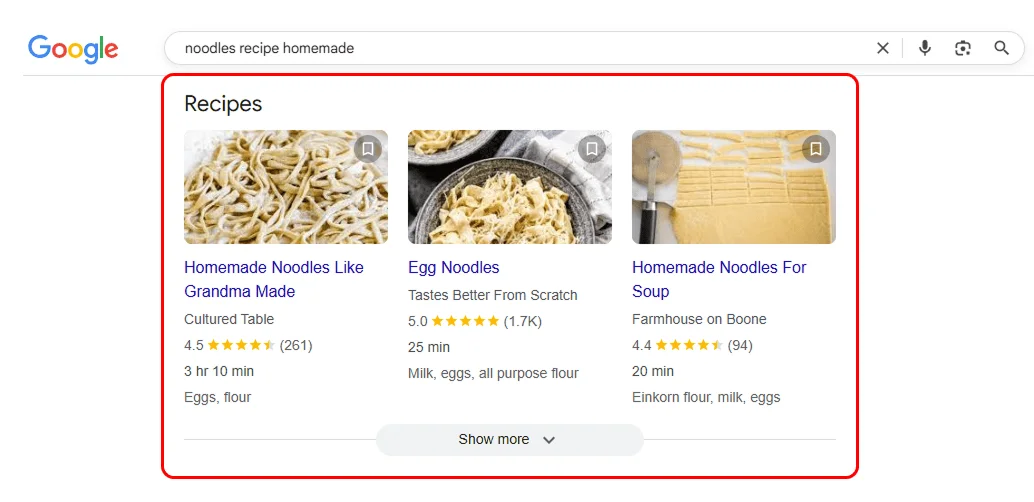
It helps users compare recipe results faster, saves them time, and, importantly, highlights trusted and popular recipes.
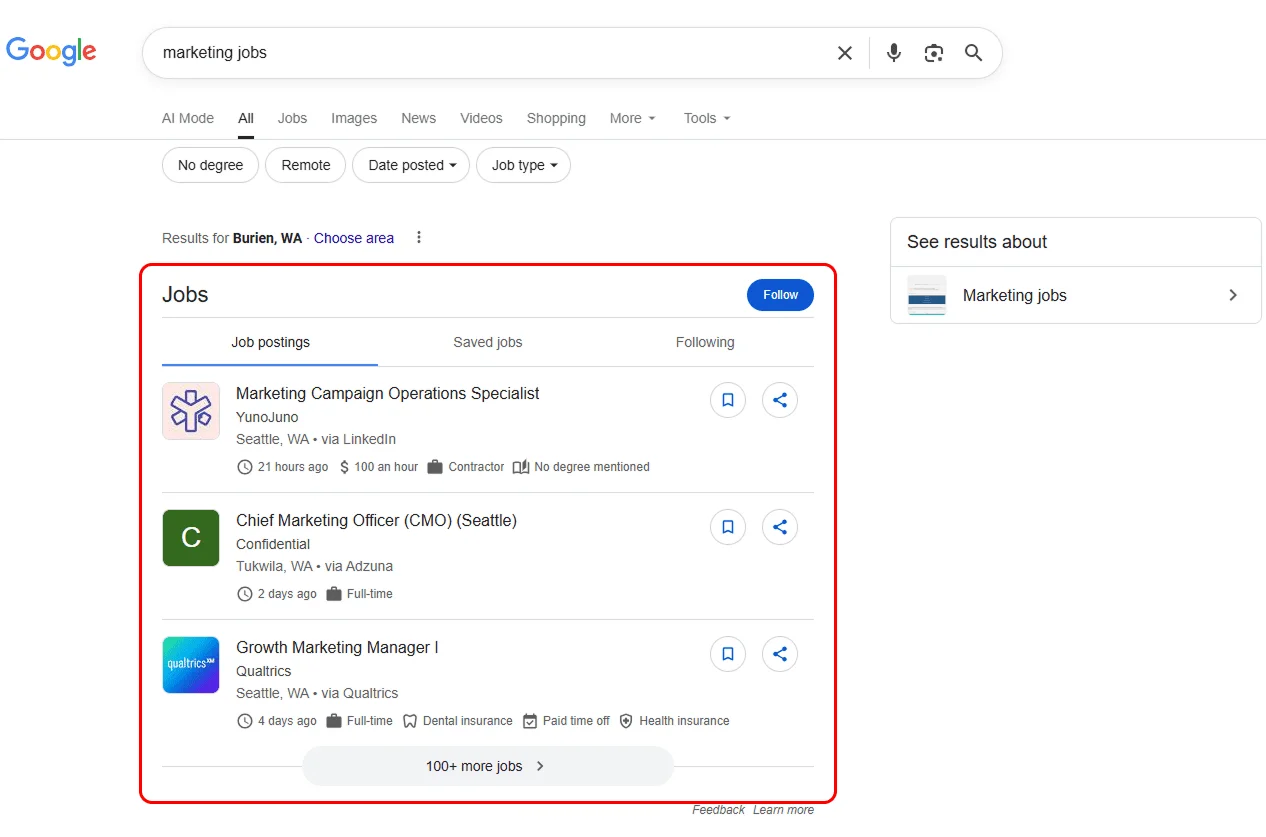
Job Results
Job results appear when you search job-related queries. It shows up to 3 results with a “show more” button.
When you search for a query like “Marketing jobs,” Google shows the job section at the top of the results. It lists real job openings from sites like LinkedIn, Indeed, and company career pages.
The details include job title, company name, location, how recently the job was posted, job type (full-time/part-time), and salary information (if available).
It provides filters at the top to filter the required results. The filter contains location, remote jobs, and types.
Benefits of Ranking in SERPs
Search Engine Results Pages shape what appears in search and how people interact with results. They influence visibility, user decisions, competition, and real business outcomes, not just rankings.
1. Visibility Drives Attention
Most of the time, people don’t scroll far. If your page doesn’t appear where users are looking for it, your chances of being noticed drop, no matter how good your content is. SERPs influence key SEO metrics such as impressions, click-through rate, and brand visibility, even when users don’t click.
2. Search Behaviour Shapes Traffic
Users don’t just click the top link. They usually choose a result that looks helpful, clear, and relevant. Some SERP features, such as quick answers, images, or shopping panels, can divert their attention from standard results.
3. Search Intent Reflects Demand
Different searches can trigger different interfaces based on what users want: be it answers, products, maps, or visual content. Understanding this helps you create content that fits what users actually want.
4. Competition Happens On The Results Page
You’re not just competing with other websites; you’re competing with ads, maps, videos, and featured sections. Winning visibility means earning attention, not just ranking higher.
5. Business Outcomes Go Beyond Clicks
Even when users don’t visit your site, appearing in SERP features builds brand recognition and trust, especially for local or transactional searches.
Why SERPs Don’t Look the Same Every Time
SERPs change because search engines adjust results to match what the user needs at that moment.
They vary based on:
Search intent
Sometimes the same words can mean different things. Some people may use it to learn, compare options, buy a product, or find something nearby. Google can adjust its results to better match your intent.
Location & device
Search results may differ by country and city because local relevance matters. For any query, results may also differ between mobile and desktop because Google prioritizes different layouts or content types.
Personalization
Your past searches, browsing behaviour, and account activity can influence what Google shows you, making results more convenient for you.
Freshness
For topics like news, trends, or updates, newer content can replace older pages to keep the results up to date.
Google updates
Google frequently changes its ranking systems, layouts, and rules that can shuffle the results.
This is why the same search can show different layouts and results.
SERP vs SEO vs Ranking: What’s the Difference?
Before going further, let’s clarify how these terms differ. They’re closely related but mean different things in search.
| Term | What It Means |
|---|---|
| SERP | The page Google shows after a search, including organic results, ads, and special features |
| SEO | The work done to improve a website’s visibility on SERPs |
| Ranking | Where a page appears within the organic (unpaid) search results |
SEO efforts influence rankings, rankings determine visibility, and SERPs are where visibility competes for attention.
How Search Engines Build SERPs
Search engines don’t show results randomly to users. It follows a structured process to provide relevant results.
Here’s how search engines build it:
1. Understanding Your Query
The first step search engines take is to understand what you’re looking for. Whether it’s a question, a product, or information, search engines analyze the words you type to determine your intent.
Search intent typically falls into four categories. You can see the intents that you pass by typing your keywords, and for better understanding, we have mentioned an example query as well.
Navigational:
This intent is used when you want to reach a specific website or page. By typing this query “Facebook login,” you will be directed to your desired page. Google usually shows the official site or the exact page.
Commercial:
This intent shows that you are researching or comparing options before making a purchase decision. By searching for “best smartphones 2026,” you’ll see results you can compare.
Transactional:
This intent shows that you are ready to take action, such as buying or signing up. By entering the query “buy iPhone online,” you see the options you can select. The results often include product pages, pricing pages, or shopping ads.
Informational:
This intent usually indicates that you want to learn something or get a specific answer. By entering the query “What is SEO?”, results will mainly show you blog posts, guides, videos, and educational pages.
2. Finding Relevant Content
Once your intent is clear, the search engine looks for pages, images, videos, and results that best match what you’re searching for.
It focuses on:
- How closely does the content match your query
- Whether the information is valuable and easy to understand
- Whether the content fits the purpose of the search, like giving a quick answer, showing products, playing a video, or helping find something nearby
3. Ranking the Results
Search engines rank results using many signals, including:
- Relevance to the query
- Content quality and usefulness
- How experienced, knowledgeable, and trustworthy the source is
- Links from other relevant and trusted websites
- Page speed, mobile friendliness, and clear navigation improve user experience
4. Personalizing the Result
Search engines don’t show the same results to everyone. Results may be adjusted based on user context, such as:
Location
Search engines use your location to provide you with results that are business, services, or region-specific. For example, if you search for “best pizza place” in New York, it will show results relevant to your location.
Search History
Your past searches and browsing behavior can help search engines understand your ongoing interests. Suppose you often search for tech topics, you may see more tech-related results.
Search Settings
Preferred language and region settings can help ensure results better match your needs. For example, users in Canada may see different local brands, services, and news sources than users in Australia.
Wrapping Up
SERPs connect searches with answers, and in 2026, visibility on SERP drives digital growth.
Even when users don’t click, appearing consistently across SERP builds visibility, trust, and recognition.
Pages with strong topical relevance and support from trusted links tend to maintain visibility more consistently, even as SERPs change. This is why authority-building remains essential for long-term search performance.
Are SERPs the same on every search engine?
No, the SERPs are not the same across all search engines. While the concept of a SERP is the same, the layout, features, and result types can differ between search engines such as Google, Bing, Yahoo, DuckDuckGo, and others.
Why do two people see different SERPs for the same search?
SERPs can differ based on factors such as location, device type, language settings, and personalization. These factors affect which results are displayed and in what order.
Can a website appear more than once on a SERP?
Yes, a website can appear multiple times on a SERP in different formats, such as an organic listing, an image result, or a local listing.
What is a zero-click search?
A zero-click search, which is also known as a no-click search, occurs when a user finds the answer directly on the SERP without clicking any result.
Are SERPs the same on mobile and desktop?
No, they are not the same. Mobile and desktop SERPs can differ in what they show and feature placement due to screen size and device-specific design elements.
Does ranking first guarantee the most clicks?
No, ranking first doesn’t guarantee the most clicks. SERP features, better intent match, and trusted brands can attract more clicks than ranking first. Whereas ranking first helps in visibility, but relevance eventually decides where users click.