You need backlinks to rank. But manually finding prospects, writing personalized emails, and tracking responses across spreadsheets drains time you should spend on strategy.
The right link building tools help you build authority and remove guesswork. You get practical ways to:
- Find backlink opportunities.
- Identify the right contacts.
- Manage outreach.
- Track your earned backlinks.
Link building tools reduce your manual work. They don’t build links for you, but they find opportunities to earn real editorial links and simplify your link building process.
Key Takeaways
- Link building tools don’t build links for you. They make the work easier and more organized.
- Not every tool does everything. Each one supports a specific stage of link building.
- The best tool is the one that matches your workflow and saves you time.
- Tools support the process, but links should still be earned manually.
- Metrics guide decisions, but relevance still matters.
What Are Link Building Tools?
Link building tools simplify research, prospecting, and outreach to help you earn backlinks, which can strengthen your website’s authority in search engines.
These tools handle repetitive work like finding prospects, verifying contacts, and tracking conversations, so you focus on building real relationships and creating content people want to reference.
Link building tools fall into 4 main categories:
1. Backlink Analysis Tools
Show you where competitors earn backlinks, what content attracts links, and which sites in your niche.
Examples: Ahrefs, Semrush, Moz
2. Prospect & Email Tools
Help you find relevant websites and verify professional email addresses, so that you always reach the right people.
Examples: HARO, Hunter, Apollo
3. Outreach Platforms
Keep your outreach organized. Manage email campaigns, track replies, and automate follow-ups so you always stay on top of opportunities.
Examples: Pitchbox, BuzzStream, Respona
4. Link Monitoring Tools
Track new links, flag lost ones, and monitor anchor text to understand your backlink profile.
Examples: Ahrefs Alerts
Most teams use one tool from each category. Use analysis tools to spot opportunities, and outreach platforms to land placements that build your authority and drive growth.
Why You Need Link Building Tools
Manual link building might work for 10 links, but it doesn’t work for 10000.
You could spend hours searching for contacts, updating spreadsheets, and waiting for replies. Or you can use tools that automate the repetitive task so you can focus on strategy and real growth.
Here’s what the right tools actually do:
Save Massive Time
Find 100 qualified prospects in 10 minutes instead of 10 hours. Use that time to build momentum and real results.
Give You Competitive Intelligence
See which competitor pages earn the strongest links, what anchor text they use, and which domains have real authority. This data is tough to collect manually.
Improve Targeting Precision
Filter prospects by domain rating, authority, traffic, relevance, and linking history so you only reach out to sites that actually help you move rankings.
Boost Response Rates
Automated follow-ups help you reach busy prospects. Personalization makes your outreach feel one-to-one. Track what works so you can scale what drives growth.
Create Accountability
Monitor your email performance. Aim for strong open, reply, and conversion rates so you know what actually drives results.
Modern search engines reward quality, relevance, and trust. One strong editorial link can make a bigger impact than dozens of weak ones.
The best tools focus on validation and relevance, not just finding more prospects.
Without tools, you’re guessing. With the right tools, you build a system for growth.
Compare the Best Link Building Tools
| Tool | Best For | Key Features | Recommended For |
|---|---|---|---|
| Ahrefs | Competitor backlink research & link discovery | Site Explorer, Content Explorer, Link Intersect, broken link finder, competitor backlink analysis, new & lost link tracking | Agencies & in-house SEO teams |
| Semrush | Finding link gaps tied to rankings | Backlink Gap, competitor analysis, outreach tracking, bulk backlink analysis, anchor text reports | SEO & growth teams |
| Moz | Evaluating link quality & risk | DA/PA, Spam Score, link comparison, easy interface | Beginners & small businesses |
| Hunter | Finding verified outreach emails | Domain Search, Email Finder, bulk verification, confidence scoring | Outreach-focused link builders |
| Respona | Managing outreach & follow-ups in one workflow | Prospecting, personalization, automated follow-ups, campaign analytics, tracking | Content & small SEO teams |
| Majestic | Assessing backlink trust & relevance | Trust Flow, Citation Flow, topical relevance scoring, backlink history | Link quality focused SEOs |
| BuzzStream | Organizing outreach & relationships | Contact CRM, conversation history, template management, email tracking, reminders | Solo & team outreach |
| Pitchbox | Scaling structured outreach campaigns | Team workflows, advanced automation, CRM integration, performance reporting | Agencies & large teams |
| HARO | Earning editorial & PR links | 3x daily journalist query emails, Journalist Dashboard, Pitch Feedback Tool, Real-Time Visibility for Urgent Queries | Founders & brand experts |
| Apollo | B2B & SaaS contact discovery | Role-based search, Millions of contacts, sequence automation, email verification, LinkedIn integration | SaaS & B2B marketers |
| LinkMiner | Finding & replicating competitor’s backlinks at affordable prices | Broken link finder, backlink preview, Link Strength score, DoFollow/NoFollow filters, new & lost links | Solopreneurs & freelance SEOs |
The table above gave you a brief overview of each tool. Next, you will learn why these tools are best for you.
Top 11 Link Building Tools For SEO Growth 2026
Building high-quality backlinks in 2026 isn’t about guesswork or manual tasks. It’s about using accurate data, finding the right contacts, managing outreach, and tracking results to fuel your growth.
The right tools support your entire process. Below are the 10 most effective link building tools that help you work more efficiently and make better decisions.
1. Ahrefs – Best Backlink Intelligence Tool
Ahrefs is the industry standard for competitive backlink research.
Ahrefs shows you where competitors earn links, what content attracts attention, and which sites deserve your focus. If you want to start with one tool, Ahrefs helps you find link building opportunities that can gradually improve your authority.
Core Features That Matter:
Site Explorer – Enter any domain and see:
- Every backlink with DR, traffic, and anchor text.
- New and lost links over time.
- Referring domains sorted by authority.
- Top-linked pages and content.
Content Explorer – Searchable database of billions of pages:
- Find the most-linked content on any topic.
- See who links to competitor articles.
- Identify content formats that earn links.
Link Intersect – The secret weapon:
- Shows sites linking to 2-5 competitors but not you.
- Instant warm prospect list.
- Focus on proven linkers in your niche.
Broken Backlinks Tool:
- Find dead pages or broken backlinks that no longer exist but still have active links.
- Recreate content and reclaim links.
- Easy opportunities to build authority.
Example:
Suppose you run a marketing SaaS blog. Link Intersect shows that three competitors have backlinks from the same “50 Best Marketing Tools” roundup. You contact the site owner or editor who published the roundup, share a clearer description of your tool, and earn a placement for your site.
Best For:
People who are serious about competitor analysis and data-driven prospecting.
Pricing:
$129–$1,499 per month. Annual billing saves up to 17%. Starter and Lite plans come with monthly credit caps.
Common Mistake:
Reviewing every backlink your competitor has, instead of focusing on relevant, authoritative links you can realistically earn. Filter the list to sites with a Domain Rating of 30+ and review those first.
Pros:
- It has a huge backlink database.
- Multiple competitor analysis features.
- Data is updated frequently.
Cons:
- Challenging learning curve.
- Expensive compared to similar tools.
Pro Tip:
Export Link Intersect results monthly. Track which prospects convert best and focus there.
2. Semrush – Best For Gap Analysis + AI-Powered One Upgrade
Semrush helps you spot gaps where competitors have backlink advantages. Classic plans handle gap analysis. Semrush One adds AI (ChatGPT, Perplexity, Google AI) to uncover new opportunities for your growth.

Why It Stands Out:
Backlink Analytics Dashboard:
- Track referring domains from time to time.
- Monitor anchor text distribution.
- Monitor changes in backlink growth rate.
- Export data for reporting.
Backlink Gap Tool:
- Visual comparison of 5 competitors.
- Ability to filter by “best” backlink opportunities.
- Export with a single click.
Link Building Tool (Integrated):
- Find link building opportunities based on keywords + competitors.
- Built-in outreach tracking.
- Campaign performance metrics.
Bulk Analysis:
- Upload upto 200 domains simultaneously.
- Get backlink details for entire lists.
- Useful for agency and team workflows.
Semrush One AI Upgrade:
- See exactly where your brand shows up across ChatGPT, Gemini, Perplexity, and Google AI Overviews. No guessing where you stand in AI-driven search.
- Find the exact topics where competitors get mentioned in AI responses, but you don’t. Those gaps tell you exactly what to create next.
- Know which of your pages AI platforms are actually referencing and which topics are pulling your brand into the conversation.
- Bring traditional SEO performance and AI visibility into one dashboard. Stop switching between tools and start seeing the full picture.
Example:
Suppose Mailchimp is a competitor to your SaaS product. Backlink Gap shows they have 50 backlinks from marketing blogs you hadn’t discovered. Check those blogs, create content around that topic, and reach out to those 50 sites in a single campaign.
Best For:
Teams wanting visual gap analysis + AI workflows.
Pricing:
- For SEO Classic Plans: $139 – $499.95 per month.
- For Semrush One plans: $199-$549 per month.
- Annual billing saves upto 17% across all plans.
Common Mistake:
Focusing only on backlink count. Look at which specific pages earn links and why.
Pros:
- Extensive backlink database.
- User-friendly interface.
- Comprehensive SEO toolset beyond link building.
- AI-first evolution.
Cons:
- The cost may be high for small businesses.
- Beginners may find the range of features hard to understand at first.
3. Moz Link Explorer- Best For Beginners
Moz makes it easier to review and understand your backlinks data with simple metrics.
Domain Authority (DA) and Page Authority (PA) scores help you evaluate prospects quickly, without getting lost in data.
What Makes It Easy:
Simple Dashboard:
- Simple, user-friendly interface.
- Color-coded metrics.
- One-click reports.
Spam Score:
- Spam Score rates a website’s risk level based on how many signals it shares with sites Google has penalized.
- Moz analyzes 27 features common in Google-penalized sites.
- Spot risky backlinks before they become a problem.
- Visual warnings make decisions obvious.
Link Intersect:
- Shows sites linking to competitors.
- Even easier to use than Ahrefs.
- Beginner-friendly.
Anchor Text Analysis:
- See keyword distribution in your backlinks
- Spot over-optimization early
- Balance branded vs. keyword anchors
Best For:
Teams new to link building, small businesses, and solopreneurs.
Pricing:
Pricing ranges from $49 to $299 per month. Annual billing saves 20% across all plans. A 7-day free trial is available.
Pros:
- Trusted in the SEO community.
- User-friendly interface.
- Includes other useful SEO tools.
Cons:
- Higher price point for full feature access.
Why It Matters:
DA/PA doesn’t guarantee rankings, but they help you avoid wasting time on weak sites. Use them as initial filters, then verify with Ahrefs.
4. Hunter – Fastest Email Verification
Hunter finds and verifies professional email addresses, so your outreach lands with the right person every time.
Core Features:
Domain Search:
- Get all public email addresses by entering the domain name.
- Check the confidence score and filter by the marketing and editorial departments.
Email Finder:
- Find the email address using the name.
- Hunter will predict the format and verify it.
- Works for most contacts.
Email Verifier:
- Upload lists of hundreds of emails.
- Get verification status in minutes.
- Reduce bounce rates.
Chrome Extension:
Find email addresses from anywhere on the web with a single click, using the Hunter Chrome extension.
Hunter saves you time, reduces failed outreach, and provides accurate contact details so you can reach the right decision-makers with confidence.
Example:
You have a list of 100 target domains from Ahrefs. Upload to Hunter’s Domain Search, export verified emails in 5 minutes, import to Pitchbox, and start outreach the same day.
Best For:
Anyone doing email outreach who needs verified contacts fast.
Pricing:
It offers free 50 credits per month, and paid plans range start from $49 to $299 per month. Annual billing saves 30% across all plans.
Pros:
- Finds relevant email addresses.
- User-friendly interface and browser extension.
- Generous free plan.
Cons:
- Focused solely on email discovery and verification.
- Requires integration with other tools for a full link building workflow.
Why It Matters:
A 10% bounce rate can land you in spam. Hunter keeps your sender reputation clean and inbox placement high.
5. Respona – Best AI-Powered Automation
Respona takes link building off your plate entirely. You place the order, and they handle prospecting, content, outreach, and publishing from start to finish.
How It Works
- Tell them your landing pages, anchor texts, and publisher preferences
- Respona finds sites already ranking for similar keywords to yours
- Their team writes content optimized for search, and AI answers
- Your placements go live, and you track every link in real time
Content Types Available
- Product review
- Listicle
- Contextual placement
- News
- Comparison guide
Best For
Brands, agencies, e-commerce stores, and B2B businesses that want guaranteed placements without doing the manual work themselves.
Pricing
Pay-per-placement starting from $100 to $500, depending on the domain rating and traffic tier. No subscription required.
Pros
- Guaranteed placements. Every link goes live within the agreed timeframe.
- Content written and published for you.
- Easiest to use in its category per G2 reviews.
Cons
- Higher price point per placement.
- Less control over the outreach process.
Why It Works
Respona guarantees your placements go live, unlike PR agencies, where coverage is never certain. You know exactly what you are paying for and when it goes live.
Note: Already using Respona’s self-serve outreach tool? Your legacy platform is still accessible at app.respona.com
6. Haro – Free Editorial Links
HARO (Help a Reporter Out) puts you in front of journalists looking for expert quotes, so you earn high-authority links by sharing your expertise.
You skip cold pitches and reply directly to journalists who are already looking for expert input.
When your input gets used, you earn mentions and backlinks from top publications. The kind that are nearly impossible to land through regular outreach.
Over time, you build real authority and pick up PR-style links that strengthen your brand and grow your reputation.
Consistent HARO mentions put your site in front of trusted, well-known publications and make you a credible voice in your niche.
Best For:
Founders, executives, and subject matter experts with genuine expertise to share.
Pricing:
Free (relaunched under Featured.com, April 2025).
Pros:
- Potential for high-authority backlinks.
- Free basic plan available.
- Builds relationships with media professionals.
Cons:
- Requires quick responses to be effective.
- No guarantee of link placement.
- It can be time-consuming to filter out irrelevant queries.
Why It Matters:
One HARO link from Forbes can outweigh 10 guest posts, plus you get brand credibility and referral traffic.
7. Majestic – Trust Flow Authority
Majestic measures link quality to the Trust Flow and Citation Flow metrics it created.
Take this into consideration:
High Trust Flow and balanced Citation Flow indicate a healthy backlink profile, whereas a low Trust Flow and high Citation Flow indicate spam.
Features:
Trust Flow and Citation Flow Metric:
- Trust Flow measures the quality of backlinks.
- Citation Flow measures the quantity of links.
- A healthy site keeps its Trust Flow close to its Citation Flow, meaning the links it earns are as good as they are plentiful.
Topical Trust Flow:
- Sorts your backlinks into industry categories so you know exactly what topics they are associated with
- Confirms whether the sites linking to you are actually relevant to your niche
- Flag off-topic links that could be hurting your profile.
Historical Index:
- You can see exactly how a site’s link profile has changed over time, which tells you a lot about how it has been managed.
- If someone is quietly pointing bad links at your site to tank your rankings, this is where you catch it before it does real damage.
- And if you have already been hit with a penalty, you can track exactly how your recovery is progressing over time.
Bulk Backlink Checker
- Check up to 400 URLs at once instead of going through them one by one.
- If you are running audits across multiple clients, this alone saves you hours every week.
- You get a clear, quality read on every URL fast, without digging through endless data.
Competitor Backlink Overlap
- Find the sites that are already linking to multiple competitors in your space.
- See how those link networks connect, so you know exactly where to focus your outreach.
- The more overlap you find, the more link opportunities you know are actually within reach.
Example:
The guest post opportunity shows a Citation Flow of 40 but a Trust Flow of 8. That gap signals manipulative links. Skip it.
Best for:
Anyone who cares about building a clean, authoritative link profile and wants to catch problems early. Especially useful if you are managing penalty recovery or running audits at scale.
Pricing:
Plans range from $49.99 to $1,599 per month.
Pros:
- Vast historical link data.
- Unique metrics to judge link quality.
- More affordable than some competitors.
Cons:
- Less beginner-friendly.
- Limited features beyond link analysis.
8. BuzzStream – Relationship CRM
BuzzStream treats link building like long-term relationship management.
Every email, reply, and note is saved in one place, so you always know exactly where you left off with each prospect.
Why It’s Different:
Auto-Discover Contacts:
- Pulls emails and social profiles from domains.
- Finds decision makers automatically.
- Saves hours of manual research.
Project-Based Workflows:
- Keep guest posts, broken links, and HARO pitches separately.
- Keep campaigns organized and separate from each other.
Email Templates with Memory:
- Dynamic fields pull prospect data.
- Remembers previous conversations.
- Never duplicate outreach.
CRM-Style Timeline:
- See every email, note, and interaction.
- Know exactly where each relationship stands.
- Pick up conversations months later.
Team Collaboration:
- Assign prospects to team members.
- Leave notes for each other.
- Avoid duplicate outreach.
Example:
You pitch a journalist for a backlink. They decline but suggest following up with a different angle in Q2. BuzzStream sets a reminder, you follow up 3 months later with the exact context, and convert the placement.
Best For:
Teams focused on long-term relationship building over quick wins.
Pricing:
Starts at $24 and goes up to $999 per month.
Pros:
- Excellent for managing relationships over time.
- User-friendly interface.
- Affordable entry-level plan.
Cons:
- Limited backlink analysis features compared to dedicated tools.
- This tool might need to be used alongside other tools for comprehensive link building.
9. Pitchbox – Enterprise-Scale Automation
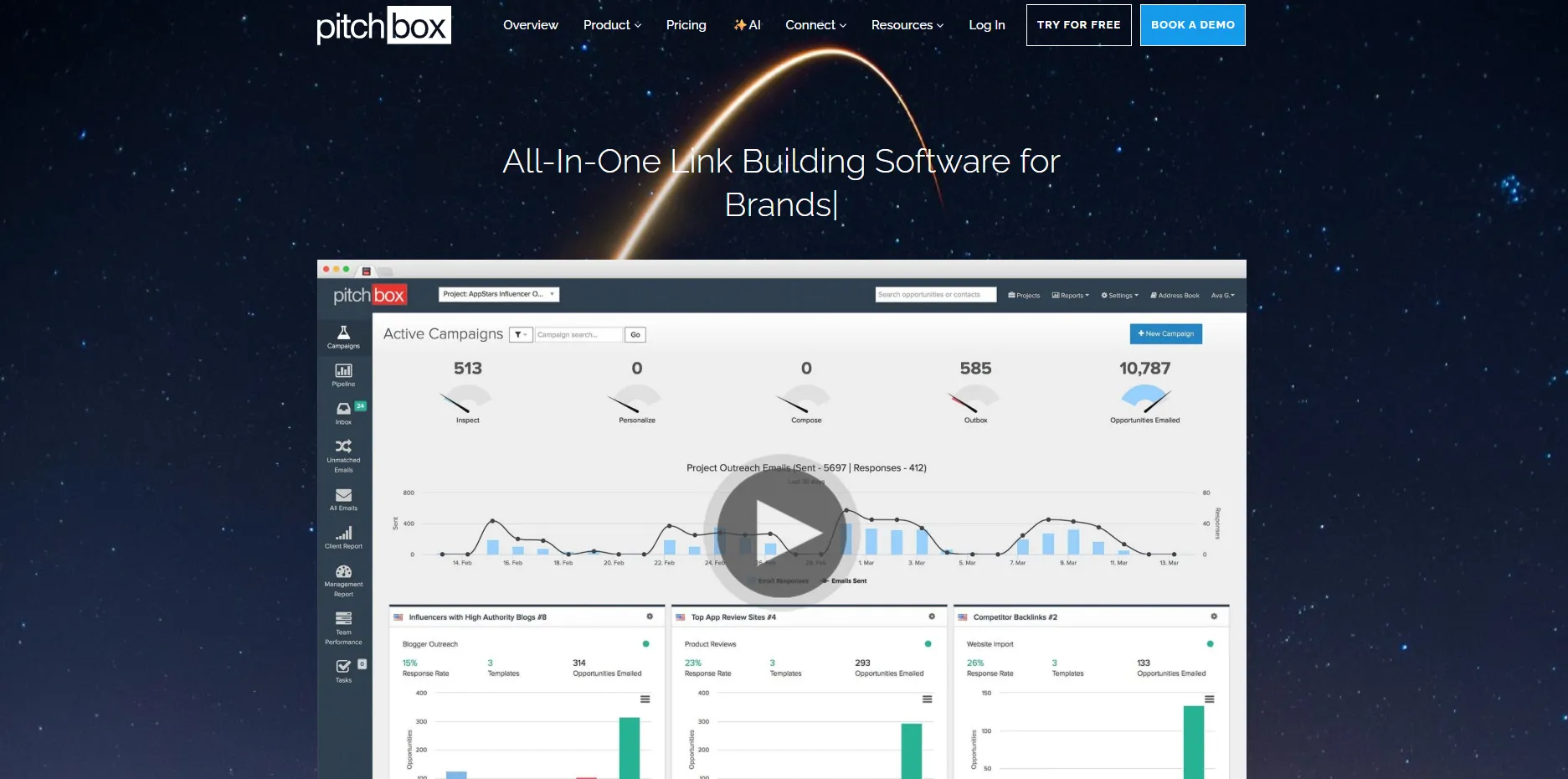
Pitchbox is built for teams and agencies that run hundreds of outreach emails each week.
You can integrate Pitchbox with Ahrefs, Moz, and Majestic. Prospect, personalize, and pitch from one platform, so you spend less time switching between tools.
Power Features:
Multi-Source Integration:
- Import prospects from Ahrefs, SEMrush, and Moz.
- Automatically adds more data to your records.
- Decreases time spent on manual tasks.
Advanced Personalization:
- Before sending the email to the recipient, personalise it by using details like their article title, website, or job role, and not just their first name. These details Pitchbox pulls from the prospect’s site.
- Instead of sending the same email template to everyone, personalise the template for better outreach.
Automated Follow-Up Sequences:
- Pitchbox automatically sends up to 3 follow-up emails to each prospect on your list.
- You control how many days to wait between each attempt.
- If your prospect does not reply after all three attempts, Pitchbox moves on to the next contact and repeats the process for you.
- If a prospect replies, follow-up emails stop automatically. No awkward double-sends, no manual cleanup.
- On advanced plans, you can set smarter pause triggers too. Like holding outreach when someone’s out of office, so you’re always reaching people at the right time.
Workflow and Team Controls:
- Adding a teammate to a campaign takes seconds. From there, everyone knows exactly what they own and what needs to get done.
- The Management Report keeps the whole team accountable without micromanaging. See emails sent, replies coming in, and wins closing across the whole team.
- Every client lives in their own project, so work stays clean, separate, and easy to hand off without anything getting lost or mixed up.
Opportunity Finder:
- Surfaces guest post, resource page, broken link prospects.
- Filters by quality metrics.
- Continuous discovery.
Best For:
Agencies and in-house teams managing 500+ outreach emails monthly.
Pricing:
Plans range from $195 to $795 per month.
Common Mistake:
Automating the entire email. Personalize the hook and highlight the benefit. Streamline all the follow-ups and workflow.
Pros
- Highly scalable for large campaigns.
- Integrates with other SEO tools.
- Powerful automation features.
Cons:
- Expensive for small business owners and individual users.
- Takes time to learn how to use all tools to their full potential.
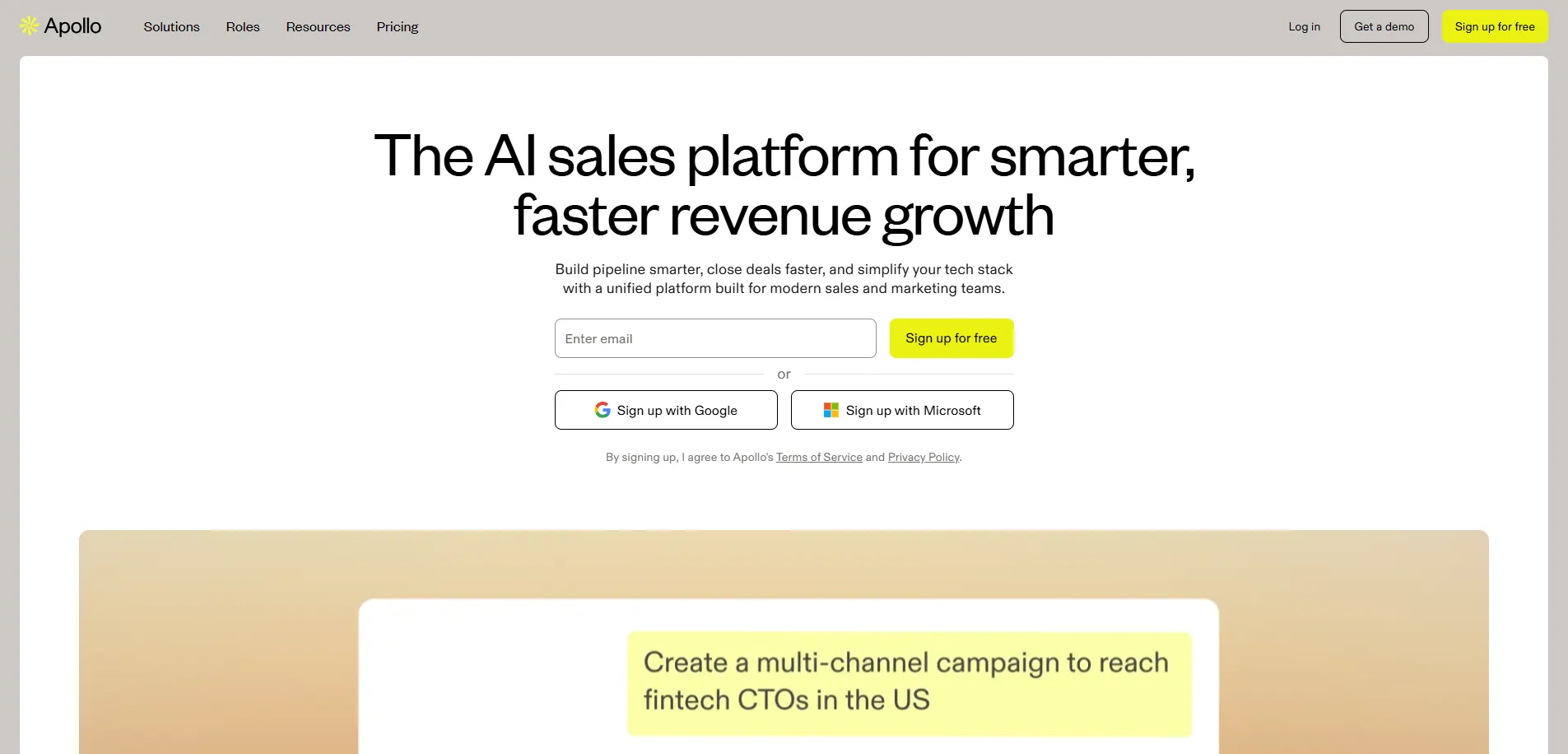
10. Apollo – B2B Contact Database
Apollo specializes in finding decision-makers at B2B companies.
Instead of general link building, Apollo focuses on reaching out to specific roles like content manager, vice president of marketing, or editor, with verified contact data.
Features:
Massive B2B Database:
- Millions of contacts.
- Millions of companies.
- Verified emails and phone numbers.
Role-Based Filtering:
- Search by job title, department, and seniority.
- Filter by company size, industry, and revenue.
- Find exactly who you need.
Built-In Verification:
- Email verification before export.
- Reduces bounce rates.
- Maintains sender reputation.
Outreach Sequences:
- Send follow-ups automatically.
- Track opens and replies.
- Integrate with CRM.
Chrome Extension:
- Find contacts on LinkedIn.
- Export to Apollo.
- Add to sequences instantly.
Example:
You’re building links for a project management tool. Apollo finds Content Managers at SaaS blogs, verifies emails, and adds them to your sequence, all in a few minutes.
Best For:
SaaS and B2B marketers who want verified contacts to support their SaaS link building or business-focused outreach.
Pricing:
It offers a free plan with 75 credits in monthly billing, and paid plans start from $59 to $149 per month. Annual billing saves 20% on all plans.
Pros
- Large B2B contact database.
- Built-in email verification.
- Good fit for SaaS and B2B link building.
Cons:
- No link opportunity discovery.
- Less useful for non-B2B niches.
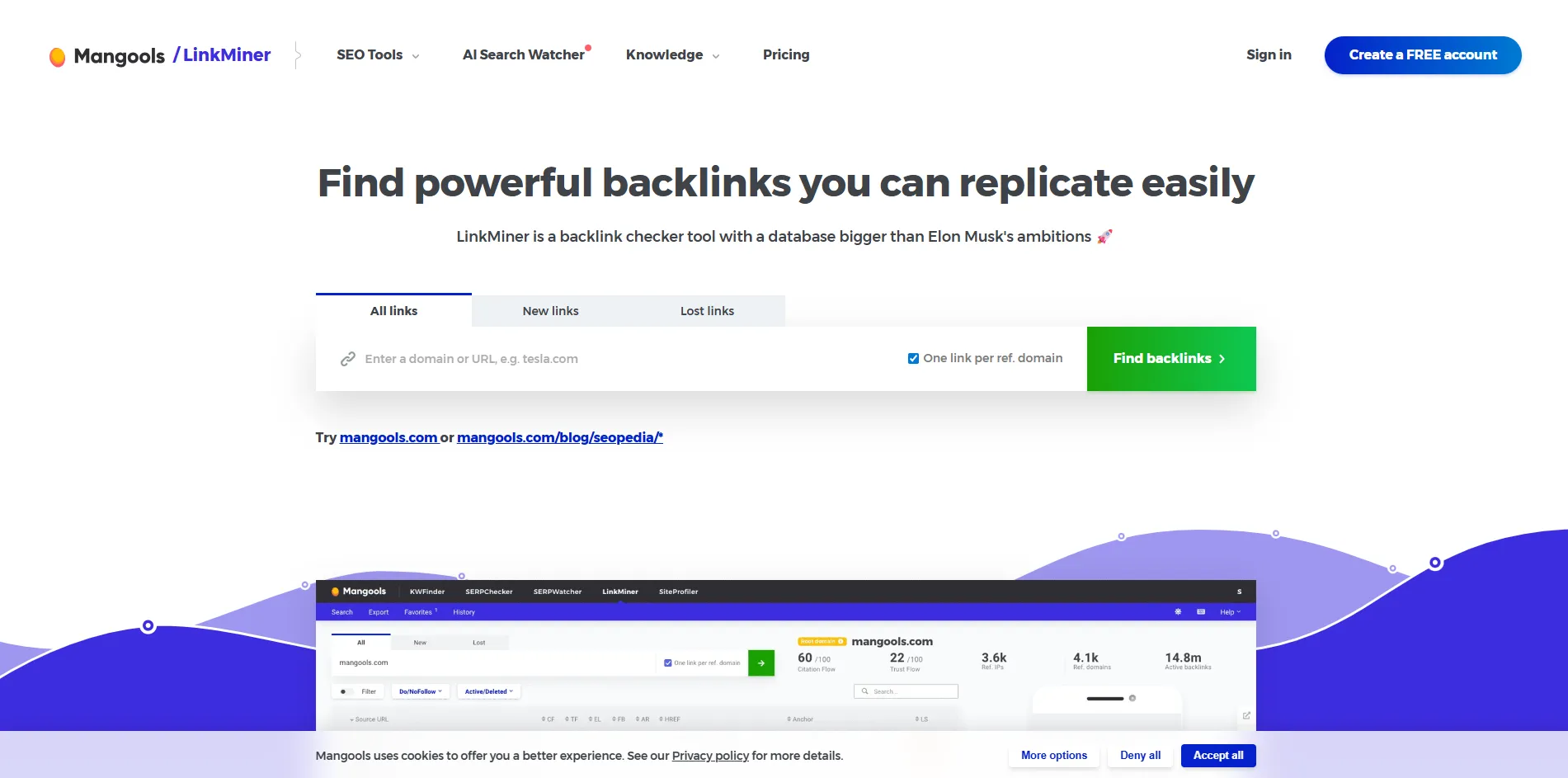
11. LinkMiner – Simple and Affordable Backlink Research Tool
LinkMiner helps you analyze competitor backlinks and uncover link opportunities using metrics like Citation Flow, Trust Flow, Referring IPs, Referring Domains, Total Backlinks, External Links, Facebook Shares, Anchor Text, Link Strength, and others.
It has a simple workflow, making it an easy, practical option for marketers who want backlink insights without the complexity or cost of larger SEO platforms.
Core Functionality
Quick Backlink Discovery
- Analyze competitor backlinks in seconds.
- Find pages linking to multiple competitors.
- Build prospect lists faster for outreach.
Faster Link Evaluation
- See authority signals for every backlink.
- Check referring domains before prioritizing outreach.
- Focus your effort on stronger link opportunities.
Live Backlink Preview
- Preview the linking page directly inside the tool.
- See where the backlink appears on the page.
- Decide quickly whether the opportunity is worth pursuing.
Simple Workflow
- Clean interface focused on backlink research.
- Easier to navigate than larger SEO platforms.
- Helps you evaluate links without unnecessary steps.
Affordable Backlink Research
- Lower cost than most full SEO platforms.
- Suitable for smaller teams and individual marketers.
- Provides essential backlink insights without a large investment.
Example:
You find a broken resource page on “Best SEO Tools” with 50 backlinks from DR 60+ sites. You recreate an updated version, pitch all 50 linking sites, and earn 12 new backlinks in 2 weeks.
Best For:
Marketers and smaller teams who want a simple and affordable way to analyze competitor backlinks and find link opportunities.
Pricing:
$61 – $141 per month (part of the Mangools suite with KWFinder, SERPChecker, SiteProfiler).
Pros
- Instant backlink loading speed.
- One-click previews with link auto-scroll.
- Advanced filters by strength, anchor, type.
- Color-coded Link Strength scoring.
Cons:
- Cannot buy LinkMiner separately (bundled in Mangools suite).
- No backlink audit or gap analysis features.
Quick-Reference: Which Tool for Which Problem
Before diving into detailed reviews, here’s how to choose based on your biggest bottleneck:
| Your Problem | Tool You Need | Why |
|---|---|---|
| Can’t find enough prospects | Ahrefs or Semrush | Competitor analysis reveals sites already linking in your niche |
| Don’t know which sites to trust | Moz or Majestic | DA/PA and Trust Flow scores filter out spam |
| Wasting time finding emails | Hunter or Apollo | Verified emails in seconds, not hours |
| Outreach feels chaotic | BuzzStream or Respona | Organized CRM keeps every conversation visible |
| Need to scale volume | Pitchbox | Enterprise automation without losing personalization |
| Want editorial/PR links | HARO | Journalists come to you with link opportunities |
| Need backlinks to replicate | LinkMiner | Analyzes competitor profiles to find replicable links |
Most teams need 2-3 tools: One for analysis, one for outreach, and one for monitoring.
How to Build a Complete Link Building System
Whether you’re running a focused link building campaign or building a long-term system, these five stages cover the full process.
The 5-Stage Link Building Workflow
Stage 1: Find Opportunities (Weekly)
Tool:
Ahrefs or Semrush
Process:
- Run competitor backlink analysis on 3-5 competitors.
- Use Link Intersect to find sites linking to them but not you.
- Export up to 100-200 domains with a domain rating of 40+.
- Filter by topical relevance (use Content Explorer to verify they publish in your niche).
Time:
30-60 minutes Output: List of 50-100 qualified prospects.
Stage 2: Validate Prospects (Bi-Weekly)
Tools:
Moz Link Explorer and Majestic.
Process:
- Analyze each domain in Moz Link Explorer.
- Check domain authority, page authority, and spam score. Spam scores below 30% are usually safe. Scores above 30% should be reviewed manually.
- Check Trust Flow analysis in Majestic.
- Review sites where Citation Flow is two to three times higher than Trust Flow.
- Verify sites publishing content in your niche.
Time:
30-45 minutes.
Output:
Clean list of 30-50 high-quality prospects.
Stage 3: Find Contacts (Weekly)
Tools:
Hunter or Apollo.
Process:
- Upload validated domains to Hunter Domain Search.
- Verify all email addresses (aim for >95% confidence).
- Cross-check missing contacts with Apollo.
- Export verified emails to CSV.
Time:
20-30 minutes
Output:
Verified contact list ready for outreach.
Stage 4: Launch Outreach (Daily)
Tools:
Pitchbox/ Respona/ BuzzStream.
Process:
- Import prospects with verified emails.
- Create personalized templates:
- Subject line: Specific and straightforward (e.g., “Quick question about your [Article Title]”).
- Opening: Reference specific content they published.
- Benefit: Clear benefit (guest post, data, expert quote).
- CTA: One clear next step.
- Send first batch (20-30 emails to test)
- Schedule follow-ups:
- Day 3: If no open, resend with new subject.
- Day 7: If opened but no reply, add value.
- Day 14: Final follow-up if still silent.
- Track metrics: open rate, reply rate, and conversion.
Time:
1 hour setup, then 15 min/day monitoring.
Output:
Active outreach campaigns with a clear pipeline.
Stage 5: Track Results (Daily + Monthly)
Tools:
Ahrefs Alerts.
Process:
-
Daily:
- Check email alerts for new backlinks.
- Verify anchor text is correct.
- Screenshot and log-in spreadsheet.
-
Weekly:
- Review your backlinks using Ahrefs Site Explorer.
- Check for new and lost links.
- Reach out to reclaim lost links.
-
Monthly:
- Export full backlink report.
- Track growth: referring domains, domains, and anchor text distribution.
- Identify which campaigns converted best.
- Identify what’s driving real results and put more effort there.
Time:
15 min/day, 1 hour/month.
Output:
Protected backlink profile + performance data.
Set of Tools You Need to Get Started
If you’re just starting out, you don’t need every tool at once.
Here’s the minimum to run the full workflow:
1. Ahrefs Lite for $129/month
Use this for prospecting, validation, and monitoring.
2. Hunter Starter for $34/month (annual) / $49/month (monthly)
Use this for Email finding and verification.
3. BuzzStream Starter for $29/month
You can use this for Outreach management.
4. HARO for Free
Use this for bonus editorial opportunities.
These tools cover the entire workflow: finding prospects, validating them, getting emails, managing outreach, and tracking results.
Add tools as you scale:
- Growing to 100+ emails/week? Add Pitchbox.
- Running broken link campaigns? Add LinkMiner.
- Targeting B2B? Add Apollo.
How to Choose Your Stack
Choose your stack wisely. Buy only when it saves you time and effort.
1. What is consuming most of your time right now?
- Use Ahrefs or Semrush if prospecting is consuming your time.
- Depend on BuzzStream or Respona if you feel your outreach is disorganized.
- Go with Hunter or Apollo if your emails get bounced.
- Use Ahrefs Alerts if you are losing track of new or lost links.
2. What is your monthly link building volume?
- Building 0-20 links a month? Ahrefs, Hunter, and BuzzStream cover everything you need at this stage.
- Scaling to 20-50 links a month? Ahrefs, Hunter, and Respona give you the right mix of prospecting and outreach.
- Working toward 50-100 links a month? Semrush, Apollo, and Pitchbox handle the volume without slowing you down.
- Going beyond 100 links a month? You need a full enterprise stack with dedicated tools built for that scale.
3. What is your team size?
- Just you? BuzzStream at $29/month is practical, affordable, and easy to manage on your own.
- A small team of 2-5? BuzzStream keeps everyone aligned without overcomplicating things.
- Team of 5-20? Pitchbox handles the complexity that comes with a growing team.
- 20 or more? A custom stack with API integrations keeps everything connected at that scale.
4. What is your experience level?
- Just getting started? Moz, Hunter, and BuzzStream are easy to learn and cover the basics well.
- Have some experience? Ahrefs, Hunter, and Respona give you more capability without overcomplicating your workflow.
- Running advanced campaigns? Ahrefs, Majestic, Pitchbox, and custom automations give you full control.
5. What strategies do you run?
- Guest posting: Ahrefs + Hunter + Pitchbox
- Broken link building: LinkMiner + Hunter + BuzzStream
- PR and editorial: HARO + Hunter + spreadsheet (HARO relaunched under Featured.com in April 2025, still free to use)
- B2B outreach: Apollo + Respona + LinkedIn
- Mixed campaigns: Ahrefs + Hunter + Respona
Common Mistakes and How to Avoid Them
1. Chasing Metrics Over Relevance
You find a site with a DR of 70, and it already feels like a win. But if their content has nothing to do with your niche, that link will not move your rankings.
A DR 35 blog that genuinely covers your topic will do more for your growth than a high-DR directory that has no relevance to what you do. Relevance is what Google actually rewards.
Filter by niche first, authority second. Use Majestic’s Topical Trust Flow to confirm a site covers your space before you spend time chasing it.
2. Sending Generic Outreach at Scale
Your tool can send 500 emails in an hour. That does not mean you should.
Personalized emails achieve up to a 15-30% higher reply rate. Generic pitches get under 5% reply rates because automated, irrelevant emails usually get ignored.
Use tools for scheduling, tracking, and follow-ups. Write the pitch yourself. Reference something specific, show you actually read their content, and give them a real reason to respond.
3. Giving Up After One Email
You send one email, hear nothing, and move on. Most people do this, leaving a lot of links on the table.
Most replies come from the second or third email, not the first. One attempt is not a campaign.
Set up 2-3 follow-ups spaced 3-7 days apart. Each one should bring something new. Not just “did you see my last email?”
4. Not Tracking Lost Links
Links decay over time. Sites get redesigned, pages get deleted, editors move on. It happens more than most people realise.
When those links disappear, you also lose the link equity they were passing to your page, which can slowly weaken your rankings.
Set up Ahrefs alerts, so you know the moment a link disappears. Reach out within 48 hours. The sooner you act, the better your chances of getting it back.
5. Skipping Email Verification
You skip verification to save a few minutes. It seems harmless until your bounce rate climbs past 10% and your emails start landing in spam.
A damaged sending reputation is hard to recover from, and it affects every campaign you run going forward.
Always verify with Hunter or Apollo before you hit send. Keep your bounce rate under 2%. It takes a few minutes and protects everything you have worked to build.
6. Hoarding Tools You Never Actually Use
You subscribe to eight tools, thinking more tools mean better results. A few months in, you are paying for six you barely open.
More tools do not necessarily lead to better results. The right two or three, used well, will outperform a bloated stack every time.
Start with 2-3 core tools. Get comfortable with them. Add something new only when you hit a clear gap in your workflow.
7. Automating the Wrong Parts
You automate everything, including the pitch itself. The emails go out, nothing comes back, and you wonder what went wrong.
People can tell when an email they just received was not written by a human. Robotic outreach gets ignored or flagged as spam.
Automate discovery, verification, scheduling, follow-ups, and tracking. Keep the pitch human. That is the one part of the process no tool should ever handle for you.
Final Thoughts
Link building tools give you speed, data, and scale. But they don’t replace judgment, creativity, or relationship skills. Use them to eliminate the manual work — so you can focus on what actually earns links: the right pitch, the right content, and the right relationships.
Not every tool on this list will suit your needs. The best choice depends on your budget, your goals, and the scale of your outreach. Start with one tool that solves your biggest gap, focus on quality over volume, and stay consistent.
Why do different tools show different backlink counts?
Because each tool crawls the web independently. No tool discovers every backlink. Google doesn’t even share its complete index. Focus on trends (are you growing?) and quality (are links relevant?) rather than exact counts.
How many tools do I actually need?
Most successful link builders use 3-4 core tools:
- One for analysis: Ahrefs or Semrush
- One for contacts: Hunter or Apollo
- One for outreach: BuzzStream, Respona, or Pitchbox
- One for monitoring: Ahrefs alerts
Start with 2 tools and keep adding more as you scale.
Can I build links without any tools?
Yes, you can build links without any tools, but it takes a lot of time. In manual link building, you will need to manually analyze your competitors’ links, find email addresses, and track new and lost links. Tools can save your time. That time saved is what makes them worth it.
Are free tools enough?
For learning: yes. For consistent results: no. Free versions of Ahrefs, Semrush, and Moz give you enough data to understand the process. But to actually build 20+ quality links per month, you need paid tools. The ROI is clear: one DR 60 placement can drive $500+/month in organic traffic value.
How long before I see results?
- Tools give you data: Immediately
- First outreach replies: 2-7 days
- First backlink placements: 2-4 weeks
- Ranking improvements: 6-12 weeks after earning quality backlinks
Always set realistic expectations.
What’s the best tool for beginners?
If you are new to link building tools, Moz is often the easiest place to start. The metrics are straightforward, so you can quickly understand what you are looking at. Most people get comfortable with the interface fairly quickly.
For outreach, BuzzStream is a good starting point. It helps you organize prospects and keep track of conversations. Simple setup. No complicated workflow.
Tools like Ahrefs and Pitchbox go deeper. They offer many features for prospecting, analysis, and outreach automation. Useful tools. But beginners sometimes need time to get used to how everything works.
Start simple. Run a few outreach campaigns first. You will quickly see how finding sites, sending emails, and following up all fit together. After doing this a few times, moving to bigger tools usually feels much easier.
Can tools help with local link building?
Yes. Tools can support local link building by helping you discover opportunities and the right people to contact.
Are there risks to using link building tools?
The tools themselves are safe. Risks come from misuse: Buying links from directories, mass spamming with generic templates, building links from irrelevant niches. Using tools for research, organization, and relationship management is completely safe and recommended. Use tools for efficiency, not manipulation.