To show up in AI Overviews, get your page indexed, snippet-eligible, and more useful than the pages already cited.
Google’s guide to optimizing for generative AI features says you don’t need special markup, an llms.txt file, or an AI-specific rewrite.
An llms.txt file is a text file made for AI tools.
You may have noticed rankings holding steady while clicks drift down.
An AI-written summary now sits above the blue links and answers the question first.

That summary is Google’s AI Overview, and it links to the pages that support its answer.
Showing up there extends SEO instead of replacing it, because AI Overviews run on Google’s core ranking and quality systems.
Key Takeaways
- Google says AI Overviews run on the same core ranking and quality systems as Search.
- A page must be indexed and snippet-eligible to be cited.
- About 38% of cited pages also rank in the top 10, according to Ahrefs.
- Special markup, llms.txt files, and AI rewrites aren’t required.
- Backlinks help indirectly, but the evidence doesn’t show links alone earn a citation.
- Search Console’s Generative AI performance report shows how you’re doing.
How does Google pick sources for AI Overviews?
Google picks sources by running several related searches at once and citing pages from its normal Search index.
Google calls this technique query fan-out, and its guide lists it among the techniques behind AI Overviews and AI Mode.
For a search about fixing a weedy lawn, Google’s own example fan-out searches cover herbicides, chemical-free removal, and prevention.
Someone asking how to show up in AI Overviews will also want to know:
- What an AI Overview is
- What triggers one
- Which signals pick sources
- Whether schema helps
- Whether backlinks still matter
- How to tell if a page got cited
A page that answers those follow-ups gives Google more to match against its related searches.
What makes a page eligible?
A page is eligible when it’s indexed and can appear in Google Search with a snippet.
A snippet is the short text preview Google shows under a result.
That’s the technical bar Google’s guide sets for AI Overviews and AI Mode.
The guide adds one site-level condition: the site must be included in Search generative AI features in Search Console.
Do you need to rank in the top 10 to be cited?
No, because most cited pages don’t rank in the top 10 for the same search.
In Ahrefs’ March 2026 citation study, only 38% of cited URLs also ranked in the top 10 for that query.
The study covered 863K keyword SERPs, which are search results pages.
Another 31.2% ranked between 11 and 100, and 31.0% didn’t rank in the top 100 at all.
Ranking in the top 10 isn’t required.
Ahrefs suggests fan-out searches may now play a bigger role in source selection, which is its interpretation, not a Google statement.
Ahrefs’ own figure in July 2025 was about 76%, so treat any exact share as a snapshot.
A page can earn a citation without ranking first.
Which searches show an AI Overview?
Google shows an AI Overview only when it decides the summary adds something beyond regular results, so many never get one.
Google built AI Overviews to help people get the gist of a complicated topic or question quickly.
Google says AI Mode, its other AI feature, suits queries that need exploration, reasoning, or complex comparisons.
The two can use different models and techniques, so the links they show vary.
Complex how-to questions and comparisons fit those descriptions.
How to Find Your Own AI Overview Queries
Check which of your queries already show an AI Overview, then prioritize those pages.
- Open Search Console and sort your top queries by impressions.
- Search each one on Google.
- Note which ones show an AI Overview.
- Treat the rest as traditional SEO work.
If you’re unsure where AI search work ends and SEO begins, see how SEO differs from GEO.
Five Changes That Make a Page Worth Citing
Five changes make a page worth citing: answer first, cover follow-ups, link related pages, mark up honestly, and build a real brand.
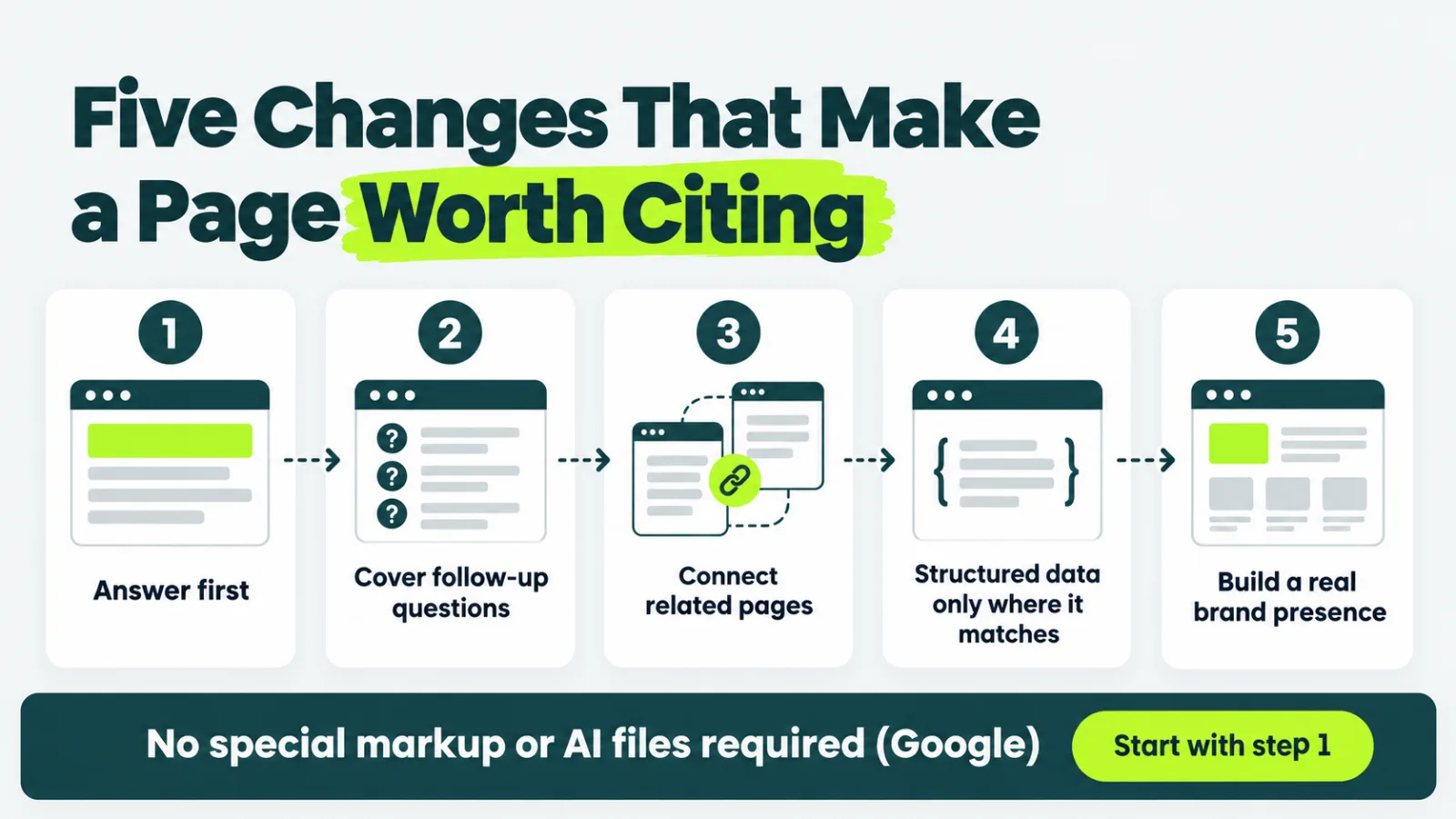
Google’s guide says unique, useful content will likely matter more over time than any other suggestion in it.
Google calls content that could come from anyone commodity content.
Add what only you know instead: your own tests, data, and first-hand experience.
The full framework sits in our guide to AI search optimization.
1. Answer the Question First Under Every Heading
Open each section with a one- or two-sentence answer to the question in its heading.
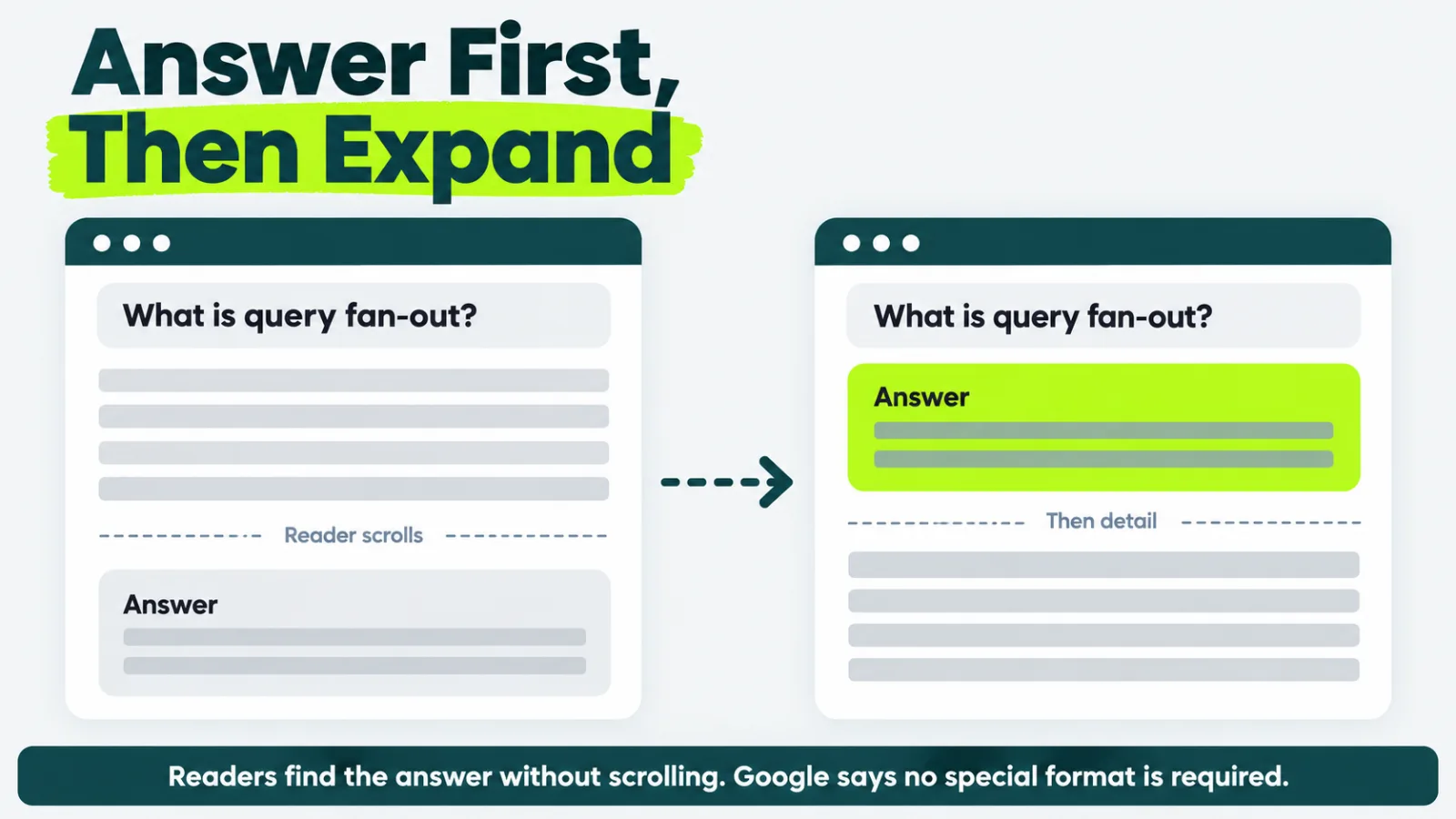
That helps skimming readers, and Google notes that people generally appreciate pages organized into sections with clear headings.
Google doesn’t require this format, and it says there’s no ideal page length.
2. Cover the Follow-Up Questions Readers Ask
Cover the next questions a reader would ask inside the same page, so they don’t go back to search.
These sources show which questions repeat:
- People Also Ask results
- Related searches
- Reddit discussions
- Support forums
- Sales conversations
Google warns against separate pages for every query variation.
Making them mainly to manipulate rankings or AI responses violates its scaled content abuse policy.
3. Connect Related Pages Instead of Publishing Isolated Ones
Link related pages together, because Google lists internal links among the fundamentals that still apply to AI features.
Internal links between related pages also help a reader move from one question to the next.
Add a new page only when readers would search for that topic on its own.
Google says a high quantity of pages doesn’t make a website higher quality.
4. Use Structured Data Only Where It Matches the Page
Structured data isn’t required for AI Overviews, and Google says there’s no special schema.org markup to add.
Structured data is extra code that labels what a page contains.
Keep using it for rich results in regular Search, and make sure it matches the visible text.
Don’t add FAQ or how-to markup expecting a boost.
Google no longer shows FAQ or how-to rich results in Search.
5. Build a Real Brand Presence, Not Manufactured Mentions
Earn mentions on other sites honestly, because Google says seeking inauthentic mentions isn’t as helpful as it might seem.
Google’s AI features can show what people say about a business in blogs, videos, and forum discussions.
The real version of that presence is earned mentions of your brand, accurate business profiles, and expert author bios.
You can also turn unlinked mentions into links when sites already name you.
Do backlinks matter for AI Overviews?
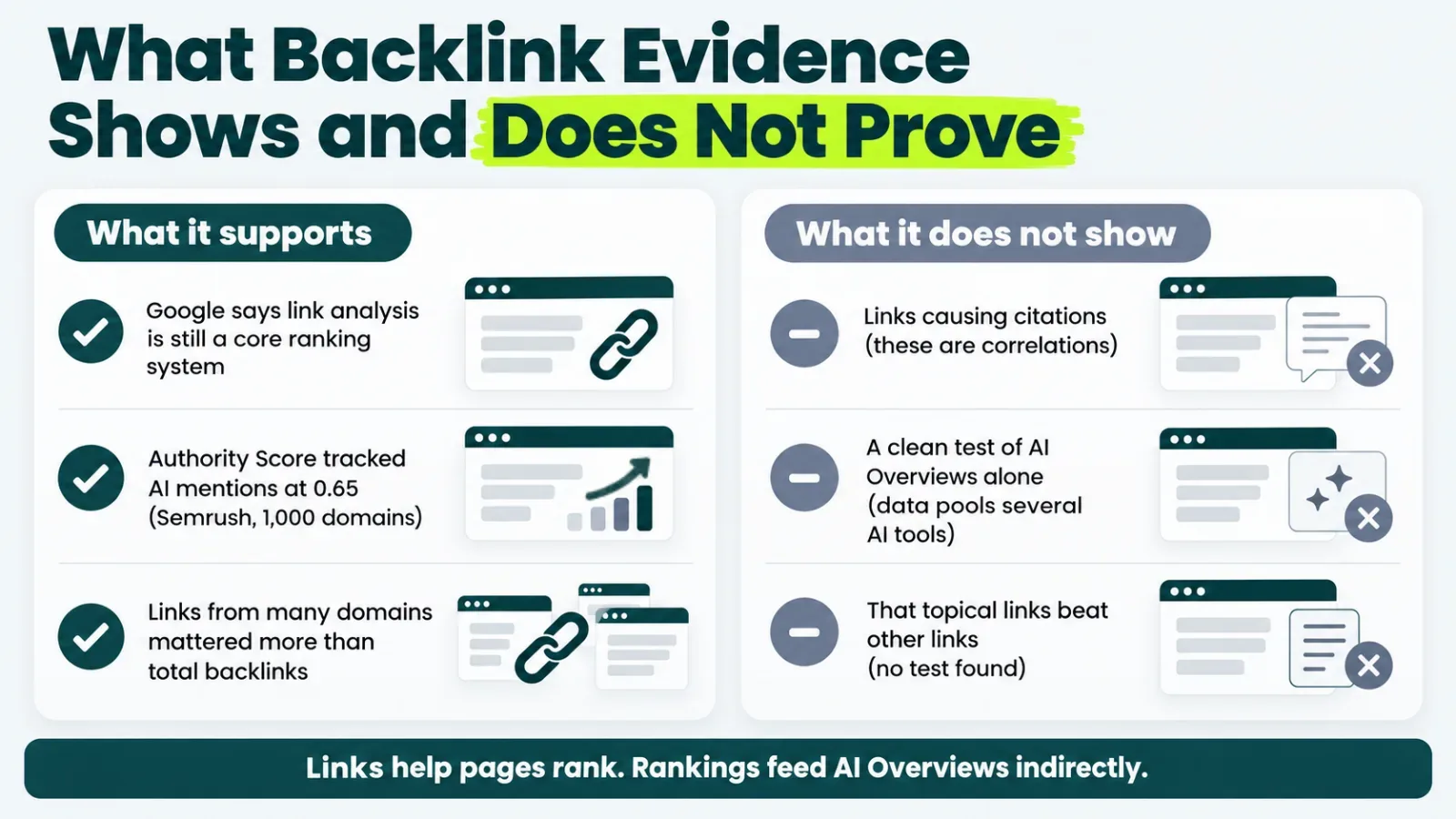
Backlinks matter indirectly, because they help pages rank, but the evidence doesn’t show that links alone earn a citation.
What the Evidence Supports
The evidence supports links as an indirect input, because Google says link analysis is still part of its core ranking systems.
Its ranking systems documentation says PageRank, one of its original core systems, continues to be part of them.
AI Overviews retrieve pages through those same ranking systems, so links stay an indirect input.
Kevin Indig’s analysis with Semrush compared 1,000 domains with how often AI tools mention them.
The strongest relationship was with Authority Score, a Semrush quality grade that factors in a site’s backlinks.
That relationship measured 0.65, where 1.0 is a perfect match.
Links from many different domains also mattered more than a large total number of backlinks.
What the Evidence Doesn’t Show
The evidence doesn’t show that links cause citations, because these numbers are correlations.
A correlation means two things move together, not that one causes the other.
The Semrush data also pools several AI platforms, so it isn’t a clean test of AI Overviews alone.
Ahrefs’ data shows pages get cited without ranking well, so strong rankings aren’t a requirement.
For the ranking side of that question, see how many backlinks a page needs.
No source we found tested whether topically relevant links beat other links for AI Overviews.
We favor links from sites in your field anyway, because Google says its link systems help determine what pages are about.
That’s our position, not a measured result.
How to Earn Links Worth Having
Earn links by publishing something worth citing, then show it to the sites that cover your topic.
What counts as an editorial link explains the placements worth pursuing.
Buying links to influence rankings is link spam under Google’s spam policies, so skip it.
How to Rework an Existing Page
Rework an existing page in six steps, starting with one that already ranks for an informational query.
- Find queries that already trigger AI Overviews.
- Rewrite headings as the questions readers ask.
- Put a short answer under every heading.
- Add the follow-up questions the page misses.
- Add first-hand detail only you can provide.
- Link the page to related pages on your site.
Thin pages with nothing original to add need a full rewrite instead.
How to Measure AI Overview Performance
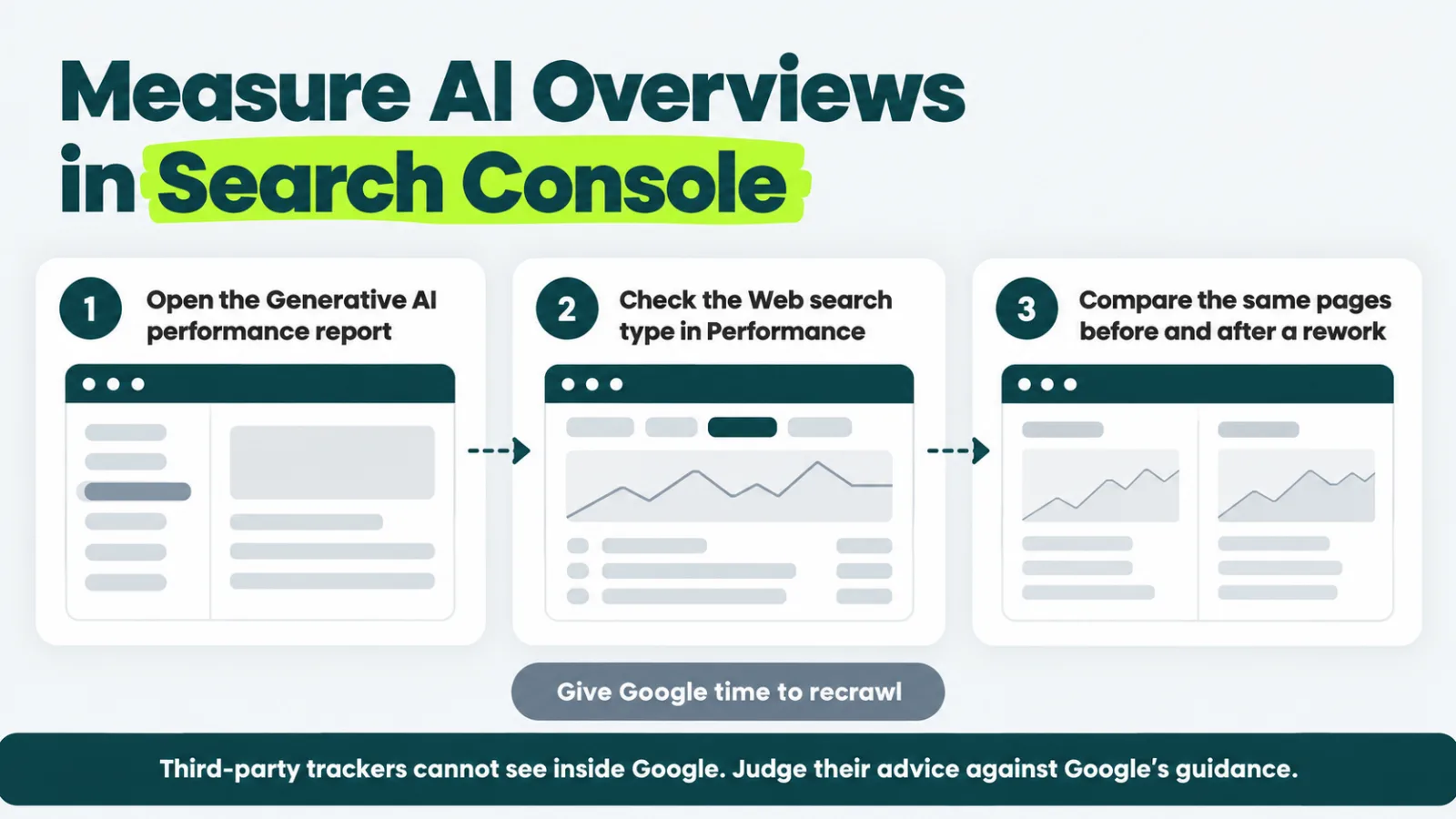
Measure AI Overview performance in Search Console, because Google counts AI Overview appearances in your Web search data.
Search Console Reports
Use the Generative AI performance report in Search Console to see how your content appears in AI features.
Google also counts these appearances in the standard Performance report, under the Web search type.
Trackers and Analytics
Many SEO tools now track AI Overview citations.
Google warns that no third-party tool has access to its internal ranking or AI systems.
Use those tools if they help, and judge their advice against Google’s guidance.
Track time on site and conversions in Google Analytics, because Google says clicks from results with AI Overviews are higher quality.
Compare the same pages before and after a rework, and give Google time to recrawl them.
Where to Start This Week
Start this week with one informational page that already gets impressions, and rework it heading by heading.
Rewrite its headings as questions, put a short answer under each, and add the follow-ups it misses.
Then add one thing only you can say, such as your own test, data, or first-hand experience.
Open Search Console and pick the page.
Confirm it’s indexed and eligible for a snippet before you change a word.
Want to know which sites Google trusts enough to cite for your topic?
Get a focused editorial link strategy that builds the trust signals Google already looks for.
Frequently Asked Questions
Will AI Overviews kill my organic traffic?
AI Overviews can change how many people click, and the effect varies by query and by site. Google says clicks from results with AI Overviews are higher quality, meaning visitors are more likely to stay longer. Compare clicks and engagement for the queries that show an AI Overview in your own Search Console data.
How long does it take to show up in AI Overviews?
It takes as long as Google needs to recrawl and index the page, and no one can promise when. Google says indexing and serving aren’t guaranteed, and crawling can take anywhere from several days to several months. Rework one page, request a recrawl, and track it in Search Console.
Can a small site appear in AI Overviews?
Yes, because Google says AI features give more types of sites a chance to appear. A small site needs the same basics as any other: an indexed page, a clear answer, and original first-hand experience. For tactics that don’t depend on top rankings, see our guide to getting cited without ranking first.
How is showing up in AI Overviews different from optimizing for ChatGPT or Perplexity?
Google’s guidance covers Google’s features only, so it doesn’t explain how ChatGPT or Perplexity choose sources. Google also says AI Mode and AI Overviews may use different models and techniques, so the links they show vary. For a wider view, see our playbook for generative engine optimization.