Infographic link building still works for your SEO in 2026, but the bar to earn a link has risen.
The core idea of designing a data-rich graphic, publishing it on your site, pitching publishers covering the same topic, and earning a backlink when they embed it hasn’t changed.
What’s changed is the floor. Publishers now receive more pitches than ever, and most infographics look the same.
This means the infographics that earn links are those that offer original data, research, or insights worth citing. And sometimes a publisher embeds your graphic without linking back at all.
Key Takeaways
- The infographic formats that earn links in 2026: statistical, process, list or ranking, and timeline.
- Run three questions before designing: Is the idea citable? Is it refreshing? Is it embeddable?
- Guestographics convert at a higher rate than broadcast pitches. Design one chart for one publisher.
- Target 100 to 200 prospects per campaign. Below 100, the numbers work against you.
- Track three metrics: referring domains earned, DR distribution, and dofollow or nofollow split.
What Infographic Link Building Actually Means
Infographic link building is the practice of making a visual asset that presents data, a process, or a concept in graphic form and using these assets to attract backlinks in your link building campaign.
One of the ways you earn backlinks from this asset is by distributing it to publishers, bloggers, and journalists.
This link building strategy delivers results because readers consume visuals quicker and reference them more often than a standard article.
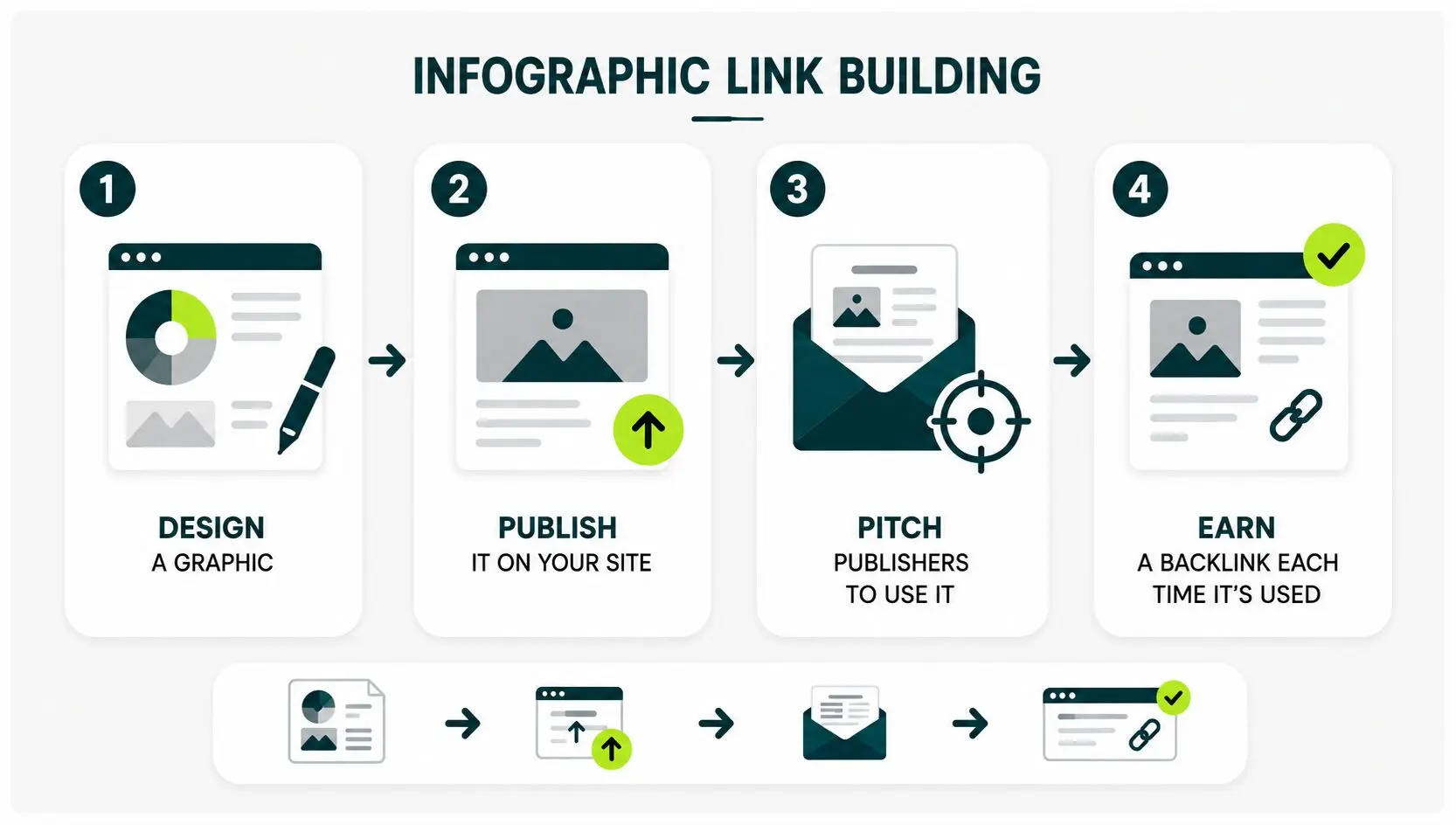
Infographic link building has four steps:
- Designing a graphic
- Publishing it on your site
- Pitching publishers to use it
- Earning a backlink each time one embeds it
The reason this still works in 2026 is the same reason it worked in 2016. Publishers need data to support their claims, and a clean visualization drops into a post easier than a wall of source quotes.
The floor has changed in 2026. More brands pitch infographics now, so the ones that earn links show data the publisher’s writer would have had to dig up themselves.
An infographic is a linkable asset on your site. The same rule that governs every linkable asset governs this one. People link to things they’d have wanted to make themselves, if you hadn’t already.
Why Infographics Still Earn Links When Most Content Doesn’t
Infographics still earn links because they make a publisher’s job easier.
Imagine this. A writer on deadline needs to back up a claim about how much time startup founders spend on outreach in the first week. He gathered the relevant findings.
Now he has two options:
- Convert the findings into a text-heavy section in their blog post.
- Add an infographic chart in his post that shows the findings.
Of the two options, the chart wins most of the time. Why? because it saves readers’ time, boosts credibility, and gives them something memorable.
Publishers credit the source because that’s how editorial conventions work. The backlink you earn from publishers is your win.
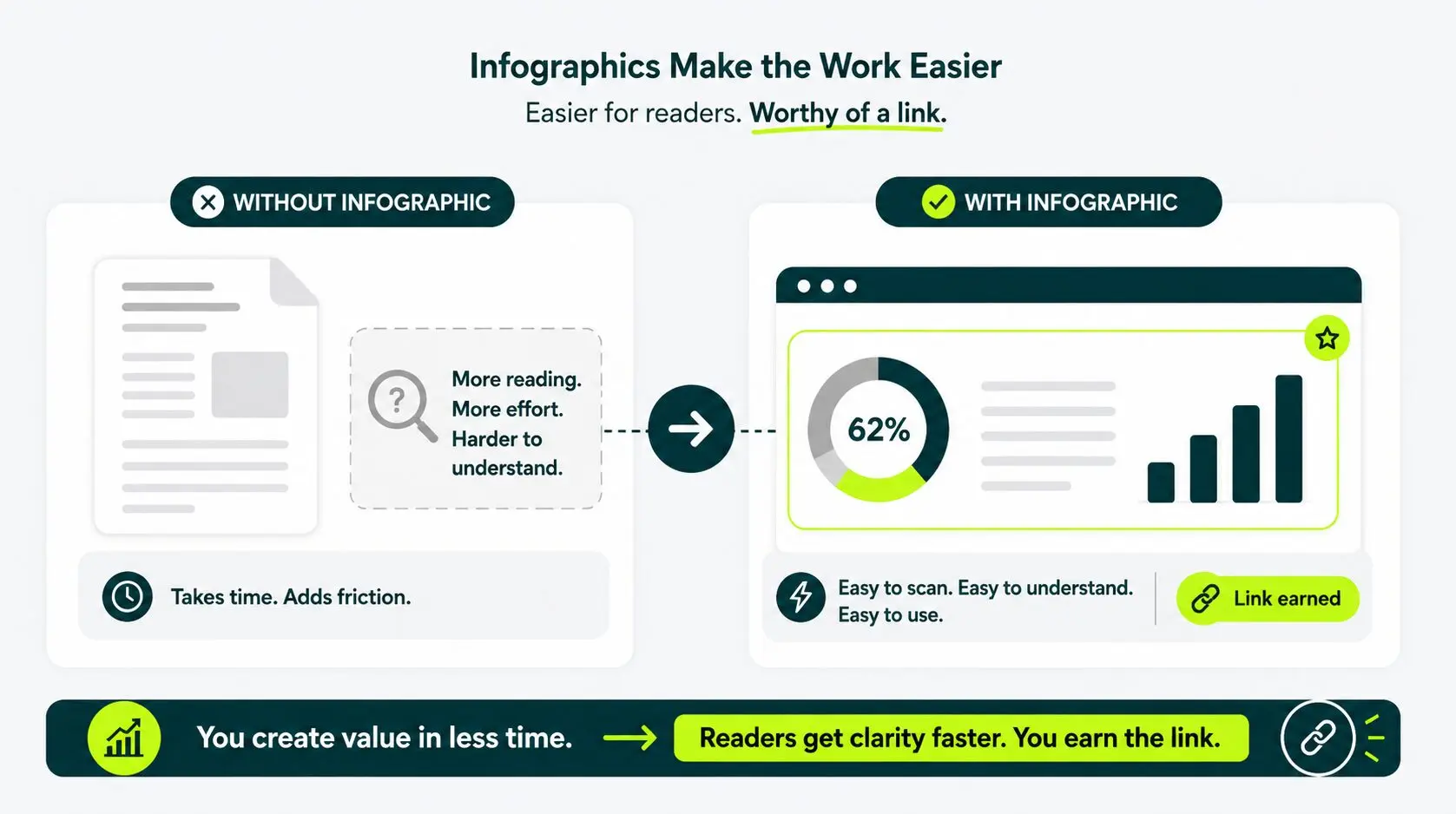
This same principle drives every linkable asset. You create something other writers want to use, and the link follows.
Most blog posts don’t work this way. A text article gives other writers nothing they couldn’t have written themselves, so they don’t link to it.
An infographic flips that. Useful data and clear design give those writers something they couldn’t produce from a quick Google search.
That’s what earns the citation, and it’s the universal logic behind infographic link building and every other backlink strategy.
The Data-asset Test (a 3-question Filter Before You Design)
Run three questions on every infographic idea before you spend on design: Is the idea citable? Is it refreshing? Is it embeddable?
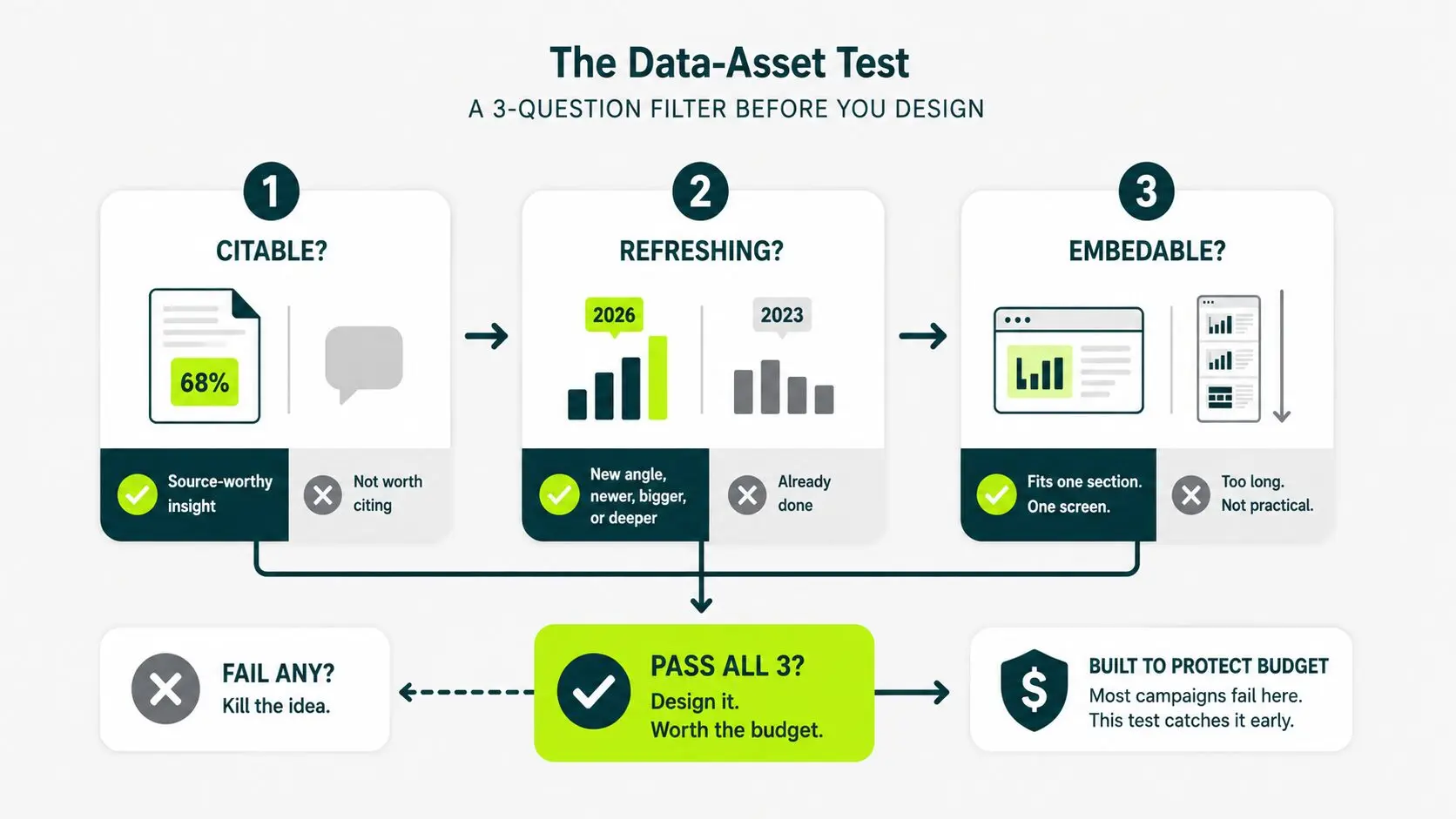
It’s the framework that we use to kill weak ideas in 30 seconds. Most campaigns fail because the topic was wrong. This test catches that early.
Go through this table before you design:
| QUESTION |
WHAT YOU’RE CHECKING |
PASS EXAMPLE |
FAIL EXAMPLE |
|---|---|---|---|
| Is it citable? |
Does it contain original data or findings? | Shopify stores per capita | Generic e-commerce timeline |
| Is it refreshing? |
Does it show something competitors don’t? | New segmentation or updated data | Existing chart recreated |
| Is it embeddable? |
Can it fit naturally into an article section? | Single-focused chart | Multi-screen infographic |
If any answer is no, stop. Fix the idea before you build the graphic.
Which Types of Infographics Actually Earn Links in 2026
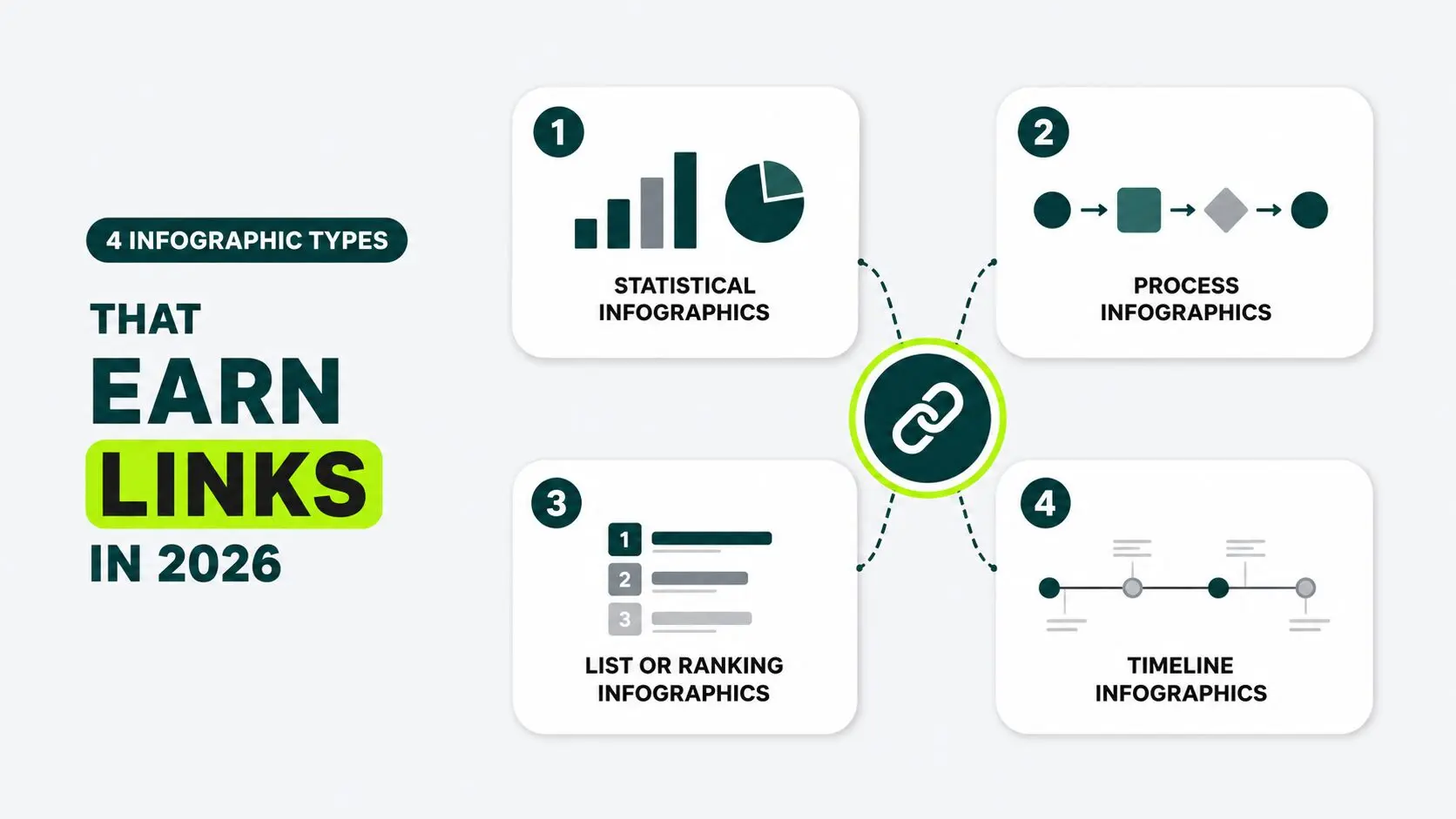
Four types of infographics earn links in 2026, which are statistical infographics, process infographics, list or ranking infographics, and timeline infographics.
The rest are mostly decorations. You can design any infographic you want. If it sits outside the four below, the math is harder than it needs to be.
Statistical Infographics
A statistical infographic packages survey data, public records, or proprietary numbers into a chart-led visual.
Examples of citable data under statistical infographics can be:
- Pricing benchmarks for a niche.
- Survey results from a specific role.
- Public records aggregations, such as funding totals or store counts.
This Statista chart tracks Amazon Prime Day duration since 2015. Notice how it presents one clear insight with a simple bar chart, cites its data source, and makes the information easy to understand at a glance.
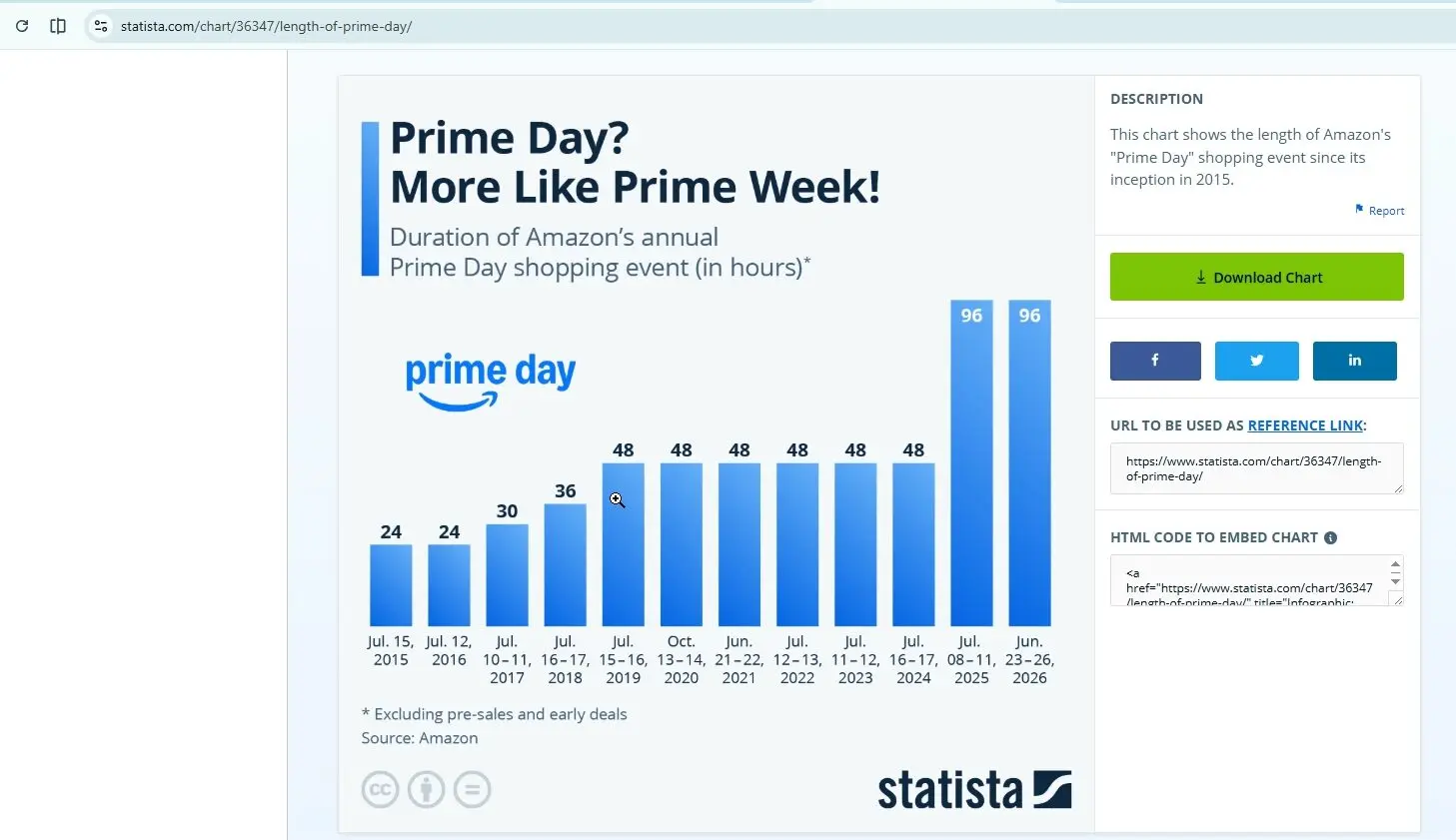
Source: Statista – “Prime Day? More Like Prime Week!” (2025)
This is exactly what makes a statistical infographic easy to cite and drop into an article.
Process Infographics
Process infographics earn well in niches where a workflow is too complex to explain in a paragraph. Onboarding sequences, compliance steps, and technical setup flows all fit this format.
It breaks down a multi-step workflow in a linear diagram.
Take this as an example. HubSpot’sSales Process: A Complete Guide uses a process infographic to explain each stage of the sales workflow. The visual supports one section of the article rather than replacing the surrounding content.
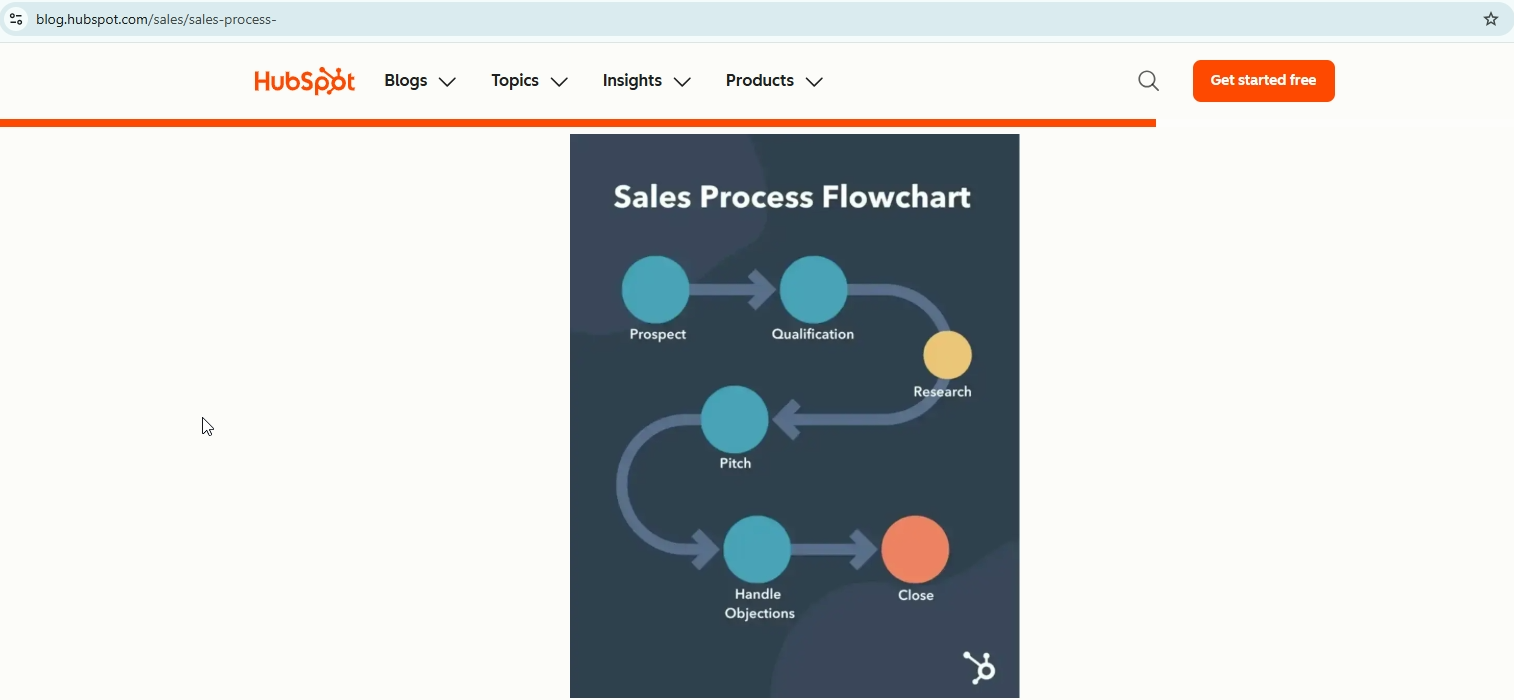
Source: HubSpot – “Sales Process: A Complete Guide”
Pick a workflow specific enough that no generic version of the diagram already exists.
List or Ranking Infographics
List and ranking infographics perform best with publicly verifiable data: prices, ratings, and benchmarks. Any publisher covering the same topic can embed the chart and link back to your source.
Semrush’s SEO copywriting guide includes a numbered infographic that summarizes its key content-writing recommendations.
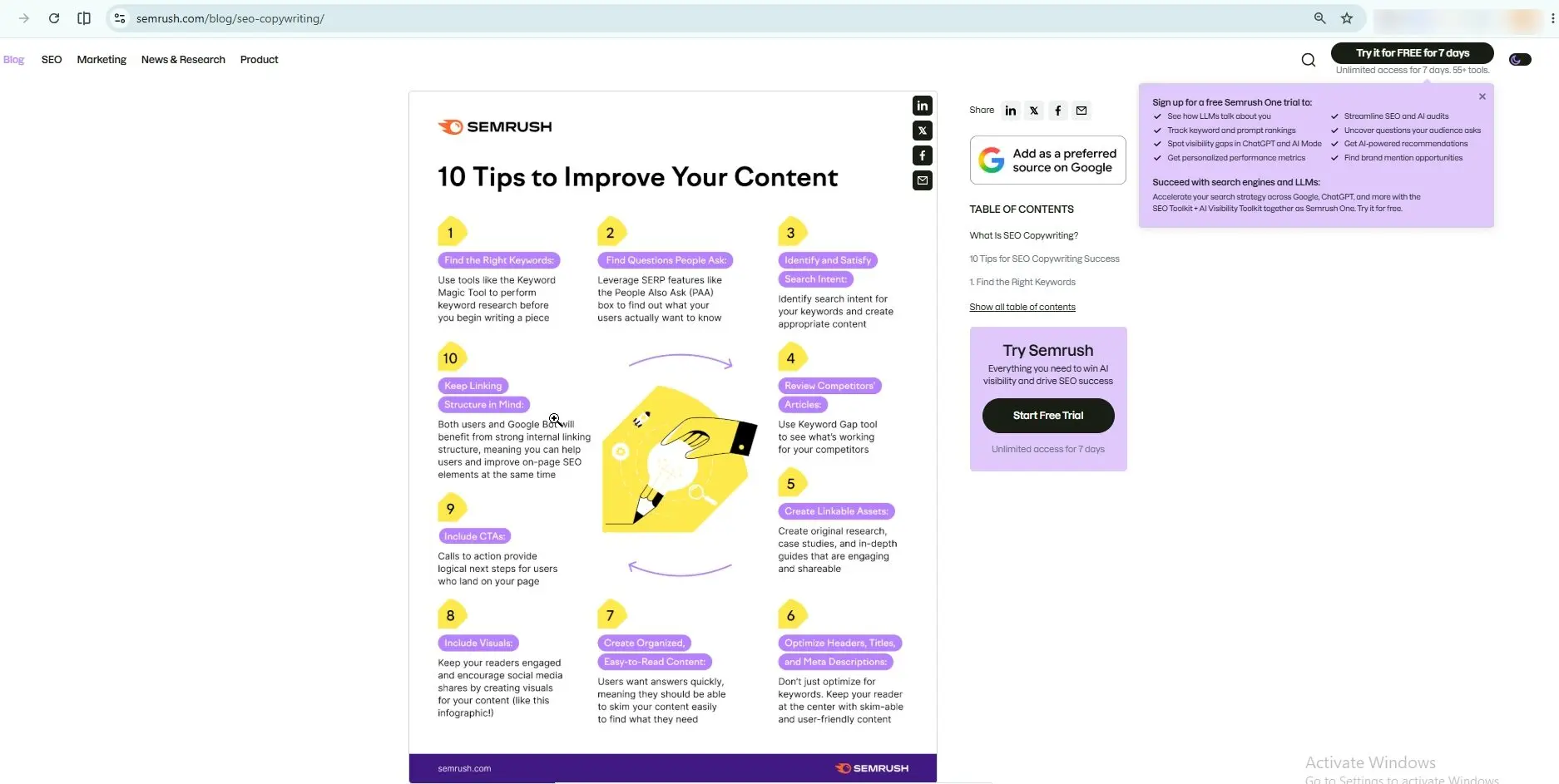
Source: Semrush – “SEO Copywriting: 10 Tips to Boost Your Content Performance”
The infographic supports the article without replacing it, and any publisher covering content writing can embed it and link back to Semrush as the source.
A ranking infographic takes this further by listing items against a measurable score or value.
Semrush’s Google Ranking Factors study embeds a horizontal bar chart ranking signals by correlation score, color-coded by category.
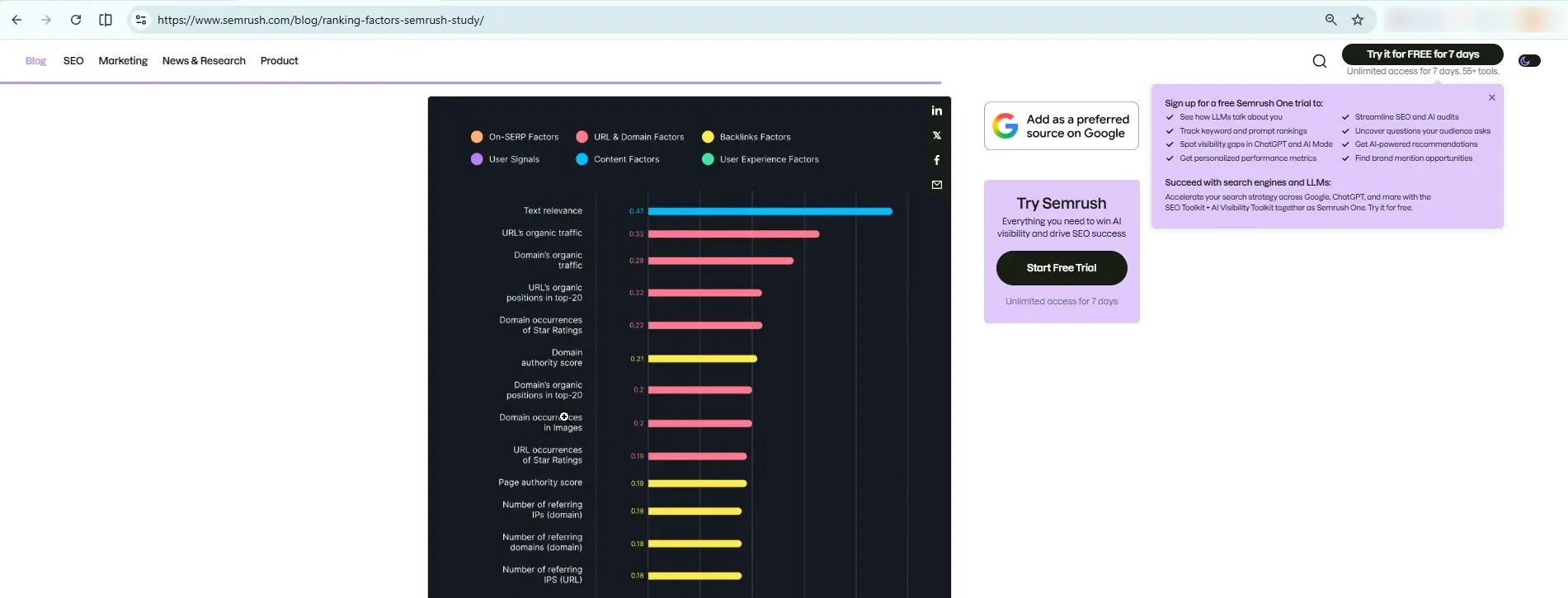
Source: Semrush – “Ranking Factors [Semrush Study]”
The visual shows at a glance that text relevance scores highest at 0.47, followed by organic traffic signals.
Any SEO writer covering ranking signals can drop that chart into their article and link back to Semrush rather than rebuilding the data themselves.
These earn links because the data is specific, verifiable, and saves the publisher work.
Both list and ranking infographics perform best with publicly verifiable data (prices, ratings, benchmarks) rather than opinion.
Timeline Infographics
Timeline infographics earn links when they offer the most current view of a topic. Outdated timelines do not attract coverage.
For example, The CDO Times uses Starbucks’ customer journey as the basis for a timeline-style infographic that illustrates customer touchpoints from anticipation to reflection.
It turns a complex customer journey into a simple visual story.
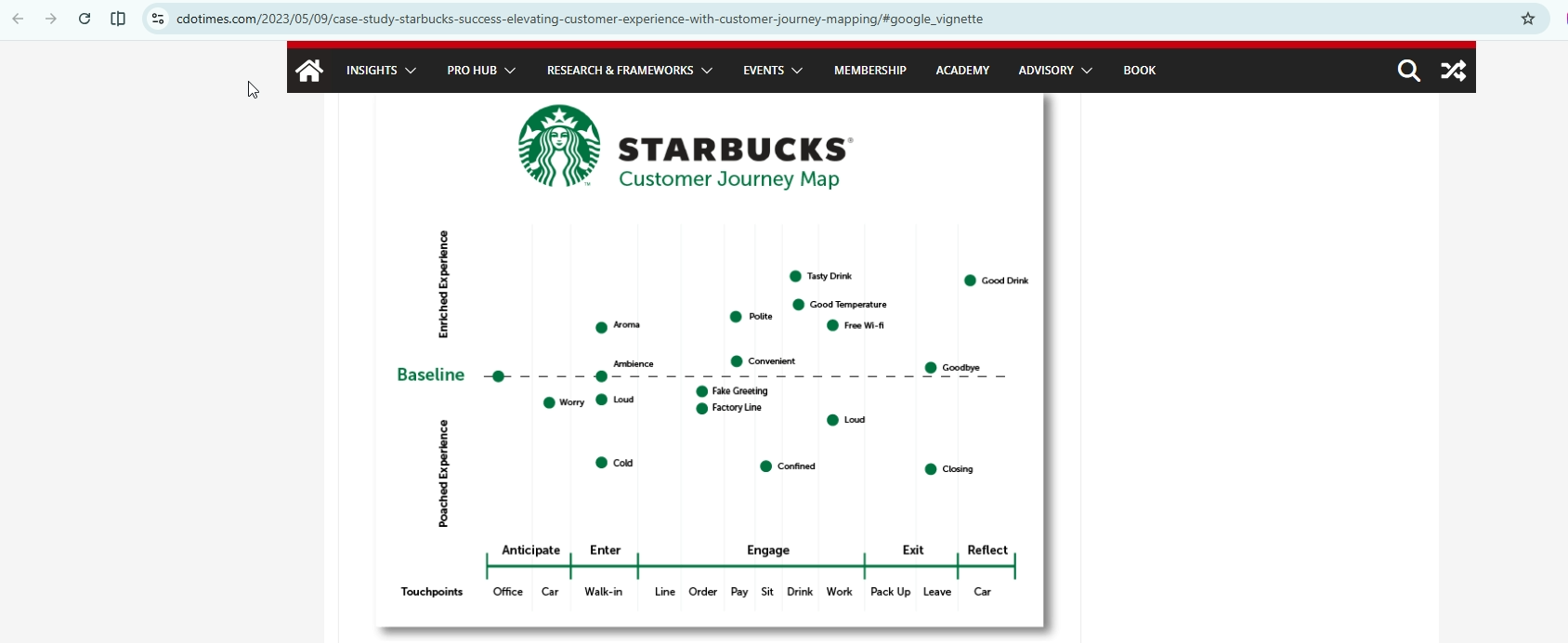
Source: The CDO Times – “Case Study: Starbucks’ Success Elevating Customer Experience with Customer Journey Mapping.“
Skip These Infographic Formats
These are easier to create than the four above, which is why they became associated with low-value infographics.
- Decorative concept graphics
- Abstract metaphors visuals
- Motivational-quote visuals (rarely earn links today)
If you want to earn links from non-infographic visuals like screenshots, illustrations, or photography, the mechanics are different. They live under visual asset link tactics.
How to Pick a Topic Publishers Will Link to
To pick a topic that the publisher will link to, you need to first find a niche that the publisher’s writers already cover. And then, find a data gap in that niche they’d want a chart for.
These three moves will help you pick a topic publishers will link to:
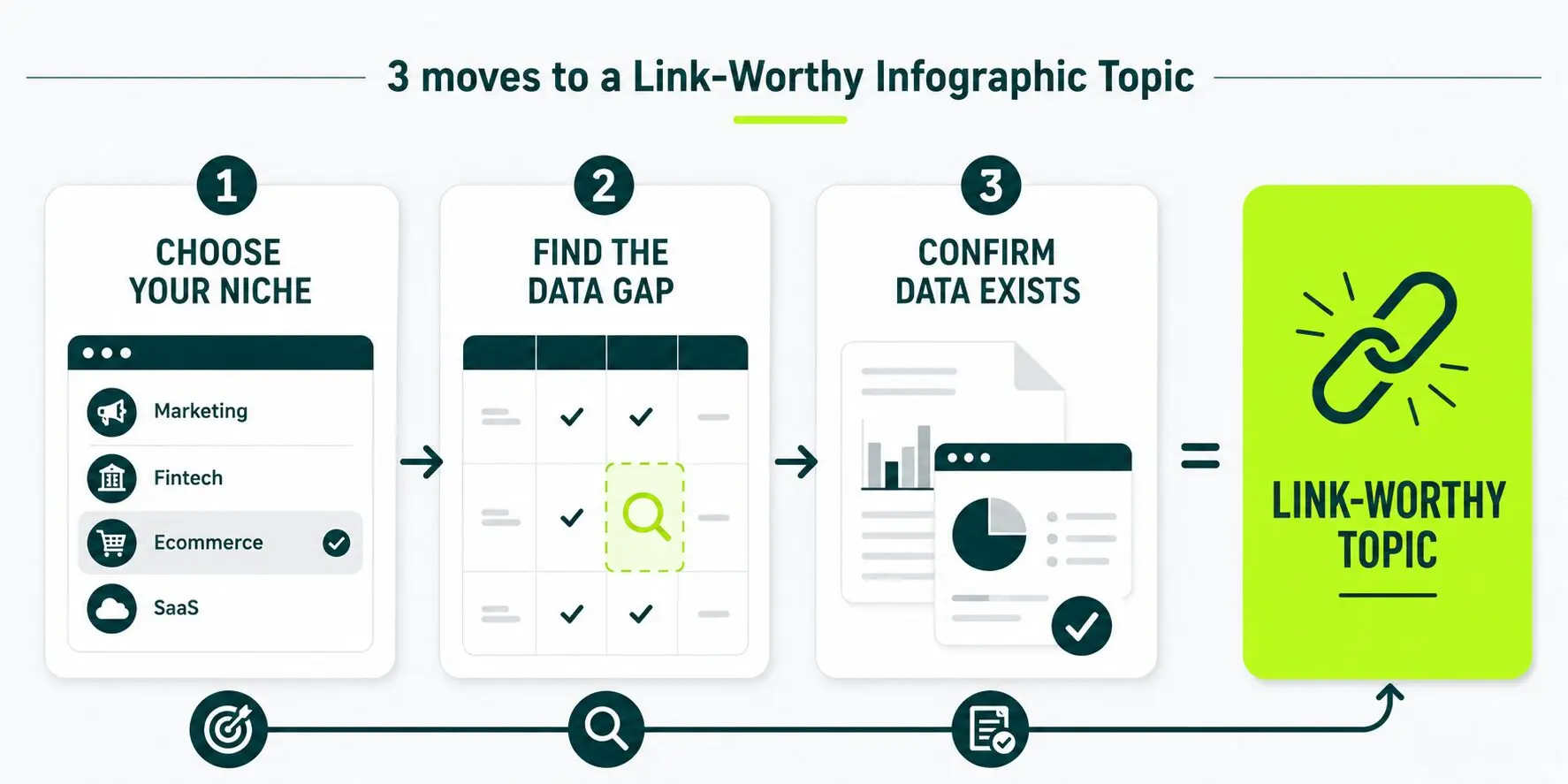
1. List the Niche Where You Want Links
Write down 10 to 20 target publications and unlock a clear picture of where your links will come from.
Identify the topic each publication covers most often and build a map of what the industry actually cares about.
Group those topics into clear categories and watch your content strategy sharpen instantly.
Lean your publication list heavily toward Shopify and direct-to-consumer press and you will naturally align your e-commerce software brand with the right audience.
Spot conversion, retention, and growth appear again and again and you will know exactly where to focus your efforts.
Build your infographic strictly around that recurring set of topics to increase your chances of earning backlinks.
Target topics those publications never cover and you will waste every hour you spent designing it. Match your content to what they already care about.
2. Find the Data Gap
Follow these steps to find the data gap:
- Search the topic.
- Read the top five articles.
- Write down every number, chart, or comparison they cite.
- Find the claim every article repeats without supporting data or with outdated data.
- Use that gap as your infographic brief.
For example, many Shopify guides claim “most stores fail within a certain number of years”. Some guides use different numbers, and some use none at all.
Build a current, sourced infographic on store failure rates by category and revenue tier.
Fill that gap and increase your chances of earning a citation when someone makes that same claim.
3. Confirm the Data Exists
Start by validating your data source. Use public records, first-party platform data, customer surveys, or aggregated partner data.
If you cannot support the topic with real numbers, you do not have a statistical infographic. You have a visual without evidence.
Focus on original research because it gives publishers a reason to cite your content. You do not need a year-long industry study to achieve that outcome.
A survey of 200 customers can be enough when the methodology is clear and the data is verifiable. The goal is to produce findings that publishers can trust, reference, and link to.
Design Fundamentals That Earn Links
Five design fundamentals that earn links are to keep your branding minimal, link back to the source of every chart, design for embed-friendly width, make it readable on mobile, and put the finding in the title.
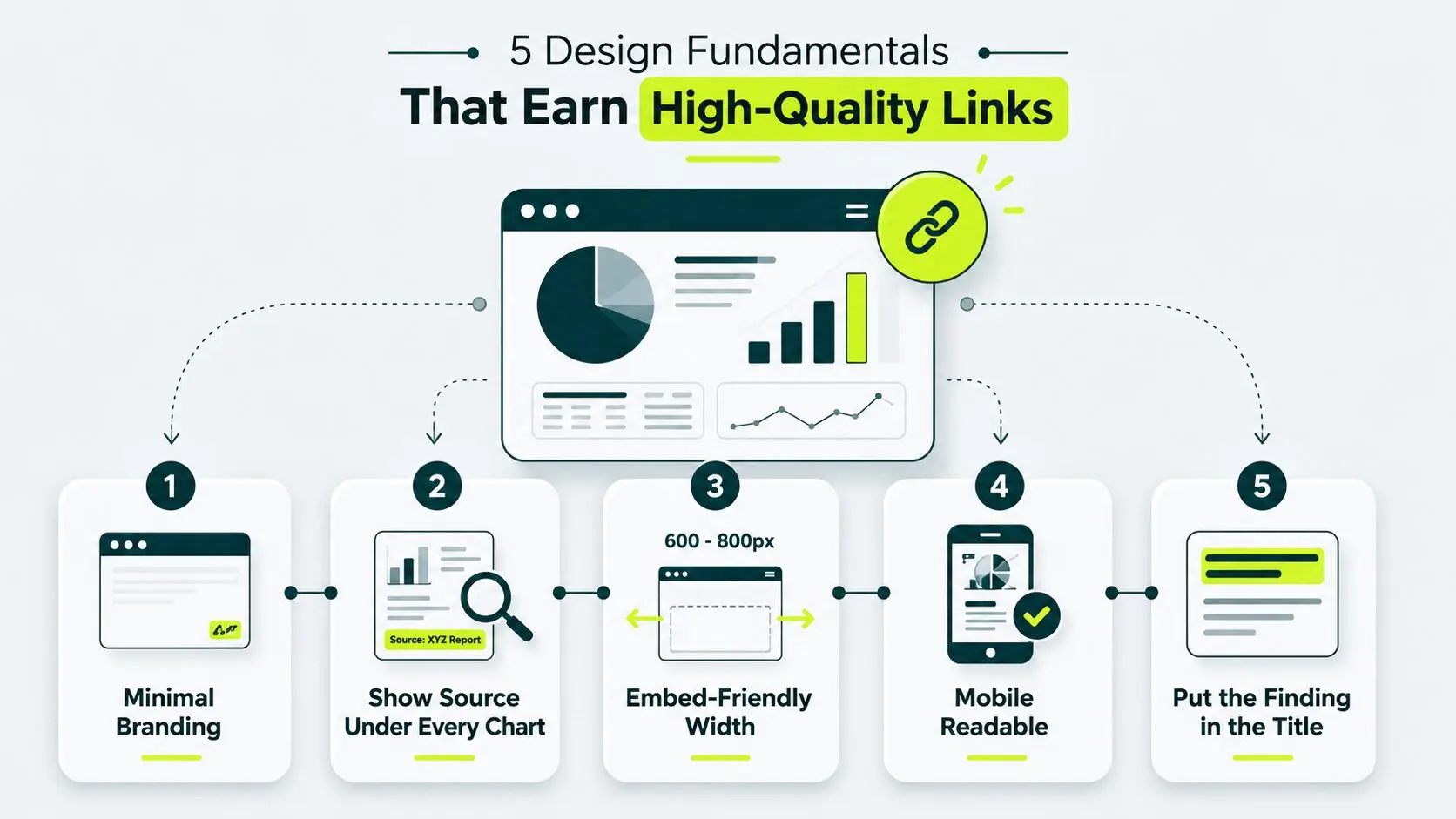
These aren’t aesthetic preferences. Each one removes a specific reason a publisher might pass.
Design agencies apply these rules for clients, yet often rank everyone except themselves, the gap web design agency link building closes.
1. Keep Your Branding Minimal
Add a small logo of your brand in the bottom right corner of the infographic you created.
Overbranding your infographics reduces publication opportunities, and editors often reject those that look like ads.
Overbranding in process infographics means adding too much unnecessary branding elements, making the infographic look loud, cluttered, and salesy instead of clean and helpful.
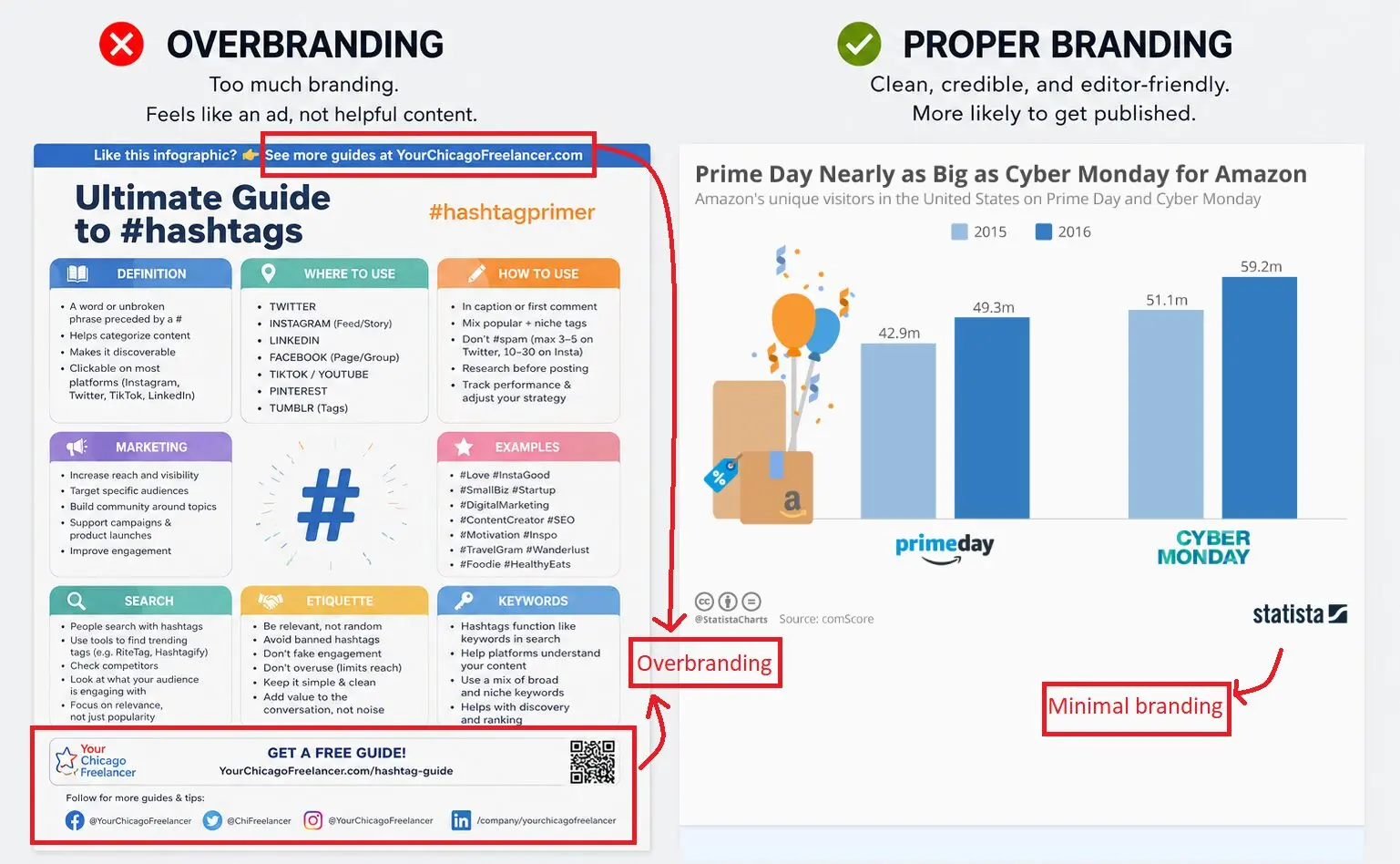
Source for second image: Statista – “Prime Day vs Cyber Monday”
Minimal branding increases the chances of getting your infographic published. Statista does it right. Heavy branding gets it ignored.
2. Show the Source Line Under Every Chart
Place a source line directly under or inside every chart, table, or stat.
Publishers verify numbers before they cite them. Hide the source, and they lose trust. Lose their trust, and they skip the link.
A visible source line also lets writers cite the original study on their own, which opens a second coverage opportunity.
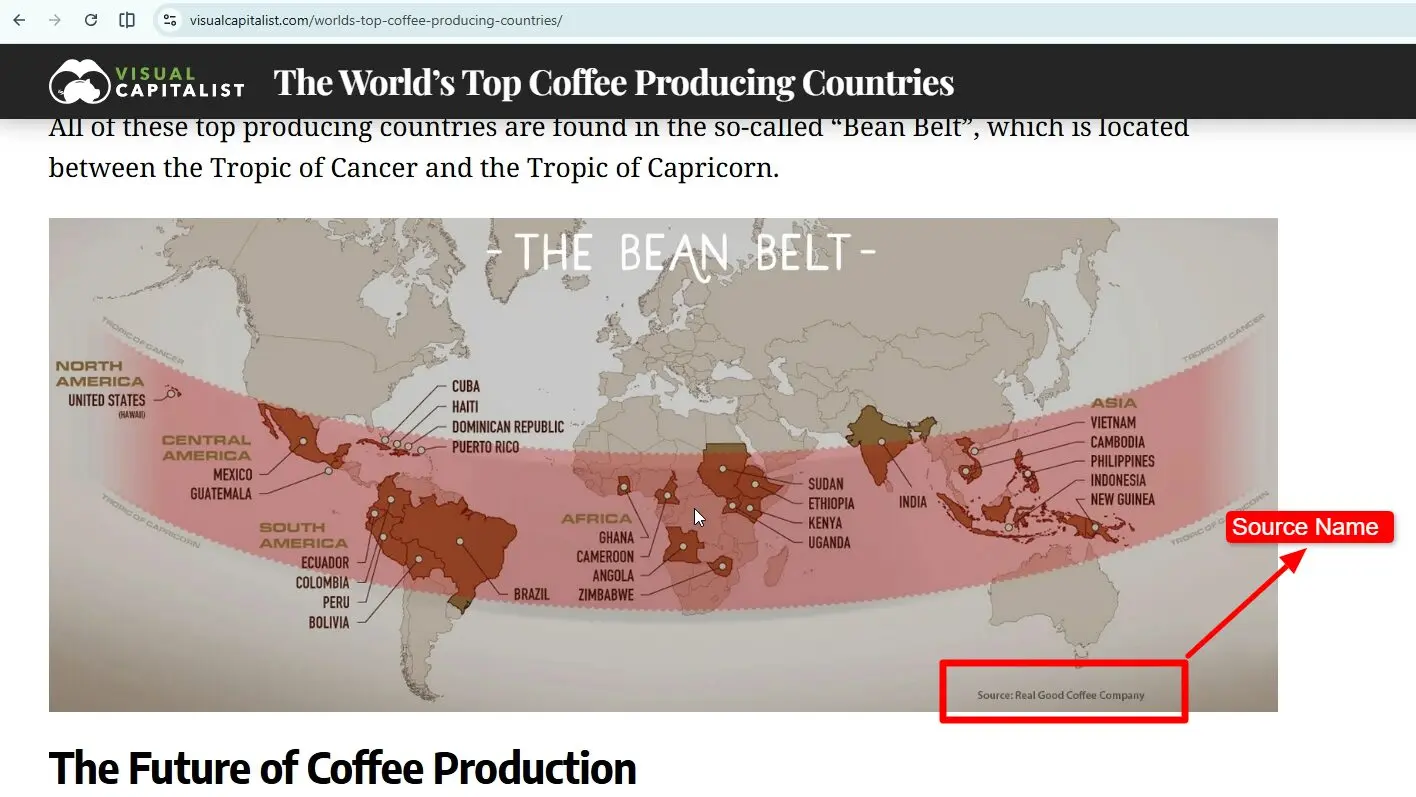
Source: Visual Capitalist – “The World’s Top Coffee Producing Countries.“
Notice how Visual Capitalist includes a source citation directly within the infographic footer, making it easier for readers and publishers to verify the underlying data.
3. Design for Embed-friendly Width
Keep your infographic width between 600 and 800 pixels. Too wide(1200 px) is not recommended.
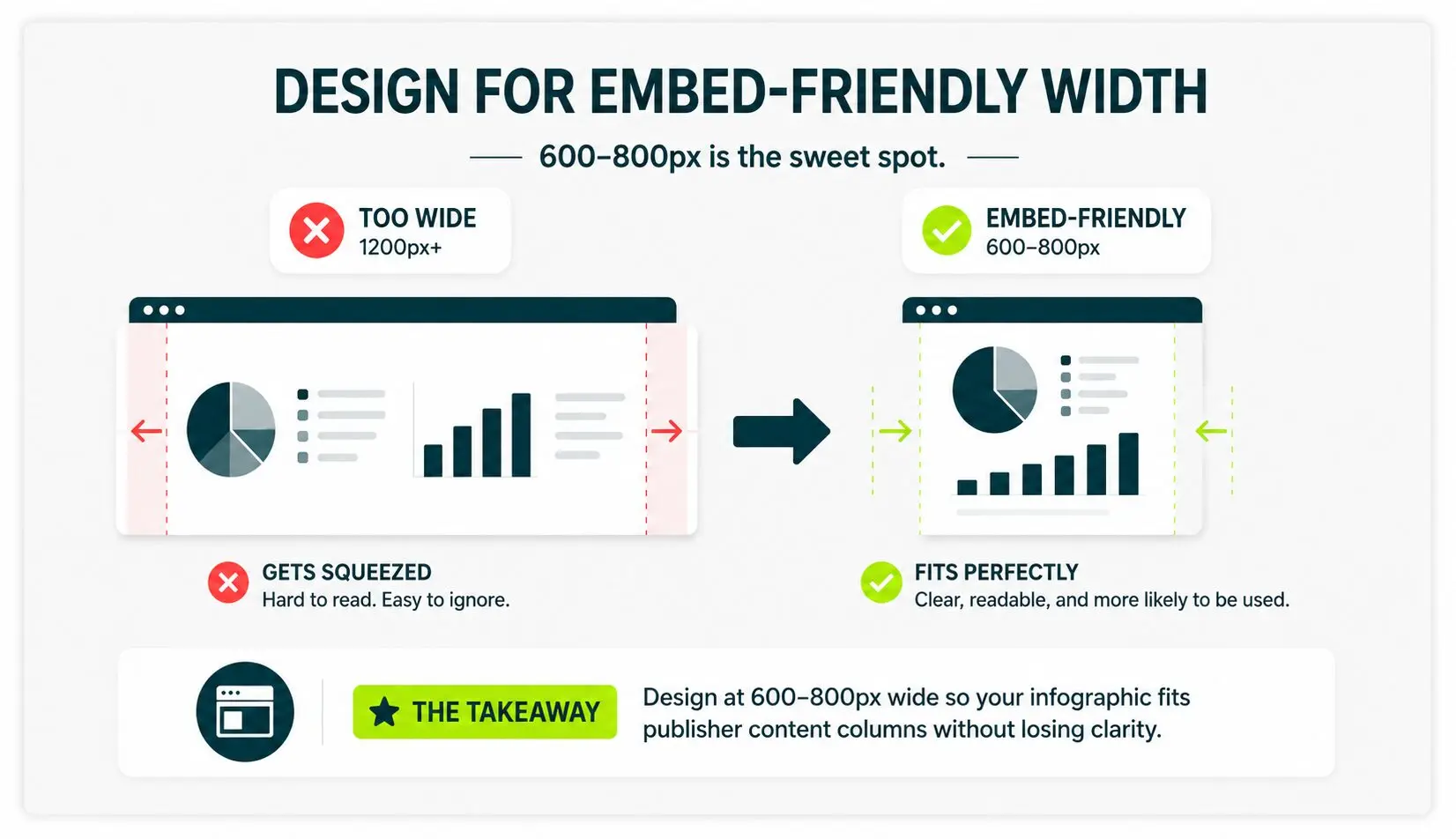
Most publisher content columns sit in that range. Build wider and the embed compresses your design, kills readability, and gives the writer a reason to reject it.
4. Make Infographic Readable on Mobile
Test your infographic on a phone before you publish it.
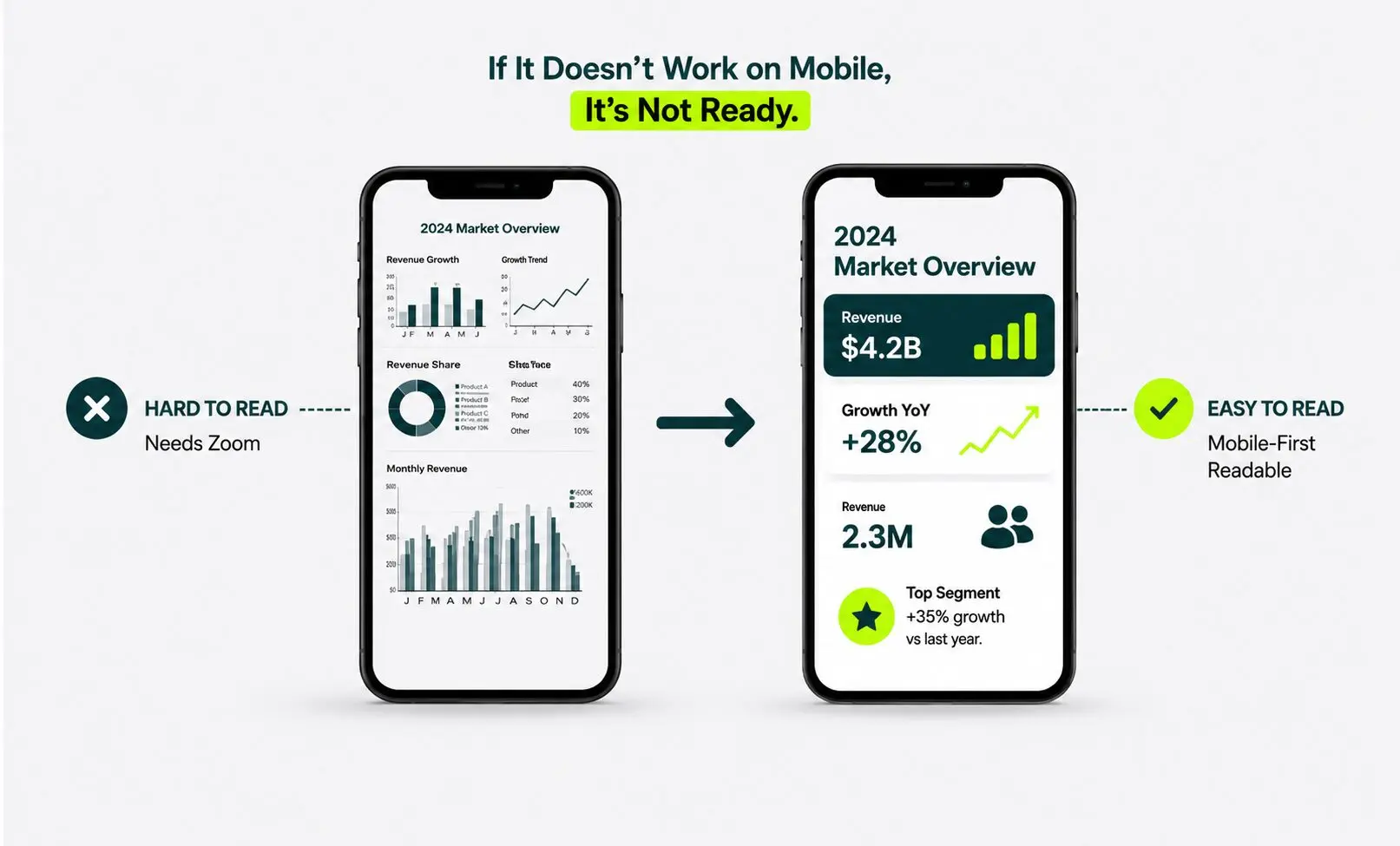
Readers consume embedded charts on mobile. If you need to zoom in to read anything, the asset is not ready. Fix it before the writer sees it.
5. Put the Finding in the Title
State the finding in the title as well.
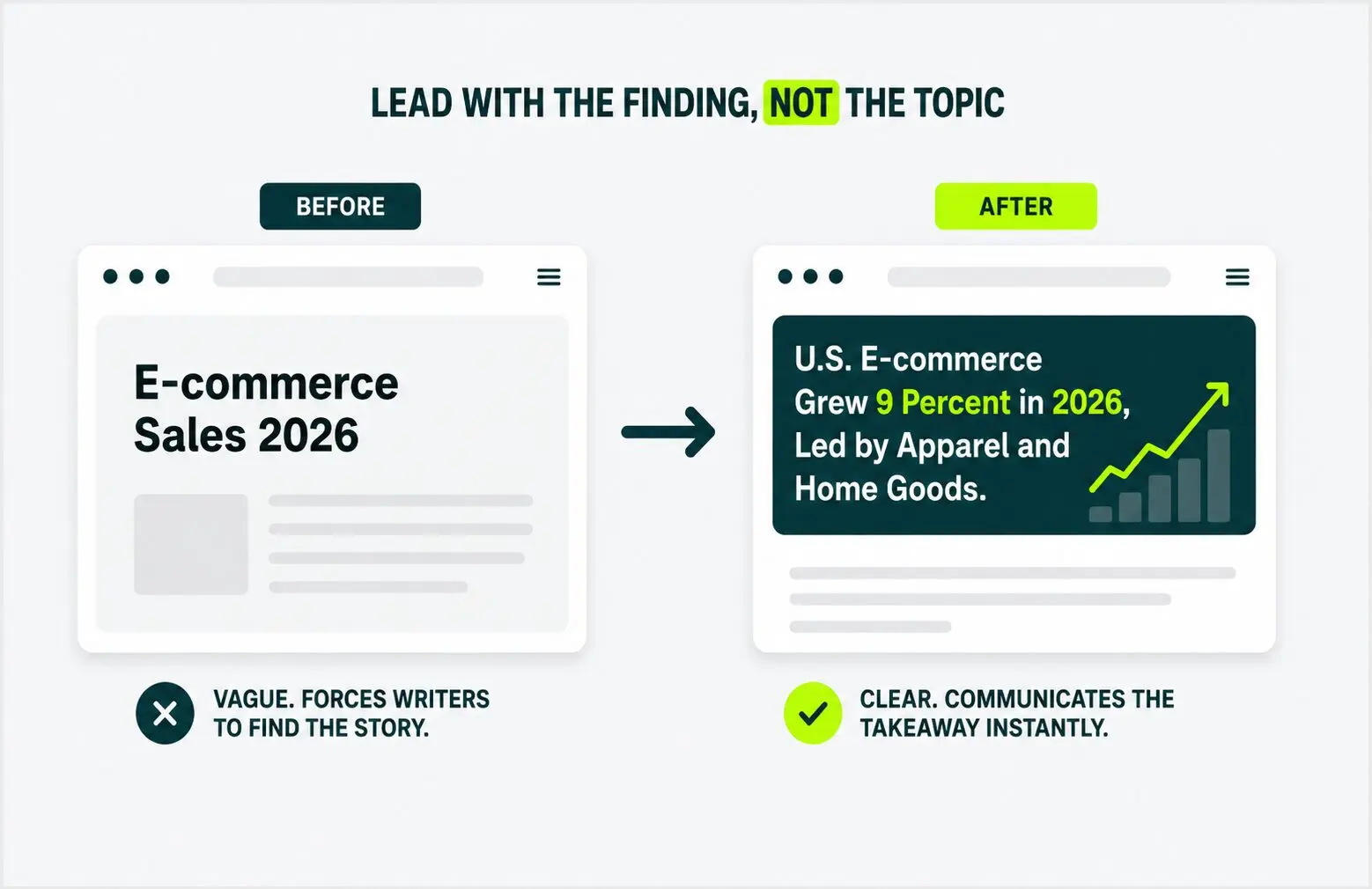
Skip “E-commerce Sales 2026.” Write “U.S. E-commerce Grew 9 Percent in 2026, Led by Apparel and Home Goods.”
Writers cite findings. A vague title forces them to write the findings themselves, which adds friction and reduces the likelihood that they will embed your infographic in their content piece.
The title communicates the main takeaway rather than simply naming the topic.
Guestographics and Embed-code Safety
A guestographic is a custom infographic you design for one specific publisher’s article. The publisher embeds it and links back to you in exchange.
It converts at a higher rate than a broadcast infographic. Think of it as the visual equivalent of a guest post placement, with one chart instead of one article.
Pitch one bespoke placement at a time instead of sending the same infographic to fifty publishers.
A custom infographic built for a single publisher converts better than a generic broadcast.
The publisher gets a graphic tailored to their article and is more likely to accept and use it.
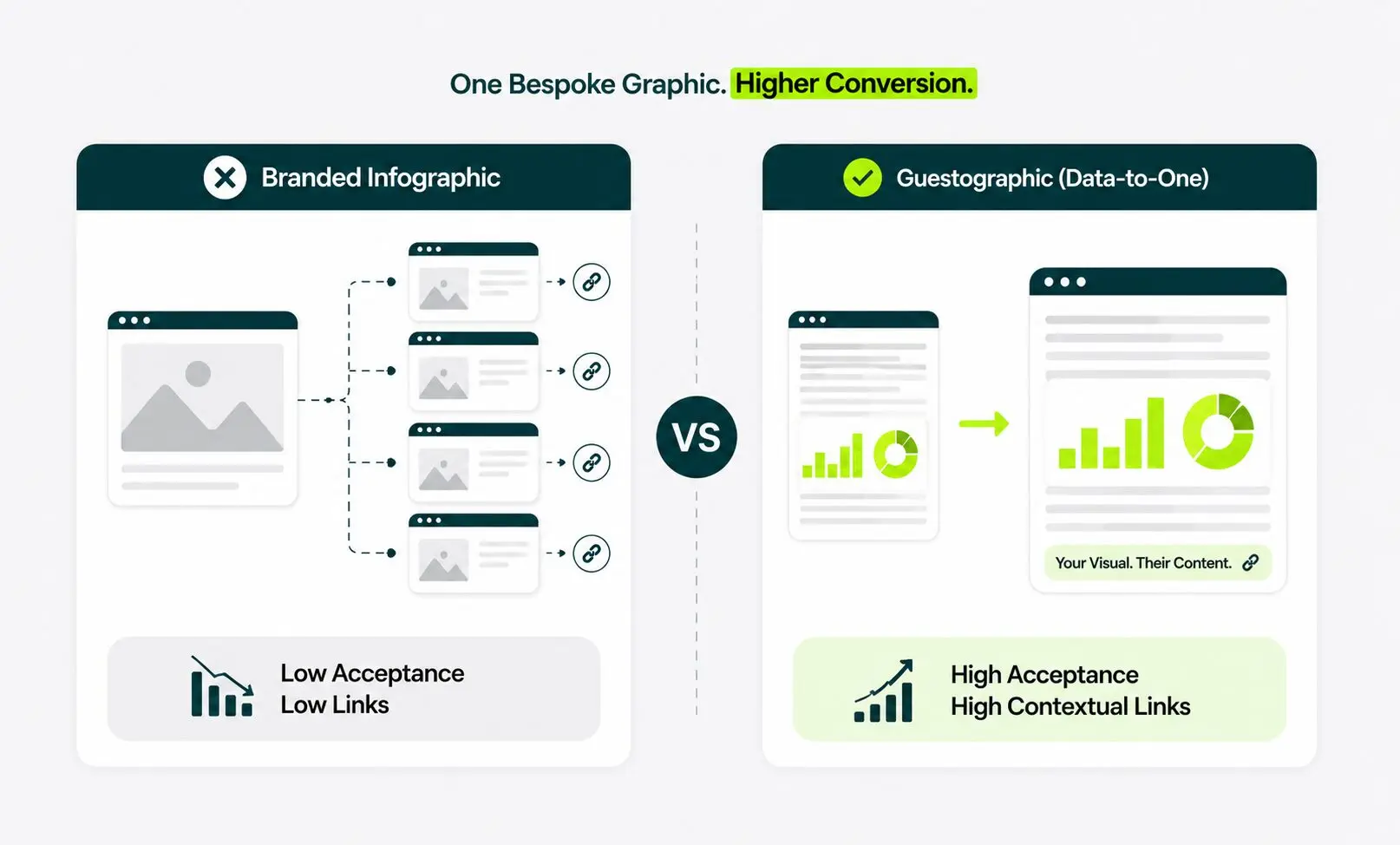
File name” guestographic-vs-branded.png
How a Guestographic Deal Works
Guestographics deals work in three steps, which are find a published article, pitch the publisher, and design the chart if they agree.
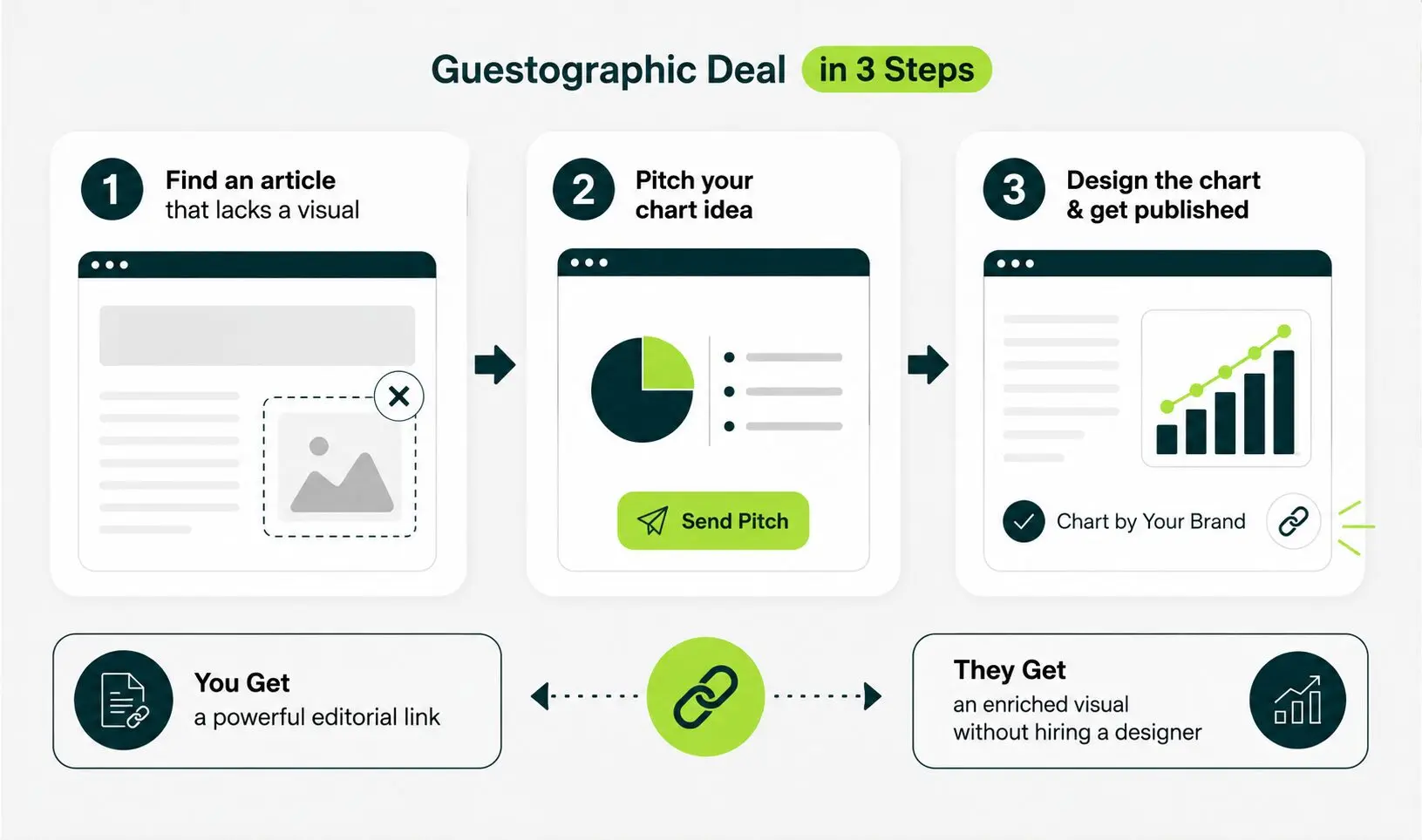
Step One
Find a published article in your niche that lacks a visual.
Step Two
Pitch the publisher with a brief outline of the chart you would design.
Step Three
If they agree, design the chart.
They embed it under your byline credit, and both parties link to each other where it makes sense.
The deal works both ways. The publisher gets a polished visual without hiring a designer. You get a contextual editorial link from a real article a real writer wrote which is worth more than most other link types.
Embed Codes in 2026
An embed code is a snippet of HTML that lets publishers drop your infographic onto their site with a link back to yours.
Embed codes still work in 2026. The publisher copies it, pastes it into their article, and the graphic appears with attribution intact.
Apply two adjustments before you use one: describe the chart and give publishers permission to edit the anchor.
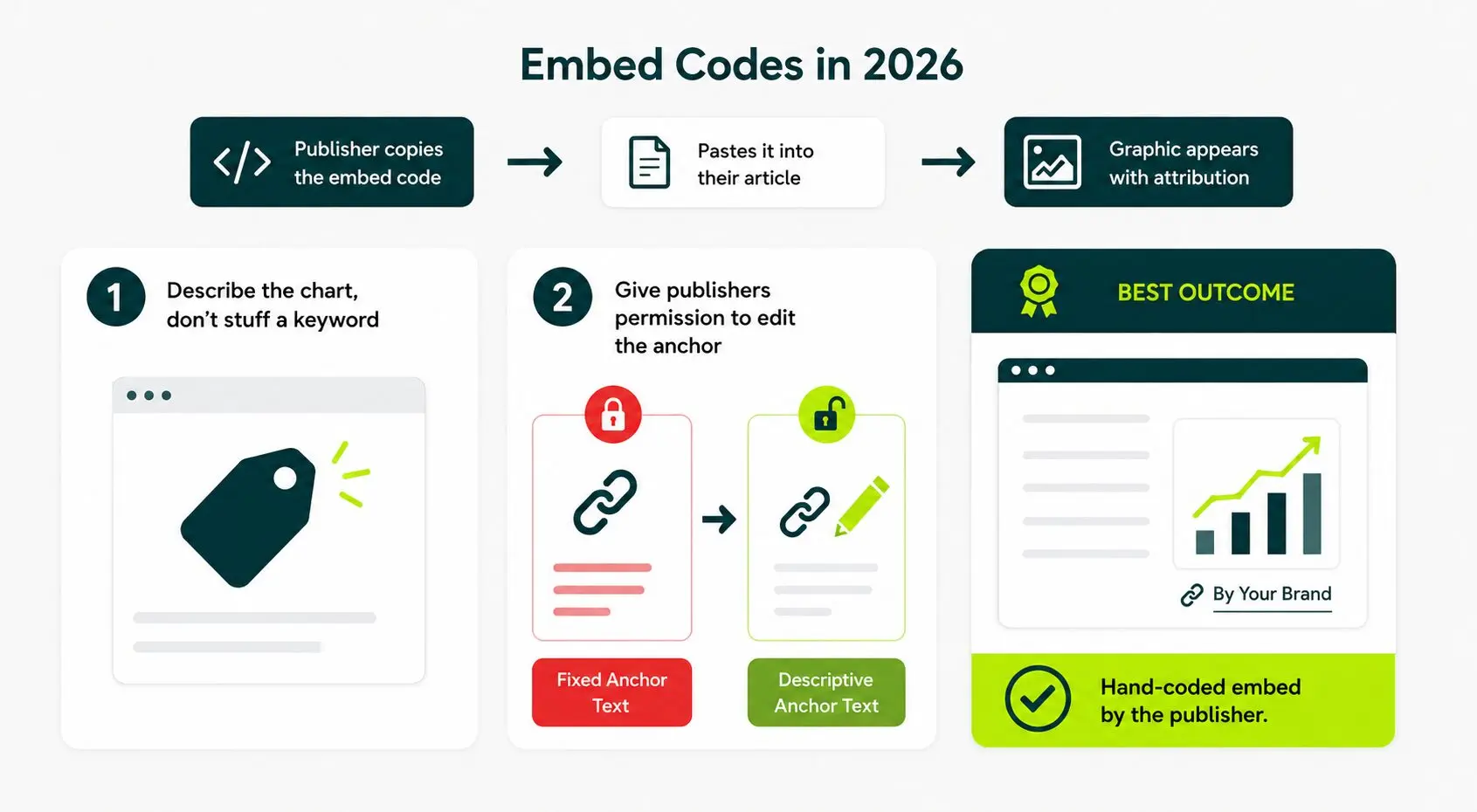
Adjustment One: Describe the Chart, Don’t Stuff a Keyword
Google treats keyword-stuffed anchor text inside embedded codes as a manipulation signal.
This risk compounds when the same anchor appears across every site that embeds the graphic, and it ties directly into how anchor text affects your link building.
Use the chart’s title or a plain descriptive phrase. “U.S. Retail Return Rates by Category, 2025” is a good anchor; “best e-commerce platform for small businesses” is not.
Adjustment Two: Give Publishers Permission to Edit the Anchor
Most will not touch it. The ones who do will change it regardless of what your code says.
An embed code that locks the anchor reads as an attempt to force a link signal. A careful editor will notice. Give them permission upfront.
The publishers who change the anchor cost you nothing. The link stays earned, stays contextual, and still counts.
If the publisher skips your snippet entirely and hand-codes the embed themselves, that is the best outcome. A hand-placed embed carries more natural signal to Google than any pre-built code you supply.
Building a Prospect List and Writing Pitches That Get a Yes
The prospect list determines whether winning is possible. The pitch determines whether you win. Build the list first, and build it properly.
A focused list of 100 writers who actively covered your topic in the last six months outperforms a 1,000-line media list scraped from a generic tool. Relevance beats volume every time.
Build the Prospect List Across Three Layers
These three layers are active writers on your topic, the publications those writers work for, and adjacent niches where your data still applies.
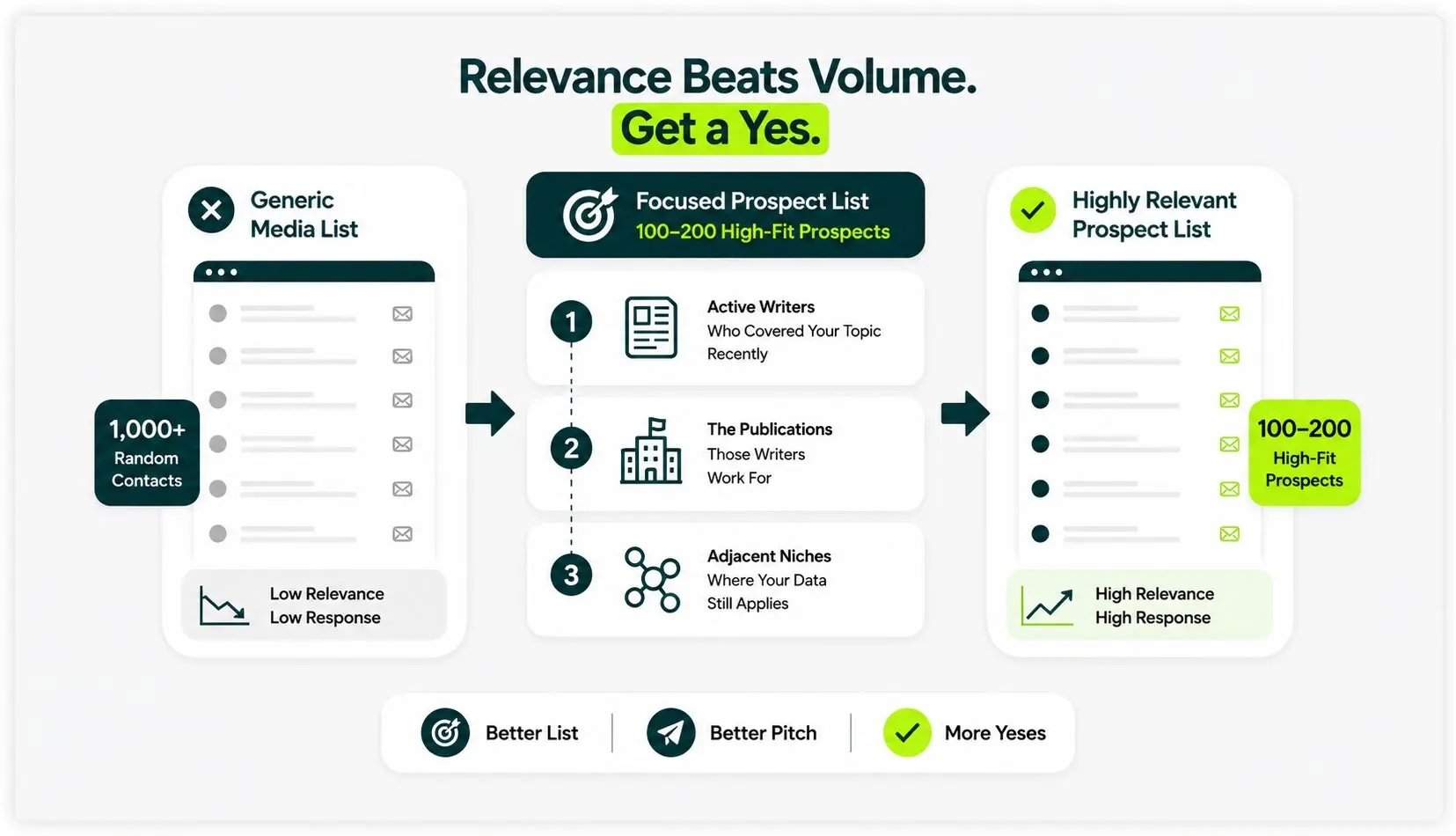
First Layer: Active Writers on Your Topic
Target writers who published on your exact topic within the last six months.
Search the topic in Google News. Open every result. Record the article URL, the writer’s name, the publication, and the writer’s email or contact form.
Recency matters because a writer who covered the topic recently is actively interested in it and more likely to cover it again.
Second Layer: the Publications Those Writers Work for
A writer who covered your topic once signals that their publication cares about it. Pitch the publication directly to the writer. Both paths are worth pursuing.
Third Layer: Adjacent Niches Where Your Data Still Applies
If your infographic covers Shopify store failure rates, the data is relevant to small business advice publications, retail industry reporters, and entrepreneurship media. These audiences care about the same findings even if they do not cover e-commerce directly. Include them.
Target 100 to 200 prospects per campaign. Below 100, the numbers work against you statistically. Above 200, personalization starts to slip, and the pitch begins to read like a template.
Write the Pitch
Pitch should be four to six sentences only. A pitch that runs longer than six sentences reads as a press release, and writers archive press releases without replying.
Use this outreach template:
Subject: Quick chart for your [article title]
Hi [first name],
I read your piece on [topic], and the section on [specific section] stood out, particularly [one specific detail or data point you reference].
We just finished a chart on [specific finding] that fits directly into that section. It draws on [data source or methodology], and the headline number is [one sentence finding].
Happy to send the embed if it works for the piece. No worries if not.
[Your name]
What Makes a Pitch Work
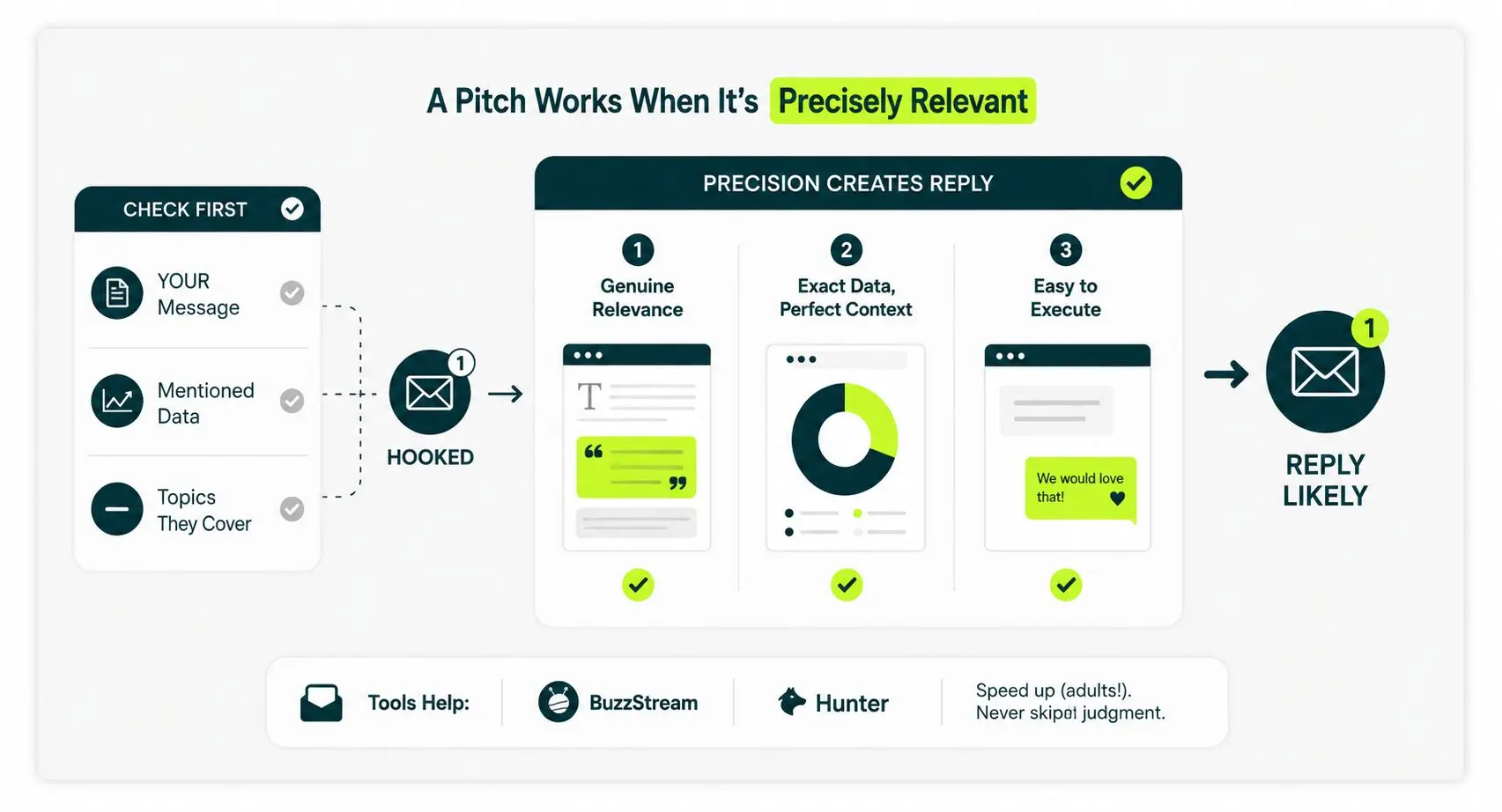
Three things that make the pitch work are a genuine article reference, a chart that exactly matches the article gap, and making saying no to the pitch easy.
1. The Article Reference Must Be Genuine
Quote a specific line, cite a specific number, or name a specific section. Writers identify a fake read within the first sentence. A genuine reference signals that you chose them deliberately, not because a tool scraped their email address.
2. Match the Infographic to the Exact Gap in Their Article
Don’t pitch a retention infographic chart to a writer covering acquisition, or a 2024 trend piece to a writer covering current events.
Match the chart to the exact gap in the exact article you reference. Precision is what moves a pitch from the inbox to a reply.
3. Make Declining Frictionless
The pitch must give the writer an easy “no.” A pitch that demands a reply gets none. A pitch that ends with “no worries if not” gets a reply because there’s no friction in declining.
Tools like BuzzStream and Hunter speed up the prospecting and tracking process. They do not replace judgment about who to pitch or what to say. The same patterns apply across how outreach for links works for every other link type.
What a Realistic Outreach Response Rate Looks Like
The number that decides whether the campaign worked is the placement rate: the percentage of pitches that result in an embedded, live, linked infographic.
Across the infographic campaigns we have run, placement rates stay in the low single digits. Campaigns with a tightly targeted prospect list and a topic that passed the data-asset test consistently hit the higher end.
Campaigns that skipped either step landed at the lower end or below it.
Two placements from a 30-pitch list tell you nothing useful. Two placements from a 300-pitch list tell you the pitch or the asset has a specific problem worth diagnosing. Scale the list before you draw conclusions.
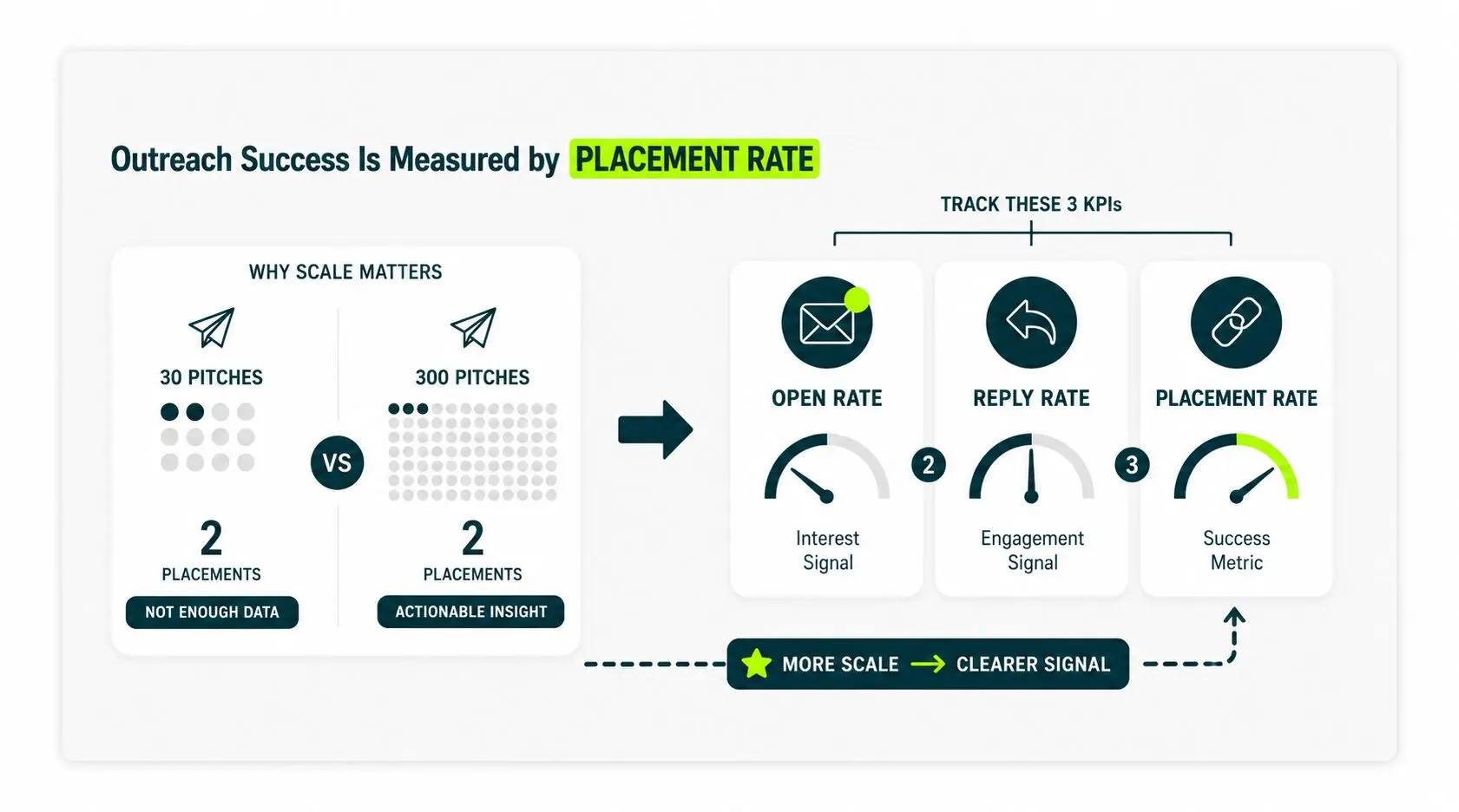
Track three numbers throughout the campaign.
Open Rate
The percentage of sent emails that get opened.
A consistently low open rate points to one of two problems. The subject line is too generic to earn a click. Or the prospect list is too cold to care about your topic.
Subject lines that name the writer’s article outperform every generic alternative. Test one variable at a time.
Reply Rate
Every reply counts, including polite declines.
When the reply rate drops significantly below what a standard cold email produces, the pitch reads as a template.
Writers and editors respond to emails that feel written by a specific human for a specific reason.
If the reply rate is the problem, read the pitch out loud. If it sounds like it could go to anyone, rewrite it until it sounds like it could only go to this one person.
Placement Rate
The share of pitches where the embed goes live with a working, indexed link. This is the metric that justifies the design budget and the outreach hours.
Build your prospect list large enough that even a low placement rate produces the number of links the campaign needs to succeed.
Where Infographic Campaigns Flop (and How to Spot it Early)
Most underperforming campaigns share the same four failure patterns.
If the first 50 pitches produce weak results, one of these is almost always the cause. Identify it before you send the next 150.
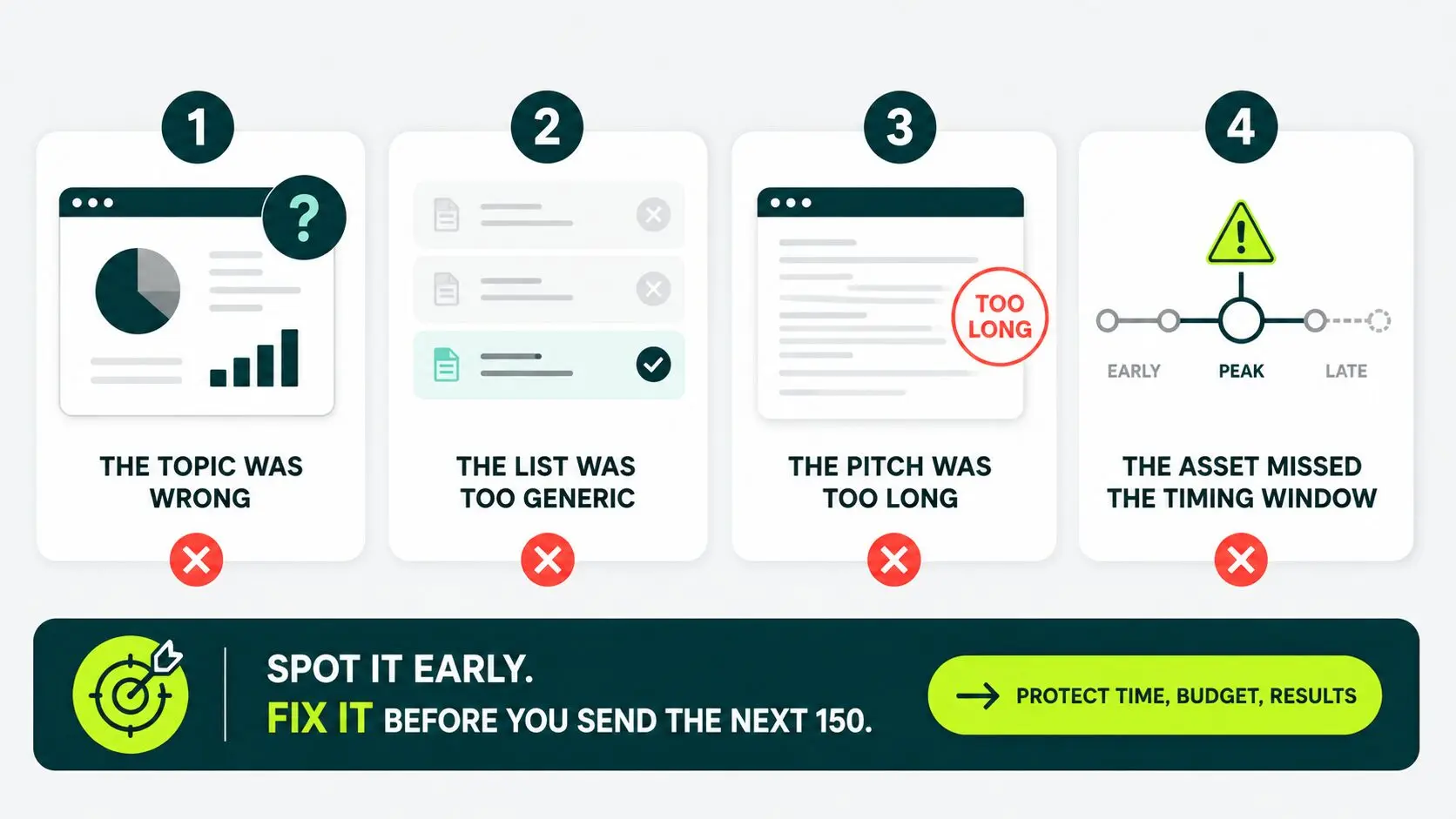
The Topic Was Wrong
This is the most common failure and the most expensive one because you only confirm it after the design budget is spent.
The campaign launches. Open rates look acceptable. Replies are scarce. The few that arrive are polite passes with no counteroffer.
That pattern has one cause: the writers saw nothing in the chart they could not find or write themselves. The topic failed the data-asset test, and no volume of pitching will fix it.
Stop the campaign. Scrap the asset as the campaign’s core vehicle. Pick a new topic that passes the three filters. Keep the original infographic on your site as a passive linkable asset available for opportunistic outreach later.
The List Was Too Generic
A media list pulled from a broad scraping tool will include sites that have never covered your topic and have no reason to start.
Those sites will not reply regardless of how good the pitch is.
The fix is to rebuild the list from the ground up using the three-layer prospecting method above. Relevance is not optional.
The Pitch Was Too Long
Any pitch longer than eight sentences reads as a press release. Editors and writers archive press releases. They reply to short emails from specific humans.
If your open rate is strong but your reply rate is weak, the pitch is the problem. Cut it by half.
Remove every sentence that explains why your infographic is great. Keep only the sentences that explain why it is useful to this specific writer right now.
The Asset Missed the Timing Window
Time-sensitive topics have narrow windows. A 2026 infographic on a trend that peaked in late 2023 feels like old news to a writer chasing current coverage.
A pre-launch infographic on a topic the market has not started covering yet finds no publisher ready to embed it. Both situations kill the campaign.
Watch the open rate daily during the first week of outreach. If writers stop opening the pitch within three days of trend coverage peaking, the window has closed. Redirect budget and effort to a topic with a longer shelf life.
How to Track Infographic Backlinks and Show Campaign Results
To track infographic backlinks, monitor referring domains to the infographic URL inside a backlink tool, and cross-check against Google Search Console.
Different tools index different links at different speeds. Running both gives you the complete picture and catches placements that one tool alone would miss.
Set up Tracking Before the Campaign Launches
Pull a baseline snapshot of every link currently pointing to the infographic URL before you send the first pitch.
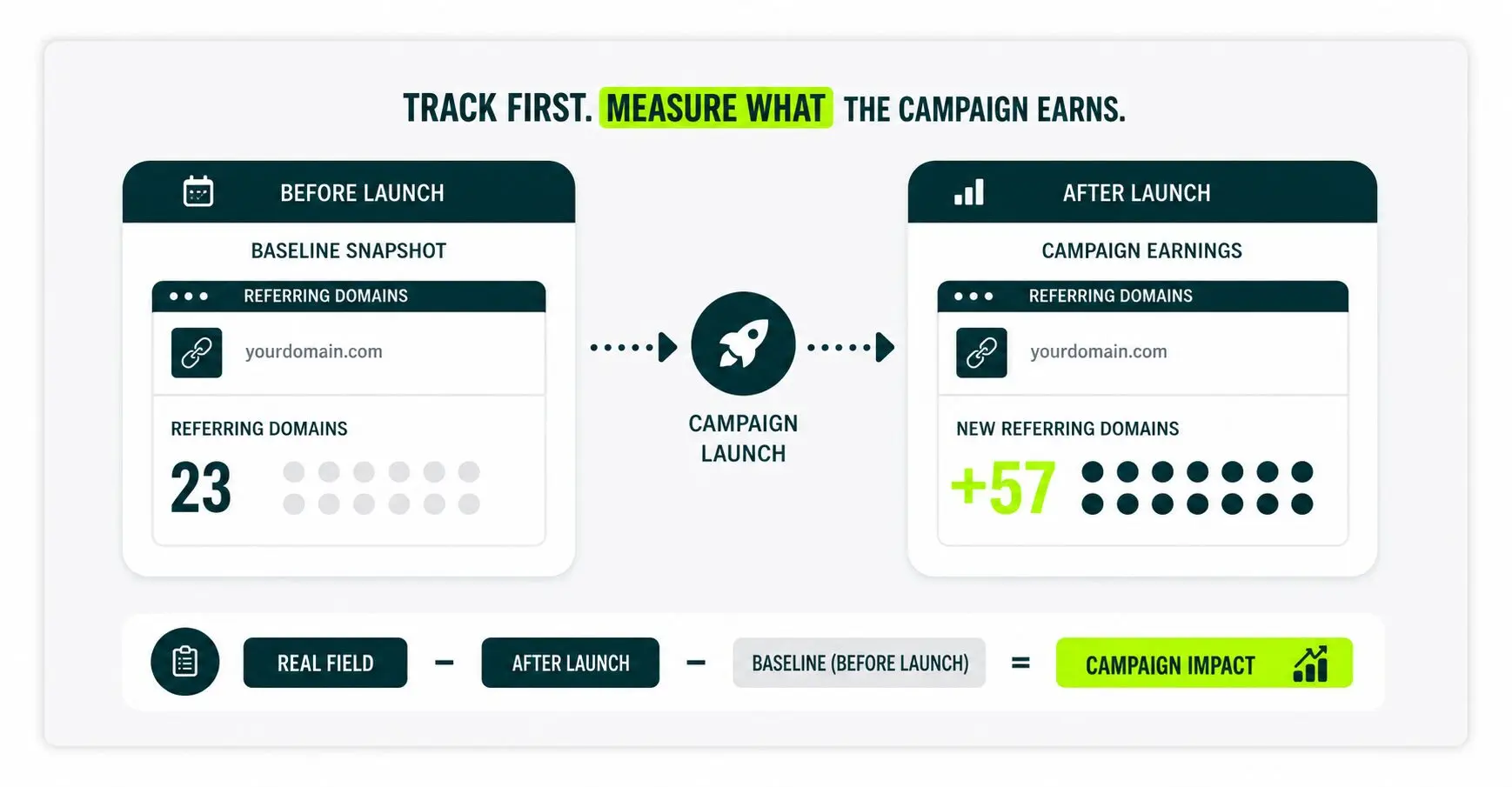
The campaign’s real yield is the referring domains earned after launch, not the total the report shows. Without the baseline, you can’t separate pre-existing links from campaign-driven ones.
Track Three Metrics
Three metrics determining whether the campaign performed are referring domains earned, DR distribution, and dofollow vs. nofollow split.
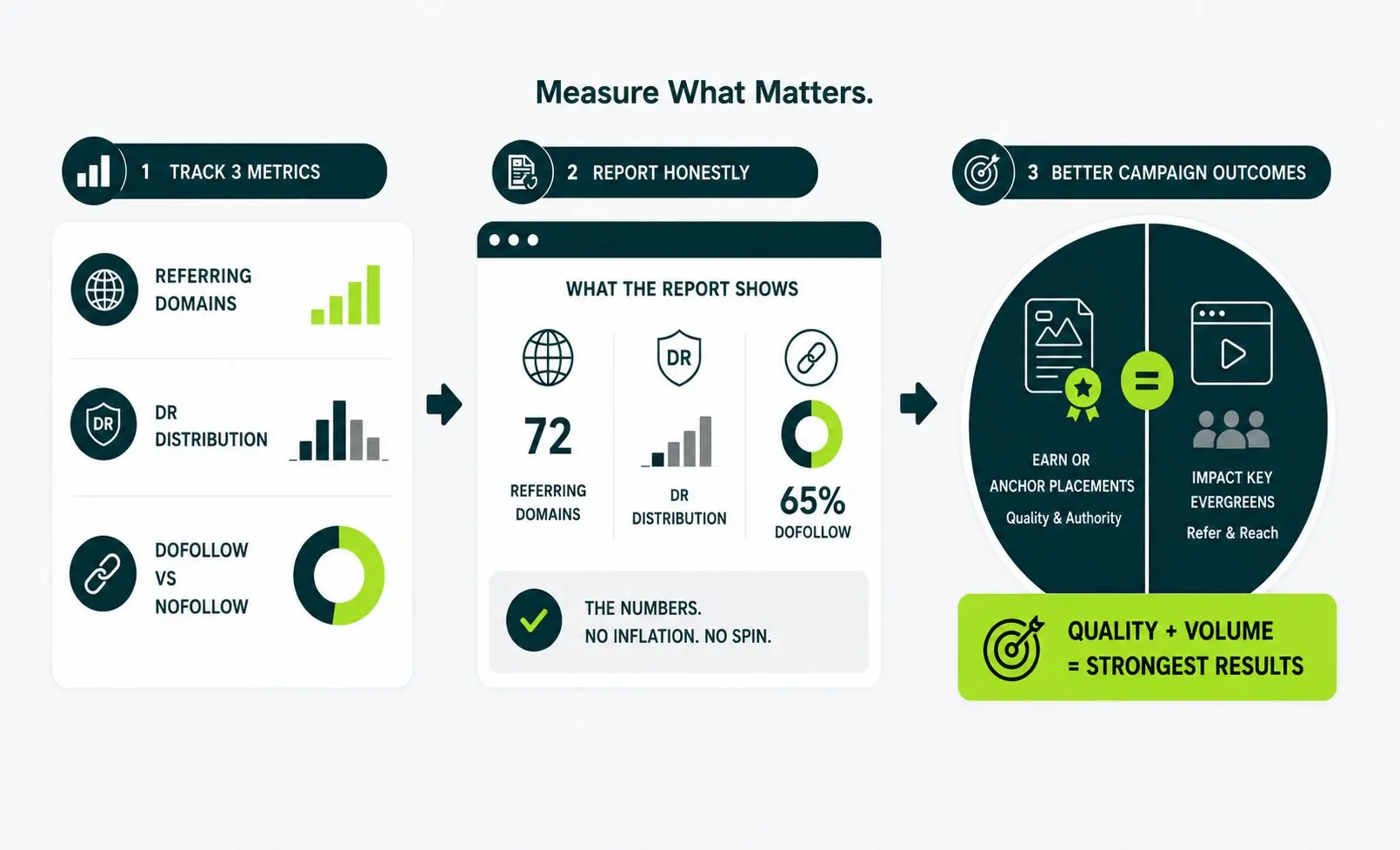
1. Referring Domains Earned
Count unique domains, not unique URLs. A single domain that links to the infographic from three different articles counts as one referring domain.
Counting URLs instead inflates the number and misleads anyone reviewing the results.
2. Domain Rating Distribution
Domain Rating is an Ahrefs score ranging from 0 to 100 that estimates the relative strength of a site’s backlink profile.
Ten links from DR 60+ publications deliver a different type of value than ten links from DR 15 blogs. The numbers may be identical, but the authority, reach, and potential impact can vary.
Report the distribution, rather than just the total.
3. Dofollow Versus Nofollow Split
Dofollow links pass ranking signals. Nofollow links do not. Both contribute to referral traffic and brand visibility, but the dofollow versus nofollow split determines how the campaign performs as a search ranking investment. Report the split honestly.
Report the Numbers as They Are
A campaign that earns six placements from a 200-pitch list delivered.
A campaign that earned six placements from a 50-pitch list exceeded the math. The numbers tell the story. Add narrative only to inform the next campaign decision, not to spin the current one.
Across infographic campaigns we have run, guestographic placements consistently produce the highest DR links in the mix. Broadcast embeds fill the volume.
The strongest campaigns combine both: one or two anchor guestographic placements in high-DR publications and a steady stream of smaller embeds that build referring domain count.
That combination is what moves the ranking needle alongside link count.
When to Run a Campaign Yourself, When to Bring in Help
Run the campaign yourself when you hold proprietary data and can commit 8 to 12 weeks to outreach. Bring in help when placement volume exceeds what your team can sustain.
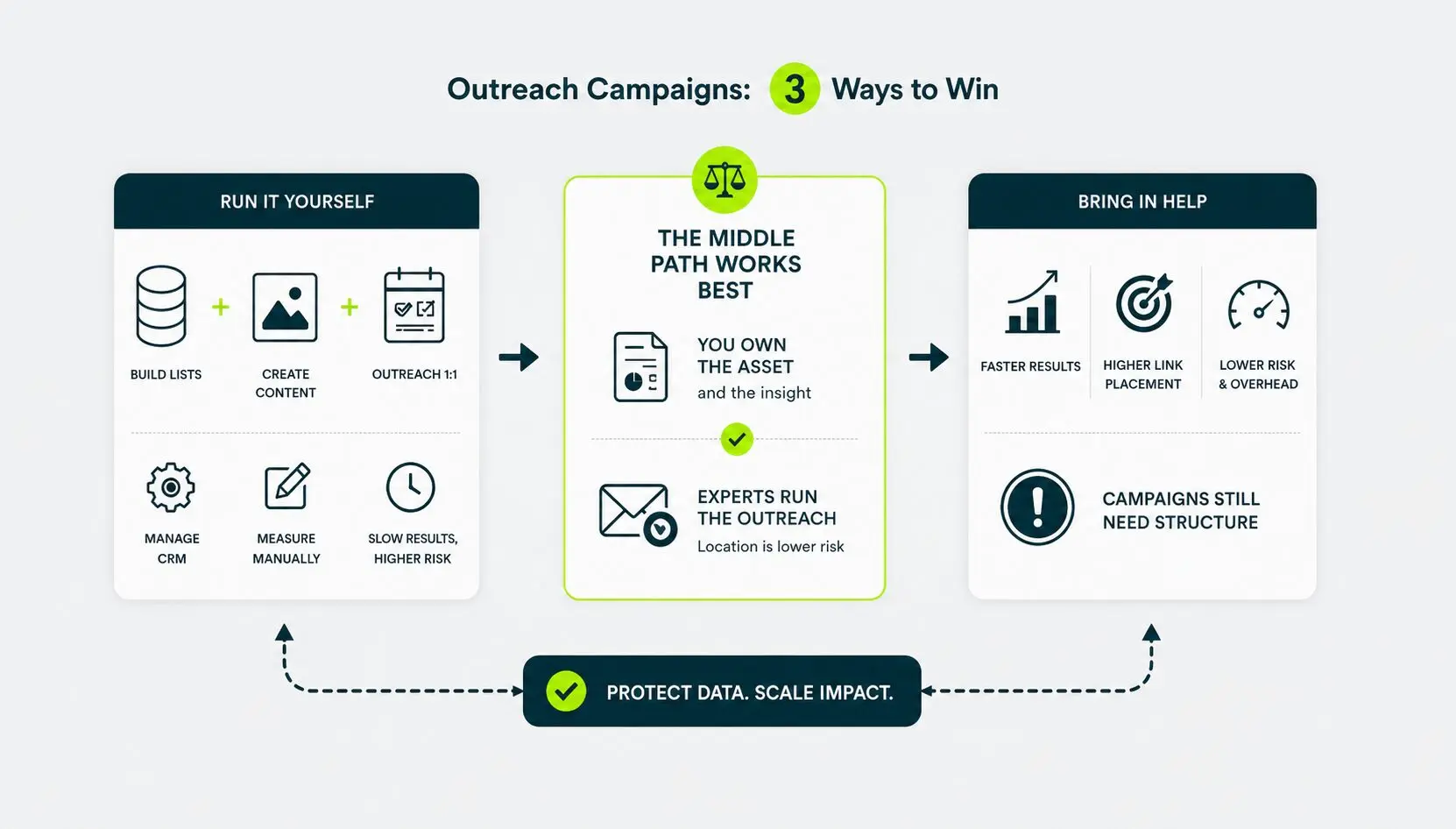
Run it Yourself
Only you hold proprietary data that nobody else can access, you have a designer available, and you can commit focused time to outreach and follow-up for 8 to 12 consecutive weeks.
The data advantage is the strongest hook in any infographic campaign. If the research is original and exclusively yours, in-house execution protects that advantage and keeps the process tight.
Bring in Help
Design quality is holding back placement rates; you need more placements to justify the campaign’s goals, or your team cannot sustain outreach volume without dropping other priorities.
Campaigns that stall after the first round of pitches rarely recover momentum without a structural change to how the outreach runs.
The Middle Path Works Well for Most Teams
Handle data gathering and design internally to protect brand voice and data ownership.
Bring an editorial outreach team in to run outreach, manage follow-ups, and track placements.
This removes the most time-intensive part of the campaign from your team without surrendering control over the asset or the story it tells.
Conclusion
Pick your topic today. A competitor’s chart is filling the gap your data belongs in.
The publisher already wrote the article. The gap already exists. The only question is whose infographic sits inside it.
You now know where every failure point lives. Wrong topic. Cold list. Missed timing window. Cut them off before they cost you.
Start with the topic. Run the test. Build the list. Send the pitch.
One pitch stands between you and your next editorial link. Send it.
Not sure whether your infographics are earning the links they should?
Get a strategy for creating visual assets that attract relevant, editorial backlinks.
How many backlinks can one infographic earn?
There is no fixed ceiling. The final count of backlinks earned, depends on prospect list quality, and how precisely the chart matches what publishers are actively covering.
One strong guestographic placement plus several smaller embeds is a realistic outcome for a well-run campaign.
What are the best platforms to share an infographic?
Pinterest and LinkedIn produce the most consistent results in 2026.
Pinterest indexes infographics aggressively and surfaces them in visual search, which drives ongoing discovery long after the initial publish date.
LinkedIn rewards single-image posts in business-to-business niches, which is where most infographic topics sit.
Reddit and X generate attention inside specific communities. They rarely produce direct editorial links.
Generic infographic directories pass nofollow links, send negligible human traffic, and are not worth the submission time.
How long does an infographic link building campaign take?
Plan for six to ten weeks from topic decision to your first placed link.
Allocate two weeks for data gathering and design, one week for building the prospect list, and three to seven weeks for the outreach and follow-up cycle.
Campaigns that compress this timeline usually cut the prospecting or follow-up stages, and those cuts show up in the placement rate.
Do nofollow links from infographic embeds still help?
Nofollow links from credible publications contribute to referral traffic, brand recognition, and the broader signal that authoritative sources cite your work.
For search ranking purposes, dofollow placements carry the weight. Track both and build the campaign’s success criteria around dofollow yield.
Can I use AI tools to generate the infographic?
Use AI tools to accelerate layout drafting, icon generation, and design iteration.
The data inside the visual must be real, sourced, and verifiable.
Publishers who embed a chart with fabricated numbers damage their own credibility.
They know this, and they check. Treat AI as a faster design environment. It’s not a substitute for original research.
Does mobile formatting matter for infographic embeds?
It matters more than most designers account for. Writers preview embeds on their phones before deciding whether to include them.
If the labels are illegible at 375 pixels or the layout breaks, the writer skips the embed. Strong data does not save a broken mobile layout.
Test the infographic on your own phone before you finalize it. If you need to zoom in to read anything, the asset is not ready to pitch.
How should I title the infographic?
Lead with the finding, not the topic. “U.S. E-commerce Grew 9 Percent in 2026, driven by Apparel and Home Goods” gives a writer something to cite immediately.
“E-commerce Sales 2026” gives them extra work. Writers reference charts by their findings.
A title that buries the finding forces the writer to extract and restate it, which adds friction to the embedded decision. Remove that friction, and more writers embed the chart.