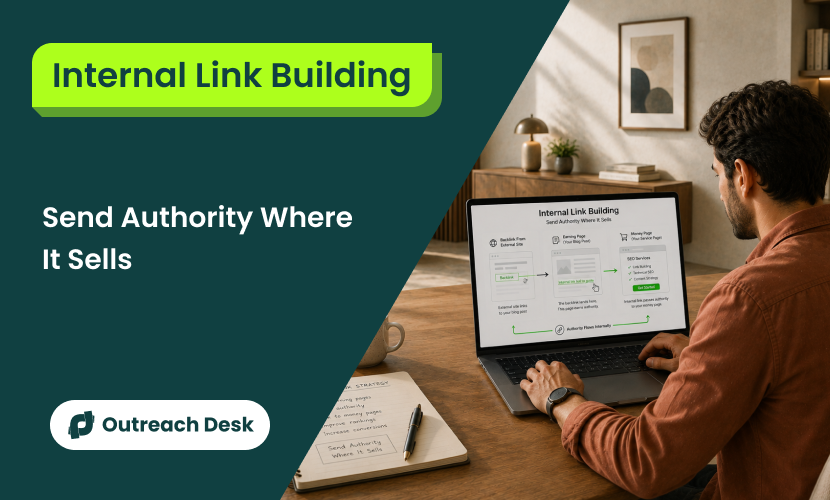
A backlink you earned last month is stuck on the blog post that received it, with no internal link carrying that authority to your pricing page.
The fix isn’t earning more backlinks. It’s moving the authority you already have to where it counts.
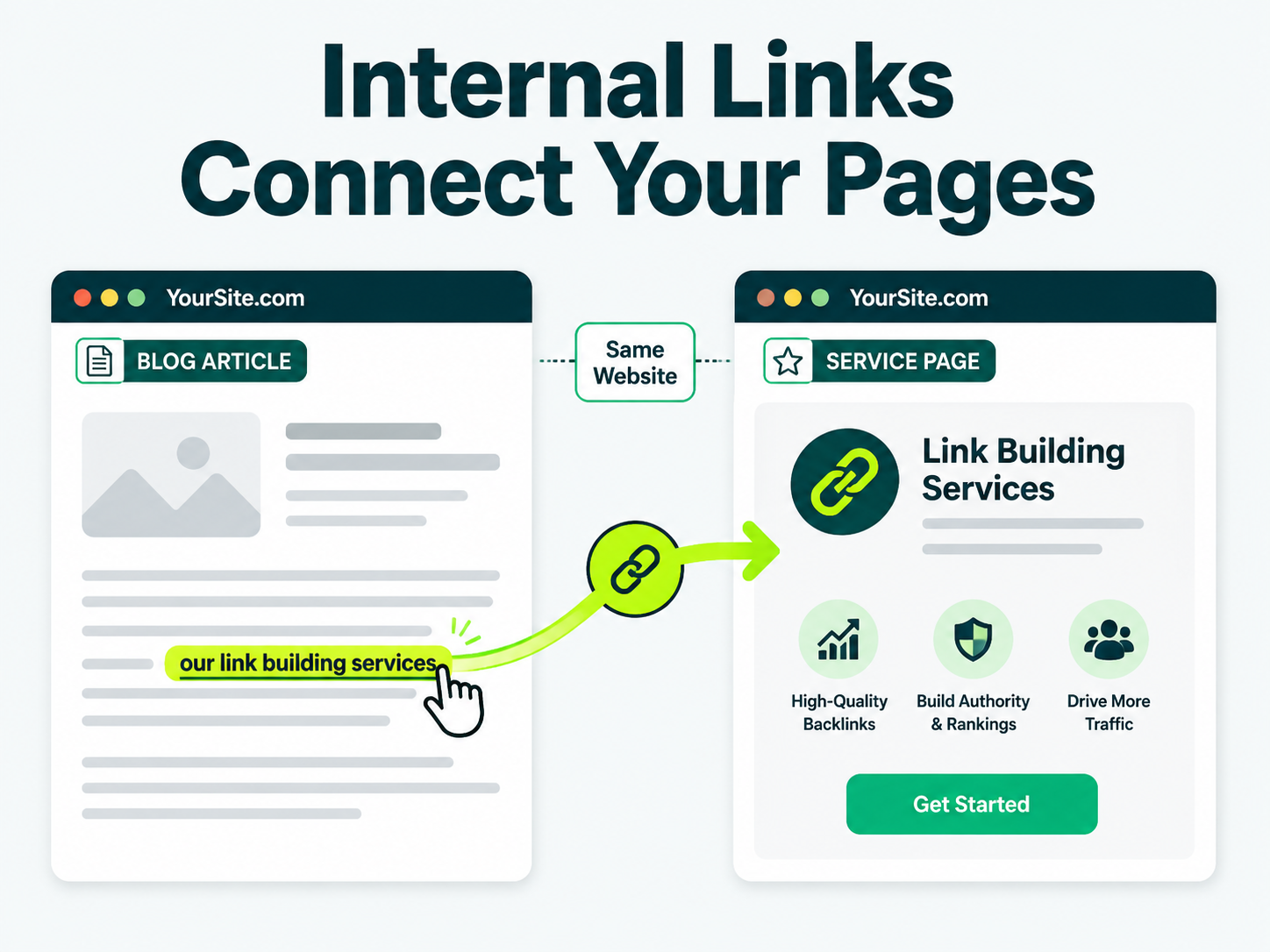
Internal link building means planning and placing internal links, links from one page on your site to another page on the same site.
The goal here is to help users navigate, spread page authority, and help search engines find and understand pages.
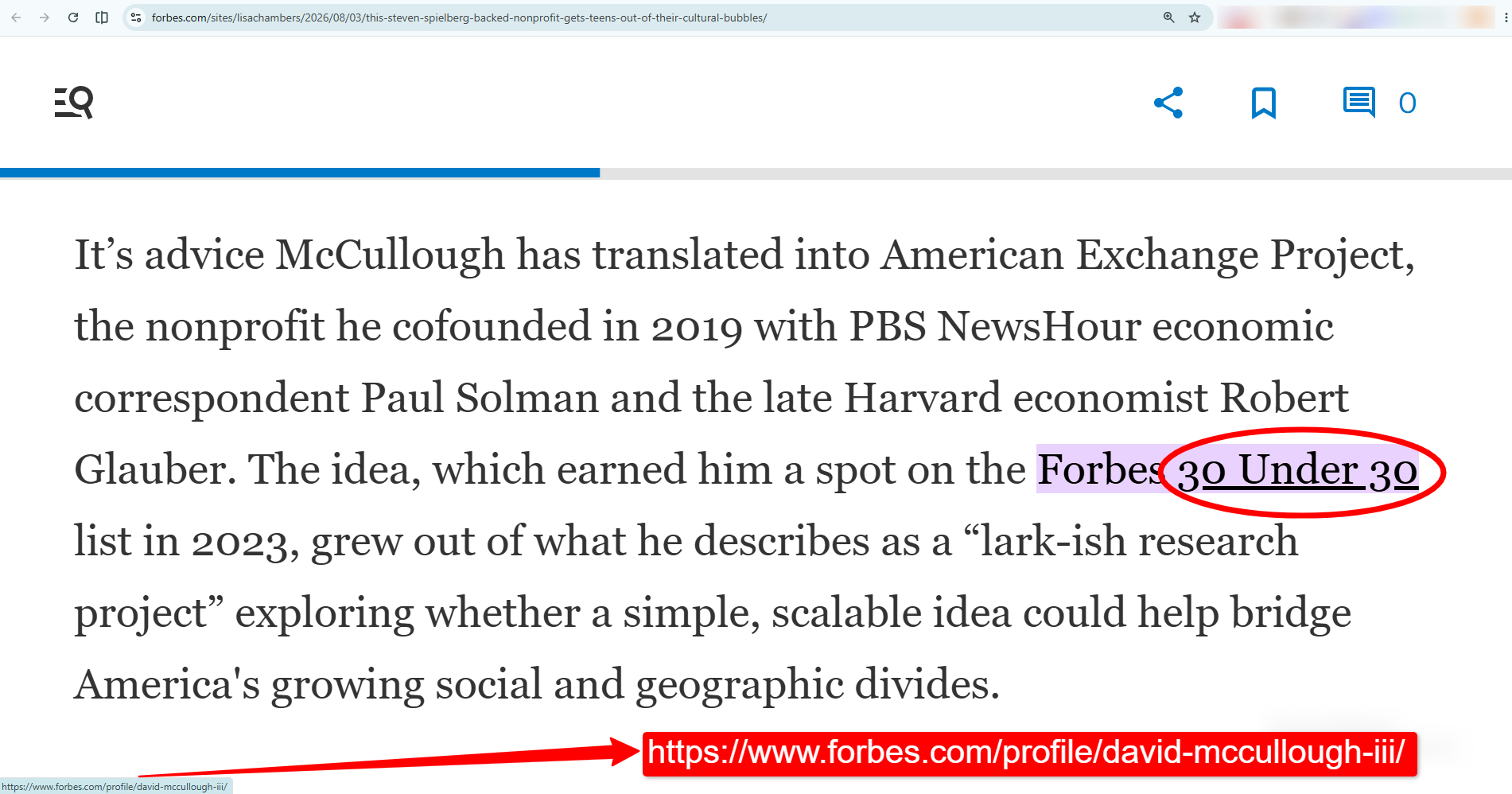
This is an example of an internal link, taken from a 2026 Forbes article:
What You’ll Learn
- Internal links you control. Backlinks you don’t.
- A backlink’s value stops where it lands, unless you route it onward.
- Map earning pages (backlinks) to money pages (revenue) in 5 steps.
- Pages with 40 to 44 internal links pull 4x clicks vs pages with 0 to 4.
- Orphan pages with backlinks: fix these first, biggest wins.
Internal Links Are the Only Links You Control
An internal link is a link from one page on your site to another, the kind that lets a visitor click from a blog post straight into your pricing page.
A backlink works the other way: a link from someone else’s website to yours, and you don’t get a vote on whether it happens.
You can research how backlinks work at all if you’re still earning your first few, but this article assumes you already have some and want them to count for more.
That control gap is the whole point of internal link building. You can spend a year earning backlinks and still lose most of their value.
This happens if the pages that received them never link onward to the page you actually want to rank.
| TRUST SIGNALS |
INTERNAL LINK |
BACKLINK |
|---|---|---|
| Who decides it exists |
You | The site that links to you |
| Where it can point |
Any page on your site | Only to your site, from theirs |
| How you get more of them |
Add one today | Earn one, or wait for one |
The Six Kinds of Internal Links on Your Site
The six kinds of internal links are contextual, navigational, footer, sidebar, breadcrumbs, and image.
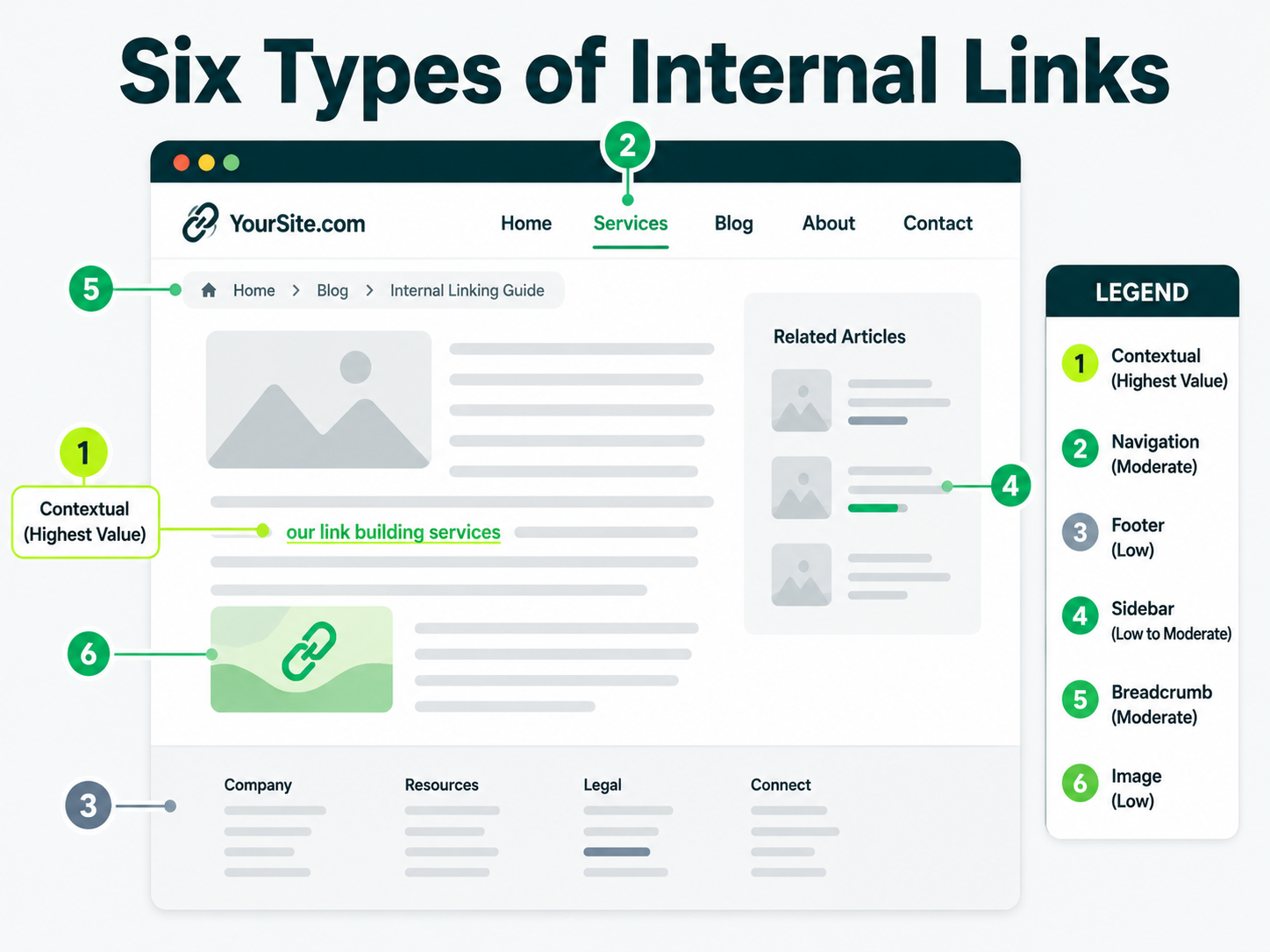
Not every internal link works the same way, and the ones inside your paragraphs do more work than the ones in your menu. The table below compares all six.
| TYPE |
WHERE IT SITS |
WHAT IT DOES |
HOW MUCH WEIGHT IT CARRIES |
|---|---|---|---|
| Contextual |
Inside the body copy of an article or page. | Points a reader and Google to a specific related page at the exact moment it’s relevant. | Highest. Most of an internal link’s value lives here. |
| Navigation |
Your header or main menu. | Lets visitors reach your core pages from anywhere on the site. | Moderate. Present on every page, which dilutes any single link’s signal. |
| Footer |
The bottom of every page. | Backs up navigation, often for legal or secondary pages. | Low. Google discounts links that repeat on every single page. |
| Sidebar |
A widget area next to your main content. | Surfaces related posts or categories. | Low to moderate, depending on how often it changes per page. |
| Breadcrumb |
The trail near your page title, like Home, Blog, This Page. | Shows hierarchy and gives Google a second path to the page. | Moderate. Reinforces structure more than it passes authority. |
| Image |
A picture that’s also wrapped in a link. | Sends a visitor, and sometimes Google, to another page. | Low, unless the image sits inside relevant body content. |
Contextual links carry the most weight because they’re the only type that changes on every single page. This tells Google the link is a genuine editorial decision rather than a template.
Footer links sit at the other end of the page. They appear on every page by definition, so Google treats them more like site structure than like a vote for the destination page.
Keep that ranking in mind. It matters again later, when you fix pages that already have backlinks but no internal links pointing at them.
How a Backlink on One Page Helps Another
When another site links to one of your pages, Google treats that link as a small vote of confidence in the page it lands on.
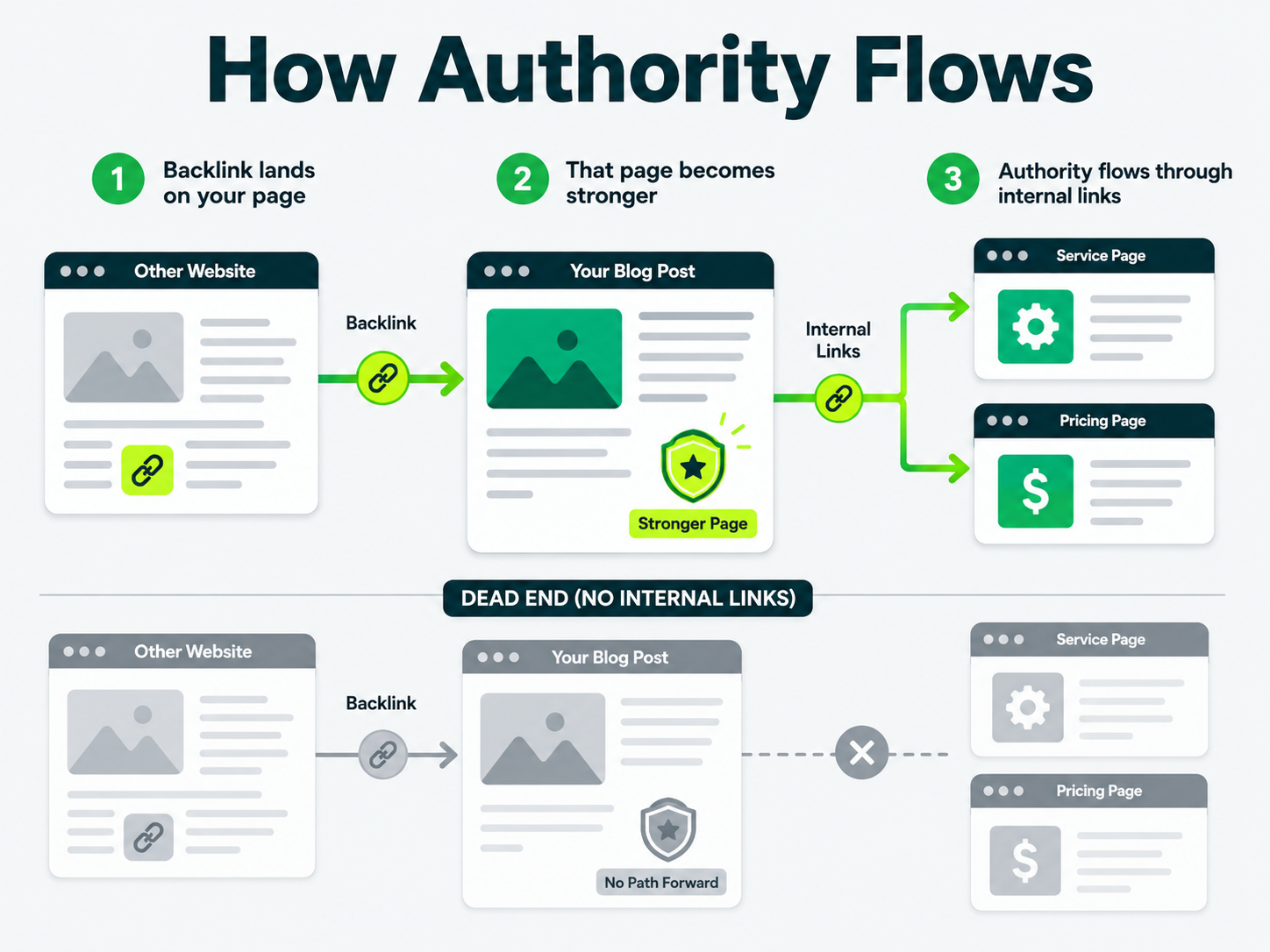
People often call some of that confidence link equity. It can travel further than the page it landed on, but only if you build a path for it to travel.
Three things happen in order:
- A backlink lands on a page, and Google recrawls that page and registers the new link pointing at it.
- The page itself gets a little stronger in Google’s eyes, which is why one strong backlink can nudge a blog post up the rankings on its own.
- If that page links internally to other pages on your site, a share of that strength travels along those internal links too.
Cut the third step, and the backlink’s value stops exactly where it landed.
Think of it like a road network. A backlink is a car arriving in your city. If the road ends at a dead end, traffic stops there.
Internal links create pathways throughout your site, allowing visitors and Google’s crawlers to reach other important pages.
Google also uses your internal links to find pages in the first place.
A page with no internal links pointing at it is much harder for Googlebot (the program Google uses to crawl and read the web) to find and recrawl on any kind of schedule.
Map the Path From Your Earning Pages to Your Money Pages
The usual way to plan internal links starts with your sitemap: homepage, categories, posts, in that order.
That’s backward once you already have backlinks, because it treats every page as equally important when your backlink profile already tells you which pages Google trusts more.
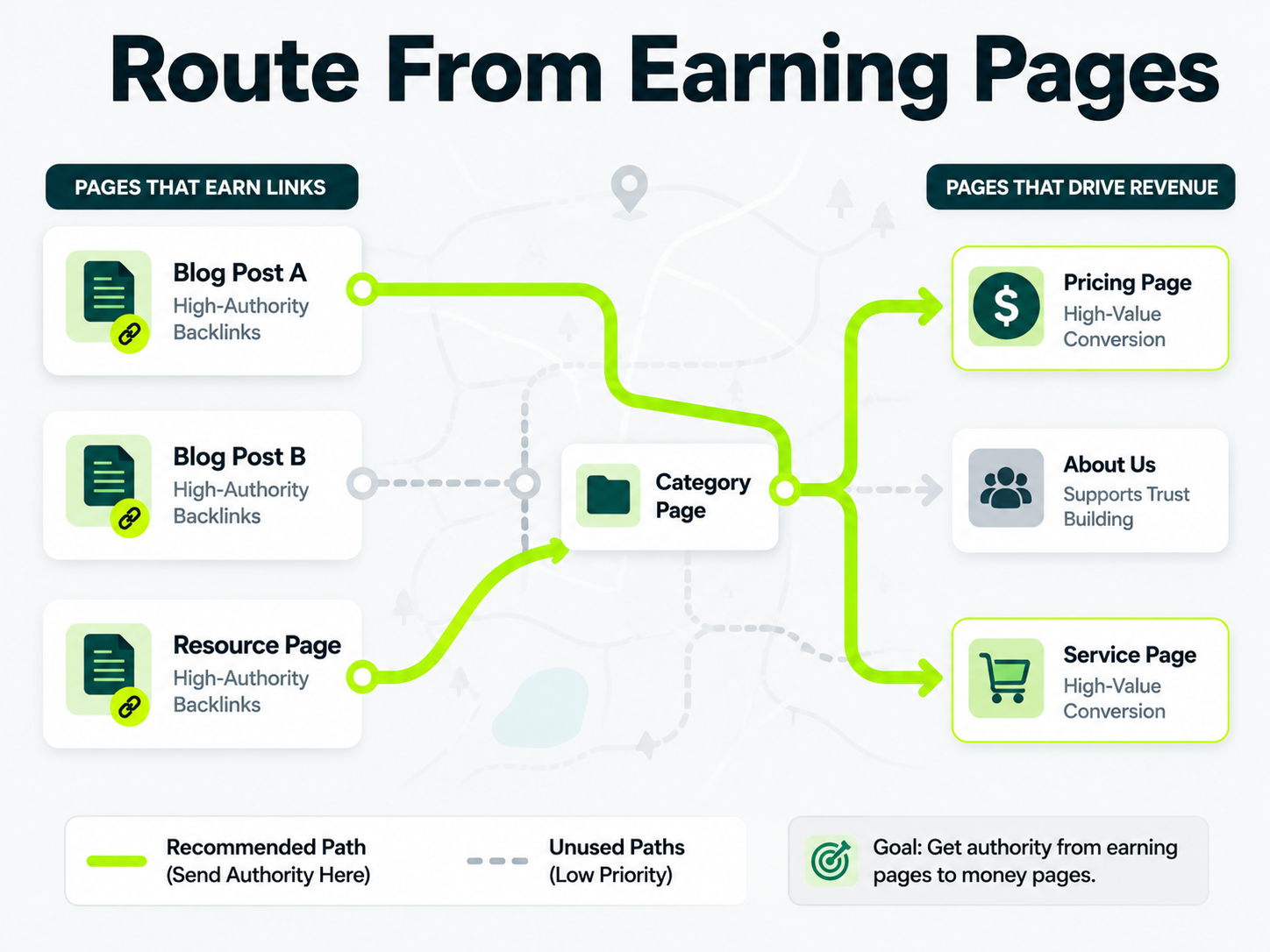
This routing map starts from the other end: the pages that already have links, working toward the pages that need to rank.
Step 1: List the Pages That Already Earned Backlinks
Open your backlink report, whether that’s Google Search Console, Ahrefs, or whatever your agency sends you.
Pull every page with at least one external link pointing at it.
Many sites find a short list: a few blog posts, maybe the homepage, maybe one resource page that another site picked up somewhere unexpected.
If that list comes up shorter than you’d like, the fix often isn’t more outreach. It’s building pages other sites want to link to in the first place.
Step 2: List the Pages That Make You Money
Write down every page that drives revenue directly: product pages, service pages, pricing, demo requests, anything that turns a visitor into a valuable customer.
Step 3: Trace the Path Between Each Pair
For each earning page, check whether it already links to a relevant money page, and if it does, count the clicks between them.
Zero clicks means the earning page links straight to the money page. Two or three clicks often means the path runs through a category page or another post first.
Step 4: Add One Contextual Link Where the Path Is Missing or Long
Where an earning page has no path to a relevant money page, or the path takes more than two clicks, add one link inside the body copy pointing at the money page it supports.
One natural and high-quality contextual link here does more than five links crammed into a resource box at the bottom of the post.
Step 5: Vary the Anchor Text Across Those Links
Don’t reuse the exact same anchor text on every link that points to the same money page.
Google reads identical, repeated anchor text as a template rather than as separate editorial decisions.
Varying the anchor text is a best practice and one of the easiest wins in this whole process. A real example makes this concrete.
| PAGE THAT EARNED THE BACKLINK |
ANCHOR TEXT USED |
MONEY PAGE IT SHOULD SUPPORT |
|---|---|---|
| “10 Free Tools for Small Business Owners” (blog post, 40 referring domains) | “accounting software for small teams” | /accounting-software/ (product page, 0 referring domains) |
| Homepage | “pricing” | /pricing/ |
| “How We Cut Onboarding Time in Half” (case study, 12 referring domains) | “our onboarding demo” | /demo/ |
Fix your internal linking structure before you earn another backlink. A link that lands on a page with no path to your money page is money spent on a dead end.
Our blog on Strategies to earn links covers how to get the next one, but the 5 steps above decide whether it actually reaches a page that sells.
Writing Anchor Text for Your Own Pages
The words you link from matter as much as the link itself, because Google and your reader both use that wording to guess what’s on the other side before they click.
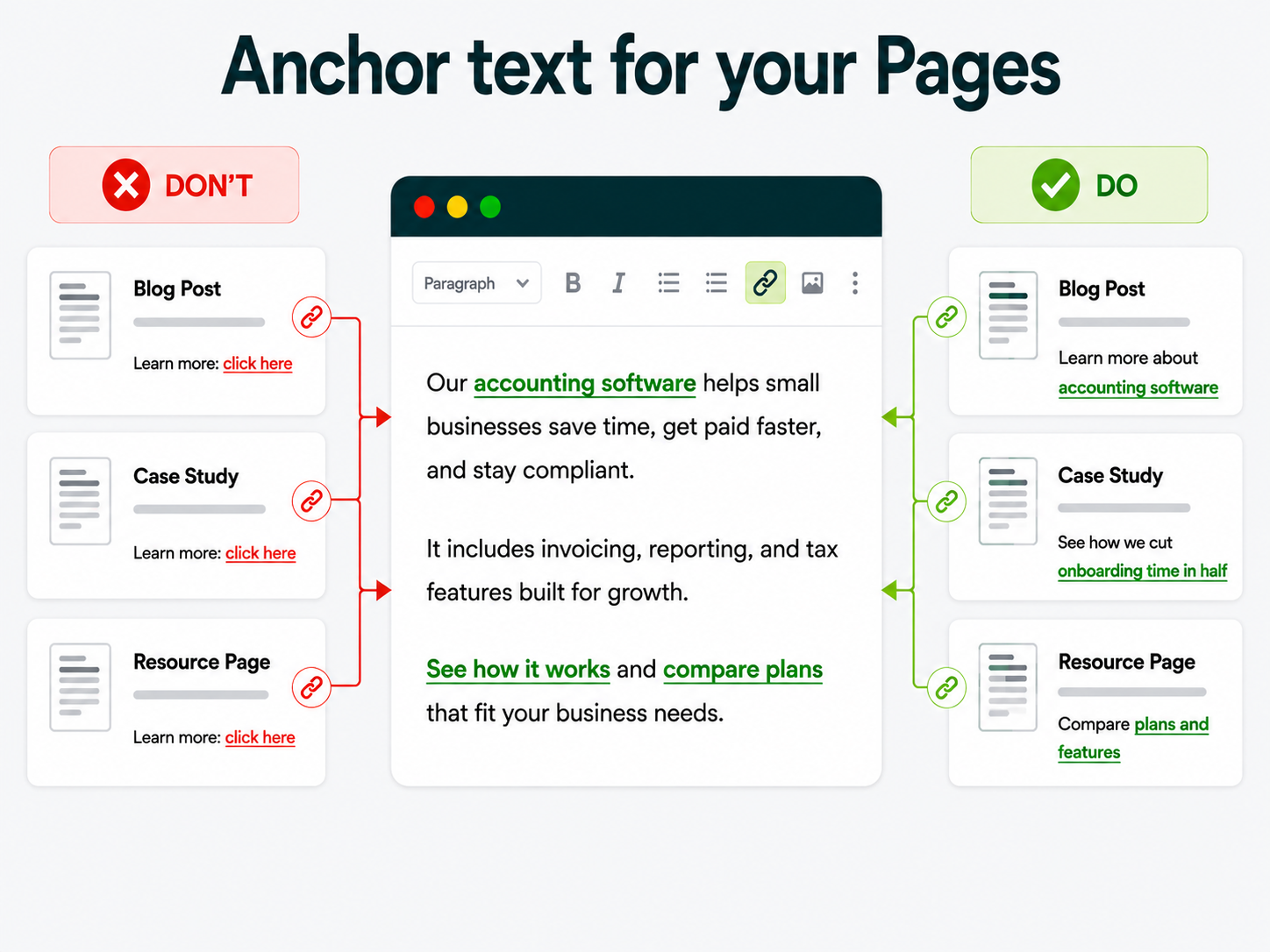
The single most common mistake is repeating one exact phrase every time you link to the same page, like linking to your pricing page as “click here” in three different posts.
A 2026 Zyppy SEO analysis of 23 million internal links, tracked against Google Search Console data from 1,800 websites, found a strong relationship between how varied a page’s internal anchor text was and how much organic traffic it earned.
This is the kind of relationship the researchers said was consistent enough that they ran the analysis three separate times before trusting it.
Vary the wording. Same destination, different words each time, based on what the surrounding sentence is about.
| IF THE DESTINATION IS… |
THEN THE ANCHOR SHOULD… |
|---|---|
| A product page |
Name the product and the problem it solves, not just the product name |
| A pricing page |
Reference the plan or the decision, like “compare plans,” instead of “pricing” every time |
| A blog post |
Preview the specific angle of that post, not the general topic |
| A category or hub page |
Name the broader topic once, and vary the phrasing everywhere else |
How Many Internal Links a Page Should Have?
A Zyppy analysis found pages with 40 to 44 internal links pointing at them saw the strongest traffic gains, with returns dropping past that point. That range fits high-value pillar pages more than a typical spoke article.
Pages with 0 to 4 links averaged 2 clicks from Google Search. Pages with 40 to 44 links pulled 4x clicks. Past 45 links, traffic drops.
Pillar content, resource hubs, and large high-authority sites hit that 40 to 44 range naturally.
Small-to-medium sites and normal blog posts saw less success at that count, the study found. For those pages, prioritize relevant links over hitting a number.
The study says sitewide navigation links cause the drop. Once a link repeats on every page, Google stops reading it as editorial and starts reading it as decoration.
Add internal links generously inside your content. Watch link counts in navigation menus, footers, and sidebars; those repeat sitewide and hurt more than help past the ceiling.
Orphan Pages Nobody Links To
SEO professionals call a page with zero links pointing at it an orphan page. The only way anyone finds it is by searching the exact URL, or landing on it through your XML sitemap.
Google can still crawl an orphan page through your sitemap. It just won’t treat that page as important.
Finding your orphan pages doesn’t need a paid tool.
You can export your full list of published URLs, export every internal link on your site using a free crawler, and compare the two lists.
Anything in the first list and missing from the second is an orphan.
| IF THE ORPHAN PAGE… |
THEN… |
|---|---|
| Supports a topic you already cover elsewhere | Add one contextual link from the closest related page you have |
| Earned a backlink but has no internal links | Fix this one first. It’s already proven it’s worth linking to. |
| Only serves an ongoing utility purpose, like a terms page | A footer or navigation link is genuinely fine here |
Adding a single footer link and calling an orphan page fixed is the weakest version of this work.
A footer link stops the page from being technically orphaned and does very little else, because Google discounts a link that repeats on every page of your site almost the same way it discounts a link nobody would click.
If the page is worth having, it’s worth one real link from a page that’s about the same thing.
Keeping Important Pages Close to the Homepage
Keep the click depth of all important pages low. Click depth is the number of clicks needed from the homepage to reach the page. Closely tied to internal link structure; how the site links pages together decides that depth.
Click depth is one of the clearest signals you send Google about which pages actually matter.
Good click depth is low: Target page is just 3 clicks away. Home > category > product. It comes across as an essential part of your site to Google and readers.
Bad click depth is high: Target page is 5 to 6 clicks away, buried in an old blog post. It reads as an afterthought even if the content is good.
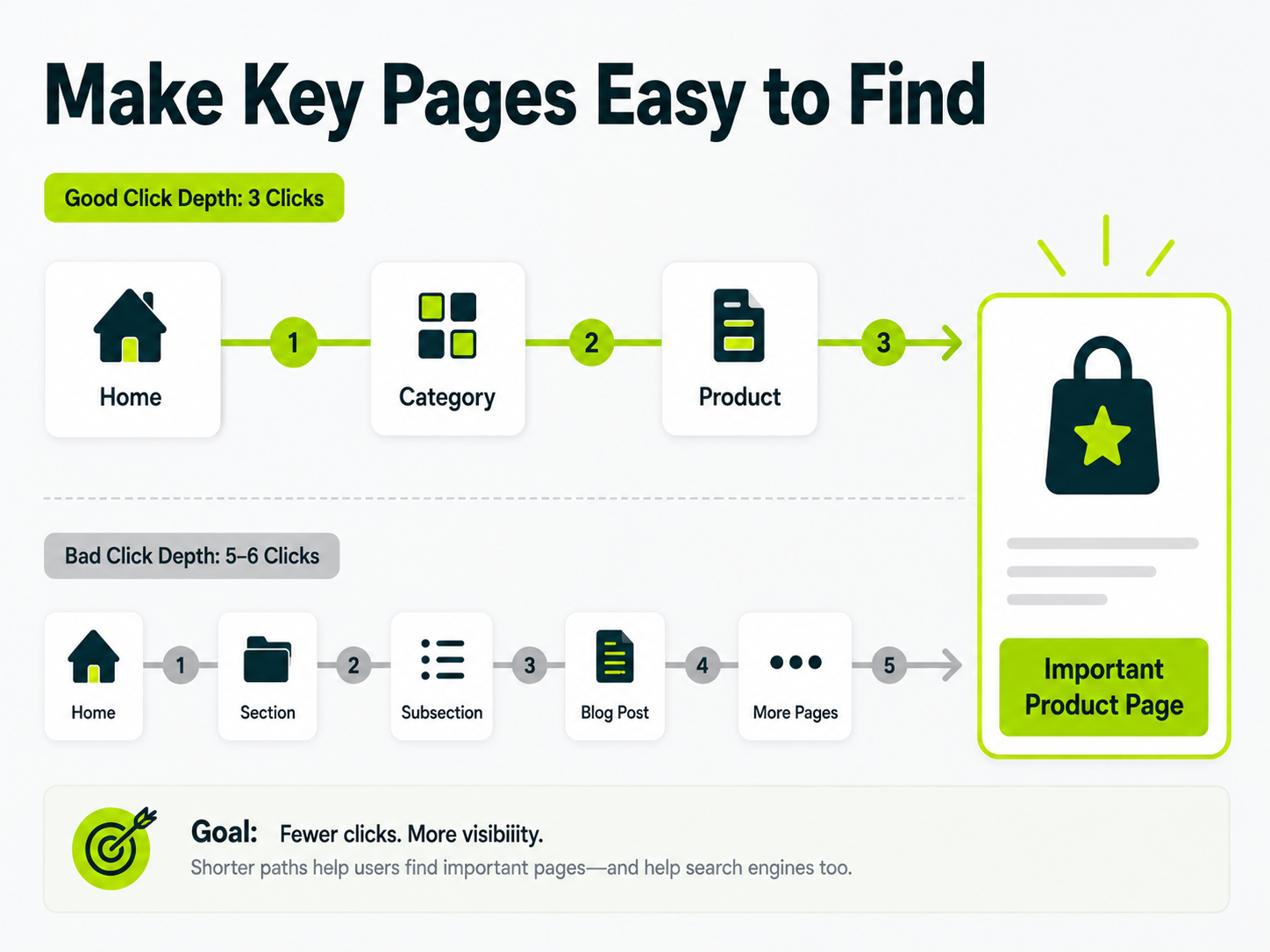
The fix here is structural rather than content-based.
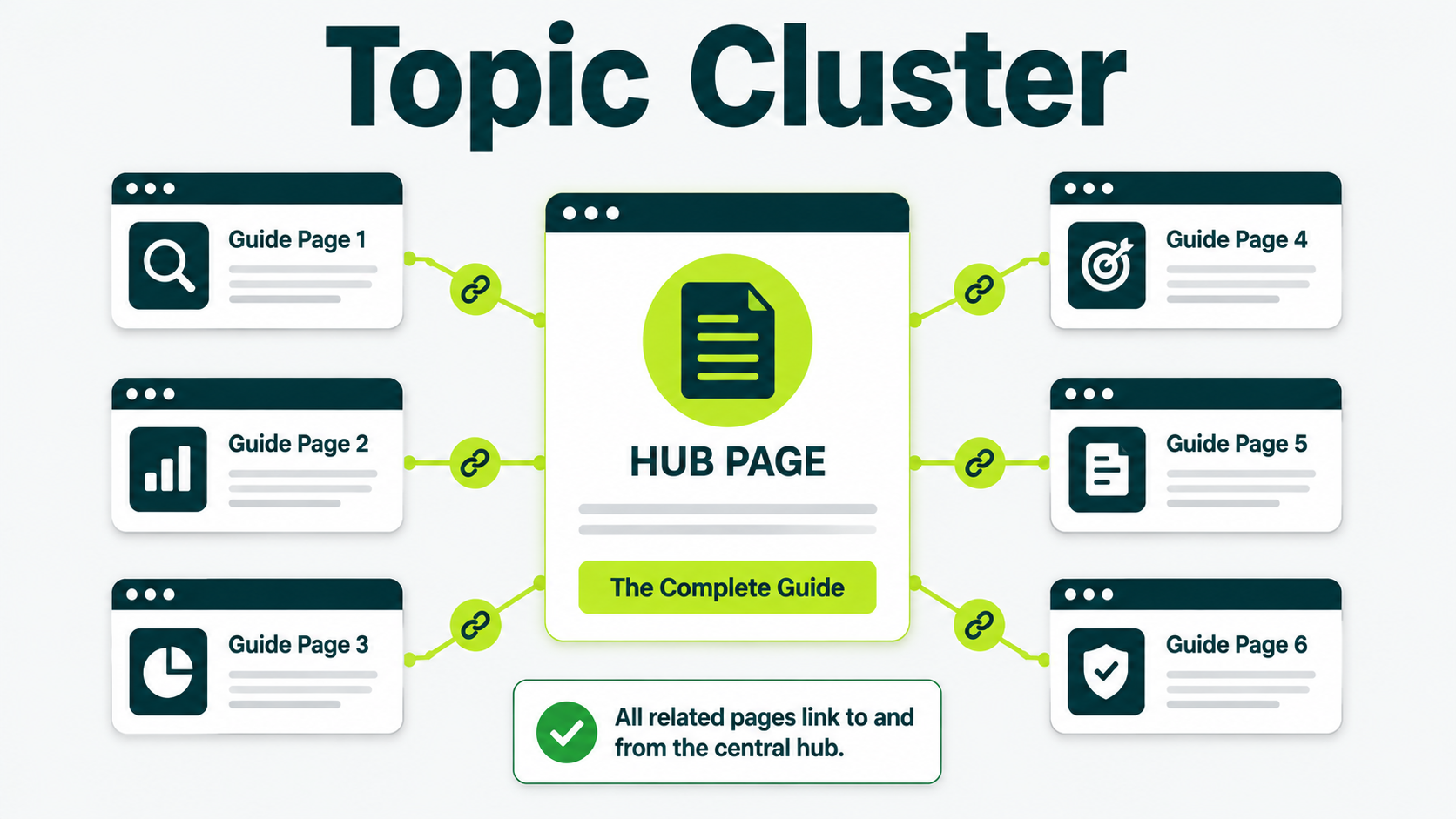
Group related pages under a hub, like a category or pillar page, and link from that hub directly to the pages underneath it.
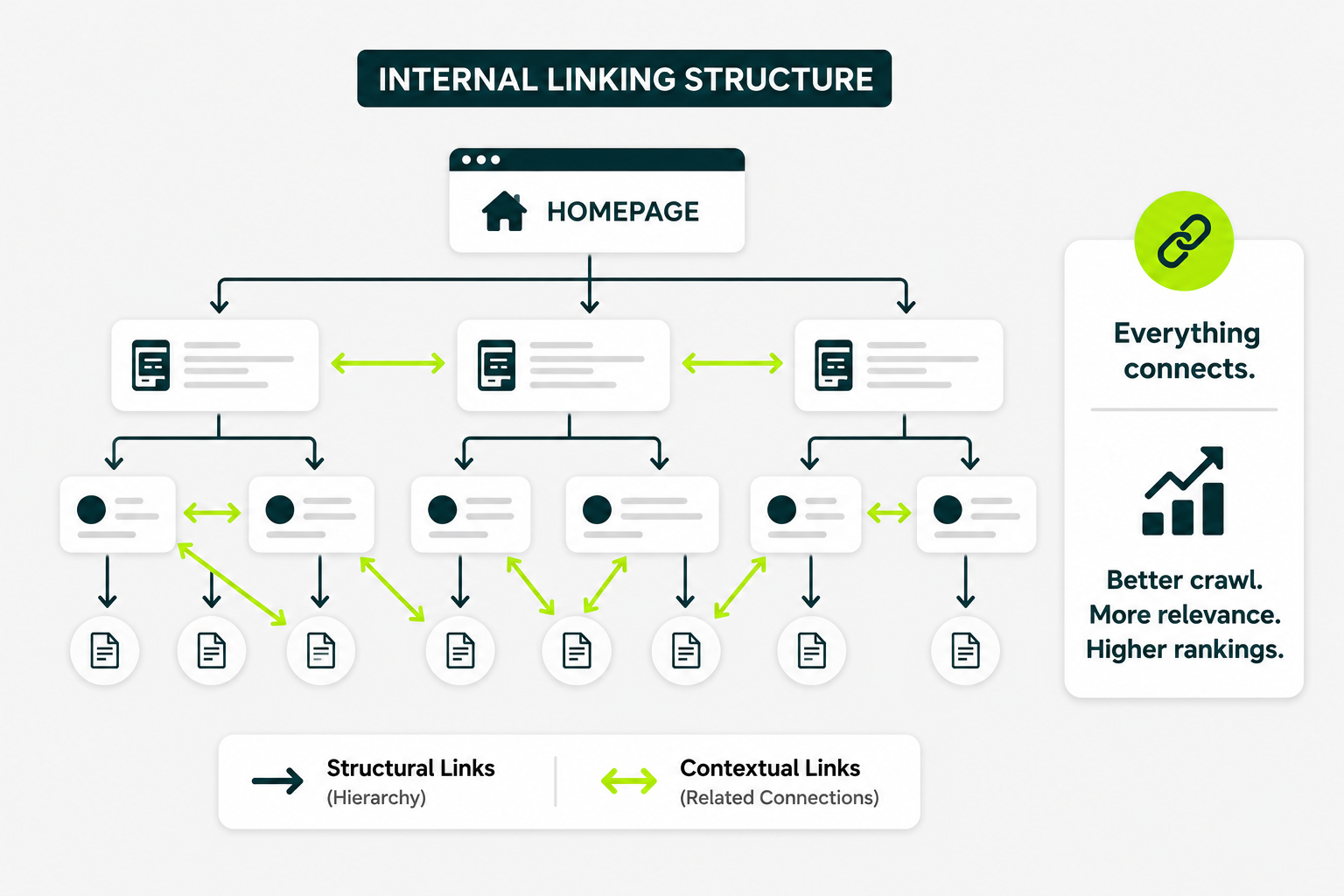
That’s the idea behind a topic cluster: a group of related pages that all link to and from one central hub page, keeping every page in the group within a click or two of something important.
As a working rule, keep any page you want to rank within three clicks of your homepage.
If navigation alone can’t get you there, a well-placed contextual link, the kind covered in the routing map above, closes the gap without you rebuilding your entire menu.
What Internal Links Do for AI Answers
Internal links help AI crawlers find and reach your pages. They don’t increase how often AI tools cite your content, and nobody has published evidence that they do.
What researchers have documented is narrower, and still worth acting on: internal links decide whether an AI crawler reaches the page at all.
Google’s guidance on AI features names making your content easily findable through internal links as a recommendation for sites that want to appear in AI Overviews and AI Mode.
That’s a findability instruction rather than a promise that more internal links earn more citations.
Separately, a 2025 JetOctopus article about AI crawlers found that bots like the ones behind ChatGPT and Perplexity behave a lot like Googlebot when they crawl a site.
They crawl by depth, favor pages that are well linked, and skip pages that are poorly linked or orphaned.
Combine those two findings, and the practical takeaway is simple.
An AI answer engine can’t cite an orphan page it never reaches, so the routing map above matters just as much for AI visibility as it does for classic Google rankings.
| WHAT’S DOCUMENTED |
WHAT NOBODY HAS SHOWN |
|---|---|
| Internal links help AI crawlers find and reach a page | Internal links increase how often AI tools cite that page |
| AI bots crawl by depth and skip orphaned pages | Internal link count or anchor variety changes what an AI chooses to quote |
If you want the fuller picture on earning citations from answer engines once a page is reachable, you can check how to get cited in AI search.
A Monthly Internal Link Check You Can Run
This doesn’t need a paid tool or retainer, just about 30 minutes and a habit most sites never build.
- Pull your newest published pages from the last month, and confirm each has at least one contextual internal link pointing at it from an older, related page.
- Open Google Search Console’s Links report, sort your top pages by fewest internal links, and check whether any of your money pages show up near the bottom.
- Run a free crawler, like Screaming Frog’s free tier, and export every internal link on your site to check for orphan pages.
- Check your last five published posts for repeated, identical anchor text pointing at the same destination, and vary anything that repeats.
- Confirm your three highest-priority money pages are still within three clicks of your homepage.
Most sites set up their internal links once, at launch, and never touch them again. That’s the gap you’re closing by running this every month.
Start With the Three Pages Doing the Most Work
Open your backlink report right now and find the three pages on your site with the most external links pointing at them.
Check whether any of these three pages link to the page you want to rank this quarter.
If the answer is no, that’s an afternoon of work instead of a strategy overhaul: add one contextual link from each earning page to the money page it should support.
If you’d rather have someone map the whole site this way, our link audit service reviews where your earned links land and whether the authority reaches the pages that sell.
Is Your Backlink Authority Reaching the Pages That Sell?
Build a stronger internal link structure that connects relevant pages and supports your SEO goals.
How many internal links should a page have?
Most pages do well with 40 to 44 internal links inside the main content, plus whatever already lives in your navigation and footer. Longer, more detailed pages can usually support a few more without it feeling forced.
Do internal links matter as much as backlinks?
Not quite, but they decide how far a backlink’s value actually travels. A single strong backlink pointing at a well-linked page can lift several other pages on your site. The same backlink pointing at an isolated page mostly helps that one page alone.
What’s the difference between an internal link and a backlink?
An internal link points from one page on your site to another. A backlink points from someone else’s website to yours. You control every internal link. You can only earn or ask for backlinks.
Can too many internal links hurt my SEO?
Yes, in a couple of ways. Each added link on a page dilutes the authority passed through every other link on that page. A page stuffed with links is harder for a reader to actually use. If a link doesn’t help someone understand the page, it’s probably one too many, which is why a quality focused link building approach favors fewer, well-placed links over stuffing a page to hit a number.