A link can do more than take someone to another page.
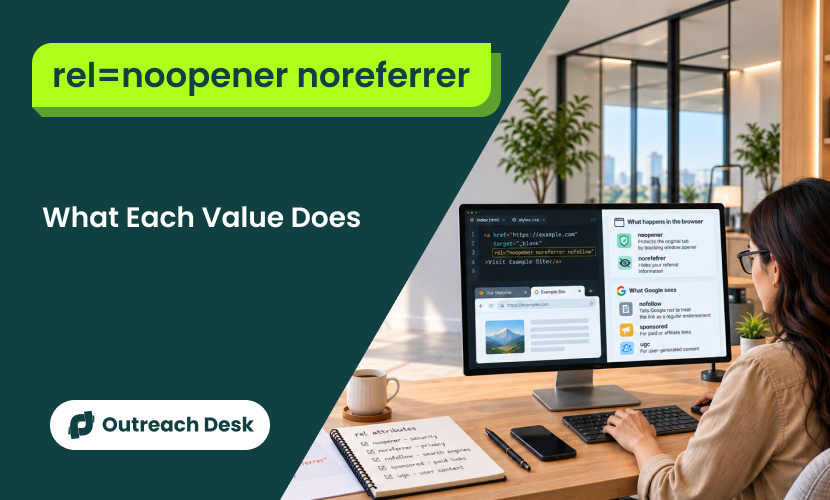
rel=noopener, rel=noreferrer, and rel=nofollow each control a different part of how a link behaves. “rel=noopener” helps protect users, “rel=noreferrer” hides referral details, and “rel=nofollow” tells search engines not to treat the link as a regular endorsement.
Knowing the difference helps you choose the right attribute without adding unnecessary code.
Key Takeaways
- noopener and noreferrer have zero effect on your Google rankings.
- Modern browsers already apply noopener automatically to target=”_blank” links, with 94.24% global support.
- noreferrer already includes noopener’s protection, so using both is unnecessary.
- Google reads nofollow, sponsored, and ugc, and each signals something different about a link.
- The current wording is that marked links will “generally” not be followed.
- Paid and affiliate links need sponsored to stay compliant with Google’s policy.
Two Different Systems Share the Same Html Attribute
The attribute is called rel, where rel stands for ‘relationship’ It’s something you add to a link’s HTML to tell a browser or a search engine how to treat that link.
Five values show up in this guide:
- noopener
- noreferrer
- nofollow
- Sponsored
- UGC
You probably ran into the first two the moment you set a link to open in a new tab using target=”_blank”.
| READ BY THE BROWSER | READ BY GOOGLE |
|---|---|
| noopener | nofollow |
| noreferrer | sponsored |
| ugc |
noopener and noreferrer change what happens the instant someone clicks the link.
nofollow, sponsored, and ugc tell Google whether to count the link as a real backlink at all. Neither group reads the other’s value.
Google’s crawler doesn’t care that you marked a link noopener, and your visitor’s browser doesn’t care that you marked a link sponsored.
So why are they grouped together? Because they all sit in the same rel slot on the same HTML tag; that’s the only thing they share.
The moment you look at what each one actually does, they split into two unrelated jobs. That split is exactly why this topic feels confusing until you see them side by side.
How Noopener and Noreferrer Work in Your Browser
noopener protects your visitor’s original tab. noreferrer hides which page sent the click. Both act the instant someone clicks, and noreferrer already does noopener’s job.

Rel noopener noreferrer attributes explained for link security, privacy, and SEO
What Noopener Does
Noopener closes the live connection. It is called window.opener, which a new tab normally keeps to the tab that opened it, so the new page can’t see or control where it came from.
Leaving that connection open is like leaving your front door unlocked while a guest checks the mailbox: usually harmless, but an opening you didn’t need. noopener closes that connection. The new tab opens with no way to see or touch the page that sent it there.
What Noreferrer Does
Every Time Someone Clicks a Link, the Destination Site Can Normally See Where That Click Came From, Through Something Called the Referer Header, Which is Really Just the Previous Page’s Web Address. Noreferrer Strips That Information, so the Site You Link to Has no Record of Which of Your Pages Sent the Visitor.
The Cost is Real:
If You Want Credit or Clean Analytics Data for Traffic You’re Sending Somewhere, Noreferrer Takes That Away in Both Directions.
Use Noreferrer Only When You Genuinely Want to Hide Where Your Traffic Came From. Most Site Owners Want That Credit, so Reach for Noreferrer Deliberately.
Why Noreferrer Already Covers Noopener
noreferrer does everything noopener does, plus it hides the referrer on top. MDN’s noreferrer reference confirms it makes the browser behave the same way noopener would, while also hiding the referrer.
In practice, writing rel=”noreferrer” alone already gives you everything noopener does.
Writing both together, rel=”noopener noreferrer”, isn’t wrong. It’s just belt-and-braces you didn’t strictly need. It only works one way. Though: noopener on its own doesn’t hide your referrer data, so the two aren’t interchangeable; they’re only asymmetric.
The Tab Hijacking Attack That Started All of This
Picture a Visitor Clicking a Link on Your Site That Opens in a New Tab, a Normal, Everyday Thing That Happens Across the Web Constantly. Without Noopener, That New Tab Keeps a Live Connection Back to the Tab it Came From, Through the Window. Opener.
A Malicious Destination Site Can Use That Connection to Quietly Rewrite Your Original Tab, the One Your Visitor Still Trusts, Into a Fake Login Page. the Visitor Returns to What Looks Like Your Site, Enters a Password, and Hands it to Someone Else.
Security researchers call this reverse tabnabbing, and it’s why noopener exists. OWASP’s reverse tabnabbing entry explains the attack in detail, including its current take on how serious it still is.
What is Reverse Tabnabbing
An attack where a link you open in a new tab lets the destination page rewrite your original tab into a fake login page. It works through window.opener, and noopener blocks it.
How Modern Browsers Protect Links
You don’t need to go back through your old posts and add noopener manually. Modern browsers now apply it automatically to any link using target=”_blank”, without you writing a single character of markup.

Diagram showing how noopener protects the original page while noreferrer hides referrer information when a link is clicked
Browser support data for noopener puts global coverage at 94.24%, backed by Chrome 88, Edge 88, Firefox 79, and Safari 12.1, all of which shipped years ago. That’s not every visitor on earth, but it’s anyone who’s updated their browser since roughly 2021.
When we run link audits on client sites, the pattern is consistent: noopener is already present on nearly every external link, and almost never because someone added it on purpose.
It’s just the browser doing its job in the background. We’ve flagged this to more than one client who was about to spend a week on a manual cleanup project for a problem that had already solved itself.
If you’re on WordPress or any modern CMS (content management system), hunting through old posts to add rel=”noopener” manually isn’t a good use of your time.
The browser already did it. Spend that time on the anchor text and link count. One real caveat still applies. Here, protection depends on your visitor using a current browser.
Anyone opening links with JavaScript’s window.open() instead of a normal link tag sits outside it too, since that implicit protection is specific to HTML anchor tags.
Nofollow, Sponsored, and Ugc: What Each Tells Google
Google reads three rel values: nofollow for links you don’t vouch for, sponsored for paid or exchanged links, and ugc for links your visitors add.
Nofollow
rel=”nofollow” is the general-purpose signal: marking a link this way tells Google you’re not vouching for the destination.
It’s the right default for a link you can’t personally verify, want to include for reference, but don’t want Google to read as an endorsement.
To see how nofollow and dofollow links balance in a backlink profile, read about what a healthy dofollow ratio looks like.
Sponsored
rel=”sponsored” marks any link where money or value changed hands: a paid placement, an affiliate link, or a link you added because you got something in exchange. Google’s outbound link guidance states plainly that nofollow still works for these too, though sponsored is Google’s preferred tag for this exact case.
Ugc
rel=”ugc” stands for user-generated content, and it belongs on links inside blog comments, forum posts, or anything a visitor added to your site rather than something you wrote yourself.

Diagram showing how Google treats nofollow, sponsored, and ugc links based on their purpose and source
Google publishes these three definitions directly, and you can specify more than one at once: Google’s own example combines them as rel=”ugc nofollow” on a single link. If you want to see where these three sit inside the full range of link types, that’s mapped out separately.
Mark paid and incentivized links sponsored every time, including the ones nobody would ever catch. That rule matters more than it sounds, and the next section explains why.
Does Google Always Obey Nofollow, Sponsored, and Ugc?
No. Google treats nofollow, sponsored, and ugc as hints, and it can still crawl, index, or pass some signal from marked link.
Per Google’s September 2019 announcement, the shift applied to ranking from 10 September 2019, and to crawling and indexing from 1 March 2020.
What is Crawling & Indexing?
Crawling is when Google’s bots follow links from page to page to discover content. Indexing is when Google stores what they find so it can show up in search.
Google’s live documentation has moved even further since then. It no longer uses the word “hint” at all. The current wording is that links marked with these attributes “will generally not be followed,” the same idea in slightly softer language: a strong request.
Never treat rel=”nofollow” as a safety net for a link you’d rather not be associated with at all. Google will generally honor it, but it’s not a guarantee.
If you’re already worried about links like that on your site, finding and fixing toxic backlinks covers how to deal with them.
Which Attribute Belongs on Which Link
Match the link in front of you to one of these six cases.
| LINK TYPE | USE | WHY | WHO READS IT |
|---|---|---|---|
| A normal editorial link you chose to include | Nothing extra needed | You’re vouching for it | |
| A paid or sponsored placement | rel=”sponsored” | Money or value changed hands | |
| An affiliate link | rel=”sponsored” | Google treats affiliate links as paid | |
| A blog comment or forum post | rel=”ugc” | A visitor wrote it, not you | |
| A link you don’t want to endorse | rel=”nofollow” | Reference without vouching | |
| Any external link opening in a new tab | Let the browser handle it | Noopener is already automatic | Browser |
Our position is simple: if a placement involved payment, product, or any exchange of value, it gets sponsored, without excuse or argument. We’d rather lose a link that a publisher balks at tagging than build a profile that depends on Google not noticing.
Two cases trip people up more than the rest. Affiliate links need sponsored even when no cash technically changed hands. A free product in exchange for a mention counts as payment under Google’s own policy. Paying for links without the sponsored tag isn’t a gray area.
It’s exactly the kind of link spam Google’s policy describes. Ranking value flows only through links Google actually counts, so getting this tag right determines whether a placement does anything for you at all.
How to Check What a Link Already Carries
You don’t need to guess, and you don’t need a paid tool for a single link.
- Right-click the link and choose Inspect, or View Page Source for the whole page.
- Look for the rel= attribute inside the <a> tag, like <a href=”example.com” rel=”sponsored noopener”>. (Press “Ctrl + F” to find.)
- Read the values against the table above to see what each one means for that specific link.
Before we sign off on any placement, we check the live rel attribute. The value that actually shipped.
Publishers strip tags, CMS platforms override them, and plugins rewrite them without anyone noticing. You haven’t confirmed a placement until you check it at the URL. To check more than a handful of links at once across your entire backlink profile, a free crawler is faster than opening each page manually.
Skip the markup validator for this. It checks whether your HTML is well-formed, not what any specific rel value means for SEO.
Stacking More Than One Value in a Single Rel Tag
You Can Combine Values, and Google’s Own Documentation Confirms the Syntax: Separate Them With Spaces or Commas Inside One Rel Attribute, Like Rel=”ugc Nofollow”. Not Every Combination is Worth Writing, Though.
| COMBINATION | VERDICT |
|---|---|
| rel=”sponsored nofollow” | Worth writing. Sponsored is the precise signal; nofollow is the safe fallback if an older tool only reads nofollow. |
| rel=”noopener noreferrer” | Noreferrer already includes noopener’s behavior. |
| rel=”ugc nofollow” | Common and reasonable. Google’s own example uses exactly this pairing for comments. |
None of this changes how you choose your anchor text, the actual clickable words. The rel attribute and the words inside the link tag are two separate decisions.
Start With Your Paid and Affiliate Links
Open the last few posts where money or a free product changed hands.
Check whether those links carry rel=”sponsored”.
If they don’t, that’s a five-minute fix per link, and it’s the difference between a clean placement and one that violates Google’s own policy.
Everything else here the noopener question, the hint model, the decision table matters less than getting that one tag right on the links tied to money.
Unsure Which Rel Attribute Your Links Need?
Build your backlink profile with relevant placements and the right link attributes for each type of opportunity.
Should I remove rel=”noopener noreferrer” from my WordPress links?
No. Leave it. Say you find it on a guest post link you added last year: WordPress applied it automatically to protect your visitors, not to signal anything to Google, so removing it buys you nothing.
Should I check the rel attribute on links I get from other sites?
Yes. The value in the page’s live HTML is what search engines and browsers actually read, and it can differ from what was agreed when the link was placed. Inspect the link and confirm it carries no nofollow, sponsored, or ugc value if you expected a followed link.
A professional link building agency reports the live rel value for each placement, so the check happens before a link counts as delivered.
Is noopener the same as nofollow?
No, and this is the single most common mix-up on this topic. noopener is read by the browser and has nothing to do with search rankings. Google reads nofollow, which has nothing to do with browser security. They just happen to share the same rel= attribute slot.
Does rel=”noreferrer” stop a link from passing ranking value?
No. noreferrer only affects what the browser sends, specifically the Referer header that shows where a click came from. It has no relationship to how Google counts or weighs a link. If you want to control that, use nofollow or sponsored instead.
What’s the ideal dofollow to nofollow ratio?
There’s no Google-published target ratio to hit. Links that pass ranking value covers what a natural-looking link profile tends to look like, in more depth than fits here.
Do I need noopener if I already use noreferrer?
No. noreferrer already makes the browser behave as if noopener were also set. Adding both is harmless, just unnecessary.
Are nofollow links worth anything?
Some real value, yes, though less than a followed link carries. Nofollow links still send referral traffic and build brand visibility, and a profile made up of only nofollow links looks unnatural to Google.