Somebody slides into your DMs and asks for a link in their post. They don’t call it a favor, but you know money’s involved somewhere. Or maybe you’re the other guy, paying a publisher for placement and want it done right.
Either way, rel=”sponsored” is the one tag that decides if you’re clean with Google or exposed. Skip it once, and you’re building the exact link Google’s spam detectors hunt for.
Key Takeaways
- Sponsored links tied to payment or product exchange need the rel=”sponsored” tag to mark them as ads for Google.
- The rel=”sponsored” tag costs no ranking credit, because sponsored links never passed link authority in the first place.
- Google’s tag and the FTC’s disclosure rule cover different obligations, so meeting one doesn’t satisfy the other.
- Since April 2026, a single spam report can trigger a manual action, raising the real cost of skipping the tag.
- Pushback from a client or publisher on proper tagging usually signals something worth listening to.
What Counts as a Sponsored Link
A Sponsored Link is Any Link That Exists Because Someone Paid for It. Here, You Pay the Publisher in Cash, a Free Product, or Another Form of Value Exchange.
“Sponsored Links” vs. “Sponsored Results.” Both are different.
Understand this with an example.
Sponsored results (paid search ads) look like this:
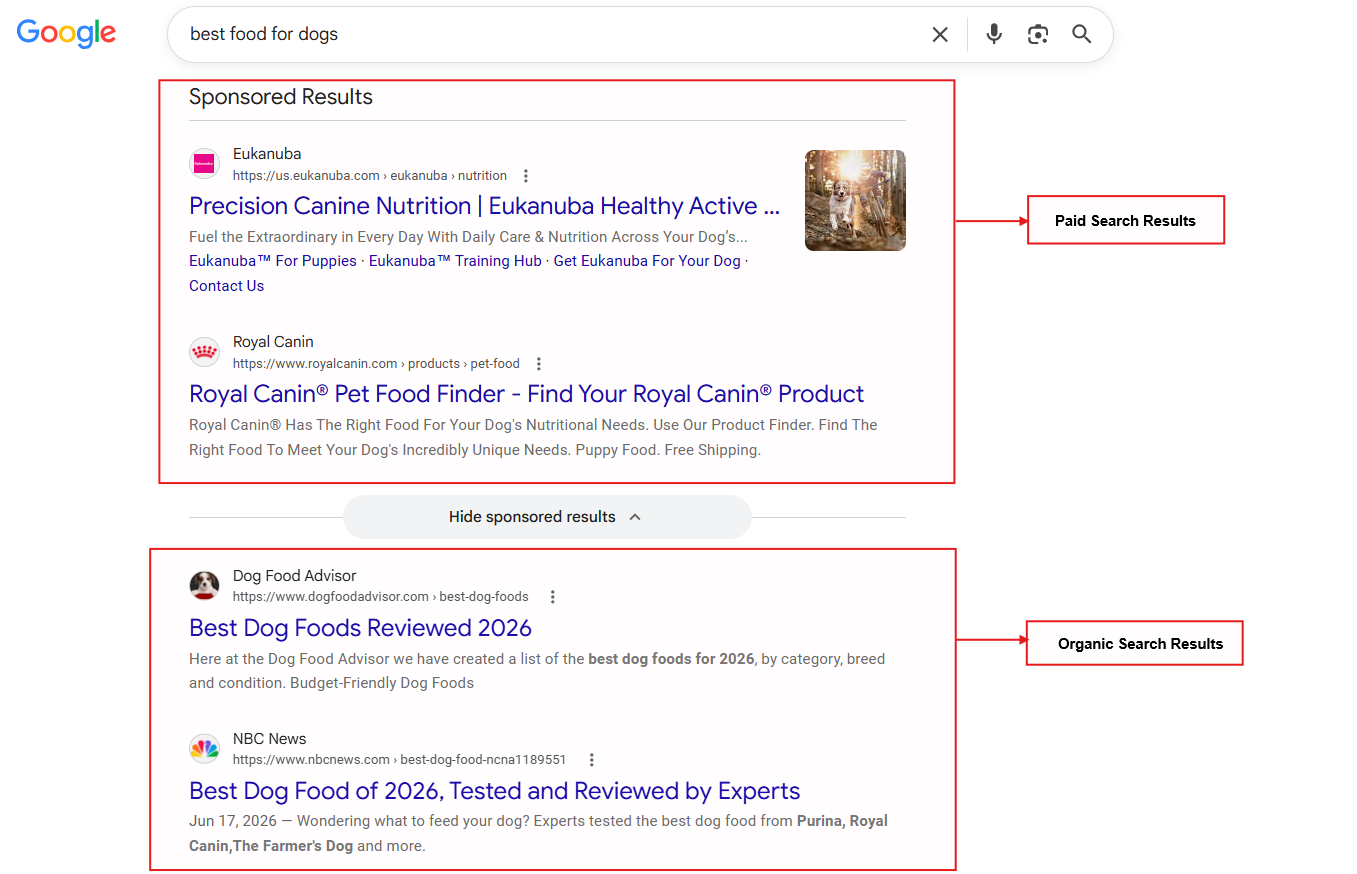
This is different from articles containing links.
And sponsored links look like this. (Buzzfeed’s blog has this sponsored link)
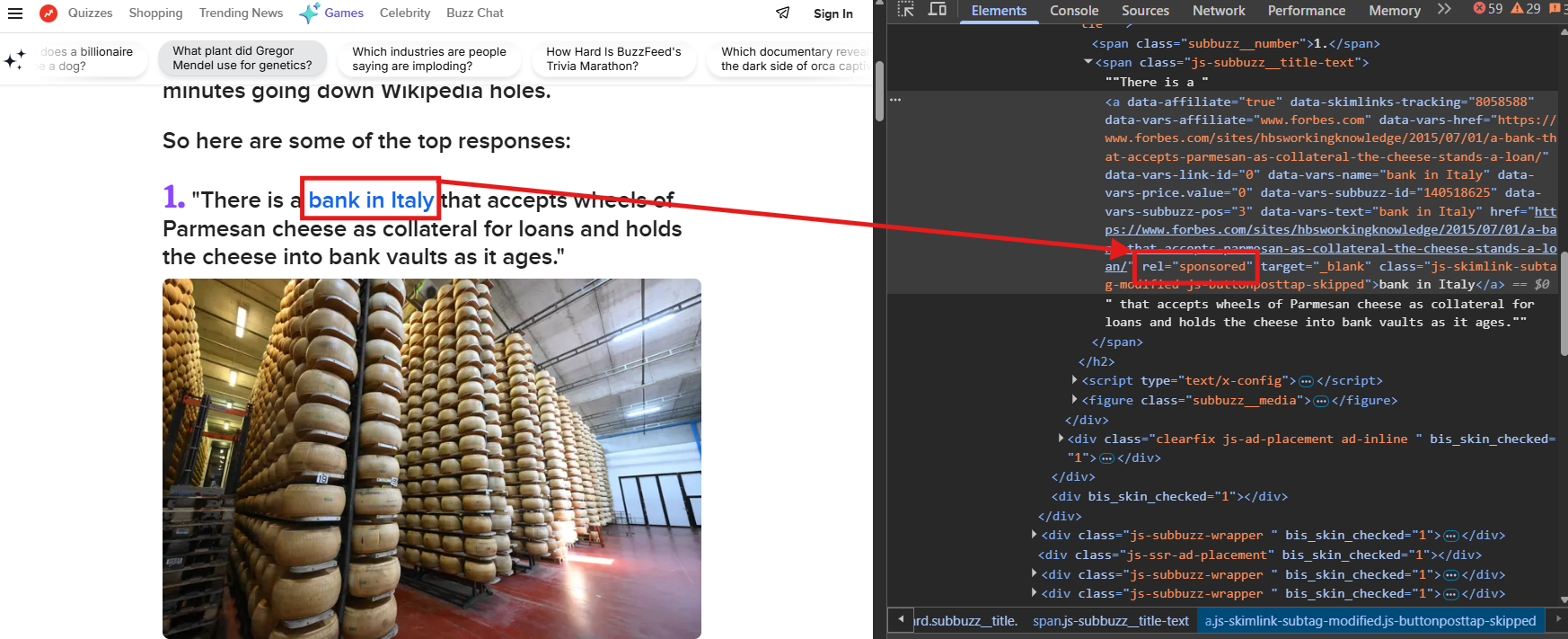
You will learn about sponsored links so you can tell whether a link is paid. In fact, you can also run into this anytime money or product changes hands for a placement.
That exchange shows up in a few common forms:
- A blogger adds a link to your site in exchange for free software.
- A brand pays you to place a link in a roundup post.
- An event sponsor pays a publication for a link back to the event page.
Whichever shape the payment takes, the tag stays the same: rel=”sponsored”
Google treats it as one of the recognized types of backlinks, right alongside natural and UGC links.
The rel=”sponsored” Tag: What It Actually Tells Google
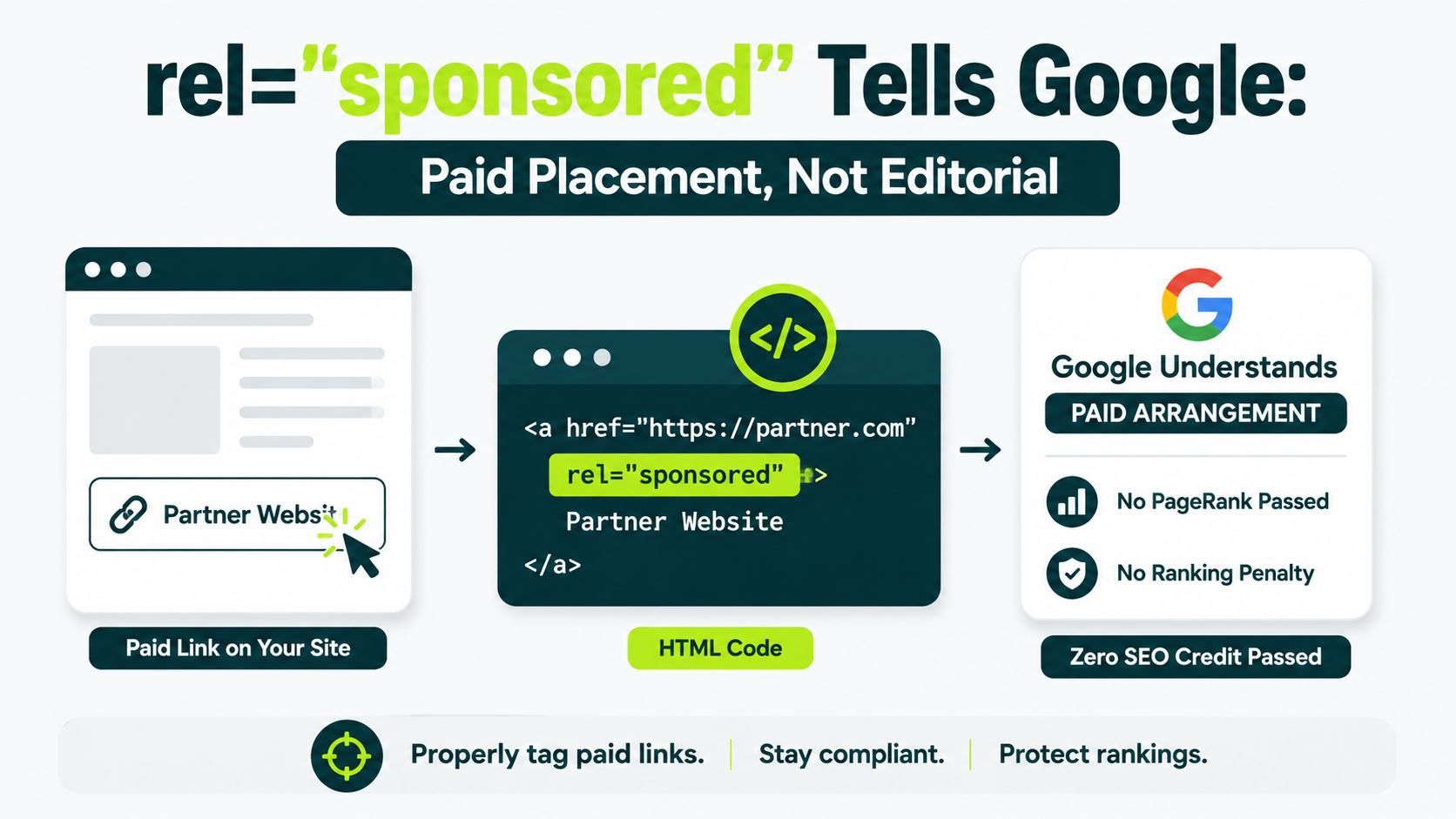
The rel=”sponsored” attribute tells Google one thing: this link exists because of a paid arrangement, not an editor’s choice. You add it directly to the anchor tag, inside the HTML that builds the page.
Google introduced the tag in September 2019 to fix a gap. Before that, every paid or untrusted link carried the same rel=”nofollow” tag, which told Google nothing about what created the link.
Sponsored gave paid placements their own label.
- Sponsored links cover advertisements or paid placements.
- Nofollow applies when other values don’t apply.
That distinction has one practical effect. A link with a sponsored tag doesn’t pass PageRank, Google’s original scoring system for how much authority one page hands to another.
Tag it correctly. Your site loses no ranking credit for the link, but it gains none either.
Sponsored vs. Nofollow vs. UGC: Which Tag Fits Your Link
Which tag you use depends on why the link exists, rather than on how you feel about the destination.
Google allows three values for this purpose: sponsored, nofollow, and ugc. Each one answers a different question about a link.
| Attribute | Use it when… | Example |
|---|---|---|
| rel=”sponsored” | Money, product, or another exchange of value bought the link | A paid mention in a roundup post |
| rel=”ugc” | A visitor added the link | A link inside a blog comment |
| rel=”nofollow” | Neither of the above applies, but you still don’t want to vouch for the destination | A link to a source you’re citing but don’t fully trust |
You can combine values into a single link.
A sponsored comment left by a visitor, for example, can carry rel=”ugc sponsored” at the same time.
Google allows spaces or comma-separated values, so that a link can carry both.
Dofollow backlinks skip tags, which is why they’re the ones that pass ranking credit.
Two Separate Rules You Must Follow: Google’s Tag and the FTC’s Disclosure
Adding rel=”sponsored” satisfies Google. It does nothing for the law, because these are two different rules for two different audiences. Meeting one does nothing for the other.
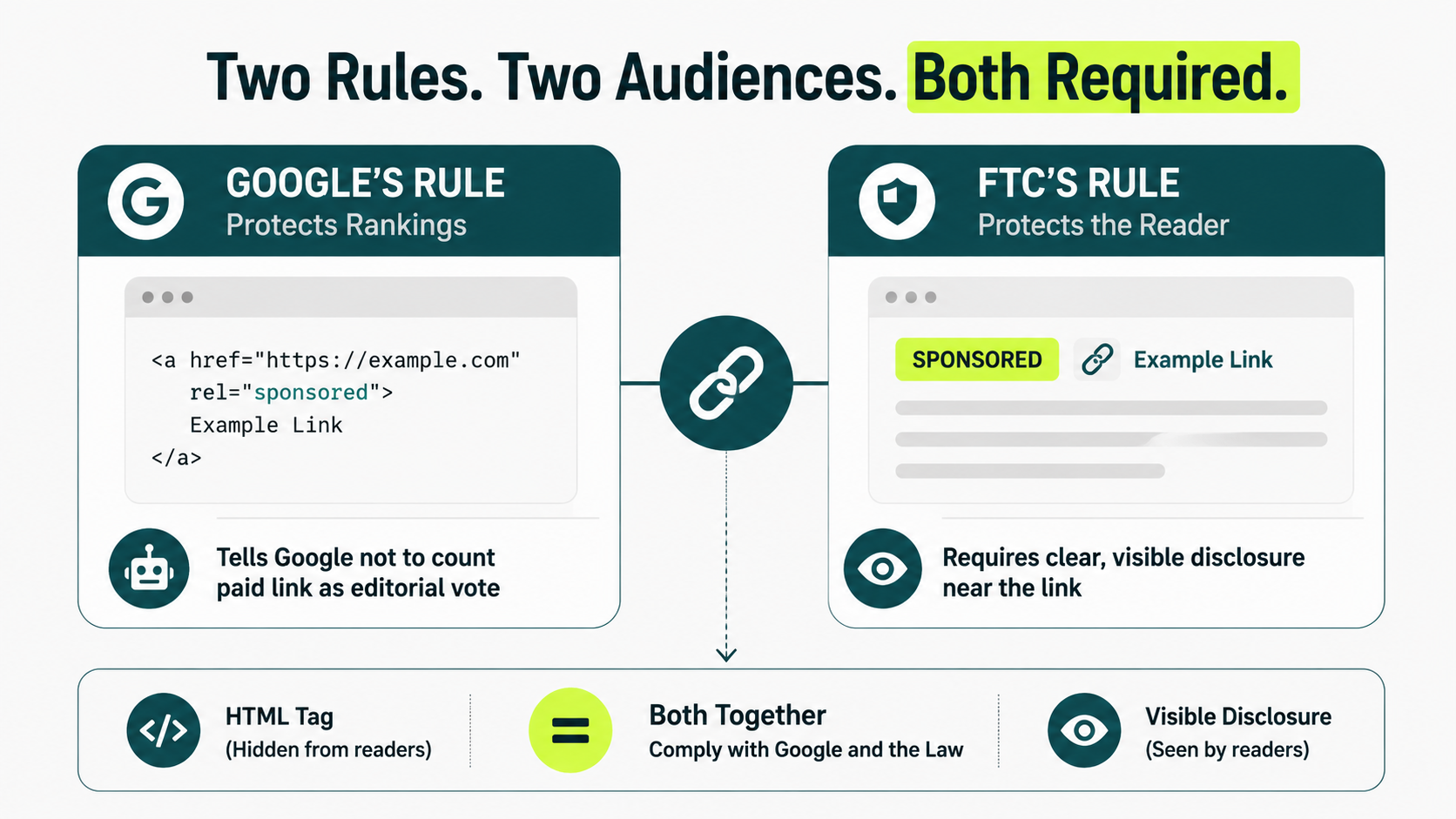
Google’s Rule Protects Rankings
Google’s rule protects ranking integrity. The sponsored tag tells Google’s crawlers not to count a paid link as an editorial vote, which stops paid placements from faking authority they didn’t earn.
The FTC’s Rule Protects the Reader
The Federal Trade Commission, or FTC, sets the other rule. Its job isn’t protecting Google’s index. It’s protecting the reader standing in front of the link right now.
The FTC requires a clear, visible disclosure on any paid link, post, or mention, covering payment, free product, or anything else of value exchanged for the placement. That disclosure has to be something a reader actually sees: a word like “Sponsored,” “Ad,” or “Paid partnership,” placed near the link itself.
Where the Two Rules Actually Collide
rel=”sponsored” lives in your HTML, and a reader scrolling the page never sees it. That’s the gap. A site can fully satisfy Google’s rule and still break the FTC’s, because the HTML attribute was never built for humans to read.
Closing that gap takes both pieces at once. Write the visible word “Sponsored” or “Ad” next to the link, where a reader can actually see it, then tag the link itself with rel=”sponsored” underneath. One handles the law. The other handles Google.
How to Add the Sponsored Attribute in WordPress and Raw HTML
To add the tag by hand, edit the link’s HTML and insert rel=”sponsored” inside the anchor tag:
<a href=”https://example.com” rel=”sponsored”>this partner’s tool</a>
That’s the entire syntax, and no plugin makes it any simpler than typing it in.
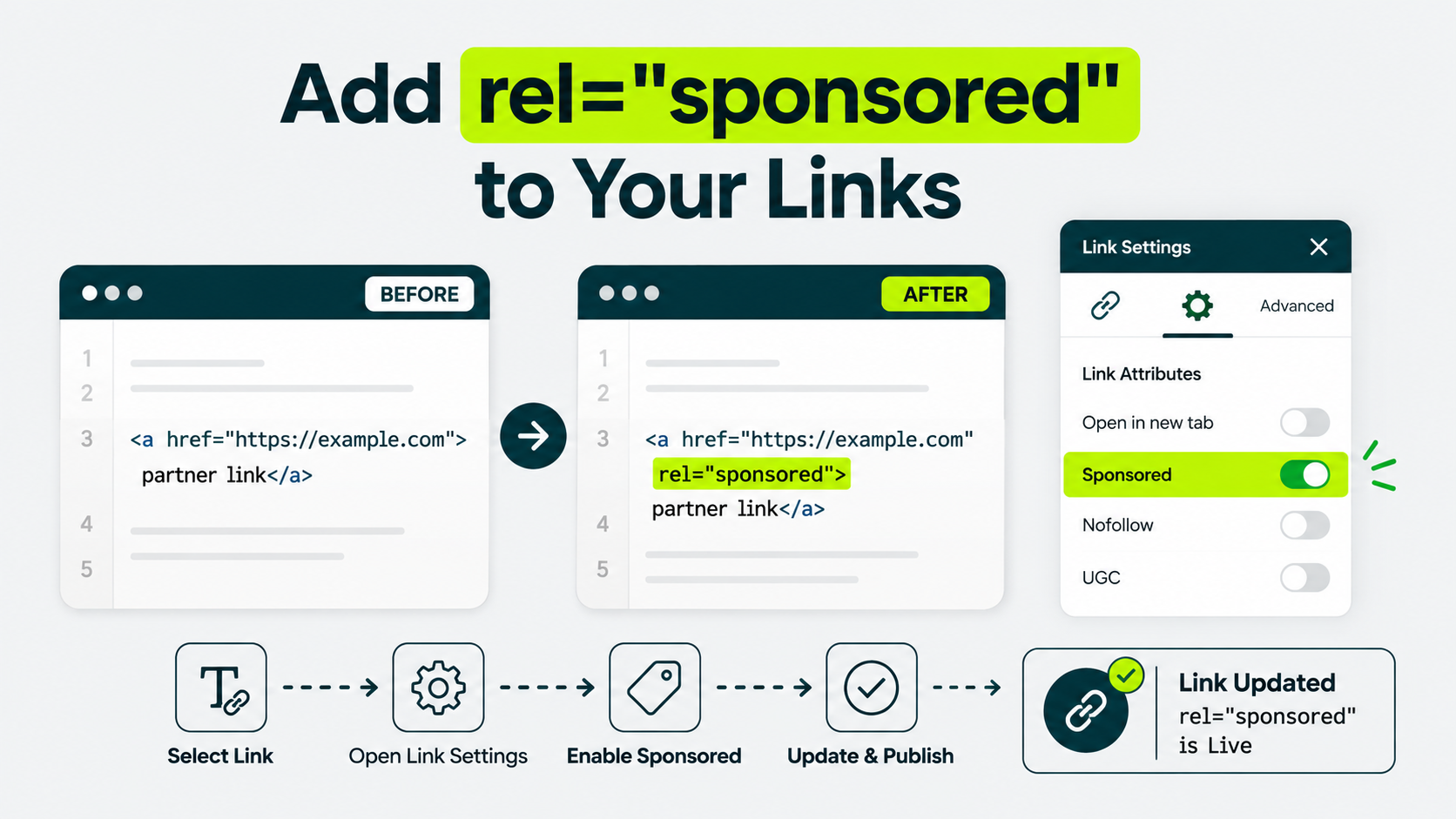
WordPress makes this easier through its block editor, since you never have to type code:
- Highlight the link text and click the link icon in the toolbar.
- Click the gear or “Advanced” option in the link popup.
- Toggle “Sponsored” under the link attributes.
- Update or publish the page.
Older themes and page builders don’t always follow that same layout. Some expose the same toggle under a different label, like “rel attribute” or “link relationship.”
When you can’t find it, switch that block to text or code view and manually add rel=”sponsored”.
After you publish, confirm the tag is present.
Right-click the link, choose “Inspect” or “View Page Source,” and search the code for the word “sponsored.” If it’s there, you’re done.
What If You’re Not on WordPress
Every major platform lets you add the tag, even without a visible toggle. Webflow and HubSpot don’t expose a rel attribute option in their visual editors, but both offer a custom attribute field in their link settings.
If yours doesn’t, switch to the embed or HTML block for that specific link and add rel=”sponsored” directly.
Squarespace skips the visual toggle entirely. Instead, you can use a code block for the link or add it through Settings > Advanced > Code Injection.
If your platform blocks all three paths, you’re left with the one final option: a developer.
A developer can add the attribute through a template override. Don’t skip the tag because the editor doesn’t make it obvious. It changes where you add it, rather than whether you add it.
Does a Sponsored Link Actually Help Your SEO?
A properly tagged sponsored link doesn’t directly improve your rankings, but it isn’t worthless either.
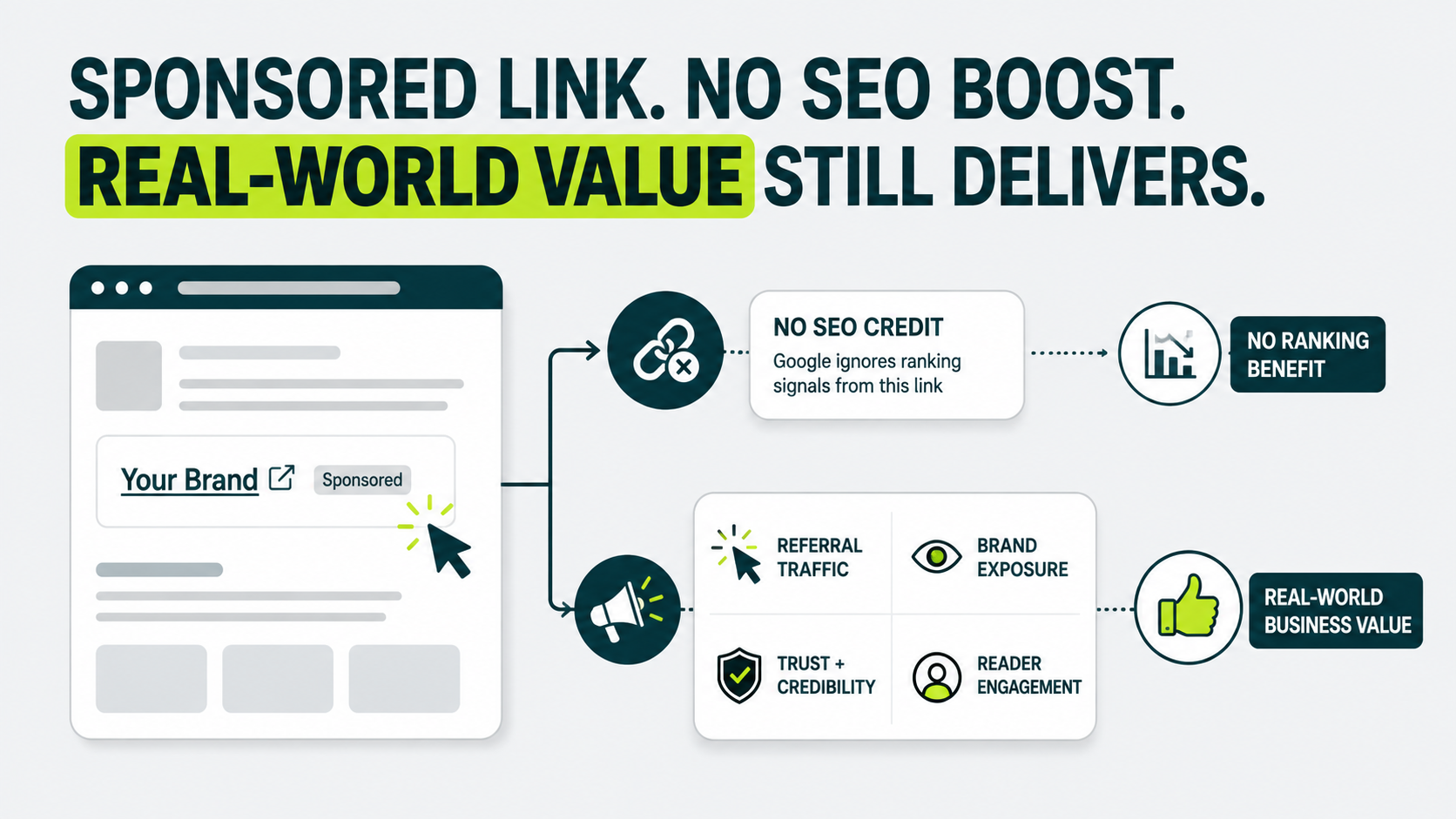
Google strips ranking credit from any link carrying the sponsored tag. That’s the tradeoff you accepted the moment you tagged it correctly, and there’s no way around it.
You keep everything a link does beyond passing PageRank: referral traffic, brand exposure, and trust in front of a real reader.
Referral traffic still flows through a sponsored link exactly like it would through any other clickable link on the internet. Readers who click through are as real, and as likely to convert, as readers arriving from an untagged link.
Brand exposure works the same way.
A sponsored placement on a site your buyers already read puts your name in front of them. That happens whether or not Google credits you for it.
What we’ve noticed: sponsored placements that pull real referral traffic tend to sit on sites where the audience already trusts the publisher’s recommendations. Traffic alone isn’t the signal.
A sponsored badge next to the link doesn’t scare readers off the way some brands assume it will. Readers click through anyway, because the placement still answers a question they came to the page with.
A placement isn’t worth buying if ranking credit is its only value.
The ones worth paying for are the ones you’d still want even if Google ignored the link completely.
With a sponsored tag, Google does ignore the link.
Compare that to how buying backlinks outright is usually pitched: as a shortcut to ranking credit. A sponsored link was never sold as that shortcut. It’s sold as reach.
Why Mistagging Sponsored Links Carries More Risk in 2026 Than It Did in 2019
Mistagging sponsored links carries more risk now because Google can act on spam reports directly. Skipping the tag used to be a quiet mistake. In 2026, it’s a reportable one.
Algorithms Used to Handle Risk Quietly
Google’s automated systems quietly discounted untagged paid links, which meant no human ever reviewed your site.
No human ever had to look at your site directly. What changed is who else can trigger a review.
Anyone Can Report an Untagged Link Now
As of April 2026, Google changed how it handles spam reports. Anyone can file one: a competitor, a former client, a reader who noticed the payment and never saw a disclosure.
That report can now trigger a manual action directly against your site, and Google forwards its contents to you as part of the notice.
That means a real reviewer, reading a real complaint, about a real link on your page. An untagged sponsored link isn’t something an algorithm quietly discounts anymore. It’s something a competitor can name.
Tag the Link and the Risk Disappears
The fix hasn’t changed. Tag the link, disclose it visibly, and there’s nothing left to report.
A tagged, disclosed sponsored link gives no one a real reason to file a complaint, because there’s nothing hidden about it to find.
Mistakes That Still Trigger Reports, Even With the Sponsored Tag Added
rel=”sponsored” helps identify paid links, but correct tagging and clear disclosure still matter. Tag the wrong link, use the wrong attribute, hide disclosure, or use vague wording, and readers or competitors can still report the placement.
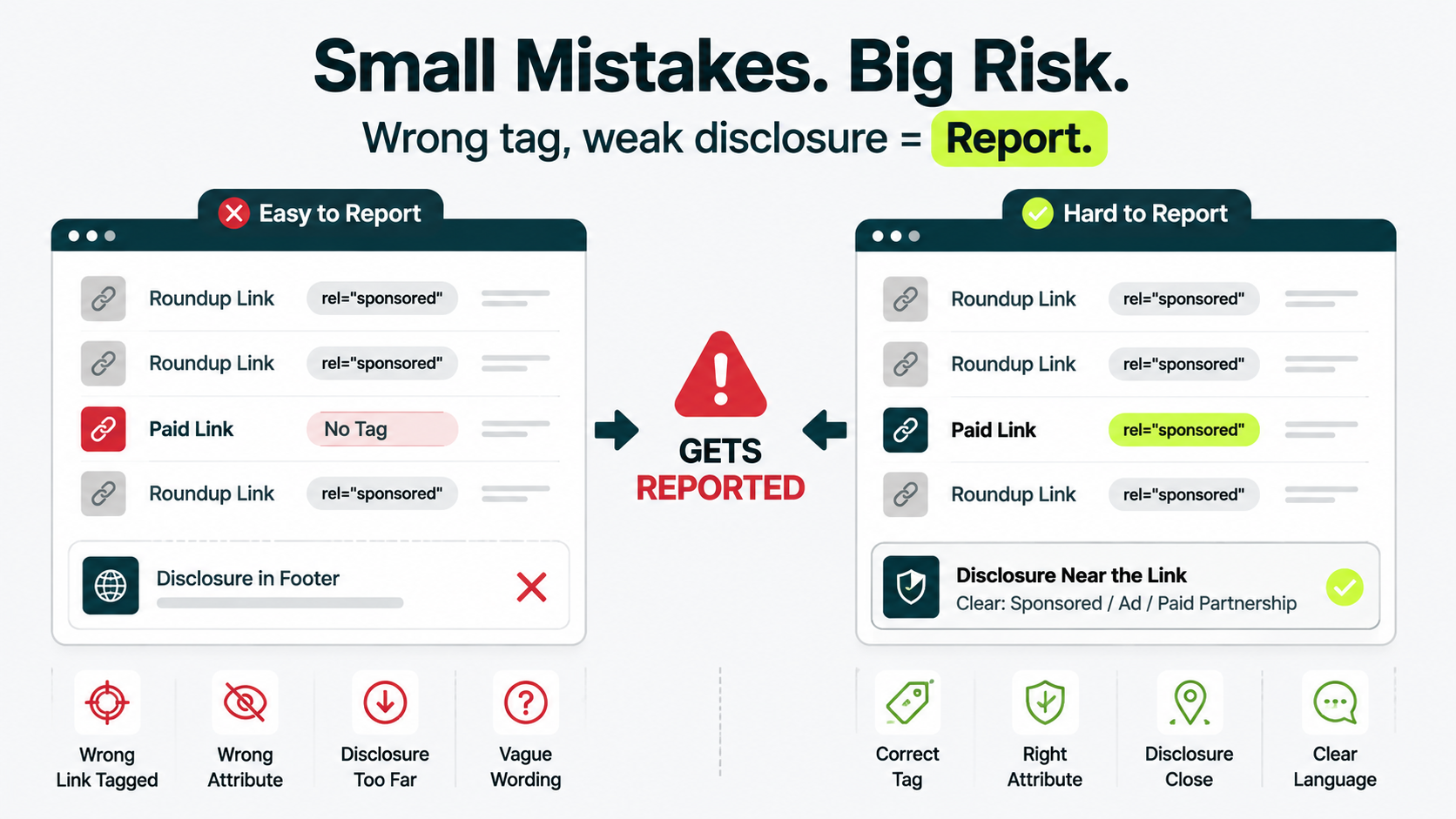
- Batch edits can tag the wrong link. You may update ten roundup links and skip the sponsored link.
- Nofollow and sponsored send different signals. Nofollow tells Google not to associate with the link. Sponsored signals a paid relationship. Use sponsored for paid links.
- Keep disclosure near the link. A footer disclosure forces readers to scroll and may not provide enough context.
- Use clear disclosure language. “Affiliate link” alone may feel vague. Use “Sponsored,” “Ad,” or “Paid partnership.”
Each mistake looks small until a reader, competitor, or former client notices and files a report.
What to Do When a Client or Publisher Pushes Back on the Sponsored Tag
Tag the link correctly, no matter who pushes back, then ask yourself why the pushback is happening in the first place. You’ll hit this from both directions.
A client paying for a placement sometimes asks you to skip the tag so the link looks editorial rather than paid.
A publisher accepting that payment sometimes resists too, since a visibly sponsored link converts worse for their readers than one dressed up as a genuine recommendation. Both requests come down to the same ask: make this look like something it isn’t.
We hold this line every time it comes up: a client refusing the tag isn’t stating a styling preference. It’s a request to misrepresent a paid link as an editorial one, and your site, or your client’s site, carries the risk for that decision.
Walk away from the placement if the publisher won’t add it. A publisher unwilling to disclose a paid link already knows something.
The placement would not land the same way if you disclosed it. And that says something about the audience you’d be renting. Neither situation is worth arguing over. Find a different placement.
Check Your Own Links Before Someone Else Does
Most paid links on most sites are fine once tagged and disclosed correctly.
Run this check on any link you’re unsure about:
- Right-click, choose “Inspect,” then search the HTML for “sponsored.”
- Confirm the disclosure appears near the link, and not in a footer or on a separate policy page.
- Check the wording. “Sponsored,” “Ad,” or “Paid partnership” work.
- Repeat for every paid placement, rather than the most recent.
It takes about four minutes per link. Outreach Desk runs this same check across your full backlink profile.
Looking to Build Authority Without Relying on Paid Links?
Earn relevant editorial backlinks through genuine outreach and valuable content.
Can sponsored links be used for affiliate marketing?
Yes. An affiliate link exists because of a commission arrangement, which makes it a sponsored link by definition. Tag it the same way: rel=”sponsored”, plus a visible disclosure near the link.
Some site owners assume affiliate links only need rel=”nofollow”
That covers the Google side loosely. Sponsored is the more accurate tag either way, and neither one satisfies the FTC’s disclosure requirement on its own.
Do sponsored links need to stay tagged if the destination page changes later?
The tag itself stays accurate, since it reflects the nature of the link when it was placed, not what the page shows today. What matters more is whether the disclosure still makes sense to a reader landing on the updated page.
If the destination changes a lot, it’s worth checking whether the sponsorship still applies or the link needs an update. A quality focused link building approach treats sponsored placements as something to monitor over time, not a one-time setup.
How is a sponsored link different from an organic link?
An organic link is one an editor added because they judged your page worth linking to, with nothing exchanged for it. A sponsored link exists because payment or something else of value changed hands.
Google treats them differently by design. Organic links can pass ranking credit. Sponsored links, tagged correctly, don’t.
What are the real risks of getting this wrong?
Two separate risks. Miss the Google side, and Google discounts the untagged link. Since April 2026, it can also get reported straight into a manual action.
Miss the FTC side, and you’re carrying legal exposure that has nothing to do with your rankings at all. Fixing one doesn’t fix the other. Fix both.
The tag is one line of code, and the disclosure is a handful of words next to it.
What breaks sites is skipping both because a client asked nicely or a publisher didn’t want to bother. Before you publish anything you’re unsure about, take a second look at your existing links.
Run regular link audits to catch tagging errors like this before they become a spam report, our link audit service can review your existing sponsored links and flag anything that slipped through.