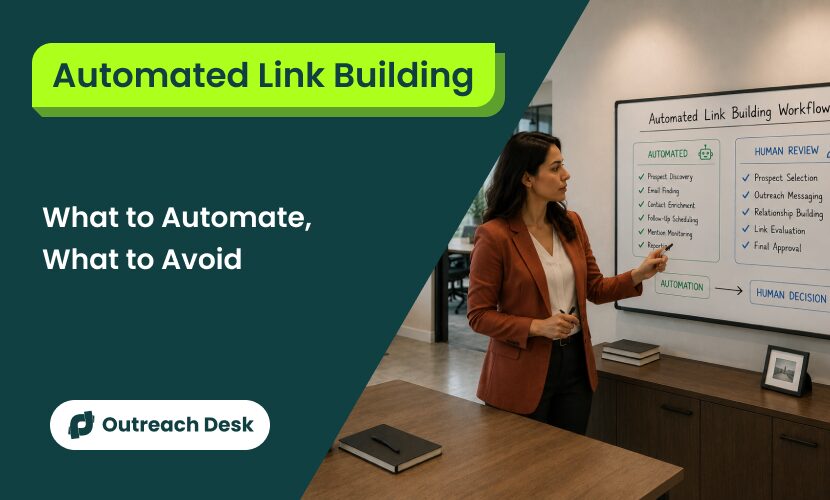
Automated link building is the practice of leveraging software to speed up and scale the backlink acquisition process.
The tasks that don’t require judgment, finding prospects, finding their email addresses, sending follow-ups, tracking responses, and monitoring for new mentions, are the ones you can safely hand to a tool.
The tasks that do require judgment are the ones you keep for yourself.
The Short Version
- Prospecting, email finding, sequencing, monitoring, and internal linking are safe to fully automate.
- The link itself is never safe to automate: content generation, placement, and anchor rotation trigger Google penalties.
- Outreach reply rates average 3.43% in 2026; 58% of replies come from the first email, not follow-ups.
- A four-zone framework (Safe, Human Review, Risky, Never) tells you where every task lands.
- Internal linking is the highest-payoff automation you can set up with no risk of penalties.
- The $0 stack covers all five automation categories before you spend anything.
- Three signals tell you when to stop automating and go manual or hire out.
What Automated Link Building Actually Means in 2026
Automated link building means using software to handle the data-and-process work of earning backlinks.
Automated link building saves time on the tasks that don’t require judgment, so you can spend that time on the tasks that do.
Tools handle the volume, and you handle the decisions. That split is what makes automation safe.
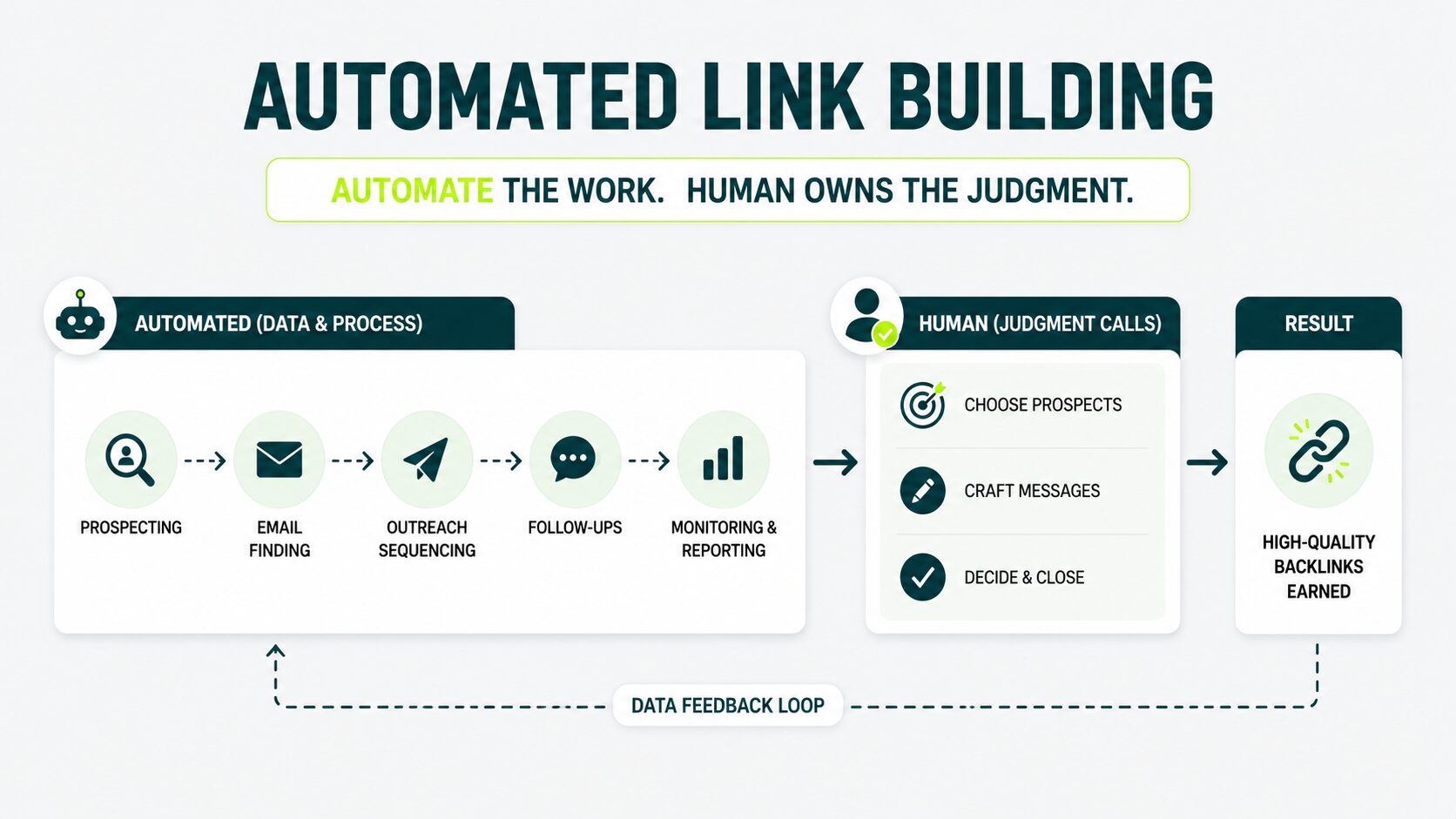
Most link building tasks fall into one of two categories: data work and judgment.
These two categories determine what you hand to a tool and what you keep for yourself.
It’s the safest way to use automation tools without earning a Google penalty.
Data Work: The Tasks You Hand to a Tool
Hand every repeatable, volume-driven task to a tool:
- Finding 500 sites that link to your competitor but not to you.
- Pulling contact emails.
- Sending a follow-up on day 4 and another on day 8.
- Logging replies.
Judgment Work: The Tasks Only You Can Do
Keep every decision that touches the link itself to yourself. Tasks like: whether to pitch a site, what to say, and whether the placement is worth building on.
Automate the data. Hold the judgment.
Anyone selling you a “fully automated” tool is selling you the data half wrapped in marketing or selling you risk.
Manual link building strategies still work in 2026, but it costs hours per link.
The Parts of Link Building to Automate
Six link building tasks you can safely automate end-to-end: prospecting, email finding and enrichment, outreach sequencing and follow-ups, mention monitoring, internal linking, and reporting.
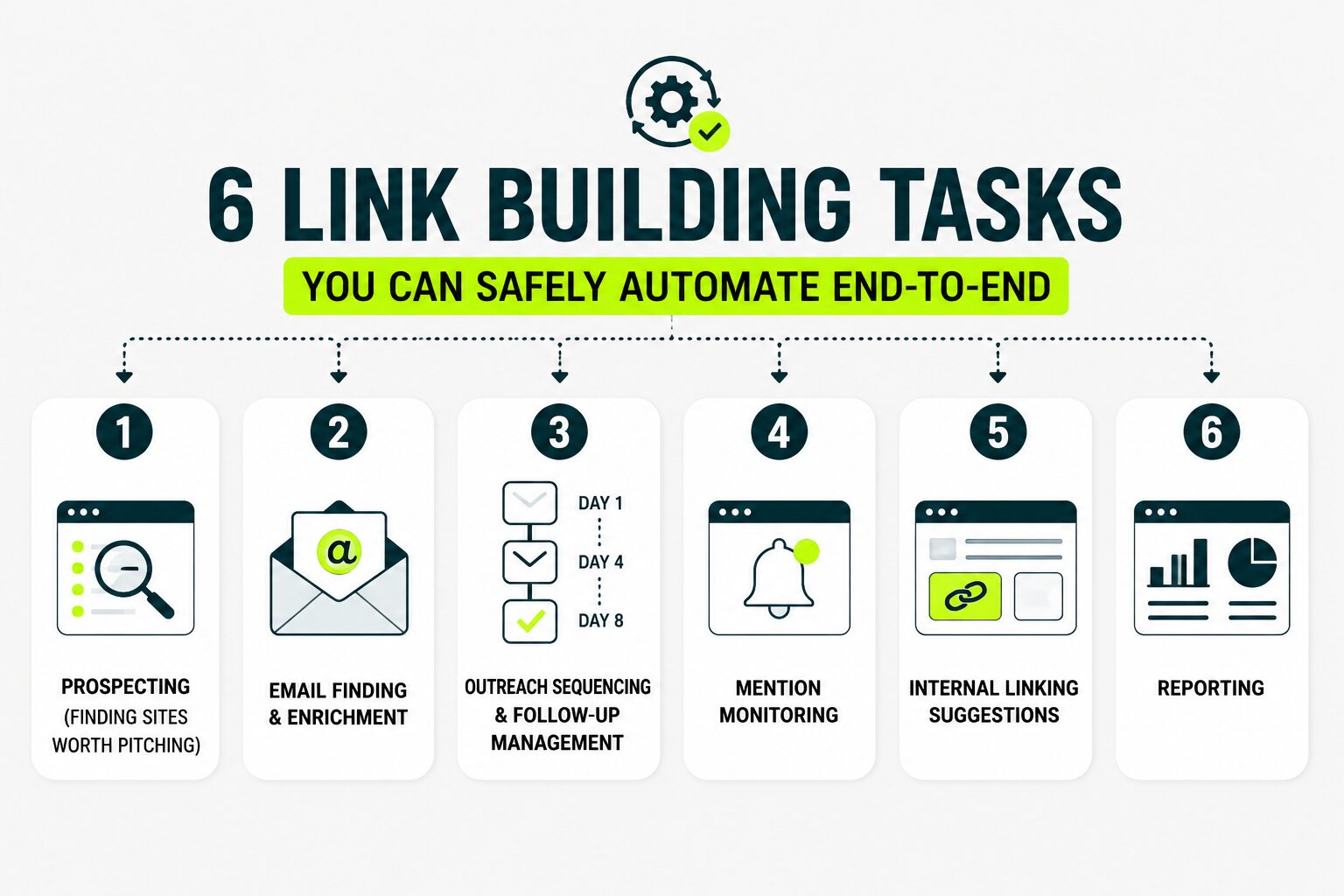
1. Prospecting (Finding Sites Worth Pitching)
Prospecting is the work of building a list of websites worth pitching for a link. It’s the one of the safest tasks to fully automate without touching link quality.
Automation software does prospecting in two ways:
- It scans competitors’ backlink profiles to find sites linking to them but not to you.
- It searches the web for pages on topics close to yours.
You set the rules once, and the tool handles the rest. A 200-line spreadsheet that used to take you 6 hours to build by hand? The tool builds it in 4 minutes.
The Tools That Get This Job Done
- Ahrefs
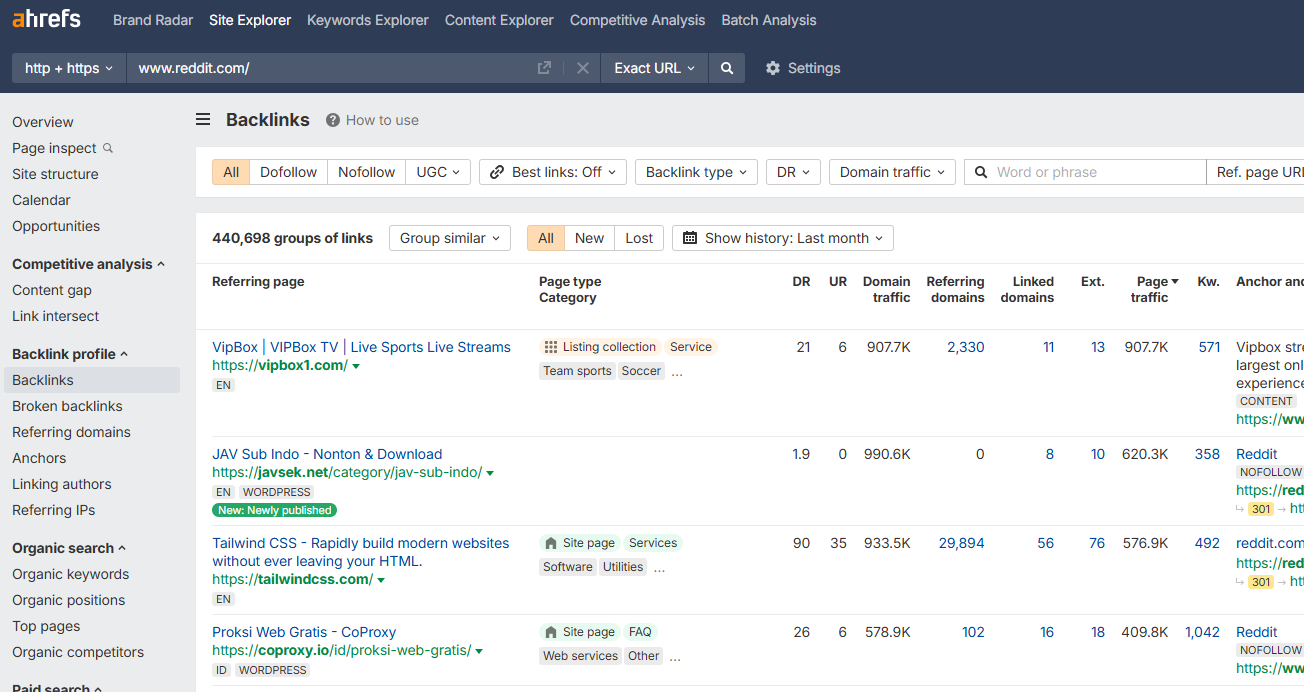
Ahrefs gives you the most complete view of any site’s backlink profile.
That makes it the go-to choice when you want to find sites linking to your competitor but not to you.
The image shows the backlink profile for reddit.com in Ahrefs’ Backlinks tool.
- Semrush
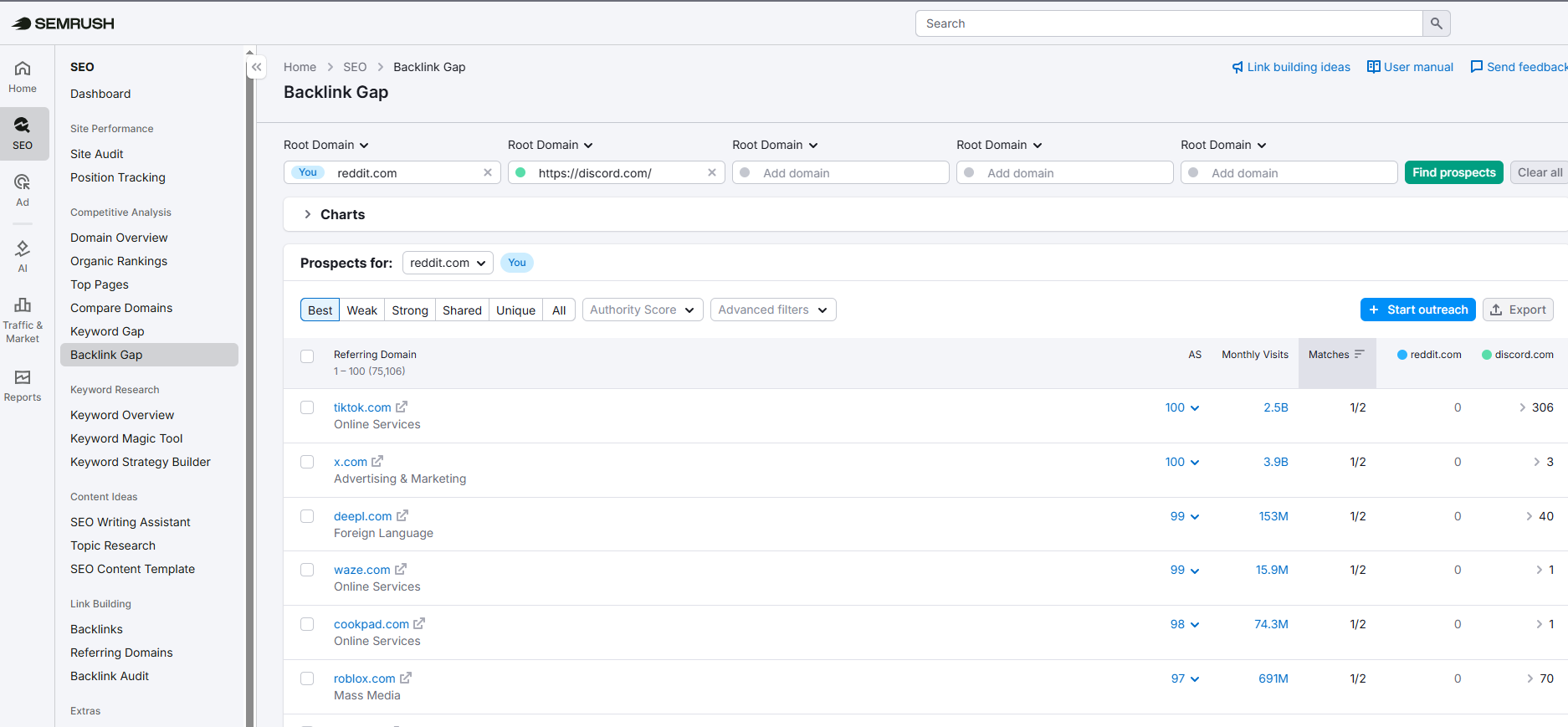
Semrush runs the same kind of scan and adds stronger keyword research on top of it. It’s a smart fit if you want a single tool to handle both jobs.
The image shows competing domains (Discord and Reddit) side by side, so you spot the gap instantly in the Semrush Backlink Gap tool.
- Ahrefs Webmaster Tools
If you’re starting with $0, then Ahrefs Webmaster Tools (free for sites you own), paired with Google Search Console, covers the basics without spending a dollar.
The mistake beginners make here is sending a raw 200-line list straight to outreach without filtering. That’s not a prospect list.
You turn the list into a prospect list by removing the dead domains, the obvious mismatches, and the sites your competitor already wrote for.
Clean the list first. Then pitch. That’s how you scale with precision.
A SaaS company might export every site linking to three competitors, filter out directories and forums, then review the remaining prospects manually.
What used to take half a day can be reduced to a few minutes.
Across our campaigns, we consistently narrow a large starting list to a much smaller set of sites using these tools that are actually worth pitching.
2. Email Finding and Enrichment
Email finding closes the gap between a domain on your prospect list and a real person you can message.
Enrichment then layers in their name, role, LinkedIn profile, and context, letting you write a sharper, more relevant opener.
This is the easiest win in link building that most people skip.
- Use Hunter.io to find emails by domain, fast.
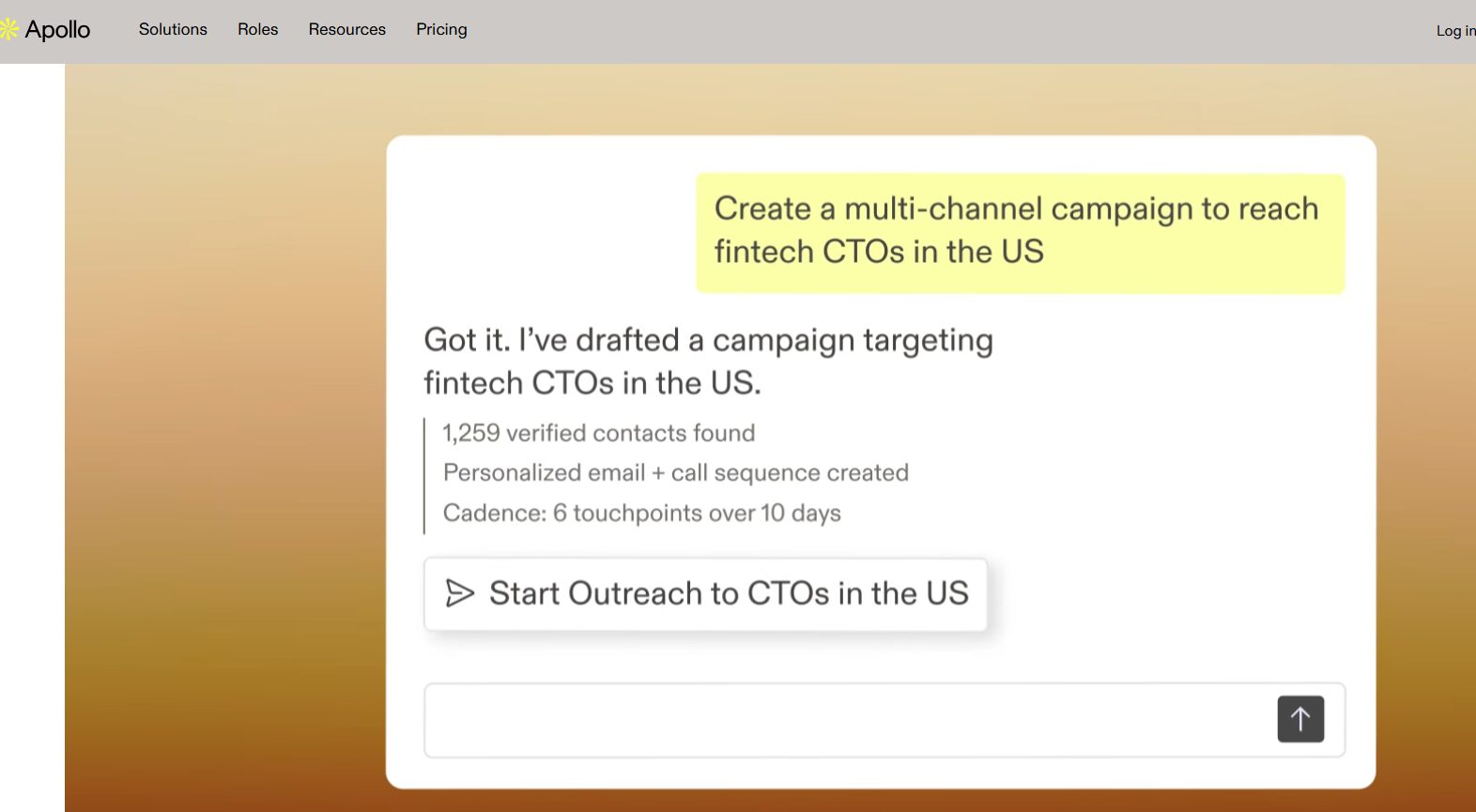
- Contact databases like Apollo help you find contacts, build targeted prospect lists, and get verified email addresses, along with role and company details.
- A data enrichment tool like Clearbit helps you to automatically fill in job title, seniority, company size, industry, and location.
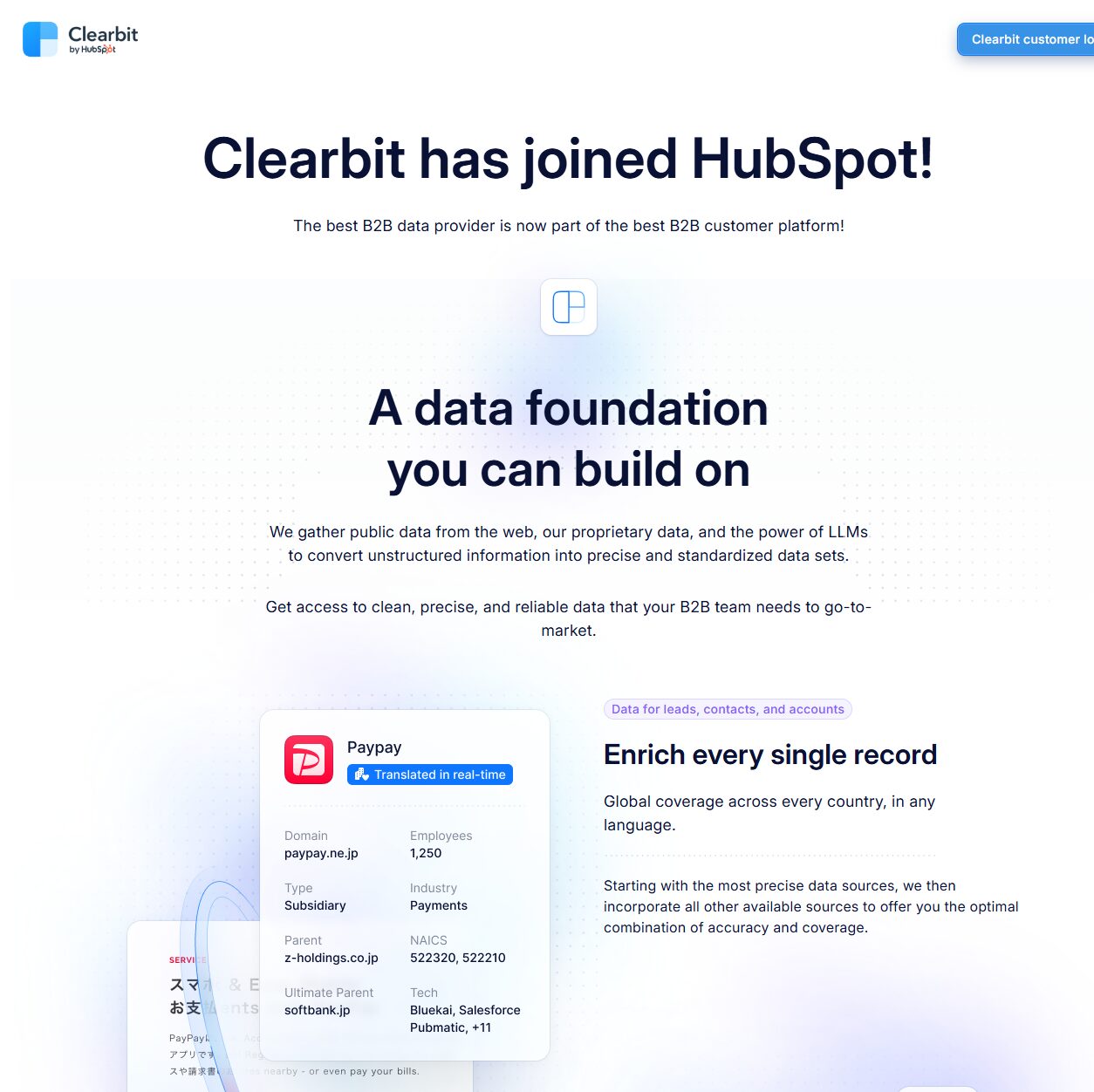
The result is a clean prospect row you can use to write a message that actually lands.
Doing this manually takes about 90 seconds per prospect, but with automation, it takes less than 5 seconds.
Across a 500-prospect campaign, that’s the difference between a full day and a coffee break.
3. Outreach Sequencing and Follow-Ups
Sequencing tools handle your follow-up calendar so no reply window gets missed. The first email on Day 1, a polite check-in on Day 4, and a final note on Day 8.
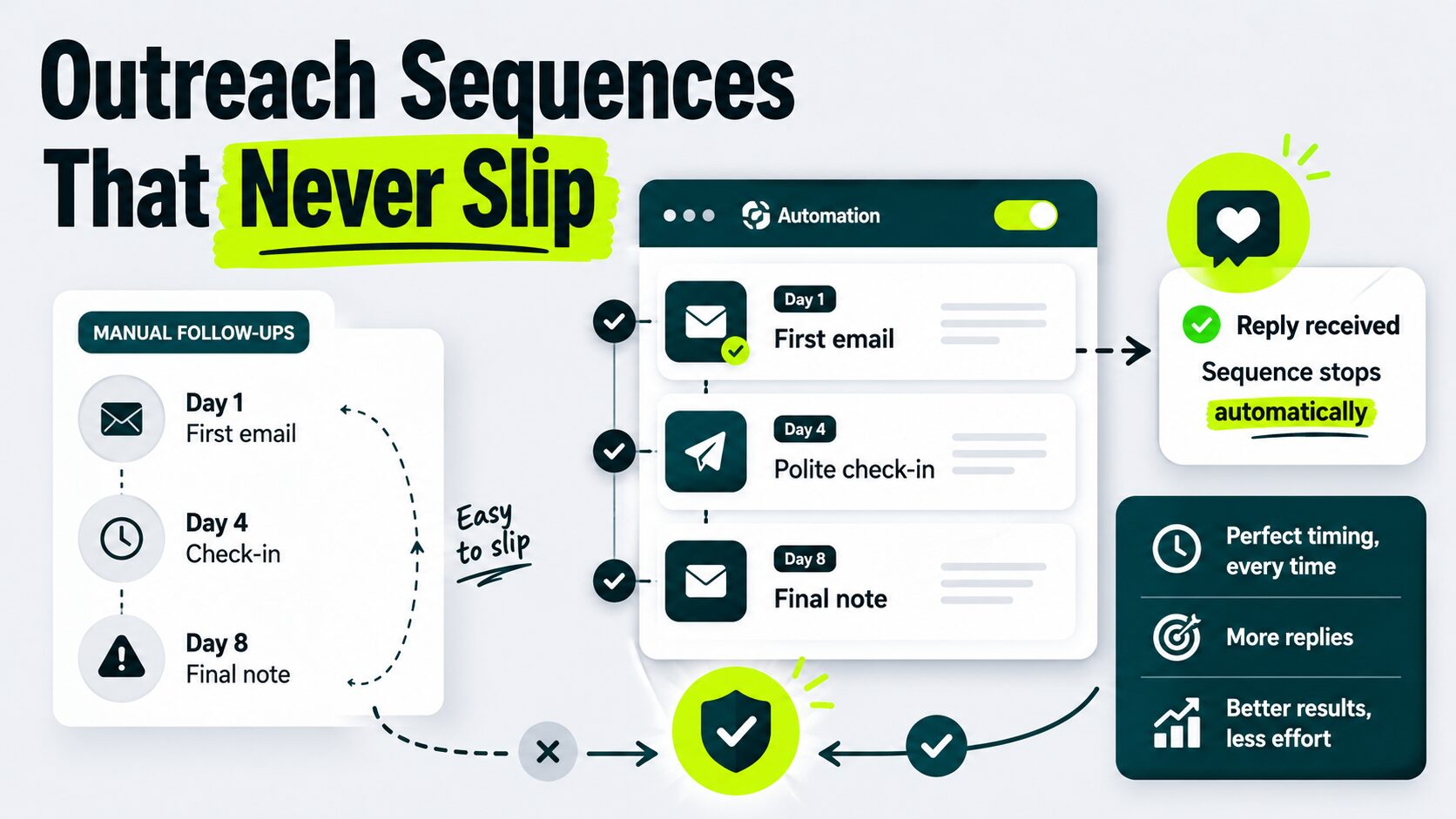
The right tool handles timing and personalization on fields and stops sending the moment someone replies. This is one of the highest-impact automations you can run.
Follow-ups drive a meaningful share of all replies. But when you run this manually, there’s a chance day 4 might slip. The tool never lets it slip.
Four Tools to Use Based on Your Goal
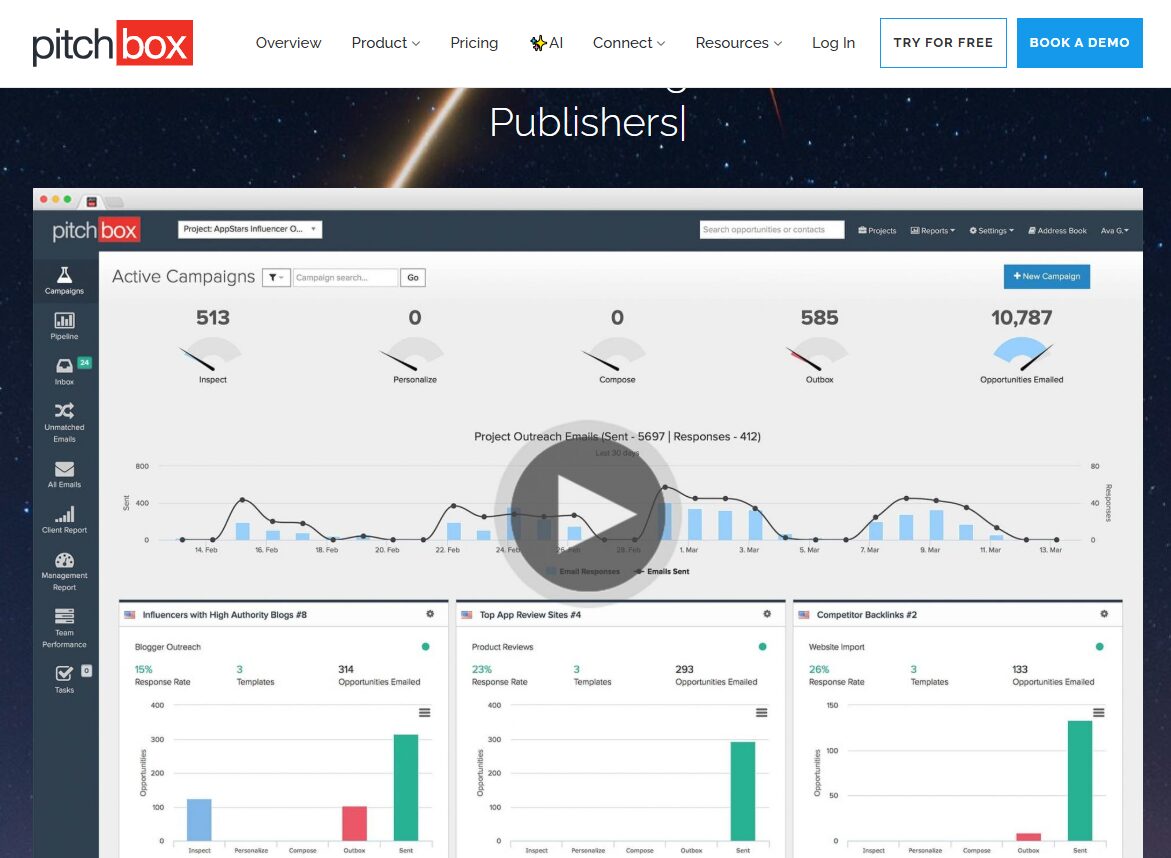
1. Pitchbox
Built for SEO outreach. Cleanest workflow if link building is your primary use case.
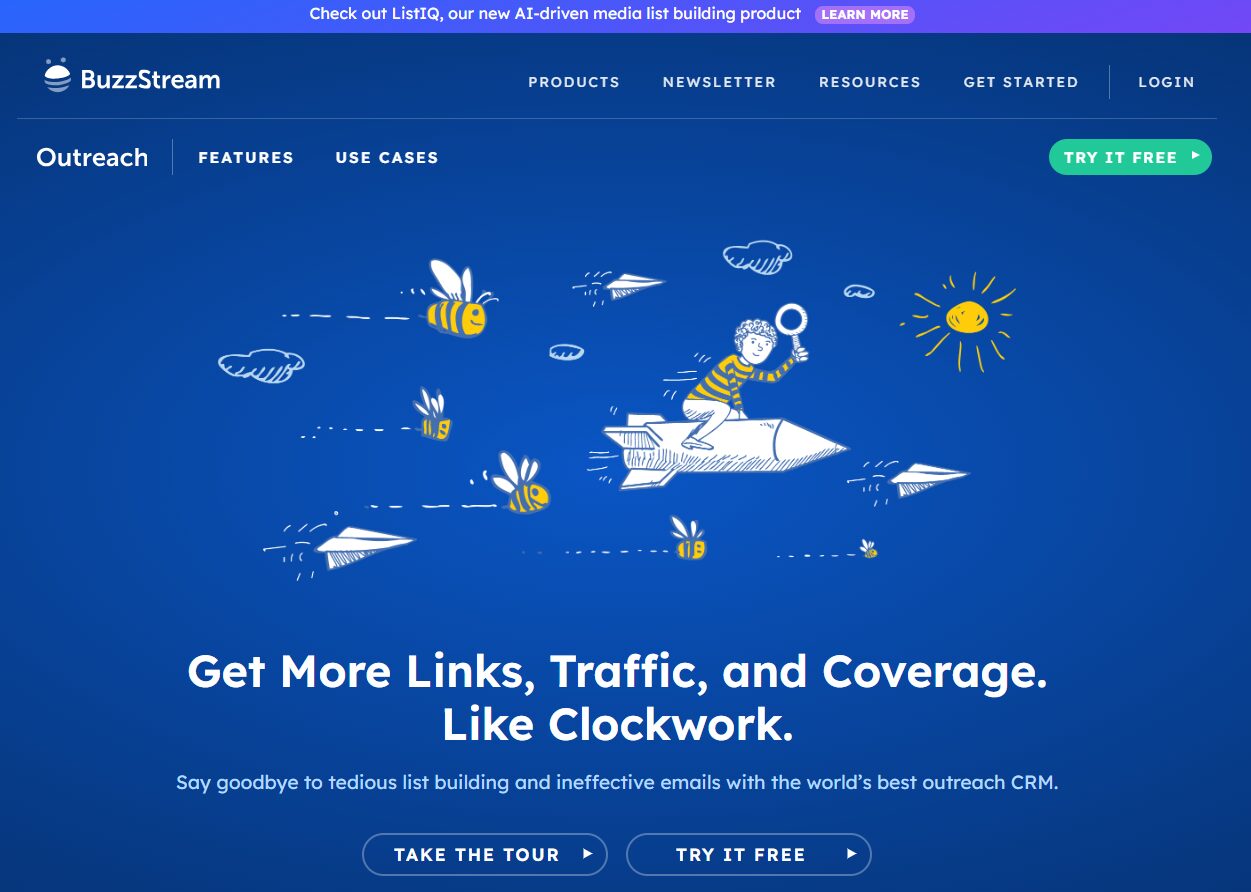
2. BuzzStream
Easier to manage and relationship-focused. Fits well if you’re building long-term editor relationships rather than running pure cold campaigns.
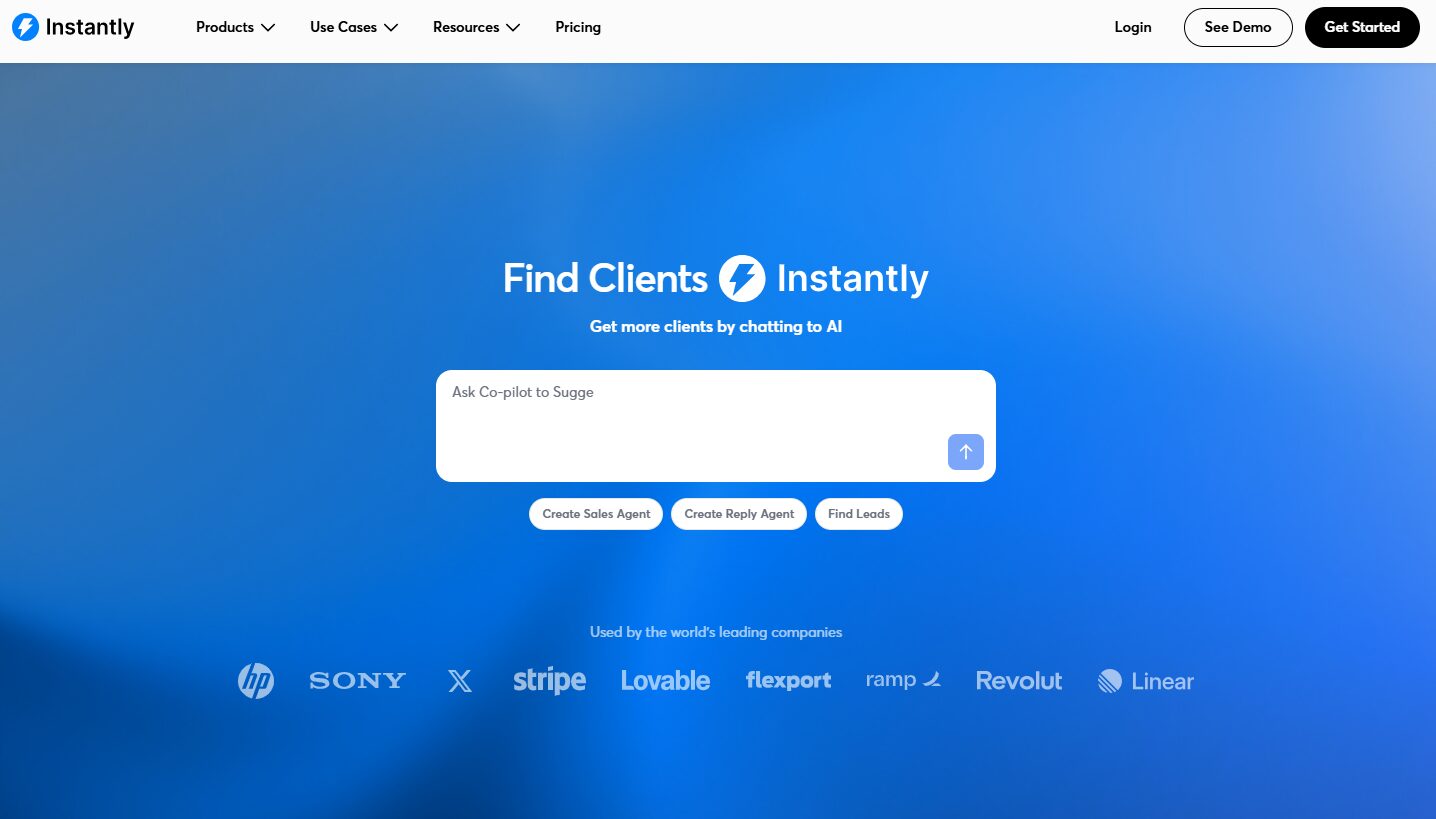
3. Instantly.ai
Automates personalized outreach and follow-ups, helping you scale guest posting, link insertions, and digital PR campaigns without manual tracking.
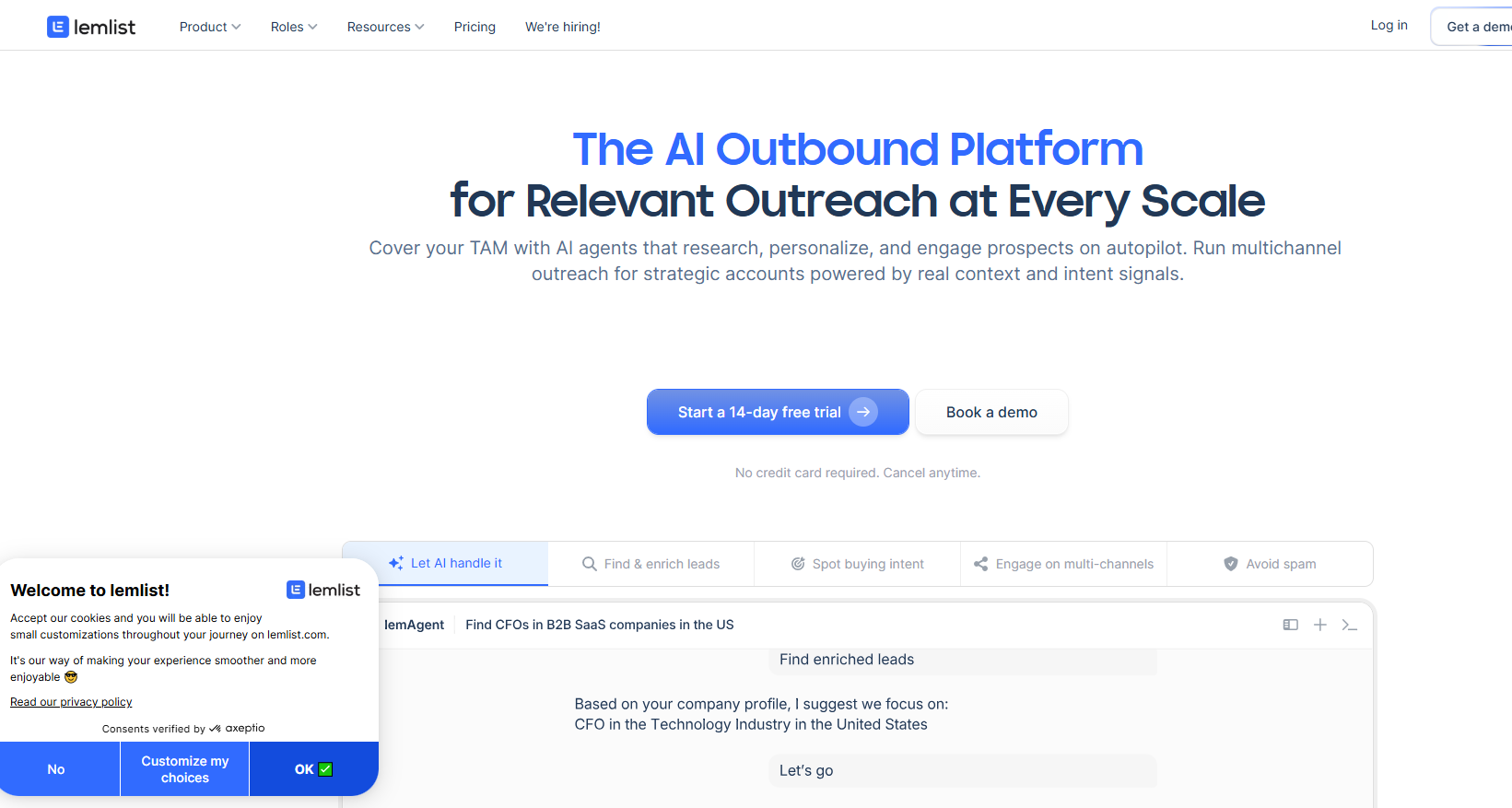
4. Lemlist
Combines email and LinkedIn outreach with automated sequences, making it easier to build relationships and consistently earn links.
A newer category of tools aims to combine prospecting, research, and outreach into a single workflow. Linkee.ai is one example.
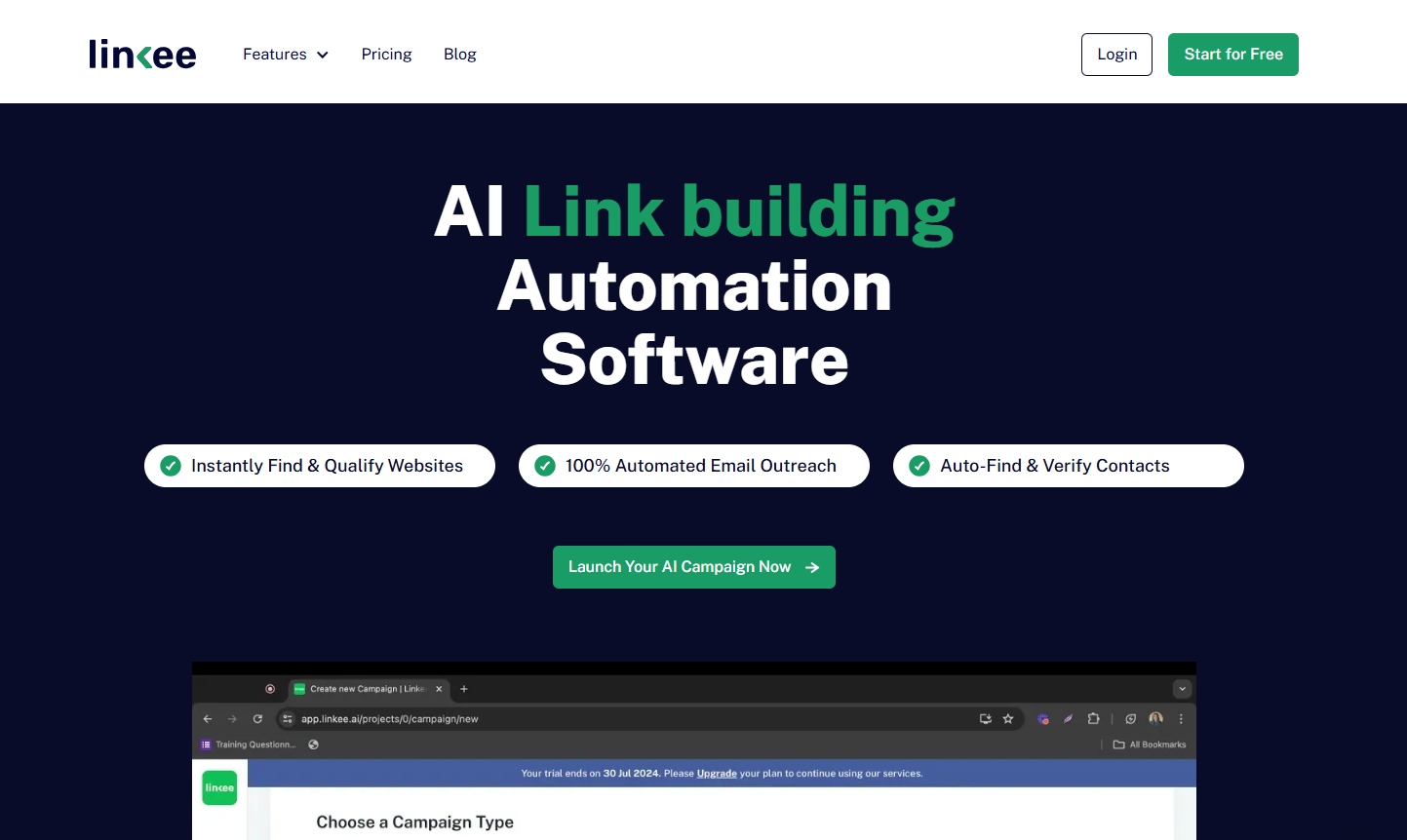
These automation platforms can reduce the number of tools in your stack, but they still require human review for prospect selection, messaging, and relationship building.
4. Mention Monitoring (and Reclamation)
Mention monitoring turns unlinked brand references into backlinks with a single two-line email.
Most teams overlook this opportunity, even though it’s one of the easier wins available.
Sometimes people mention your brand without linking to your site. You track those mentions. You send a two-line note asking the author to add the link. About one in four say yes.
Tools That Do The Work for You
- Ahrefs and Semrush both include alert modules
- BrandMentions and Mention cover the middle ground
- Google Alerts handles this for free
The tool finds the opportunity, and you write the email. That’s the full process.
If you want the complete walkthrough, we’ve put together a step-by-step guide on turning unlinked mentions into real links so you can move fast when the next opportunity shows up.
5. Internal Linking (the Quiet Winner)
Internal linking means adding links from one page on your site to another page on the same site.
It’s the only link building task with zero outreach, zero penalty risk, and same-day results. The right software reads your content, matches topics, and suggests links for you.
Internal link building is the highest-payoff automation nobody talks about.
You install one tool, and you ship stronger internal links by the end of the afternoon.
The Tool to Know
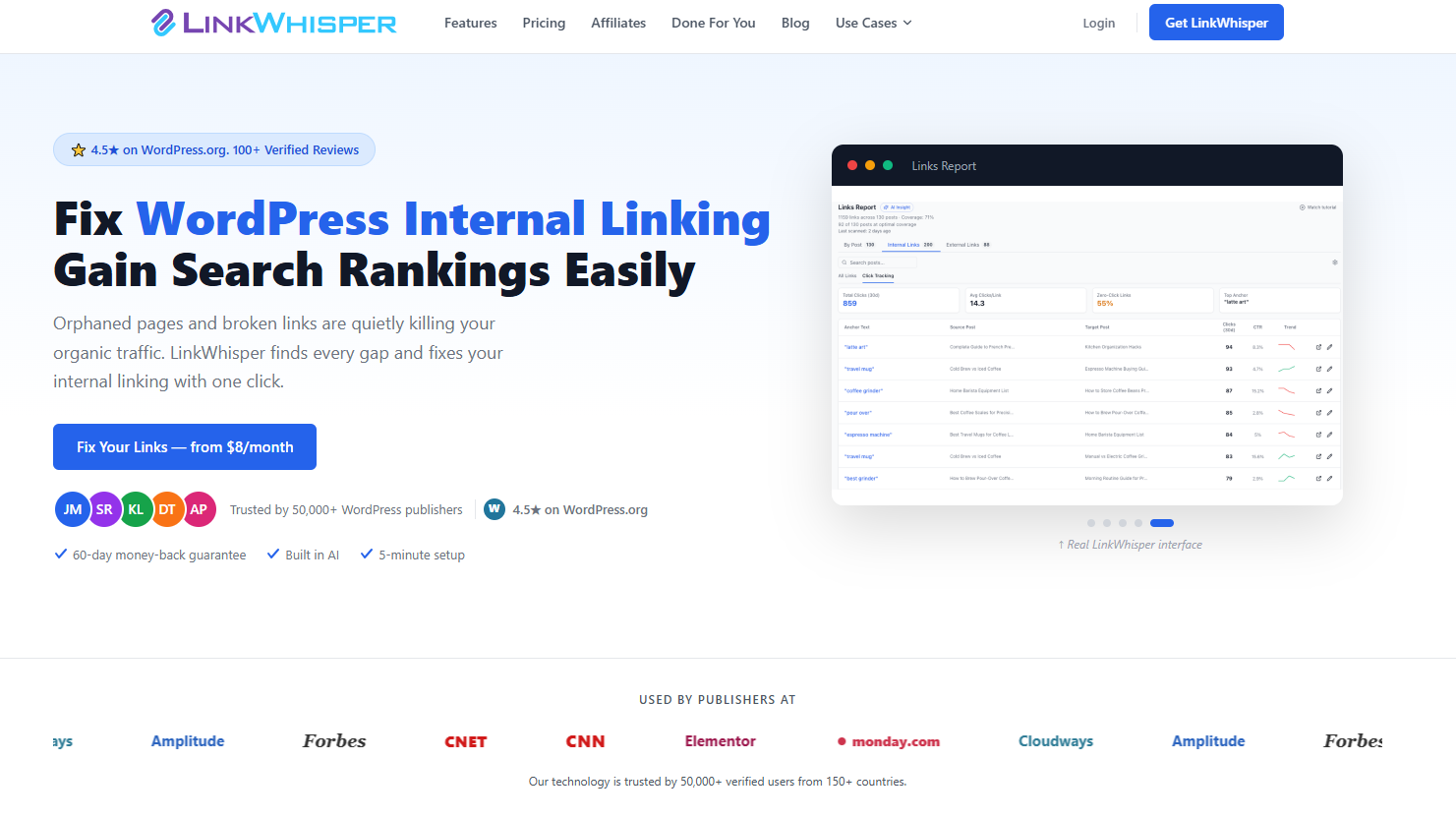
Link Whisper
This is a WordPress plugin that reads every new article and tells you exactly where to link, and where to link from.
Other platforms offer similar tools, but Link Whisper leads the pack in maturity and reliability.
6. Reporting
Reporting tells you three things: reply rate, placement rate, and links earned per dollar spent. Most outreach tools include this. Start from here and build as you grow.
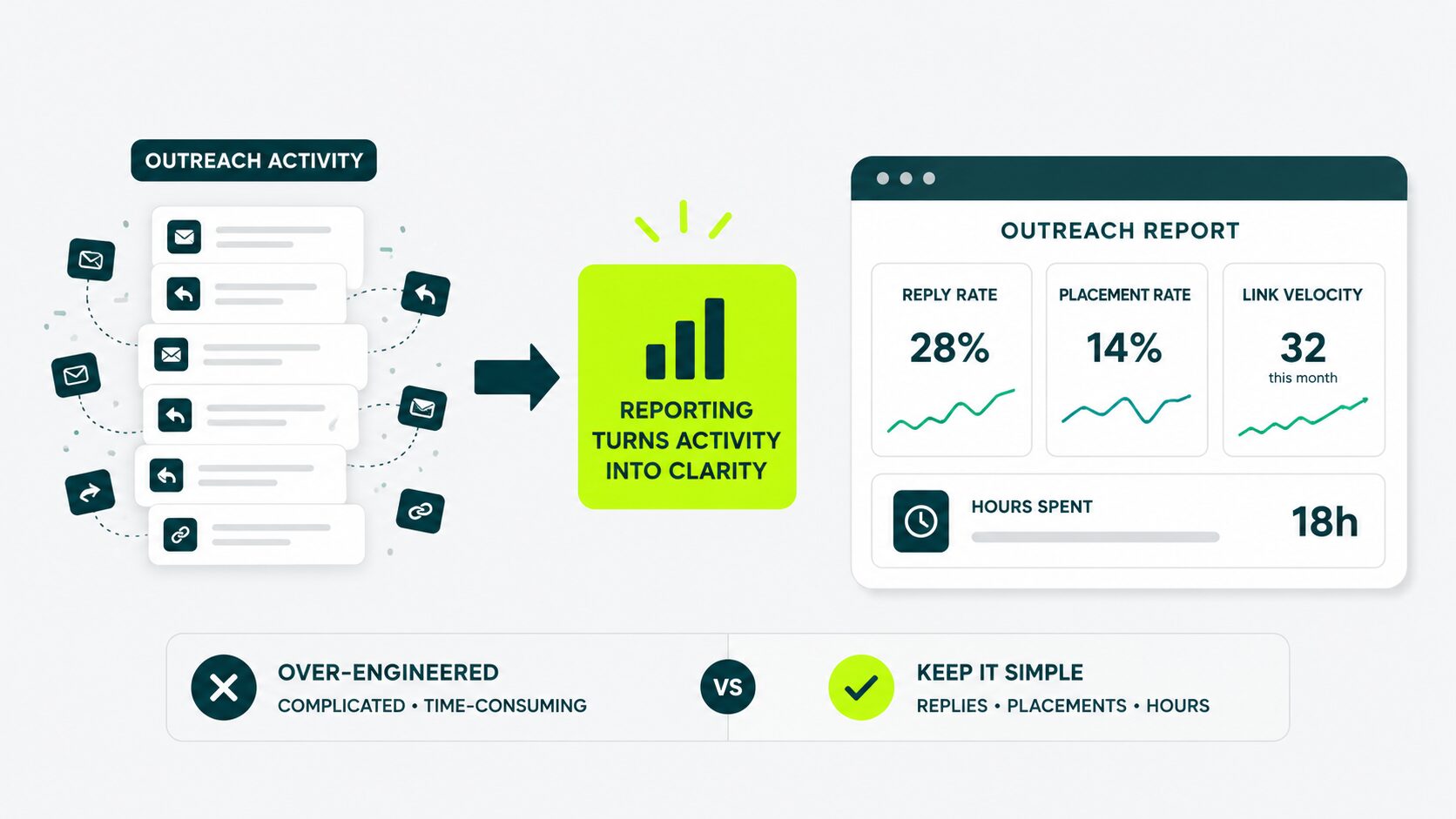
Pitchbox automatically creates dashboards for reply rate, placement rate, and link velocity (the rate at which new backlinks arrive over time). BuzzStream gives you a similar live view.
If you’re running on Google Sheets, a free template that pulls from your Gmail labels gets you 80% of the way there.
This is also the section where most beginners over-engineer things. You don’t need a custom dashboard in month one.
Where Automation Fails (and How It Gets You Penalized)
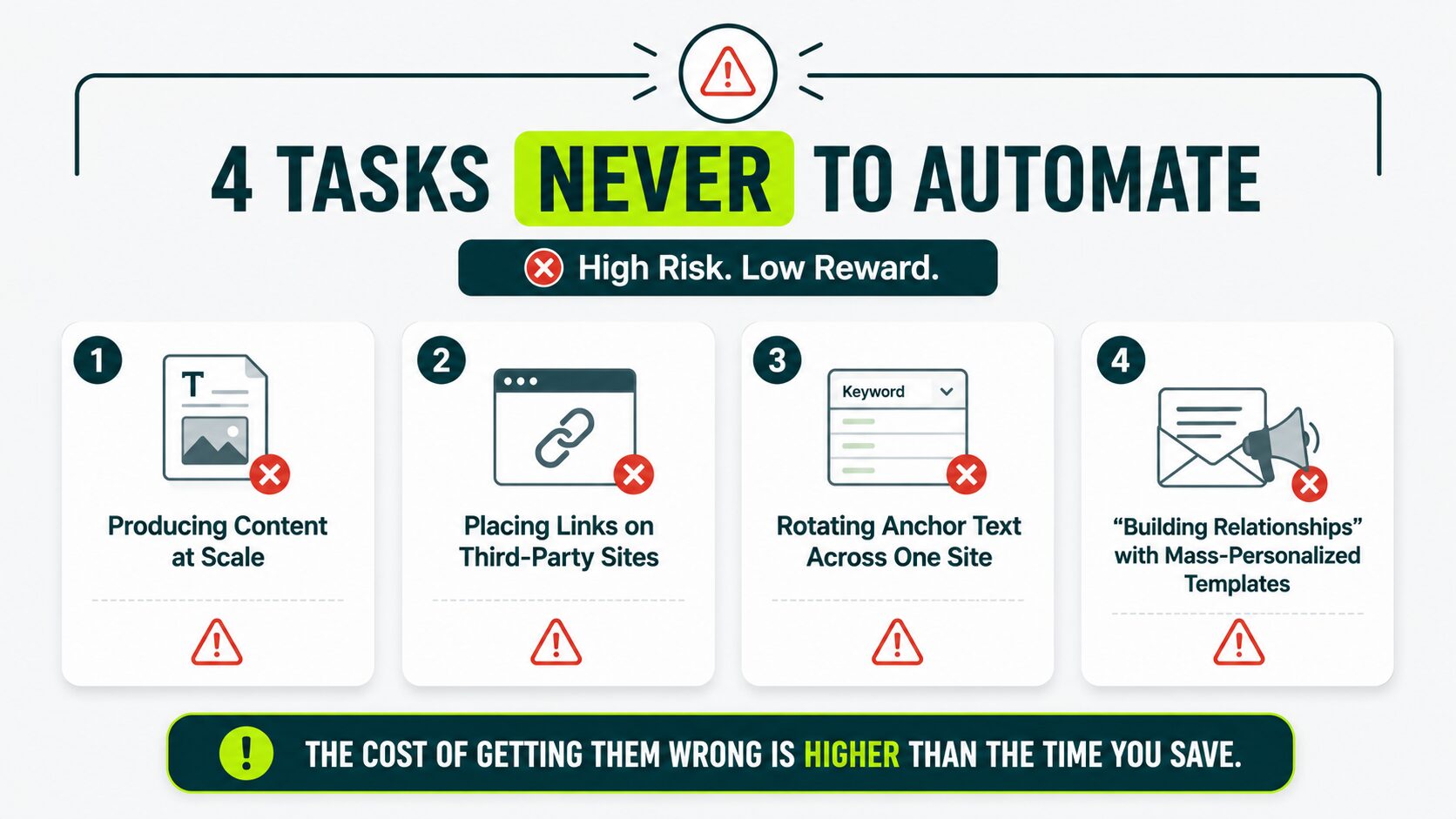
Four tasks will get you penalized if you automate them: content generation at scale, link placement, anchor text rotation, and mass-personalized outreach.
The cost of getting them wrong is higher than the time you save.
Auto-Generating Content at Scale
Generating dozens or hundreds of articles a week with an AI tool, then publishing them to your site or to others, is the fastest path to a manual penalty from Google in 2026.
Google’s spam policies call this out directly under the “scaled content abuse” heading.
It doesn’t matter how clean the writing sounds or whether you “edited the output.” If software drives the dominant production method, the policy applies to you.
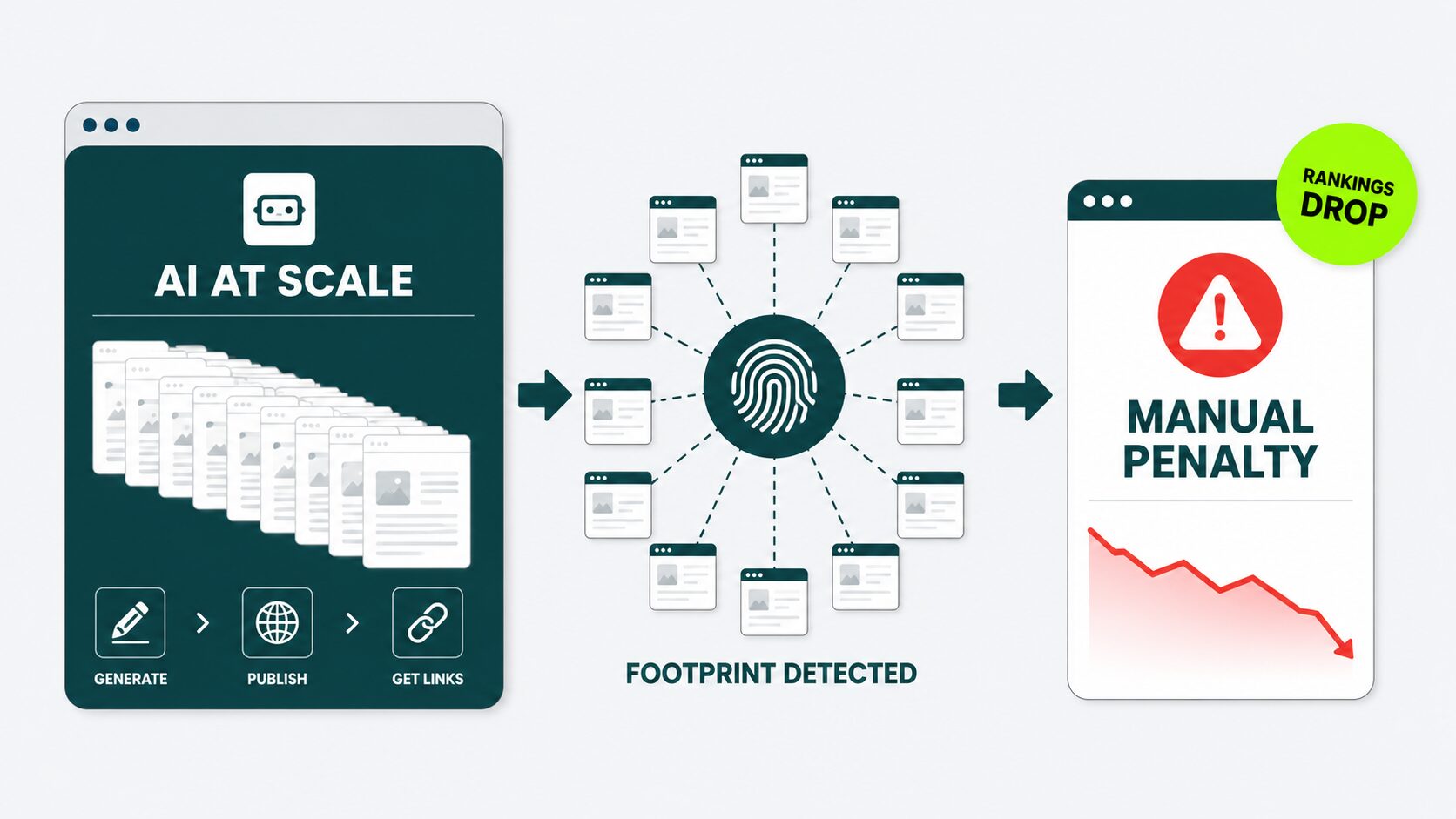
This policy also covers auto-generated guest posts for outreach.
When a tool writes 50 mediocre articles, places them on 50 mediocre sites, and points every link at you, you’re buying a footprint. This does not build authority.
SEOs call this pattern a footprint: a recurring network of low-quality sites all linking to the same target. Google catches footprints, and your rankings get affected.
Auto-Placement on Link Marketplaces
A “link marketplace” is a platform where you pay money, type in the page you want linked to and the anchor text you want, and a link appears on a website you’ve never spoken to.
This is auto-placement automation. There is no editor reading your pitch. There is no relationship. There is no judgment call about whether the placement makes sense for the host site.
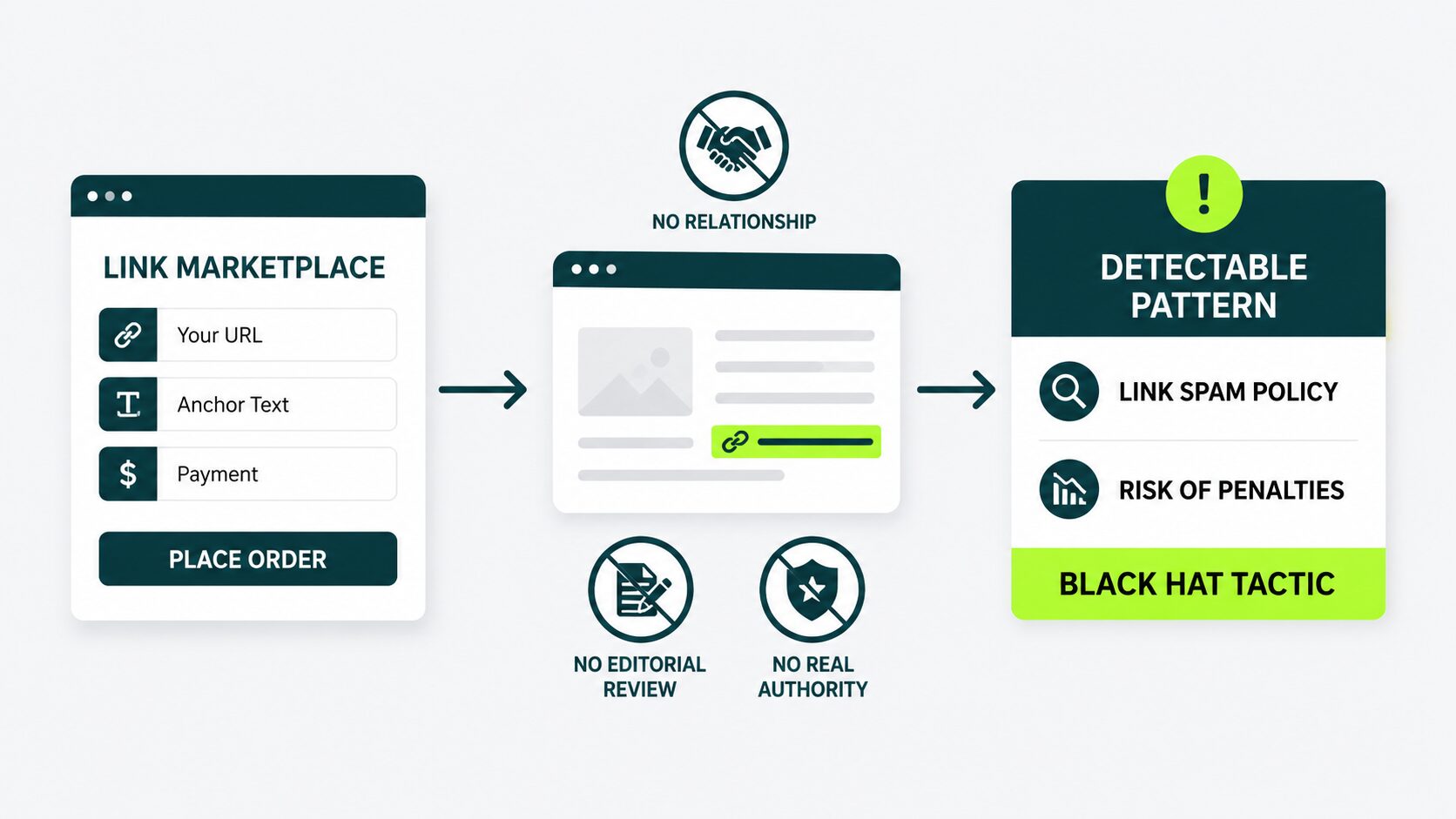
Google’s link spam policy treats this as paying for a link with a chosen anchor phrase. Even when the platform calls itself something else, the pattern stays detectable.
Sites that buy this way tend to get hit by link-spam algorithm updates. This category falls under black hat link building tactics you want to avoid.
Algorithmic Anchor Text Rotation
Anchor text rotation tools create exactly the distribution pattern Google’s manual review team is trained to flag.
These link building tools automatically assign one anchor to each new link you build, in supposedly natural percentages. That sounds clever. It isn’t.
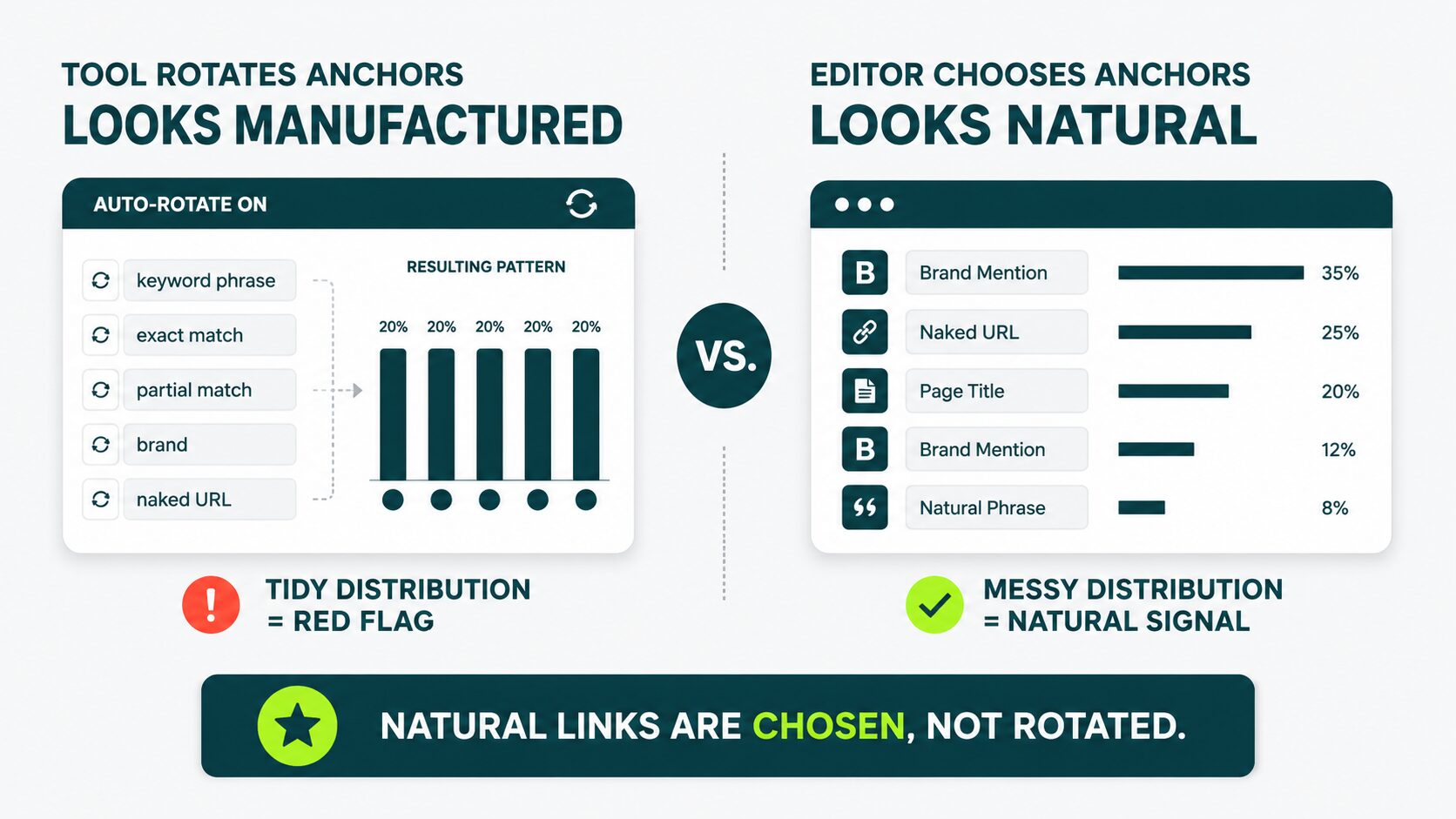
Real backlink profiles are messy. They include branded mentions (“Nike”), naked URLs (“Nike.com”), raw page titles (“Nike’s 2026 Running Shoe Guide”), and a few keyword-matching phrases.
They don’t produce a tidy distribution chart. A tool rotating anchors does, and that triggers a manual review at Google.
Skip this entirely. Let the linking site choose the anchor. That’s what a real, natural link looks like.
Mass-Personalized “Relationship Building”
AI-generated personalization looks like outreach and gets filtered like spam.
AI tools can now write a “personalized” opening line based on someone’s LinkedIn bio, last blog post, or recent tweet.
That’s not personalization. That’s bulk email with a custom-looking first sentence, and spam filters now catch it quickly.
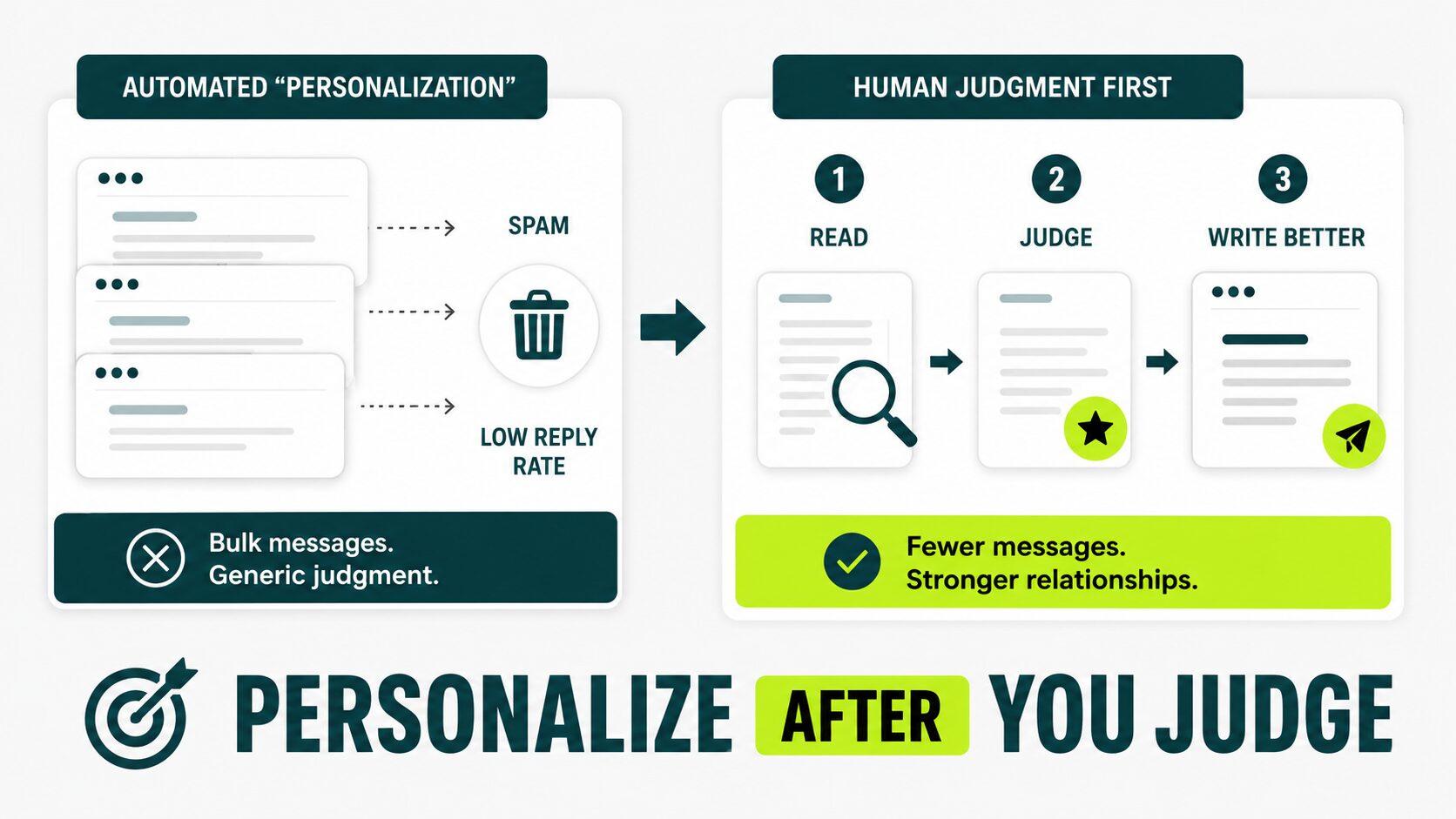
Real personalization means a human reads something the prospect wrote and forms a specific, genuine opinion about it.
AI-generated openers get filtered by inbox spam classifiers faster every quarter, because they all carry the same patterns. Reply rates fall faster than volume rises.
AI opener:
I noticed your recent article about SaaS growth and enjoyed your insights.
Human opener:
In your February churn study, the retention benchmark came from 2021 data. We recently analyzed 200 campaigns and found a very different trend.
Note
Use AI to help you write a better message after you’ve made the human judgment call about who actually deserves one. Don’t use it to manufacture the judgment itself.
A Simple Way to Decide What to Automate
Use a four-zone framework to decide what to automate: Safe to Fully Automate, Safe with Human Review, Risky, and Never.
The framework sorts every link building task into two questions: how mechanical the task is, and how bad the failure case is. You need both.
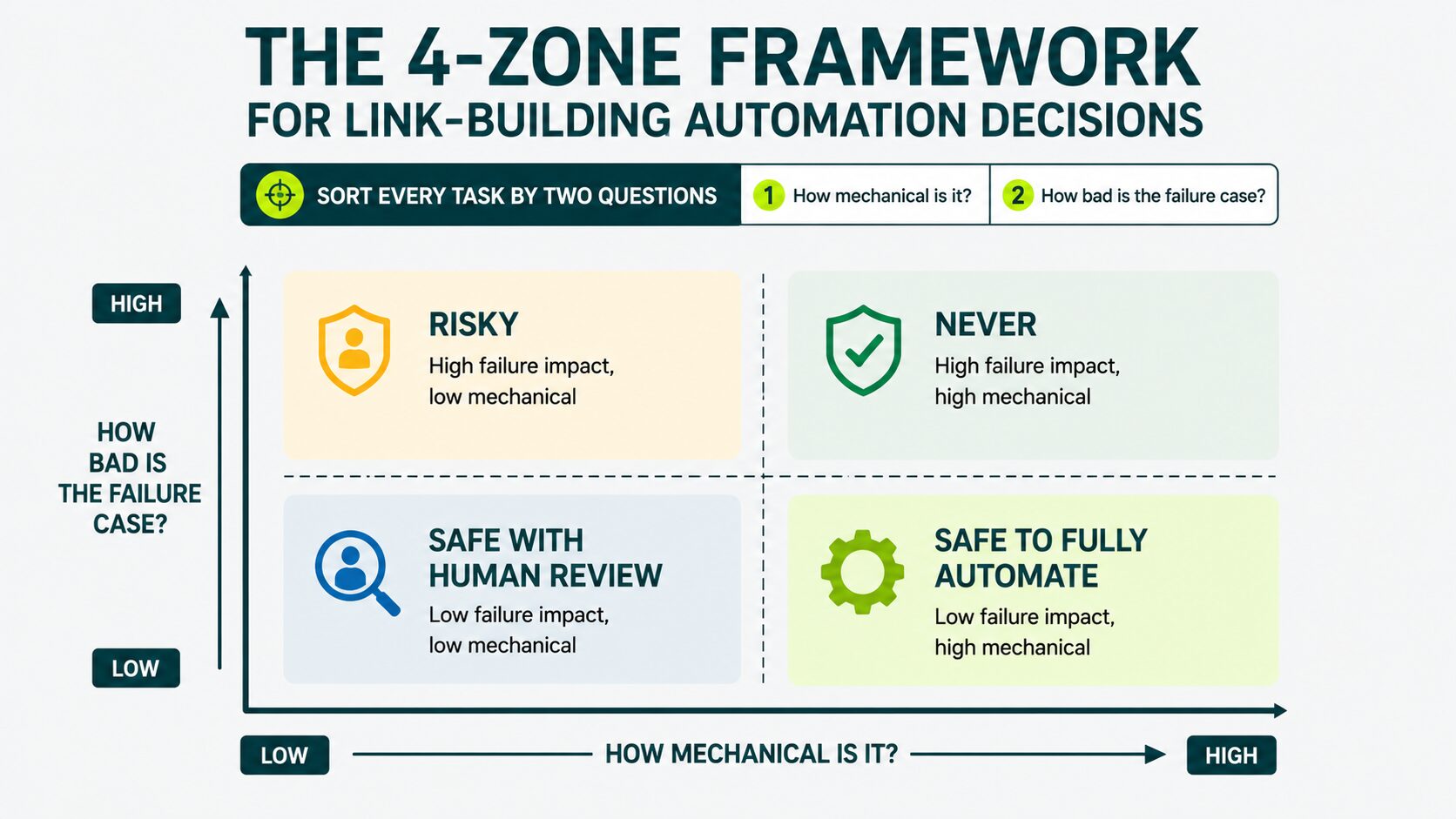
Mechanical vs. judgment question:
Can a tool produce the same output as a careful human, or does the work require a human to read and decide?
Failure cost question:
If the automation gets this wrong, what do you lose? Twenty minutes? A key relationship? A manual penalty?
This is what each common task lands:
| TASK |
ZONE |
WHY |
|---|---|---|
| Prospecting (building a list) |
Safe to Fully Automate | Mechanical; low failure cost |
| Email finding and enrichment |
Safe to Fully Automate | Mechanical; worst case is one bounced email |
| Outreach sequencing (sending + follow-ups) |
Safe with Human Review | Mostly mechanical, but the message itself needs a human |
| Mention monitoring |
Safe to Fully Automate | Pure scanning work; the email follow-up stays human |
| Internal linking suggestions |
Safe to Fully Automate | The tool suggests; you approve |
| Mass-personalized outreach openers |
Risky | Looks mechanical, but AI-written openers get flagged by spam filters and quietly tank your reply rate |
| Content generation at scale |
Never | Triggers Google’s scaled-content policy |
| Auto-placement on link marketplaces |
Never | Triggers Google’s link-spam policy |
| Anchor text rotation across one site |
Never | Creates the exact pattern Google penalizes |
Once you see it in a table, the pattern clicks.
You handle everything that touches the link itself and the content it points to. Software handles everything around the link’s data.
How Outreach Reply Rates Have Shifted (and What To Do Differently)
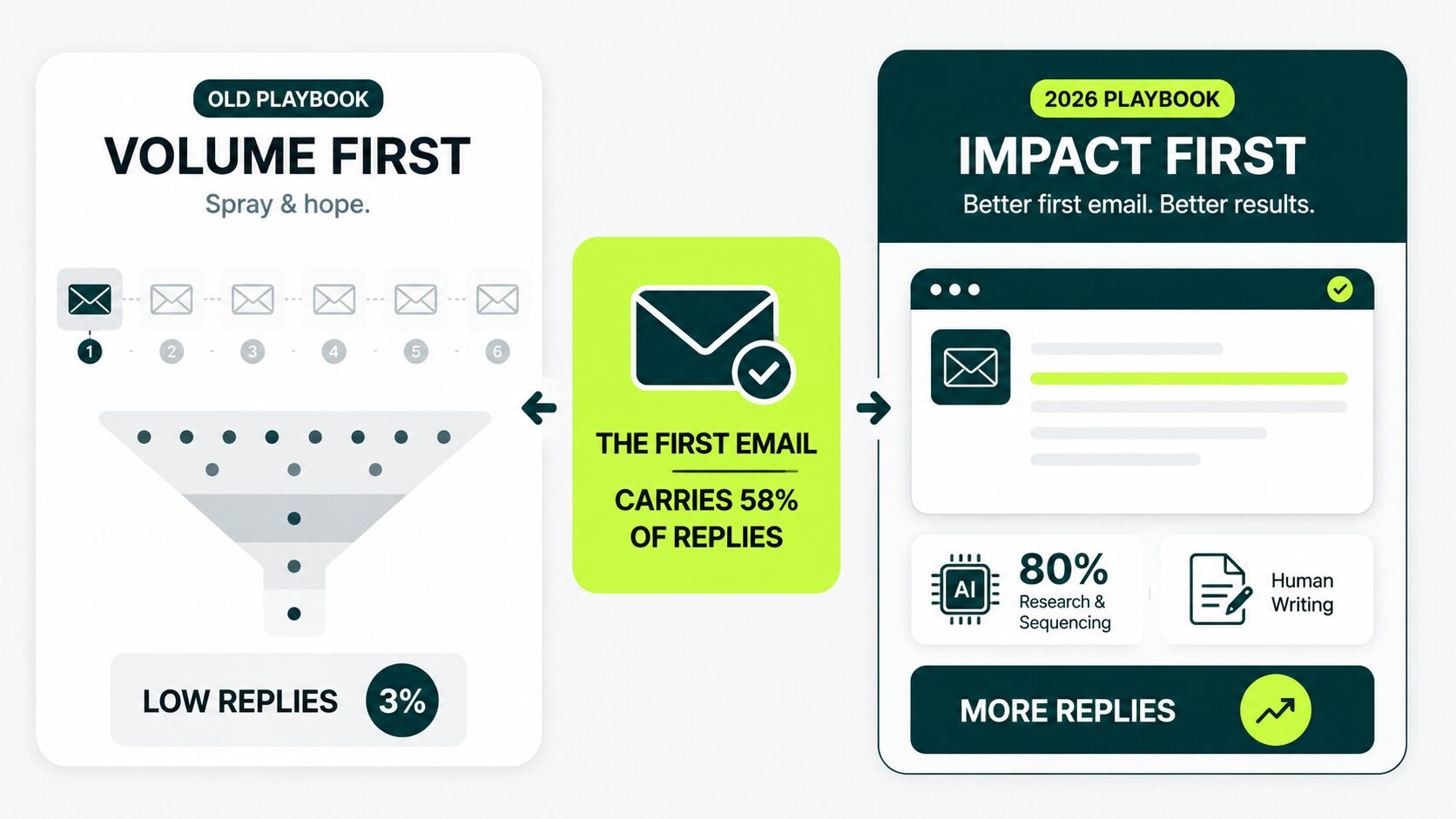
The first email tends to be the single highest-converting touch, but follow-ups collectively still drive a substantial, sometimes comparable, portion of total replies.
Successful outreach teams spend less time increasing volume and more time improving prospect research, personalization, and first email quality.
Instantly’s 2026 cold email benchmark report states that:
- Average reply rate: 3.43%
- Replies from the first email: 58%
These numbers have important implications for outreach automation.
Two Things Decide How to Automate
1. Reply Rates Are Too Low For Blunt Volume Strategies To Pay
A campaign sent to 1,000 prospects at a 3% reply rate generates only 30 replies. If a third becomes real conversations, you’ve used 1,000 outreach attempts to create just 10 opportunities.
2. The First Email Now Carries More of the Load
Since most replies happen before a follow-up gets sent, weak opening emails leave most of the reply potential untouched.
What You Need to Do Differently for Your Outreach Stack
Cut anything built around sending more follow-ups or bigger lists.
Instead, look for enrichment tools like Apollo or Clearbit that surface real context about each prospect, and turn that context into a specific first line. Avoid a generic template with a name swapped in.
AI can help teams gather information, organize prospects, and speed up drafting. Using AI simply to send more emails rarely solves the underlying problem.
We’ve seen this play out in our own client campaigns, too. Well-written first emails consistently beat sequence-heavy approaches.
For a deeper look at how to run outreach, the full outreach process is covered separately.
The AI Search Dimension: What Your Automation Should Do Differently
Your automation should track AI citations along with Google rankings, prioritize publications that get cited and build assets that get extracted.
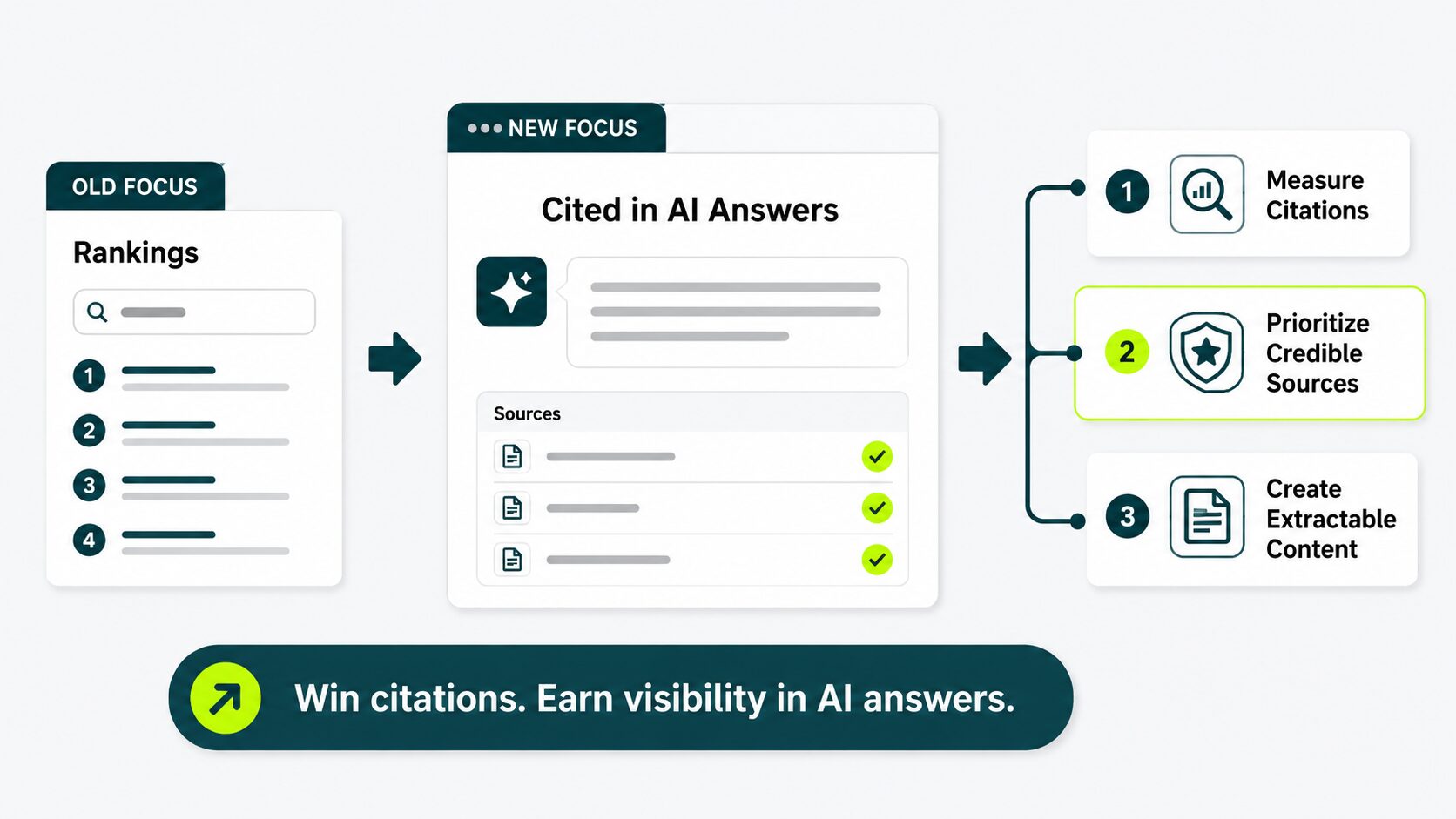
A 2026 survey from Reporter Outreach of 500 SEO pros found that 74% believe backlinks impact AI search visibility, but only 24% track them. You want to be in that 24%.
This is what changed in the world of AI search. When someone asks ChatGPT, Perplexity, or Google AI Overviews a question, the answer often cites specific pages.
Backlinks from those cited sources matter for the same reasons they’ve always mattered in classic search plus one new reason: AI engines weigh authority signals when deciding which pages to quote.
Three Things You Should Act on Now
1. Track AI Citations, Not Just Google Rankings
AI-generated answer engines like ChatGPT or Perplexity regularly cite specific pages as sources in the answers they show readers.
Add at least one AI-citation tracker to your reporting stack. We cover the available options in AI-search visibility basics.
2. Prioritize Publications That Get Cited
Not every high-authority site shows up as a citation in AI answers.
AI systems tend to favor sources that have the same characteristics a journalist or editor would trust when researching a story.
That usually includes established news outlets, respected industry publications, government or academic sources, and independent websites known for original research and accurate reporting.
Weight those sources higher on your prospect list than you would have in 2022. The shift is worth tuning over time.
3. Build Assets That Get Crawled As Well As Extracted
AI answers favor pages that give the user a clear, self-contained answer. Those pages work differently from ones that earn great backlinks but bury the answer under marketing copy.
Treat this as an editorial decision more than an automation one, but let it guide where you aim your link building.
If an AI engine can pull the answer straight off the page, that page makes a stronger link target than one that hides it.
If you want a deeper take on which link targets actually surface in AI answers, read links inside AI answers.
A Sensible Starter Stack
Pick one free tool per category, run it for 30 days, and then upgrade only the category that became your bottleneck.
Most beginners over-buy in week one, and never touch 60% of what they pay for.
The $0 Starter Stack
This covers prospecting, email finding, outreach, monitoring, and internal linking.
| JOB |
FREE TOOL |
|---|---|
| Prospecting |
Ahrefs Webmaster Tools (your own site) + Google Search Console |
| Email Finding |
Hunter.io free tier (25 searches a month) |
| Outreach |
Gmail + a Google Sheets tracker |
| Mention Monitoring |
Google Alerts |
| Internal Linking |
Monthly manual sitemap review, or your site platform’s built-in suggestions |
This gets you started. It won’t scale past 20 prospects a week, and that’s fine. It’s the right pace for someone learning the workflow.
The $500-a-Month Step-Up Stack
What changes: one paid outreach platform, one paid prospecting tool, and AI help for personalization.
| JOB |
PAID TOOL |
WHY |
|---|---|---|
| Prospecting |
Ahrefs Starter or Semrush Pro | Full backlink scans, not just your own site |
| Outreach |
Pitchbox or BuzzStream | Real sequence management and reply tracking |
| Personalization |
ChatGPT or Claude subscription | Drafts your first email (you stay in the loop) |
| Internal Linking |
Link Whisper (paid) | Automated suggestions across the whole site |
| Reporting |
Built into your outreach platform | Skip the custom dashboard for now |
This stack supports roughly 100 to 200 prospects a week, run by one person.
The new piece here is the AI subscription. ChatGPT or Claude (about $20 a month each) turns first-email writing from a 15-minute task to a 3-minute one, as long as you read and edit the output.
We have a longer walkthrough on using ChatGPT for link building with specific prompts that work.
What to Leave Until Later
Leave two things for later until you’ve got replies in.
First, custom dashboards like Looker Studio. Your outreach platform’s built-in reports cover you for months, so don’t build what you don’t need yet.
Second, skip end-to-end AI ‘link building agents.’ Earn 50 links by hand first. You’ll understand exactly what you’re outsourcing before you hand it over.
When to Stop Trying to Automate
Three signals tell you to stop automating (either hire help or go fully manual):
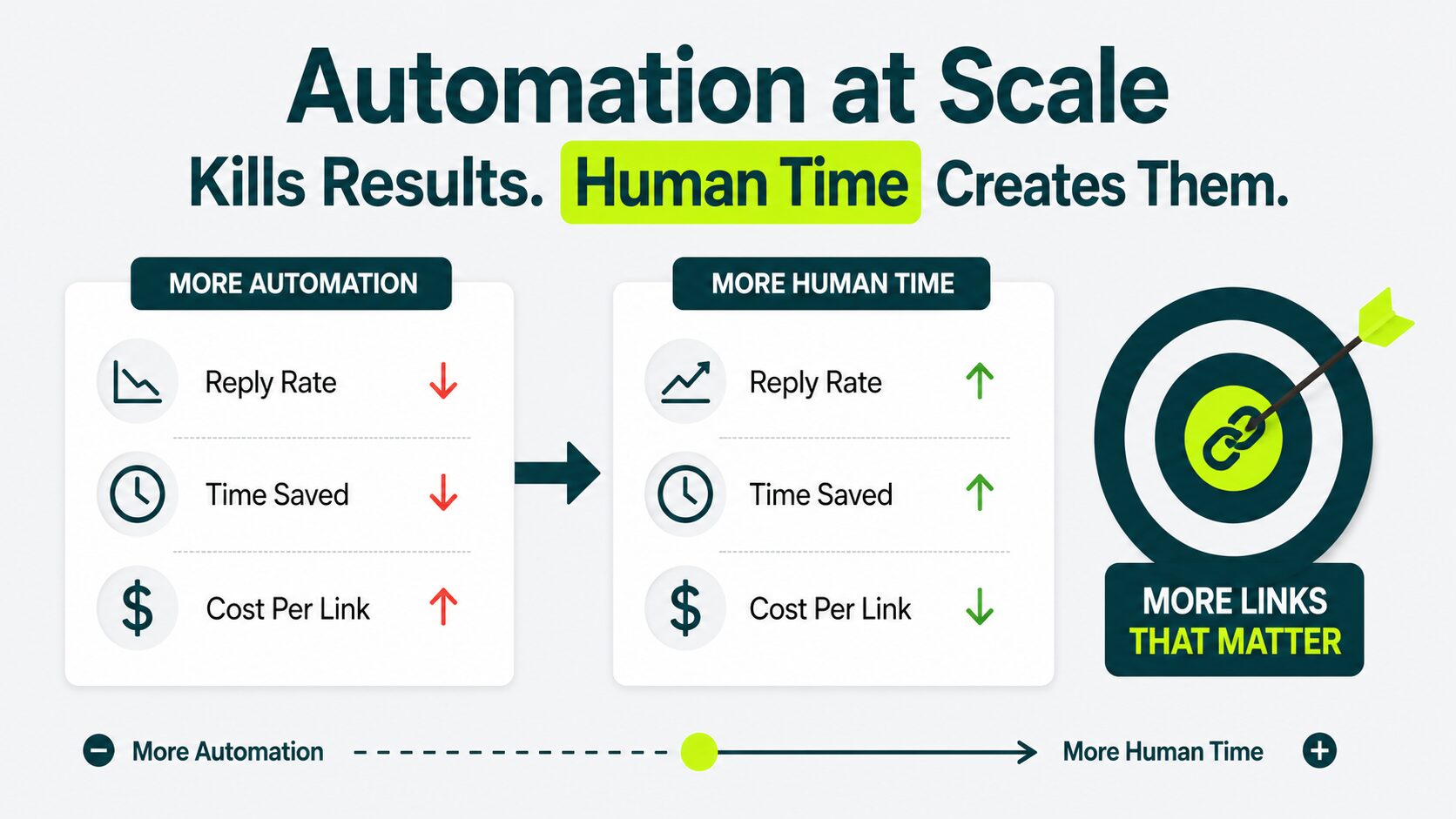
1. Your Reply Rate Is Dropping Faster Than the Benchmark
If your link building campaign drops below the 2026 average of 3.43% for two straight months, and automation is hurting you rather than helping.
It’s almost always one of three things:
- Your prospect list is too broad.
- Your first email reads generic.
- Your sending domain is getting filtered.
You can fix all three. None of them gets fixed by adding more automation. Every fix points the same way: more human time per prospect.
2. Review Time Exceeds Time Saved
Most platforms promise a 5x to 10x speedup. That number assumes you review lightly.
Spend two hours checking 50 personalized openers for accuracy, and you’ve automated the wrong half.
Do this instead: fewer prospects, more time on each, less automation.
3. Your Stack Costs More Than Your Links
Run the math. Add up your annual subscriptions. Divide by the links you earned last year.
If your cost per link is higher than what an outsourced provider charges, you’re paying for the experience of doing it yourself instead of gaining results.
Fine for some. If your goal is to earn more high-quality links, outsourcing to a dedicated team is usually the cleaner answer.
Automate the Operations, Keep the Judgment
Most people who buy “automated link building” automate the wrong half: the link itself.
Automate everything around the link. Hand the operations to software. Keep the judgment yourself.
If that’s not where you want to spend your weeks, that’s exactly the kind of work worth handing off.
Looking to scale link building more efficiently?
Get a strategy that combines automation, outreach, and quality control for sustainable growth.
Is Automated Link Building Safe in 2026?
Yes, for the operations (prospecting, email finding, sequencing, monitoring, reporting, internal linking).
No, for the link itself (scaled content generation, placement automation, anchor rotation). Stay on the operations side, and automation is as safe as it’s ever been.
Can you automate 100% of link building?
No. You can build a tool that produces something resembling links, but Google’s spam policies treat the output as link spam.
Every link that survives a quality update has human judgment somewhere in the chain.
How do I know if my automated link building is actually working?
Track three things: reply rate on outreach, live placement rate, and ranking movement on target pages over 90 days.
If your reply rate is under 2%, the personalization is off. If placements aren’t going live, the sites aren’t real. If rankings haven’t moved in four months, the links aren’t carrying weight.
If the numbers aren’t moving and you’re not sure why, a second look from an experienced link building team often surfaces the problem faster than another month of testing.
Will Google penalize a site for using automation?
Google penalizes patterns, not tools. Produce the same pattern a human would: a clean list, a personalized email, a real placement, and there’s nothing to penalize.
Produce the patterns Google names directly (scaled content, paid links with controlled anchors, footprint sites), and the penalty follows.
Do AI-written outreach emails still work?
As a writing assistant for a human, yes. As a replacement, less so. The 2026 benchmark of 3.43% averages everyone, including pure-AI teams.
Elite campaigns clear 10% reply rates, and that gap often comes down to a first email with a real person’s judgment behind it. Use AI as the editor. Avoid using it as the writer.
How do I keep automated outreach from looking spammy?
Three rules cover most of it:
- Send no more than 50 emails a day from any one sender.
- Write the first sentence yourself.
- Stop the sequence the moment you get a reply (most tools do this. Verify yours does).
What’s the single highest-payoff thing to automate first?
The single highest-payoff thing to automate first on your site is internal linking. No outreach, no penalty risk, no agency.
Install a tool like Link Whisper, spend an afternoon approving suggestions, and watch your most important pages climb within a few weeks.