Most link building metrics reports bury the metrics that actually matter for your search engine optimization (SEO).
The metrics worth watching are how many new referring domains you’re earning, how closely those linking sites relate to your business, and whether your rankings or organic traffic actually improve.
Your report may list Domain Rating, a spam score, and sometimes a “toxicity” score to flag potentially risky links.
These metrics can provide useful context, but they don’t tell you whether your link building investment is delivering meaningful results.
The real test is simple: are you earning new, relevant links and seeing measurable improvement in search visibility and organic traffic?
Quick Summary
- Referring domains are the metric on a link report most closely associated with ranking movement.
- Domain Rating alone doesn’t tell you whether a link is helping; relevance and real traffic on the linking page matter more.
- A single flagged “toxic” link almost never needs action; clusters of flags in the same time window are what warrant concern.
- Link velocity has no fixed schedule; watch for flat months only if referring domains plateau for 3+ months in a row.
- Most link reports show rankings after months 2 to 3; traffic lags another 2 to 3 months behind.
- Brand mentions in AI answers correlate weakly with link authority; they correlate strongly with being mentioned by name across the web.
What a Link Building Report Is Actually Telling You
A link building report tells you whether the links your campaign earned are the right kind, whether any of them are risky, and whether any of them are moving your rankings or traffic yet.
It breaks each link down by the metrics Ahrefs or Semrush tracks.
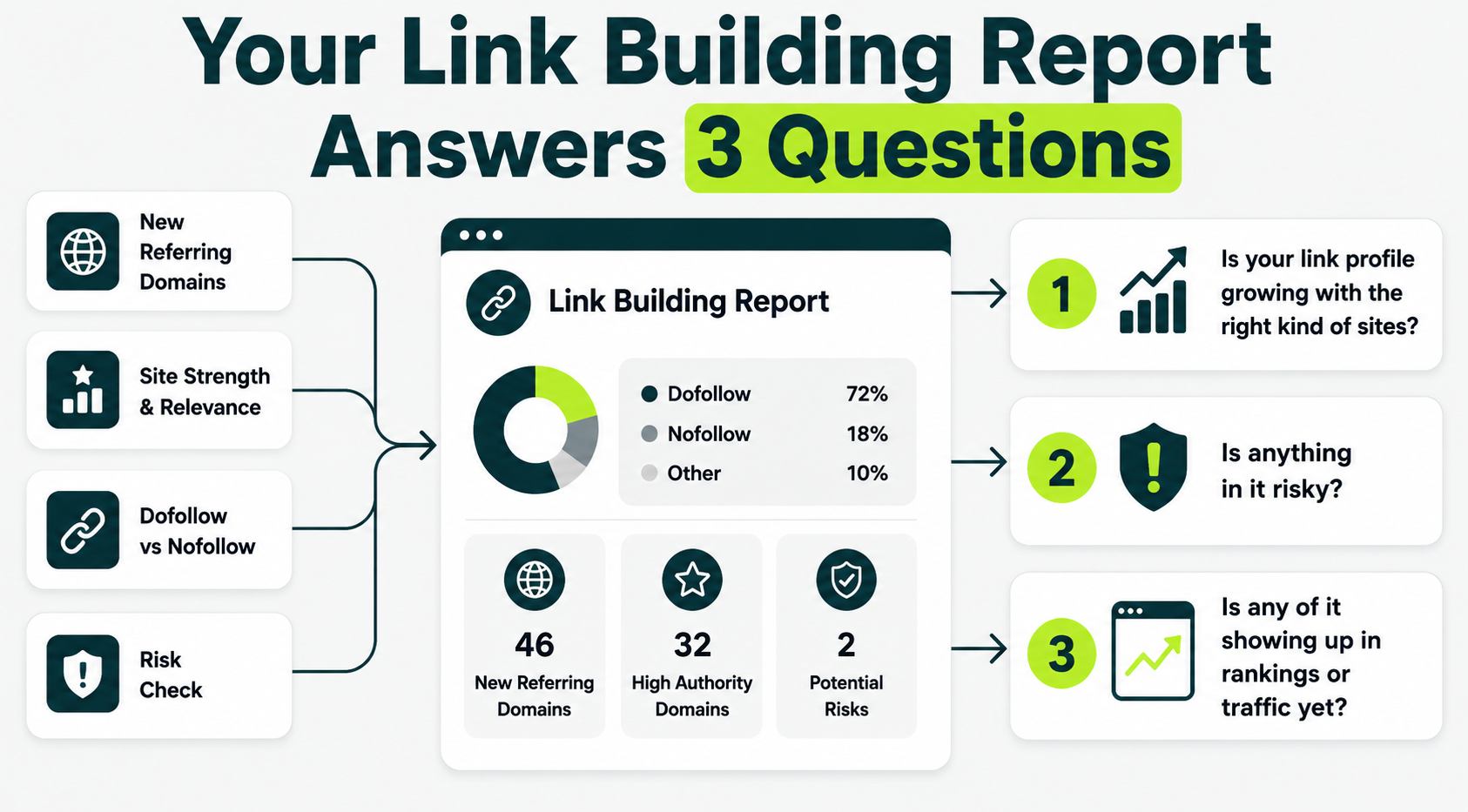
Every report pulls from the same handful of categories:
- How many new referring domains (separate websites with at least one link to yours) showed up.
- How strong or relevant those sites are.
- Whether the links are dofollow or nofollow.
- Whether anything in the batch looks risky.
A report can list 15 columns and still boil down to three questions:
- Is your link profile growing with the right kind of sites?
- Is anything in it risky?
- Is any of it showing up in rankings or traffic yet?
Once you know what to look for in a report, the next step is earning more of the right kind of links. To learn link building tactics, explore our core link building strategies.
Referring Domains: The Number Worth Watching Most
Referring domains matter because a referring domain counts each website only once, no matter how many links that site sends.
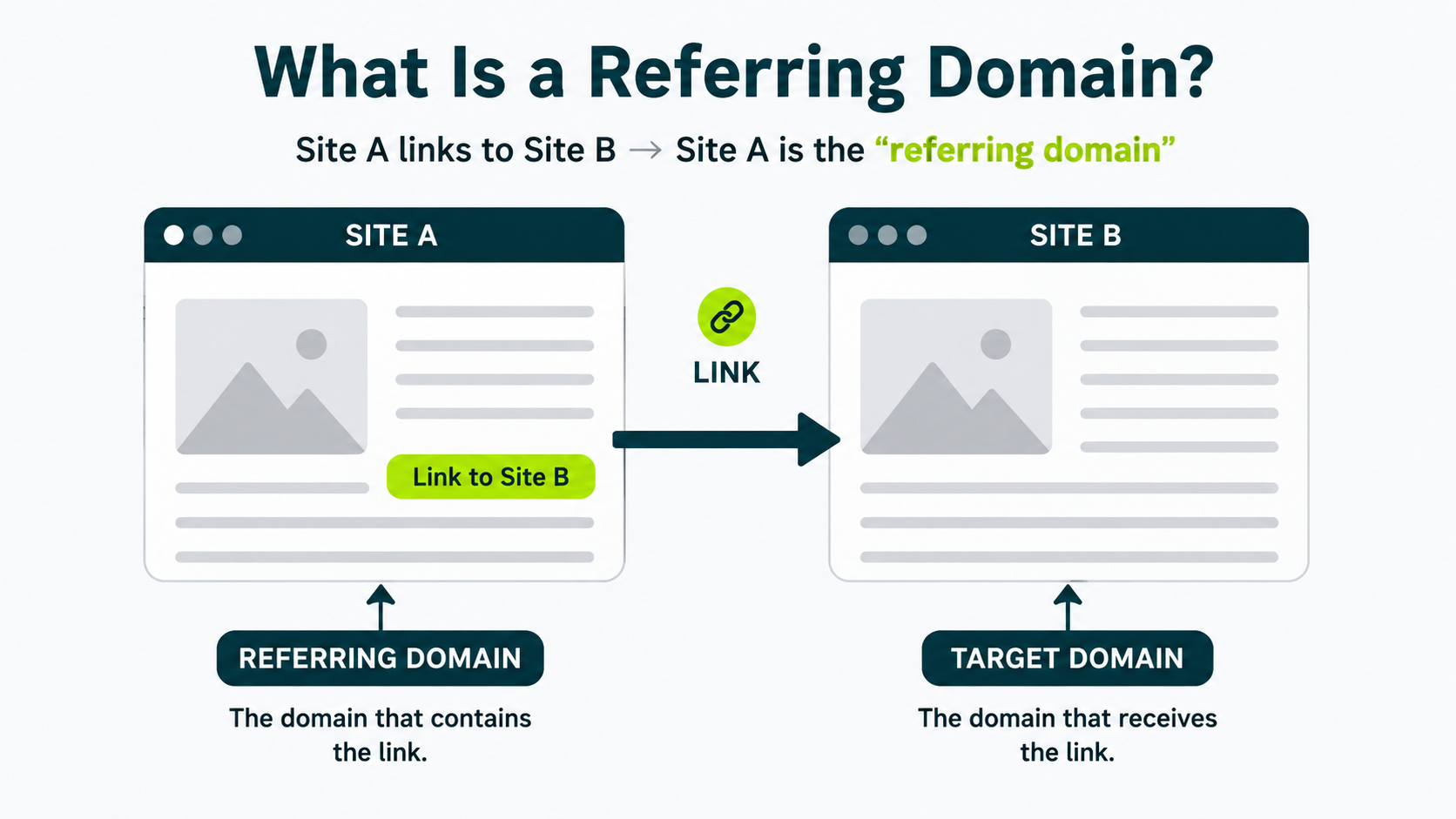
Ten links from one blog count as one referring domain.
One link each from each of ten different blogs counts as ten referring domains.
The second scenario is worth more almost every time, because it shows ten separate publishers independently decided your page was worth linking to. For a closer look at why this distinction matters, see how referring domains and backlinks differ.
Total backlink count alone is close to meaningless.
A single site can generate hundreds of links to you through its footer, sidebar, or an old directory page.
None of that reflects separate publishers recommending you the way real referring domains do.
When you’re checking your overall backlink profile, referring domains are the first column worth sorting by, rather than total links.
Domain Rating, Domain Authority, and Why the Numbers Never Match
Domain Rating, Domain Authority, and Authority Score are three different companies’ estimates of the same rough idea: a website’s overall link strength.
They’re calculated differently, so they rarely match.
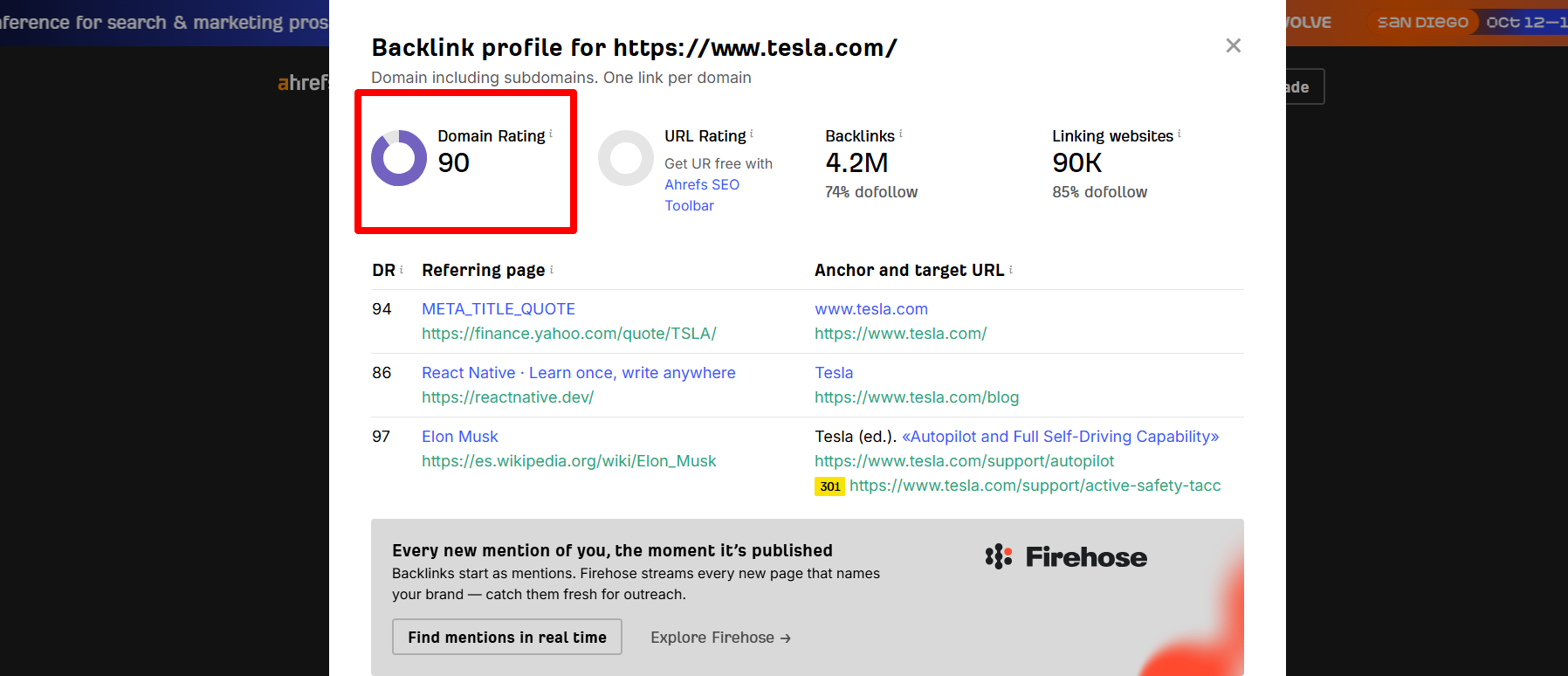
Domain Rating (DR) is Ahrefs’ score, on a scale of 0 to 100, based on the quality and quantity of unique referring domains linking to a site. As you can see in the image below, Tesla’s DR is 90.
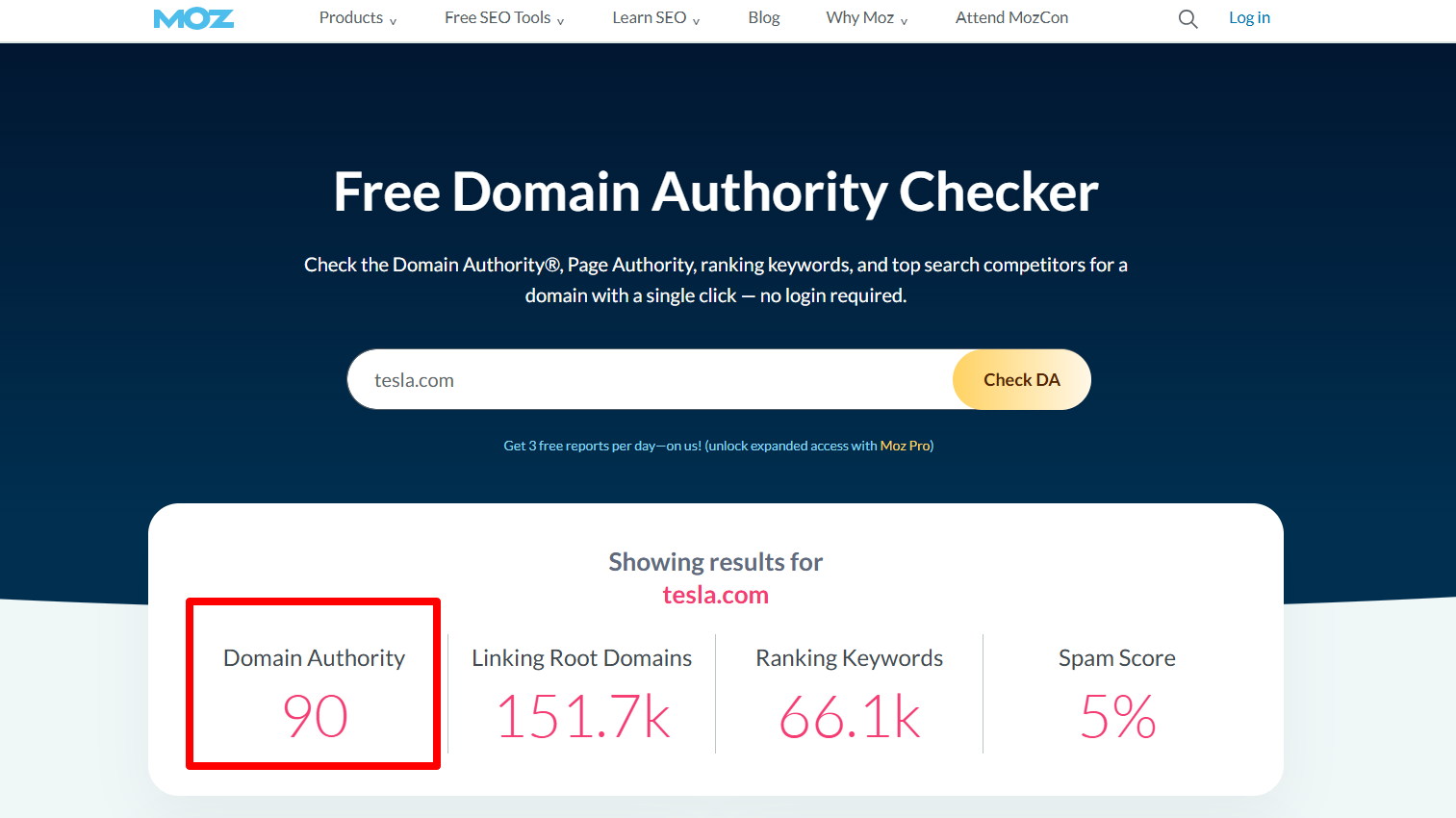
Domain Authority (DA) is Moz’s version of the same idea, built on Moz’s own link index and its own formula. In the image below, you can see Tesla’s DA is 90.
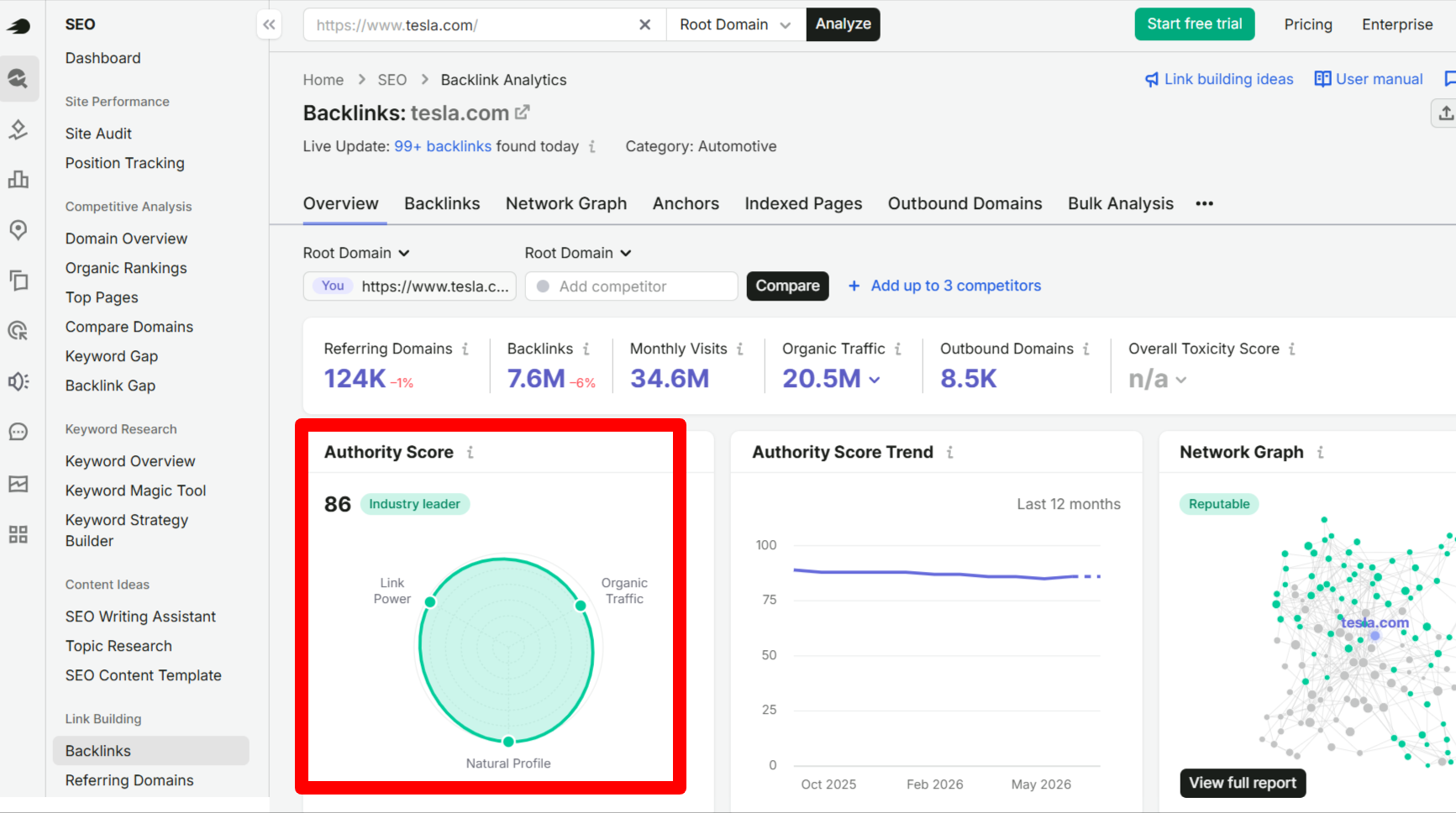
Authority Score (AS) is Semrush’s version, which folds in referring domains, organic traffic, and other signals Semrush tracks. As seen in the image, Tesla’s Authority Score is 86.
A site can carry a DR of 45, a DA of 37, and an AS of 52 at the same time. All three can be reasonable even when they don’t match.
None of the three is wrong.
Each tool builds its score from different data, so treat whichever score your report uses as a rough strength signal, rather than an exact measurement.
If your own score feels low and you want to move it, a zone-by-zone plan for moving that score walks through exactly how.
Relevance and Traffic: Why a “Weaker” Link Can Outperform a Stronger One
A lower-authority link outperforms a high-authority link when it’s genuinely relevant to your business and sends real traffic, regardless of the authority score.
A high-authority link from a site that has nothing to do with what you sell often does less for your rankings than that kind of “weaker” link.
Two signals decide this: topical relevance and real organic traffic on the linking page.
For more on why relevance carries so much weight, see what makes a link relevant.
What Does Topical Relevance Mean?
Topical relevance means the site linking to you actually covers your industry, or something close to it.
A general plumbing-related blog such as The Plumbing Blog linking to a drainage service company is the kind of natural, obvious connection this describes.
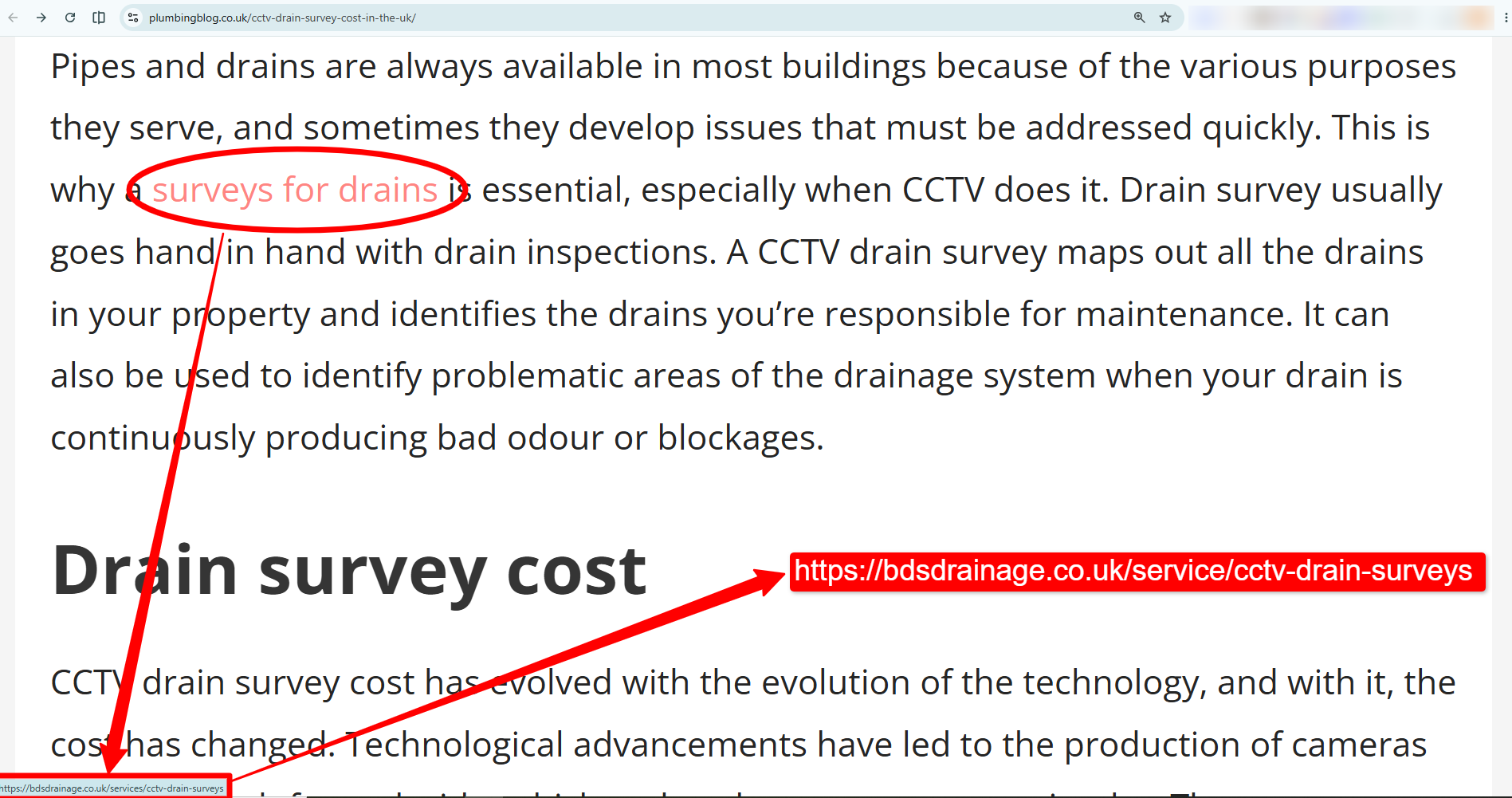
Real traffic means people actually visit the page your link sits on. It’s not just that the domain has a high score somewhere in its history.
These combinations show what each scenario means for your campaign:
| SCENARIO |
WHAT IT USUALLY MEANS |
|---|---|
| High authority score, no topical connection, no real traffic on the page. | Likely a low-effort or purchased placement; treat with caution. |
| Moderate authority score, strong topical connection, steady traffic on the page. | A genuinely valuable link, often worth more than the score alone suggests. |
| High authority score, strong topical connection, steady traffic. | The best possible combination, rare and worth celebrating. |
| Low authority score, no topical connection, no traffic. | Skip it; this link isn’t helping. |
DR alone can’t tell you whether a link is working. Relevance and real traffic on the linking page matter more than the score attached to it.
Before you accept or reject a link opportunity based on its score alone, run a step-by-step way to audit your whole link profile so you’re comparing it against what’s already working for you.
Anchor Text, Dofollow vs. Nofollow, and the Other Line Items
Once you’ve sized up the big-picture numbers, the report’s smaller line items show the real texture of a link profile.
Anchor Text
Anchor text is the clickable words in a link, like the sign on a door.
A healthy report shows a natural mix of anchor text rather than the same phrase over and over.
Google reads anchor text as a small hint about what the linked page covers.
A natural link profile leans on your brand name most often. Smaller shares of descriptive phrases and occasional exact keyword matches follow.

If nearly every new link uses the identical keyword phrase, flag it with your campaign lead: that pattern reads as manufactured.
Dofollow vs Nofollow
Dofollow and nofollow describe whether a link passes authority to your site. A dofollow link passes some authority from the linking site.
A rel=”nofollow” is an attribute telling search engines not to pass that authority, though it can still send signals that people are talking about you.
A healthy profile includes both, since real websites naturally produce a mix.
A report full of only dofollow links looks less natural than one with nofollow links mixed in.
Spam Score and Toxic Links: When to Actually Worry
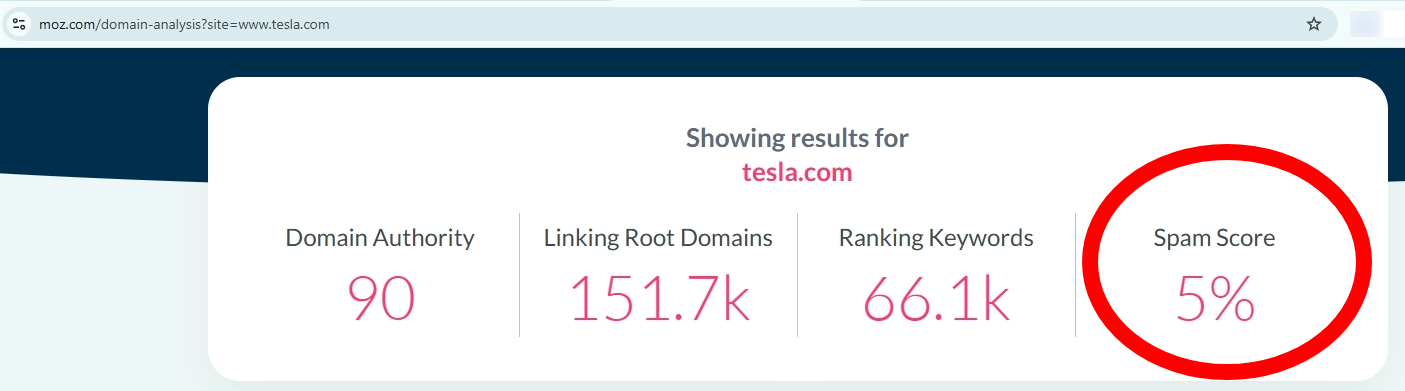
Spam Score is a percentage-based Moz metric that estimates how closely a website resembles domains that Google has penalized or banned, based on machine-learned signals. It looks something like this.
Semrush assigns a Toxicity Score, a score from 0 to 100, to individual backlinks based on 45+ toxic markers to determine which links are most urgent to investigate. You’ll see this metric in Semrush.
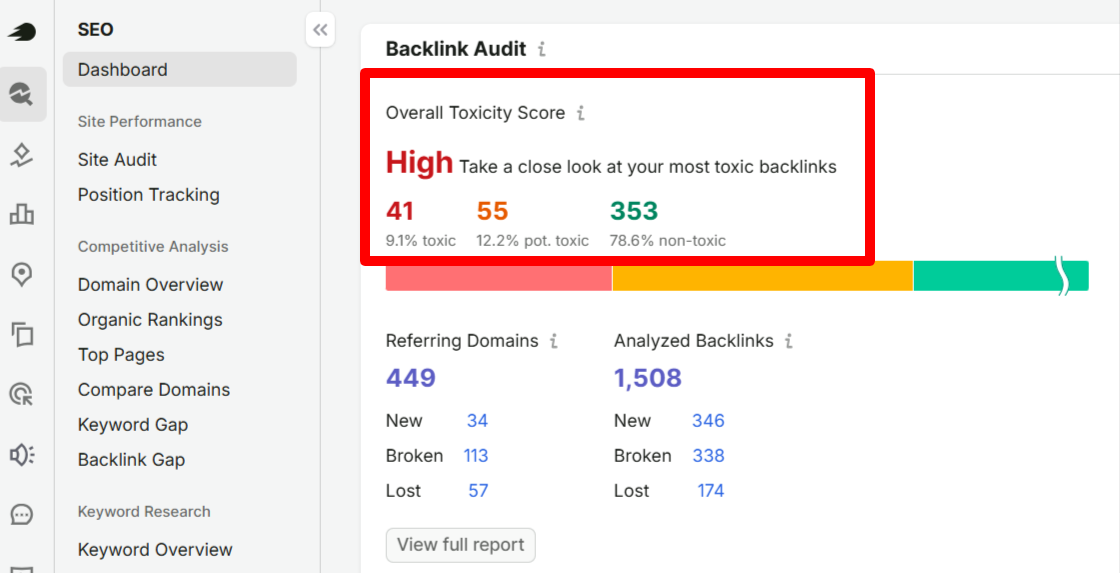
A single link flagged as risky almost never needs action, and the number worth watching is whether flags are clustering, not whether one shows up.
Spam Score and toxicity scores are a tool’s best guess at how risky a linking site looks, based on patterns common among spammy or penalized sites.
No tool’s spam detection is perfect.
Plenty of legitimate, older websites pick up a flag or two simply because they’ve been online long enough to accumulate some problematic links.
Worth checking before you worry:
- Do flags hit more than a small share of your new links in the same reporting period?
- Do the flagged links share an obvious pattern, like the same low-quality directory network?
- Has a flagged link lined up with a ranking drop, or did it just show up on a report?
If all three answers are no, the flag is safe to ignore.
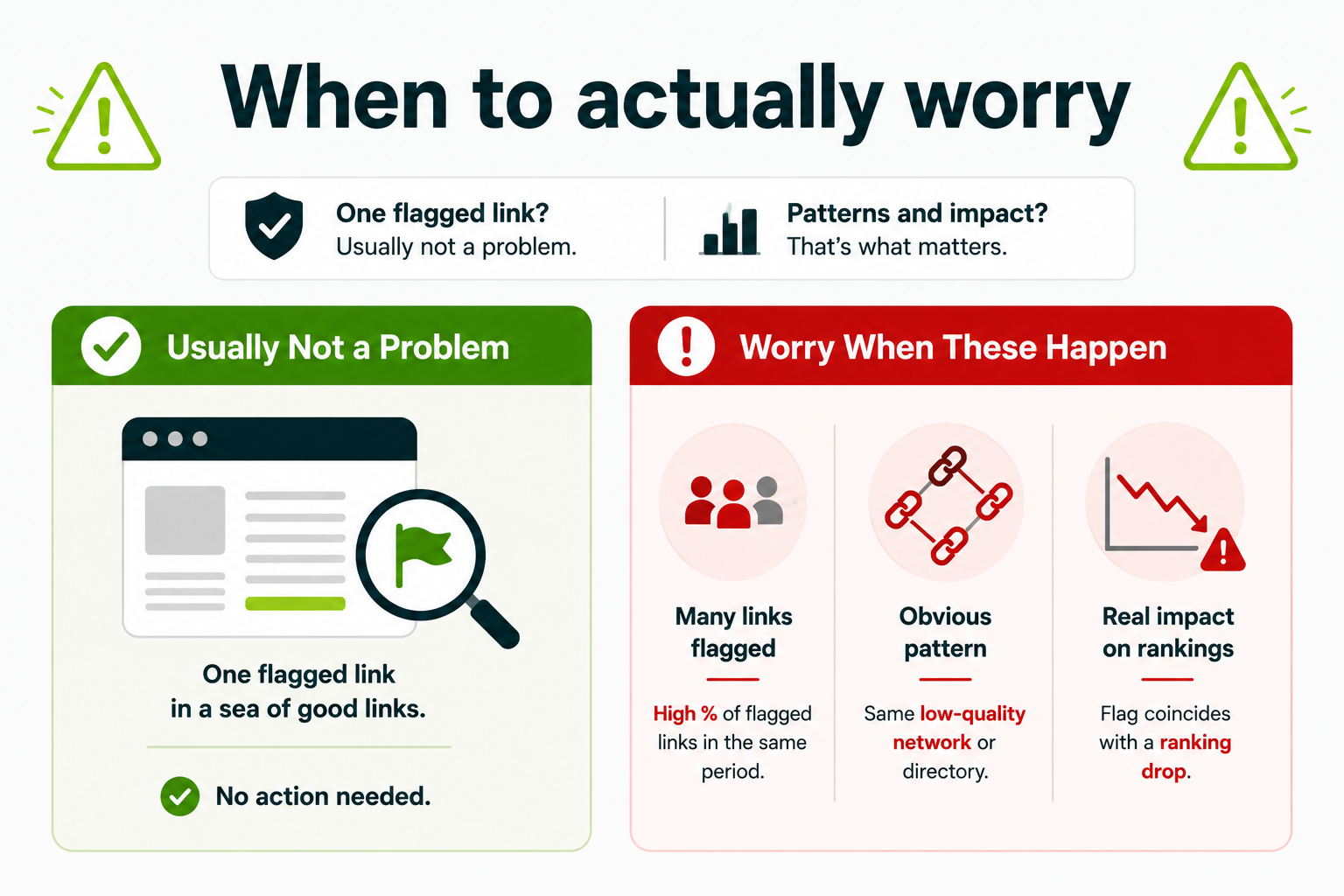
A single flagged “toxic” link almost never needs a disavow request, and treating every flag as an emergency wastes time you could spend on links that actually move the campaign forward.
We’ve seen teams panic over a single flagged link and file a disavow immediately. Don’t. Teams waste hours on disavow requests that don’t move rankings instead of asking the real question: why did referring-domain growth stop this month? A single flag is noise. A cluster of flags landing in the same reporting period is worth investigating.
If you spot a real toxic backlink pattern instead of an isolated flag, the first thing to figure out is whether it’s actually worth filing a disavow.
Backlink Velocity: Finding the Right Growth Rate
There is no fixed schedule. Legitimate campaigns don’t add links on a fixed timeline.
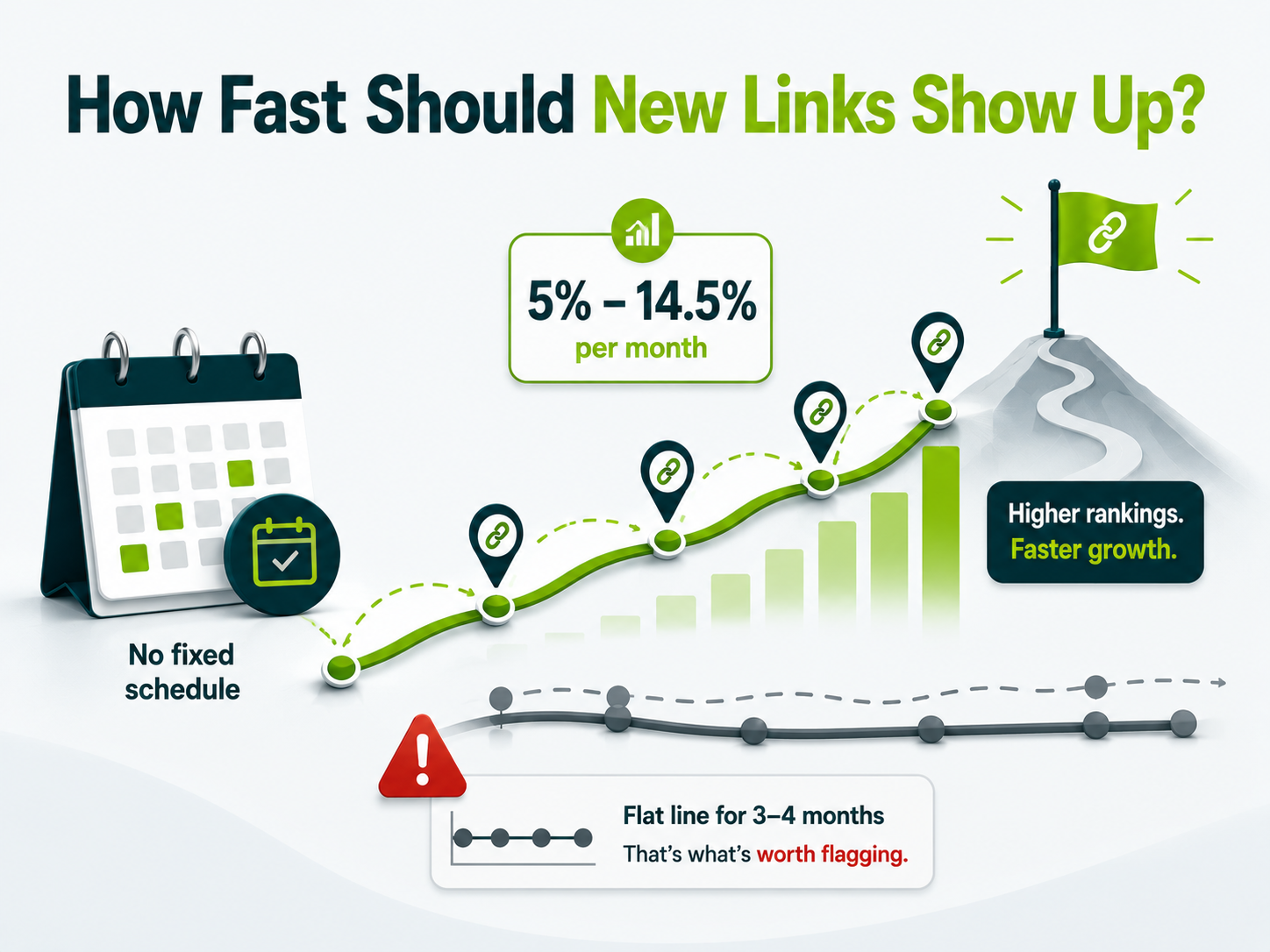
Link velocity is the pace at which new referring domains show up over time.
Ahrefs’ 2026 referring domain growth data found that top-ranking pages tend to gain new referring domains at roughly 5% to 14.5% per month. It also showed that higher-ranking pages tend to show faster referring domain growth.
That’s a range, rather than a rule.
Month 2 is the slowest part of any real outreach campaign. The first batch of prospects responds, but the second wave hasn’t moved yet. Expect flat months. The teams that push into months 3 and 4 are the ones who see movement.
A small or newer site will naturally add fewer referring domains in raw numbers than an established one, even at a healthy percentage pace.
A quiet month while tracking link velocity isn’t automatically a red flag for a small campaign relying on real outreach, since outreach doesn’t run on a fixed conveyor belt.
What’s worth flagging isn’t one slow month. It’s a flat line across 3 or 4 months in a row with no new activity and no explanation from whoever is running the campaign.
The Report Card: Which Metrics Are a Green Flag
To read a report fast, check it against a short list of green-flag metrics: new referring domains, authority score, relevance of linking sites, spam or toxicity flags, anchor text, rankings, or traffic.
Green means the number is healthy; red means it’s worth a question for whoever is running the campaign.
| METRIC |
GREEN FLAG |
RED FLAG |
|---|---|---|
| New referring domains per month |
Steady growth, even if it’s just 3 to 10 for a small campaign. | Zero new referring domains for 3 or more months in a row with no explanation. |
| Authority score of linking sites |
A mix of scores, mostly from sites active in or near your industry. | Every new link sits at an unusually high score with no topical connection to your business. |
| Relevance of linking sites |
Most new links come from sites that talk about your industry or something close to it. | Links from sites with no real connection to what you sell. |
| Spam or toxicity flags |
A small share of links flagged, nothing close to the majority. | A cluster of new links all flagged in the same reporting period. |
| Anchor text |
Mostly your brand name or natural phrases, a few keyword-based. | The same keyword phrase repeated across most new links. |
| Rankings or traffic |
Gradual movement starting around month 2 or 3. | No movement at all after 4 or more months of steady link growth. |
Many agency reports aren’t organized this way.
They list whatever columns the SEO tool exports and leave you to guess which ones matter.
Keep this table open the next time a report lands in your inbox.
Run your numbers through our free calculator to estimate link building ROI and see what a healthy return should look like for your specific budget.
Connecting Metrics to Rankings, Traffic, and AI Visibility?
The metrics on a report are only useful if they connect to something real such as rankings, organic traffic, or getting mentioned in AI answers.
Those are the outcomes a campaign exists to produce.
Connecting Metrics to Rankings and Traffic
New Links and New Rankings Don’t Always Show up on the Same Schedule. This Table Maps Out What Different Combinations Tell You.
| IF YOU SEE THIS |
IT USUALLY MEANS |
|---|---|
| Referring domains growing, rankings flat after 4+ months. | Give it more time if relevance is strong, or ask about targeting if it isn’t. |
| Referring domains flat, rankings improving. | The existing links are still working their way through Google’s index, which is common. |
| Referring domains and rankings both climbing. | The campaign is working as intended. |
| Referring domains growing, but only to pages that don’t sell anything. | Ask why the campaign isn’t targeting your revenue pages. |
We’ve observed this pattern: as high-quality referring domains increased, rankings tended to follow, along with broader gains in visibility, organic traffic, and overall backlink profile strength.
Where AI Search Visibility Fits In
The authority metrics your link report already tracks don’t reliably predict AI search visibility. Treat it as a separate outcome to watch instead of treating it as something a strong link profile automatically buys you.
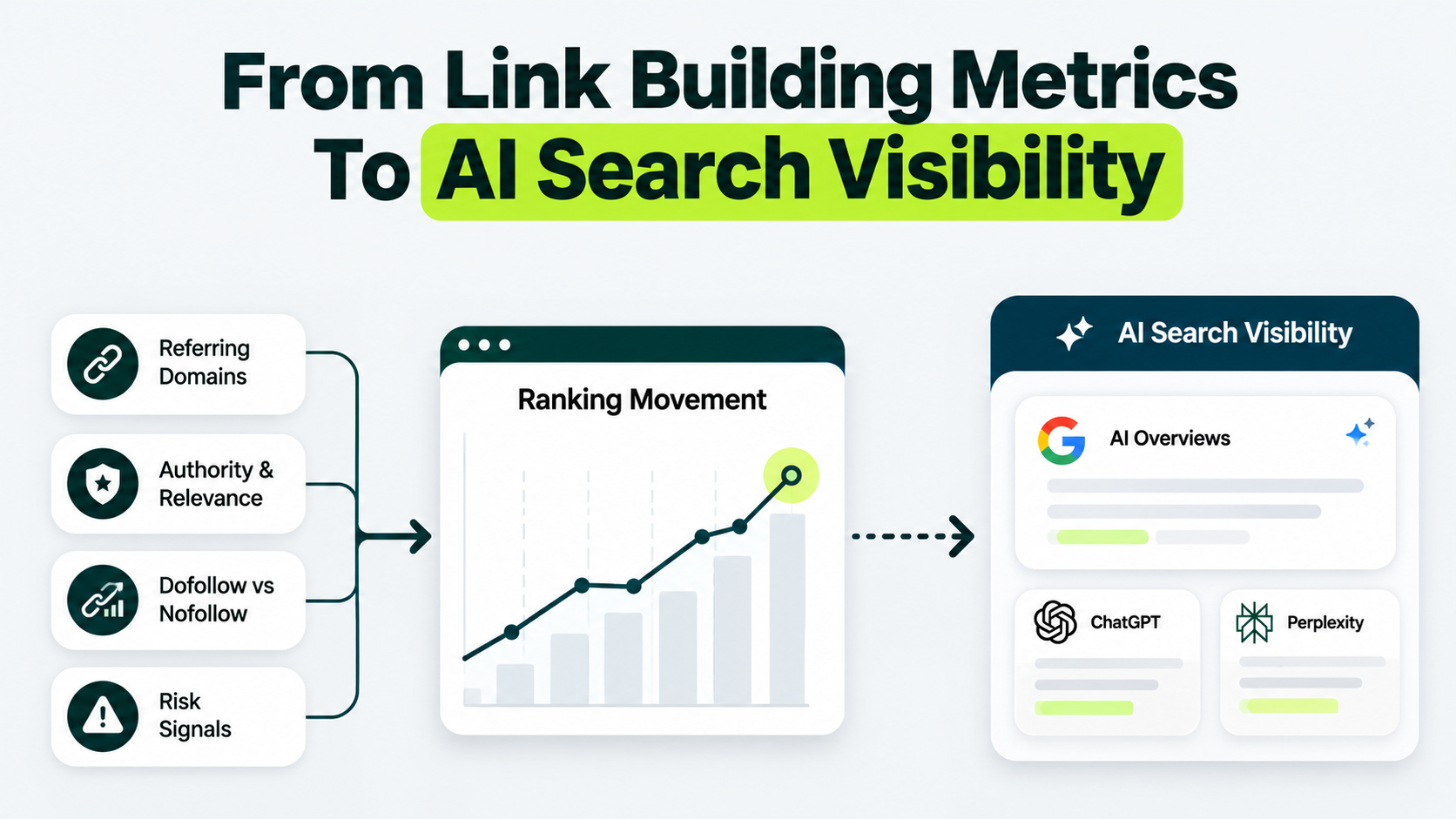
AI search visibility is the newest outcome worth watching, and it doesn’t move the way rankings do.
A 2025 Ahrefs study on domain metrics and AI mentions looked at the 50 domains mentioned most often by AI tools. The dataset covered 76.7 million Google AI Overviews, 957,000 ChatGPT prompts, and 953,500 Perplexity prompts.
It found almost no connection between a domain’s overall authority ranking and how often people mentioned that domain by name.
The connection was weakest for ChatGPT (essentially none), still very weak for Google AI Overviews, and only moderate for Perplexity.
A high authority score doesn’t buy a seat at the AI answer table.
What tends to matter more is how often people talk about you by name across the web.
That’s why brand mention as an SEO signal is worth watching alongside your link report.
How Long Before the Numbers Move
Most campaigns start showing early movement around months 2 to 3, with more noticeable ranking and traffic shifts by months 4 to 6.
Referring domains show up first, since that’s the direct result of outreach succeeding.
A report that shows referring domains growing but nothing else moving yet, in month 1 or 2, isn’t a failing campaign.
A report that still shows nothing by months 5 to 6, with referring domains flat the whole time, is worth a direct conversation.
Audit Your Last 12 Reports Right Now
Review the past 12 months for referring-domain growth, relevant links, anchor text, and flagged-link patterns.
If referring domains have stayed flat for three months, ask what needs to change. Look at publisher quality, link relevance, target pages, and outreach volume.
If link quality is improving, build on what works. If the same issues keep appearing, reassess the strategy before adding more links.
For the bigger industry picture beyond your own campaign, the wider link building statistics for 2026 round up where the whole channel stands right now.
Not Sure Which Link Building Metrics Actually Matter?
Get a tailored approach to building and evaluating a stronger backlink profile.
Do internal links or social media activity affect these metrics?
No, internal links or social media activity don’t affect these metrics.
They also don’t count toward your Domain Rating, Domain Authority, or Authority Score, since Ahrefs, Moz, and Semrush each build their score specifically from external links coming in from other websites.
Social shares can still help people discover a page and potentially link to it later, so they’re not worthless; they just don’t show up as a metric on a link building report.
Should Domain Authority or Domain Rating be part of my link building metrics?
They’re useful as a rough filter, not a target to chase. DA and DR are third-party scores, not Google metrics, so a high score doesn’t guarantee ranking impact.
Use them to screen prospects before outreach, not to grade success after the fact. Rankings and organic traffic tell you more than either score. Working with a reliable link building partner can help keep that distinction clear when reporting results.
Can you measure link building ROI?
Yes, by connecting the campaign’s cost to the traffic and conversions on the pages that received links, using whichever analytics setup you already have in place.
Attribution is the real limitation.
Your analytics tool won’t always credit that backlink when a visitor who found you through it converts two weeks later on a direct visit.
Treat any ROI number as a reasonable estimate.
Do I need to remove every low-quality link my report flags?
No, a single flagged link almost never needs removal, and disavowing links is a narrow tool meant for confirmed, damaging spam patterns instead of routine cleanup.
A real cluster of flagged links is a different story, and worth acting on rather than ignoring.
Can I check individual backlinks before reviewing my campaign?
Yes. Use our free Link Analyzer tool to check individual backlinks for quality, relevance, and other key signals before judging the campaign as a whole.